
By Kshetez Vinayak, founder of SupaSidebar. Last updated 2026-06-29.
TL;DR
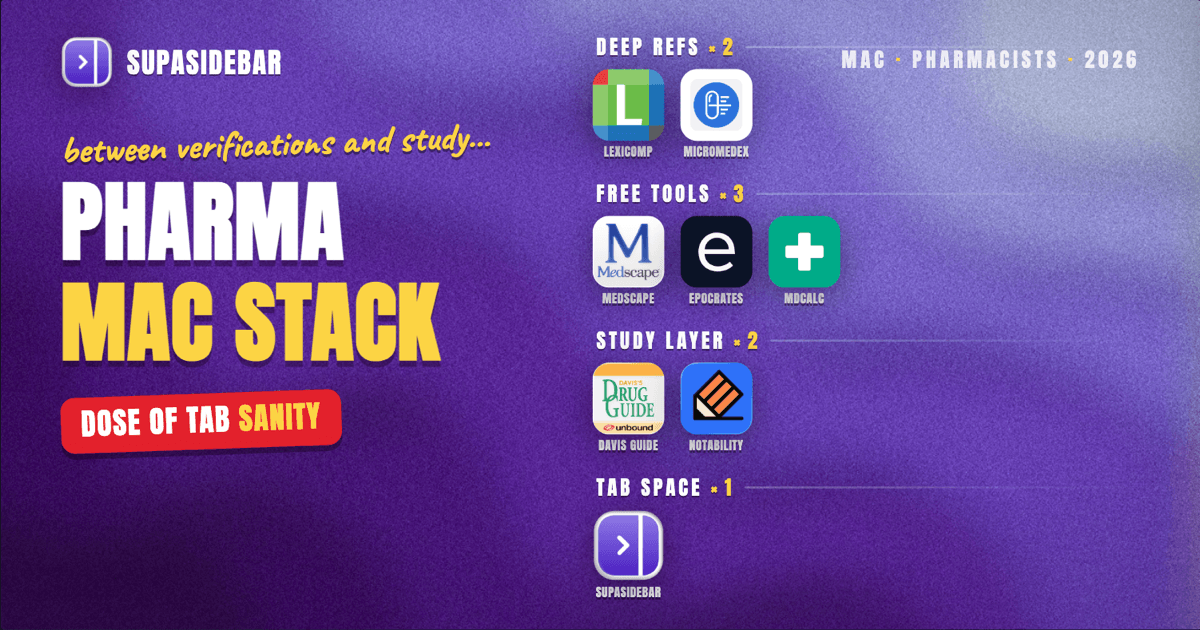
The best Mac apps for pharmacists in 2026 are organized by the job at hand, not by brand: Lexicomp or Micromedex as the deep, institutional drug-information references for full monographs and compatibility data, Medscape as the genuinely free drug reference with a built-in interaction checker, Epocrates for fast drug lookups and pill identification with a useful free tier, MDCalc for the dosing and kinetics calculations that should never be done by hand, Davis's Drug Guide for pharmacy-student drug cards and study, Notability for lecture and rotation notes, and SupaSidebar to keep reference, dispensing, and study tabs from collapsing into one tab pile across browsers. Most drug-information work happens in a browser or a phone app, so the real Mac question for a pharmacist is what to run between verifications and during study: a reference that is always current, an interaction checker that is one tap away, a calculator that is always right, and a way to keep clinical-reference tabs separate from study tabs. Several of these start free, Medscape is free, Epocrates and MDCalc have strong free tiers, and SupaSidebar has a free version, while Lexicomp and Micromedex usually ride on an institutional login.
Quick navigation:
- Still in pharmacy school? → Best Mac Apps for Students 2026
- Looking at the nursing app stack instead? → Best Mac Apps for Nurses 2026
- Drowning in open tabs specifically? → Too Many Tabs Open on Mac
- Setting up a Mac for pharmacy work and study? You are in the right place. Keep reading.
| App | Job in the stack | Pricing model | Best for |
|---|---|---|---|
| Lexicomp / Micromedex | Deep drug information and compatibility | Subscription, usually institutional | Full monographs, IV compatibility, and clinical depth |
| Medscape | Free drug reference and interaction checks | Free | Everyday drug lookups and interaction screening at no cost |
| Epocrates | Fast drug lookup and pill ID | Free tier; Plus paid | Quick drug checks and identifying an unknown pill |
| MDCalc | Clinical calculators and dosing | Free | Renal dosing, kinetics, and risk scores done right |
| Davis's Drug Guide | Pharmacy-student drug study | Paid (student-priced) | Drug cards and study for school and boards |
| Notability | Lecture and rotation notes | Free; Plus paid | Pharmacy-school notes and PDF annotation |
| SupaSidebar | Reference vs study tab separation | Free version available | Keeping clinical and study tabs apart across browsers |
Why a pharmacist's app stack isn't a generic "best apps" list
A pharmacist's relationship with a Mac is different from a knowledge worker's. The dispensing system, the workflow queue, the label printer, and the verification screen live on pharmacy hardware that a personal Mac never touches. What a pharmacist actually runs on a Mac is the work that happens around the counter: looking up a drug or a compatibility, screening an interaction, checking a renal dose, and, for the large share of pharmacists who are also students or studying for boards, taking notes and reviewing drug cards.
So this list is organized by those jobs rather than by suite. The picks lean toward tools with a real free tier (a student's or new graduate's budget is thin), Mac-and-mobile availability (a pharmacist checks an interaction on a phone at the bench and reviews notes on a Mac at home), and accuracy where accuracy is non-negotiable, which for drug references and calculators means a tool built and maintained by clinicians and pharmacists. The list leads with the drug-information references that carry the most weight, moves through interaction checkers and calculators, and ends with the study and organization layer.
Lexicomp and Micromedex: the deep drug-information references
Lexicomp and Micromedex are the deep drug-information references pharmacists reach for when a question needs full clinical depth rather than a quick fact: complete monographs, IV compatibility data, dosing in special populations, and clinical-pharmacology detail. When the question is "is this compatible in the same line" or "what is the renal-adjusted dose with this interaction," a reference built for pharmacy-grade depth is what the verification depends on. Both are subscription products, and most pharmacists reach them through a hospital, pharmacy-chain, or school license rather than a personal plan, so the practical question is which one the workplace already provides.
The honest scope on these two: they are the depth standard, and they are reference tools, not interaction-screening shortcuts. They reward a pharmacist who needs the full monograph, and they usually require an institution behind them. A pharmacist without institutional access leans on the free tools below for everyday lookups.
Best for: pharmacists who need full monographs, IV compatibility, and special-population dosing, and have institutional access to the subscription.
Medscape: the free drug reference and interaction checker
Medscape is the drug reference that is completely free, with no premium tier and no paywall on its drug data, funded by pharma advertising that is visible but never gates the content. Its drug entries cover dosing, mechanism, contraindications, adverse effects, and pregnancy category, and it has a built-in multi-drug interaction checker with severity tiers, per Medscape's point-of-care app page. For a pharmacist screening a profile, a no-cost interaction checker that is always available is the everyday workhorse.
Medscape also carries hundreds of specialty-grouped medical calculators and offers free CE credit, so the same free app that answers a drug question can also log continuing education. The honest line: Medscape is ad-supported, so expect to see promotion around the content, but the clinical data itself is never locked behind a paywall, which is exactly why it earns a spot for budget-conscious pharmacists and students.
Best for: pharmacists and students who want a free drug reference and interaction checker with no paywall on the drug data.
Epocrates: fast drug lookups and pill identification
Epocrates is the fast drug-lookup app for the moments when a monograph or an interaction check is needed in seconds, not a full topic review: dosing, adverse effects, a pill identifier, and a multi-drug interaction checker. A huge share of bench questions are drug questions, and a reference that answers them in a few taps beats one built for deep reading. The free tier covers drug monographs, the interaction checker, and pill identification at no cost, while the Plus tier, around $174.99 per year, adds disease content, lab references, and clinical guidelines, per GetApp's Epocrates pricing breakdown.
The honest line on Epocrates: the free tier is genuinely useful and is all most pharmacists ever need for quick drug checks and pill ID, so treat Plus as optional unless the added disease and lab content earns its keep. It is a quick-reference tool that sits alongside the deeper Lexicomp or Micromedex monograph, not a replacement for it.
Best for: pharmacists who want fast drug and interaction lookups, plus pill identification, with a free tier that covers the daily need.
MDCalc: getting the dose and kinetics right
MDCalc is the free clinical-calculator app every pharmacist should have on hand: hundreds of evidence-based calculators, risk scores, and dosing tools built and maintained by clinicians. MDCalc is free to download and offers more than 270 evidence-based clinical decision tools, with eligible users able to earn continuing-education credit by reviewing the evidence behind many of them, per its App Store listing. For a pharmacist, the load-bearing pieces are the renal-function and dosing calculators, creatinine clearance, and the kinetics math that should never be done by hand at the end of a shift, because any calculation done manually is a calculation that can go wrong.
There is no real trade-off to name here beyond scope: MDCalc calculates, it does not pull a monograph or screen an interaction, and it is only as good as the inputs entered. That is exactly why it belongs in the stack as the dedicated calculation tool rather than as a feature buried in something else.
Best for: every pharmacist and pharmacy student who wants vetted renal-dosing, kinetics, and risk calculators instead of doing the math by hand.
Davis's Drug Guide: pharmacy-school drug study
Davis's Drug Guide is the study-oriented drug reference built around how pharmacy students learn medications: drug cards organized for memorization, nursing and pharmacology implications, and content geared to coursework and board prep rather than point-of-care verification. A pharmacy student is learning the drug, not just looking it up, and a reference structured around learning beats one structured around lookup. It is a paid app with student-friendly pricing, typically sold as an annual subscription through Unbound Medicine, and it is most useful during school and boards rather than on the bench.
The honest line on Davis's Drug Guide: it is a school-and-boards tool, so a practicing pharmacist with institutional Lexicomp or Micromedex access will lean on those instead. For a student, it is the study layer that the free clinical references do not replace.
Best for: pharmacy students who want drug cards and study-structured drug content for coursework and board prep.
Notability: pharmacy-school and rotation notes
Notability is the note-taking app that fits pharmacy-school study and rotation work on a Mac: typed and handwritten notes, PDF annotation for lecture slides and protocol handouts, and audio recording that syncs to the notes as they are written. A large share of pharmacists are also students, and lectures, drug tables, and study guides are a mix of typing, sketching, and marking up PDFs that a plain text editor handles poorly. Notability has a free Starter tier with basic handwriting and auto-sync across Apple devices, and a Plus tier around $20 per year that adds audio recording synced to notes, advanced PDF annotation, and AI study tools, per checkthat.ai's Notability pricing breakdown.
The honest line on Notability: the free tier limits some features, so a pharmacy student who lives in the app will likely want Plus, but the annual price is modest and the cross-device sync between an iPad at lecture and a Mac at home is the real draw.
Best for: pharmacy students who annotate lecture slides and mix typed and handwritten notes across an iPad and a Mac.
The reference-and-study tab problem (and the workspace layer)
Here is the problem that sits underneath all of the above for a pharmacist who also studies. The clinical-reference tabs (Lexicomp or Micromedex, a free drug reference, an interaction checker, a renal-dosing calculator) want to stay open and logged in. The study tabs (a pharmacy-school portal, lecture videos, a board-prep question bank, a drug-card site) want their own pile. And the personal tabs are mixed in with both. Some of it lives in Chrome because the school portal works best there, some in Safari for quick reference, and an institutional drug-information login may sit in a third browser or profile entirely.
Finding "that compatibility tab from this morning" turns into a window-by-window hunt, and closing a browser window to tidy up means losing a logged-in reference session built earlier. Tab groups inside one browser do not fix this, because the reference set and the study set often span different browsers and profiles.
SupaSidebar: clinical and study tabs in separate Spaces
SupaSidebar is a native Mac app that adds one persistent sidebar across every major Mac browser, so a pharmacist can keep one Space for clinical reference and one for study instead of letting both pile into the same browser window. It works across Safari, Chrome, Firefox, Edge, Arc, Brave, Vivaldi, Comet, Dia, and more (33 browsers counting channel variants). The unit of organization here is the context, clinical versus study versus personal, and that maps directly to Spaces, each holding its own set of tabs and saved links. Live Tabs shows the open tabs from every running browser in one list, and Command Panel (⌘⌃K) searches saved links and live tabs across all Spaces in one keystroke, which is the fastest way back to a monograph or a board-prep page opened earlier.
For a pharmacist, this is the organization layer around the work, not the drug work itself: the references and the interaction checker do the actual pharmacy job, and SupaSidebar keeps the reference set from drowning in study tabs and back again. Two details make that concrete. Save All Browser Tabs (⌘⌃T) captures a whole pile of reference tabs into a folder in one shortcut, so a set of compatibility and dosing pages opened during a verification becomes a saved, reopenable trail. And iCloud sync keeps the setup identical across a Mac at home and a second Mac, with no account required. SupaSidebar is not a clinical tool, it does not store patient data, look up a drug, or screen an interaction, it organizes the browser tabs and links around the work, not the drug content itself.
Best for: pharmacists who also study and want their clinical-reference tabs and study tabs kept in separate, one-click contexts across browsers.
Which pharmacist Mac setup should you pick?
- If you are a student or new graduate on a budget: lean on the free tools - Medscape for drug reference and interaction checks, Epocrates' free tier for fast lookups and pill ID, MDCalc for calculations, and the free version of SupaSidebar to keep reference and study tabs apart.
- If your hospital or pharmacy covers it: use Lexicomp or Micromedex for the full-monograph depth and IV compatibility they do best, whichever your workplace already licenses.
- If you are in pharmacy school: pair Davis's Drug Guide for drug cards with Notability for lectures and the student Mac stack, and keep study tabs separated from reference tabs with SupaSidebar.
- If you screen interactions all day: Medscape's free interaction checker plus Epocrates covers the everyday need without an institutional login.
- If you juggle reference and study tabs constantly: the workspace layer is the small win that stops the tab pileup - one Space for clinical, one for study.
Conclusion: Picking the pharmacist Mac setup
The 2026 verdict: build the stack around free, accurate drug tools first - Medscape for reference and interaction checks, Epocrates' free tier for fast lookups and pill ID, MDCalc for renal dosing and kinetics - reach for Lexicomp or Micromedex when an institution covers the full-monograph depth, and add Davis's Drug Guide and Notability for pharmacy-school study. Keep the clinical-reference and study tabs from collapsing into one pile with SupaSidebar grouping them by Space. Spend money only where it earns its keep, the institutional reference or the Epocrates upgrade, and lean on the strong free tiers everywhere else.
Try SupaSidebar (free tier) if clinical and study tabs are scattered across browsers right now.
Why we recommend SupaSidebar
SupaSidebar is a macOS app that brings Arc's sidebar to every browser - one sidebar for tabs, bookmarks, files, and apps across 33 browsers including Safari, Chrome, Firefox, Edge, Arc, Brave, Vivaldi, Comet, and Dia. For pharmacists who also study, it turns clinical reference and study into separate Spaces, each holding its own tabs and saved links, searchable in one keystroke with Command Panel (⌘⌃K) no matter which browser they are open in. iCloud sync keeps the setup identical across a home Mac and a second Mac, with no account required. macOS 14+ required.
FAQ
What apps do pharmacists use on a Mac in 2026?
A common pharmacist stack is Lexicomp or Micromedex for deep institutional drug information, Medscape and Epocrates for everyday drug lookups and interaction checks, MDCalc for renal dosing and kinetics calculations, Davis's Drug Guide and Notability for pharmacy-school study, and SupaSidebar for keeping clinical and study tabs organized across browsers. Several of these are free or have free tiers, so the stack scales with whether the pharmacist is a student, a new graduate, or has institutional access to paid references.
What is the best free app for pharmacists on a Mac?
Medscape is the strongest fully free pick - a complete drug reference with a built-in multi-drug interaction checker and no paywall on the drug data. Epocrates' free tier adds fast drug monographs, an interaction checker, and pill identification, and MDCalc is free for clinical calculators and dosing tools. A free pharmacist setup usually pairs those with the free version of SupaSidebar for keeping reference and study tabs apart.
What is the best drug reference app for pharmacists?
For depth, Lexicomp and Micromedex are the standard, with full monographs, IV compatibility data, and special-population dosing, though both are subscriptions usually accessed through an institution. For free everyday use, Medscape covers drug entries and interaction screening with no paywall, and Epocrates' free tier handles quick lookups and pill identification. Most pharmacists use a deep reference at work and a free one for fast checks.
What is the best app for pharmacy students on a Mac?
Davis's Drug Guide is a common study pick because it structures drug content as cards built for learning and board prep rather than point-of-care lookup, and Notability handles the mix of typed notes, handwriting, and PDF annotation that pharmacy lectures require. Pairing those with free clinical references like Medscape and MDCalc, plus SupaSidebar to keep study tabs separate from reference tabs, covers most of a pharmacy student's Mac needs.
How do pharmacists keep clinical and study browser tabs organized on a Mac?
The reliable method is separating contexts into workspaces. SupaSidebar creates one Space for clinical-reference tabs and another for study tabs, so a logged-in drug-information session and a school portal stop competing in the same window. Its Live Tabs view and Command Panel (⌘⌃K) search every running browser at once, so a compatibility page in Chrome and a board-prep page in Safari are found in the same keystroke, and Save All Browser Tabs (⌘⌃T) captures a pile of reference tabs into a folder in one shortcut.
Are Lexicomp and Micromedex free for pharmacists?
No - both Lexicomp and Micromedex are subscription drug-information references, and most pharmacists reach them through a hospital, pharmacy-chain, or school license rather than paying individually. For a pharmacist without institutional access, free tools cover the everyday need: Medscape for drug reference and interaction screening, Epocrates' free tier for fast lookups and pill ID, and MDCalc for dosing calculations.
By Kshetez Vinayak, founder of SupaSidebar. Last updated 2026-06-29.