
By Kshetez Vinayak, founder of SupaSidebar. Last updated 2026-07-14.
Quick navigation:
- Want the broader Mac browser pick (speed, RAM, ecosystem, privacy)? → Best Browser for Mac in 2026
- Comparing battery life specifically? → Best Browser for Mac Battery Life in 2026
- Privacy is your top axis? → You're in the right place. Keep reading.
TL;DR
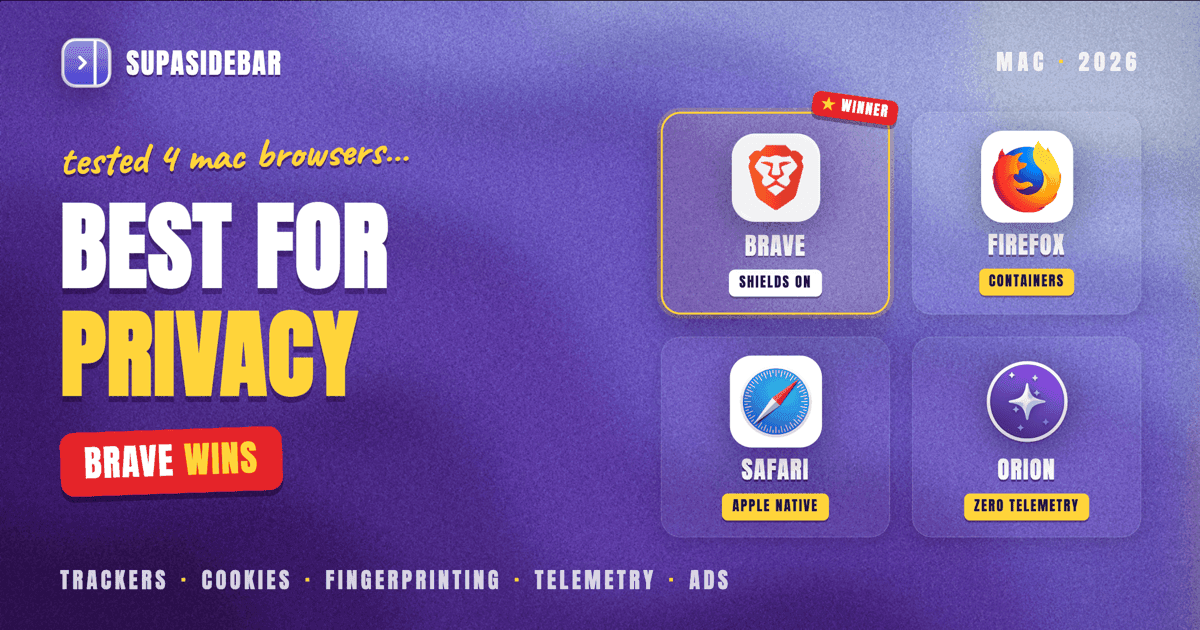
Brave is the most private Mac browser in 2026 for users who want strong defaults without configuration, scoring near the top of PrivacyTests.org with Shields blocking ads, trackers, and fingerprinting out of the box. Firefox with Enhanced Tracking Protection plus the expanded fingerprinting defenses Mozilla rolled out in November 2025 is the strongest open-source pick and the only browser here with auditable source code. Safari 26 added Advanced Fingerprinting Protection by default but still permits many third-party trackers other browsers block, per PrivacyTests.org. Orion (by Kagi) ships zero telemetry, no analytics, and no tracking code at all, on Apple's WebKit engine, per Kagi's Orion 1.0 launch post. Methodology and full comparison below.
How this comparison works
Privacy on Mac is not one number. A browser can win on tracker blocking and lose on fingerprinting resistance, or score perfectly on telemetry while leaving cross-site cookies wide open. The criteria that actually matter:
- Third-party cookie blocking - how completely the browser walls off cross-site identifiers
- Fingerprinting resistance - what the browser does about Canvas, WebGL, audio, font, and WebGPU fingerprinting
- Built-in ad and tracker blocker quality - blocked by default, configurable, with filter list maintenance
- Telemetry and analytics shipped with the browser - what the browser itself sends home
- Private mode strength - what private/incognito actually isolates
- Extension privacy posture - where extensions can leak data the browser itself blocks
- Apple-ecosystem trade-offs - WebKit vs Chromium vs Gecko, and the iCloud/Continuity implications
Brave, Firefox, Safari, and Orion each pick a different point on this map. The comparison table below pulls them together; the per-browser sections explain why each picked the trade-off it did.
The comparison table
| Criterion | Brave | Safari | Firefox | Orion |
|---|---|---|---|---|
| Third-party cookies blocked by default | Yes (Shields) | Partial (ITP heuristics) | Yes (Total Cookie Protection) | Yes |
| Fingerprinting protection | Randomization per-session per-site (Shields farbling) | Advanced Fingerprinting Protection default in Safari 26 | Built-in defenses, expanded Nov 2025 (FF 145) | WebKit-based, similar to Safari |
| Ad blocker built in | Yes, on by default | No, requires extension | No, requires extension | Yes, built-in |
| Telemetry shipped with the browser | Anonymous usage stats (opt out) | Apple analytics (opt in) | Mozilla telemetry (opt out) | None at all, code not present |
| Open source | Yes (Chromium fork) | No | Yes (Gecko, Mozilla Public License) | No (WebKit base is, Orion shell is not) |
| Tor/private windows | Built-in Tor private window | Private browsing only | Private browsing only | Private browsing only |
| Engine | Chromium (Blink) | WebKit | Gecko | WebKit |
| Apple ecosystem (iCloud sync, Keychain, Continuity) | Limited | Full | Limited | Partial (WebKit base) |
| Extension support | Chrome Web Store | Limited Safari extensions | Firefox add-ons | Chrome AND Firefox extensions |
Notes on the table: "fingerprinting protection" is binary in the table but a gradient in practice. PrivacyTests.org maintains a running scoreboard of what each browser blocks under default settings. Brave and Tor consistently lead the aggregate; Safari and Firefox sit close behind; Chrome and Edge sit at the bottom on default settings. Orion's WebKit base inherits Safari's stance with Kagi's additional defaults layered on top.
Brave: the strongest defaults
Brave is built on Chromium but ships with a fundamentally different default posture. The Shields panel sits in the address bar and blocks ads, third-party trackers, third-party cookies, and fingerprinting attempts on every page, with no configuration. The user does not install uBlock Origin and then tune EasyList - the equivalent protection is the default state.
The fingerprinting story is the part most people miss. Per Brave's own documentation, Brave does not just block fingerprinting APIs, it randomizes their outputs - canvas readback, WebGL parameters, audio buffer samples - with values that change per-session, per-site, and per-storage-area. The intent is to poison the fingerprint so two sessions on the same site, or the same session on two sites, look like two different users. This approach is called "farbling."
It is not bulletproof. A 2025 research paper, "Breaking the Shield: Analyzing and Attacking Canvas Fingerprinting Defenses in the Wild", showed that statistical analysis across enough samples can defeat noise-based farbling. Brave continues to evolve the defense; the cat-and-mouse dynamic is the honest framing.
Brave Rewards and BAT - the user-facing ad/token system - is opt-in and off by default. The criticism of BAT as monetization is real, and it is the part of Brave most users disable on first launch. The privacy story holds with or without BAT enabled.
Safari: strong defaults, narrower scope
Safari's privacy story in 2026 is real but narrower than Brave's. Apple ships Intelligent Tracking Prevention and, with Safari 17 and onward, the bundled Advanced Tracking and Fingerprinting Protection (ATFP) setting. Safari 26 added Advanced Fingerprinting Protection as a default-on feature that blocks website access to common fingerprinting APIs, prevents suspicious scripts from using localStorage and cookies as identifier storage, and strips tracking parameters from document.referrer.
Per Apple's own coverage of Safari 26, Safari injects noise into 2D canvas and WebGL readback and into AudioBuffer samples - the same general approach Brave calls farbling. The defaults catch many trackers, especially in the third-party cookie space.
The narrowness shows in the gap. PrivacyTests.org's tests reveal that Safari permits a number of fingerprinting techniques other browsers block. Cross-site request tracking, certain query-parameter passing, and some forms of bounce tracking still pass through. The framing is Apple-style: opaque but largely automatic, with limited user control over what's protected.
There is no built-in ad blocker. Users who want one install a content blocker - most pick AdGuard, Wipr, or 1Blocker. This adds an installation step that Brave and Firefox skip. Apple's argument is that not shipping an ad blocker reduces site breakage; the trade-off is that the privacy posture out of the box is incomplete without an extension.
The Apple ecosystem trade-off is real and goes both ways. iCloud Keychain, Continuity, and Apple Pay integration only work meaningfully in Safari. A privacy-conscious Mac user who lives in the Apple ecosystem loses real workflow if they leave Safari.
Firefox: the open-source pick
Firefox is the only mainstream browser on this list with publicly auditable source code. The privacy story is built around Enhanced Tracking Protection (ETP), which has blocked trackers since 2020, and Total Cookie Protection, which isolates cookies into per-site jars so a tracker dropped on Site A cannot read its cookie on Site B.
Mozilla shipped a significant expansion in November 2025 with Firefox 145. The new defenses target the canvas-rendering signal, installed fonts, mathematical operation timing, and other dimensions Brave's farbling also targets. Mozilla's stated target is to halve the number of users uniquely identifiable by fingerprinters. Per Mozilla's own blog post, these protections are on by default in Firefox 145 and later.
Multi-Account Containers is Firefox's other privacy feature with no equivalent in Safari, Brave, or Orion. A container isolates a tab's cookies, storage, and identity from other tabs, so the work Google account in Container A cannot see the personal Google account in Container B even on the same domain. For users who manage multiple identities in the same browser, Containers is the single most useful privacy primitive on Mac.
The trade-offs: Firefox's market share decline has cost it some site compatibility, especially on enterprise SaaS that test against Chromium first. Mozilla telemetry is opt-out, not opt-in, which is a real concern for users who treat all telemetry as a privacy violation. The Mozilla Foundation's funding model (heavily dependent on Google's default-search-engine payment) is the structural critique users tend to raise.
Orion: zero telemetry, WebKit base
Orion is the youngest browser on this list and the strictest on the one criterion no other browser matches: it ships with zero telemetry code. Per Kagi's Orion 1.0 launch post and coverage at InfoQ, there is no analytics, no identifiers, and no tracking - not as a setting that can be turned off, but as code that is not present in the binary. Kagi invites independent verification via network-traffic tools like Proxyman or mitmproxy.
Orion is built on Apple's WebKit engine, so it inherits Safari's performance and battery efficiency on Apple Silicon. It supports both Chrome and Firefox extensions natively - a cross-extension-store claim no other Mac browser makes. The built-in ad and tracker blocker is on by default. No Kagi account is required to use the browser (it is fully usable without subscribing to Kagi Search).
The fingerprinting story is less developed than Brave's or Firefox's. Orion inherits WebKit's defenses and adds its own defaults, but does not implement randomization at the same depth as Brave's farbling. For users whose threat model is "do not let websites uniquely fingerprint me across sessions," Brave is the stronger pick. For users whose threat model is "do not let the browser itself collect data on me," Orion is the strongest pick.
The honest trade-off: Orion is not fully open source - the WebKit base is, but the Orion shell is not. Some users in the privacy community treat this as a deal-breaker. The Kagi team's response is that the binary is independently auditable for telemetry behavior, which is a different (and arguably more practical) verification model. Reader judgment applies.
What about Chrome and Edge
Chrome and Edge are the comparison's missing siblings. Both consistently sit at the bottom of PrivacyTests.org on default settings - tracker blocking off by default, third-party cookies still permitted in some configurations (despite Google's repeatedly-delayed phase-out plans), telemetry to Google and Microsoft respectively. The 2026 picture for both browsers is largely the same as 2024: powerful on extension ecosystem and compatibility, weak on default privacy posture. Users who pick Chrome or Edge for ecosystem reasons usually pair them with uBlock Origin and accept the rest.
For a head-to-head Safari vs Chrome view on Mac specifically, see Safari vs Chrome on Mac (2026). For a 1v1 between the two strongest picks here, see Brave vs Safari on Mac (2026). For the broader speed and RAM view, see Best Browser for Mac in 2026.
The methodology question
The reason "best private browser" answers vary across review sites is that the test methodology varies. Three sources to anchor any claim:
- PrivacyTests.org - Open methodology, source on GitHub, scores browsers on tracker queries, fingerprinting resistance, query parameter tracking, and HTTPS upgrades. Updated regularly. Best public baseline.
- Cover Your Tracks (EFF) - Tests a specific browser instance for fingerprinting uniqueness against EFF's panel of real-world fingerprinting techniques.
- Web Platform Tests - Tests browser conformance to web standards, including privacy-related APIs and behaviors.
A single test result is not a verdict. Run the same browser through all three; look at where defaults end and configuration begins. Browsers that score well only after the user toggles five settings are weaker than browsers that score well out of the box - the realistic threat model is the user who never changes defaults.
The cross-browser reality
The privacy comparison above assumes a single browser. In practice most Mac users run two or three. The typical pattern: Safari for personal browsing because of iCloud Keychain and Continuity, Brave or Firefox for sites where third-party tracking matters, and Chrome for a work account that requires it.
Switching browsers loses tab context. A user who keeps the privacy browser open with eight research tabs has to dig back into history or bookmarks every time a work request pulls them to Chrome. The friction is usually small enough to tolerate and large enough to nag.
SupaSidebar is a macOS app that brings Arc's sidebar to every browser - one sidebar for tabs, bookmarks, files, and apps across 32+ browsers including Safari, Chrome, Firefox, Arc, Vivaldi, Brave, Helium, and Dia. The sidebar persists when the browser is closed and works the same across every browser, so a multi-browser privacy setup does not cost the tab and bookmark context.
The privacy trade-off is sensible: keep the privacy posture at the browser layer (Brave or Firefox or Safari, whichever fits the threat model), and keep the context at the sidebar layer (one SupaSidebar across all of them).
Conclusion: Picking what to use
Brave is the strongest private Mac browser by default in 2026 - Shields blocks ads, trackers, third-party cookies, and fingerprinting with no configuration, and the farbling approach is the most aggressive fingerprint-defeating strategy any mainstream browser ships. Firefox is the strongest open-source pick, the only one with auditable source, and the only one with Multi-Account Containers for multi-identity users.
Single-browser users who want privacy without thinking: Brave. Open-source-first users or anyone managing multiple online identities: Firefox with Total Cookie Protection on and Containers configured. Mac users deeply in the Apple ecosystem who value iCloud Keychain and Continuity: Safari with ATFP enabled and an ad blocker installed - know that the default posture is incomplete without one. Users whose primary concern is zero browser-side telemetry: Orion, with the understanding that fingerprinting defenses lag Brave and Firefox.
Multi-browser users (most Mac power users): pick the privacy browser that fits the threat model and use SupaSidebar to keep tabs and bookmarks unified across all of them. Try SupaSidebar (free tier) if the multi-browser tab juggling is the friction. For the broader speed and RAM picture, see Best Browser for Mac in 2026.
Why we recommend SupaSidebar
SupaSidebar is a macOS app that brings Arc's sidebar to every browser - one sidebar for tabs, bookmarks, files, and apps across 32+ browsers including Safari, Chrome, Firefox, Arc, Vivaldi, Brave, Helium, and Dia. The sidebar persists across browser launches and syncs via iCloud with no SupaSidebar account required. For multi-browser privacy setups - the most common real configuration - it removes the cost of running multiple browsers by keeping the tab and bookmark layer the same across all of them. Free version available with 3 Spaces.
Frequently Asked Questions
What is the most private browser for Mac in 2026?
Brave is the most private Mac browser by default in 2026, scoring at the top of PrivacyTests.org with Shields blocking ads, trackers, third-party cookies, and fingerprinting with no configuration. Firefox is the strongest open-source alternative. Orion ships with zero telemetry code at all, which is a different (and narrower) privacy claim.
Is Safari private enough for everyday use?
Safari with Advanced Tracking and Fingerprinting Protection enabled (default in Safari 26 and later) catches most common trackers, but it still permits more fingerprinting techniques than Brave or Firefox. For Mac users in the Apple ecosystem, Safari plus a content blocker like AdGuard or Wipr is a defensible setup. For users whose primary axis is privacy, Brave is the stronger default pick.
Does Brave actually block fingerprinting?
Yes, by randomizing fingerprinting API outputs (called farbling) per-session, per-site, and per-storage-area. The randomization values change every session so two visits to the same site look like two different users. A 2025 research paper showed statistical analysis across many samples can defeat noise-based farbling - the defense is not bulletproof, but it is the most aggressive fingerprint-defeating approach any mainstream browser ships.
Is Firefox more private than Brave?
Firefox is more transparent (open source, auditable) but less aggressive on fingerprinting by default than Brave. Firefox 145 (November 2025) closed much of the gap with new fingerprinting protections that target canvas, fonts, and math timing. The choice is usually: Firefox for users who want open-source auditability and Multi-Account Containers, Brave for users who want the strongest single-browser default privacy.
Is Orion as private as it claims?
Orion ships with zero telemetry code at all, which is independently verifiable via network-traffic tools like Proxyman or mitmproxy. For browser-side telemetry, Orion's claim holds. For fingerprinting defense, Orion inherits WebKit's defaults plus Kagi's additions but does not implement randomization at Brave's depth. The honest framing: Orion wins on telemetry, Brave wins on fingerprinting.
Do I need a VPN with a private browser?
A private browser hides web-side tracking (cookies, fingerprinting, third-party identifiers). A VPN hides network-side tracking (IP address, ISP visibility). They solve different problems and are usually complementary. A user who runs Brave plus a reputable VPN has covered more of the threat surface than either alone.
Which Mac browser has the best built-in ad blocker?
Brave and Orion both ship built-in ad blockers on by default. Brave's blocker is broadly considered the most aggressive. Safari and Firefox require an extension - on Safari, AdGuard or Wipr; on Firefox, uBlock Origin is the standard recommendation.
Can I use multiple private browsers at once on Mac?
Yes, and most Mac users do - Safari for the Apple ecosystem, Brave or Firefox for privacy-sensitive sites, sometimes Chrome for a work account. The cost is tab and bookmark fragmentation across browsers. A Mac sidebar app like SupaSidebar keeps tabs and bookmarks unified across every browser so the multi-browser privacy posture does not cost workflow context.
By Kshetez Vinayak, founder of SupaSidebar. Last updated 2026-07-14.