
By Kshetez Vinayak, founder of SupaSidebar. Last updated June 9, 2026.
Looking for something specific?
- Want a sidebar in Safari specifically? -> Safari Sidebar Extension
- Want vertical tabs on Mac? -> Vertical Tabs on Mac: Every Option Compared
- What's the Mac sidebar app category about? -> Mac Sidebar App
- Comparing every Mac browser? -> Best Browser for Mac 2026
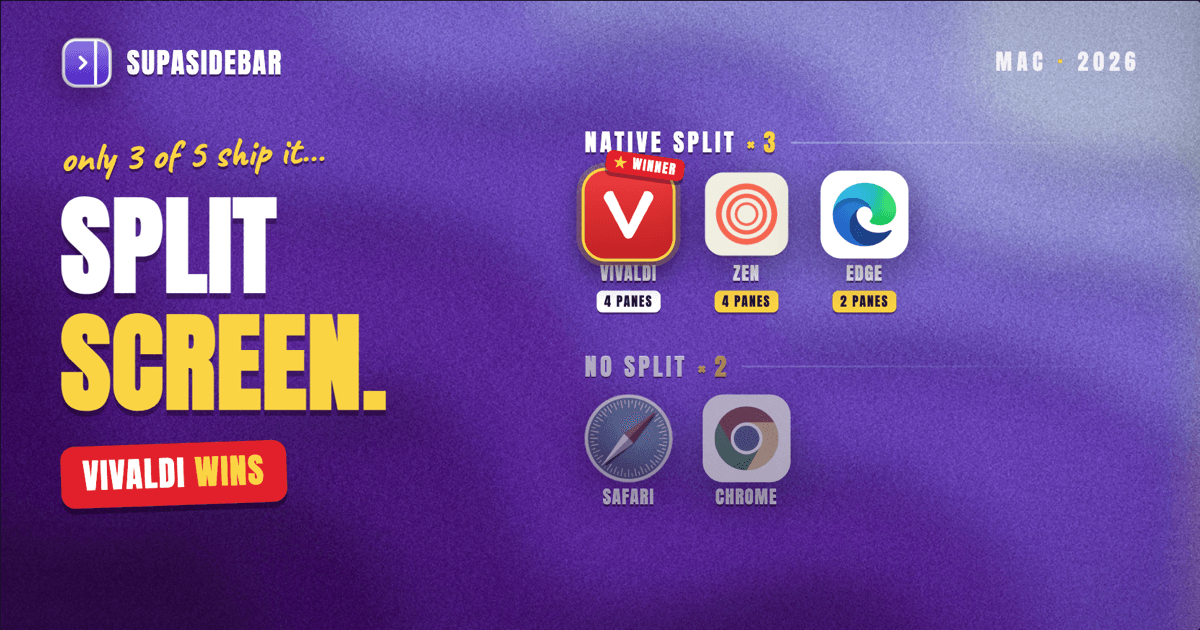
A split-screen browser shows two web pages side by side in one window, so a reference doc and the work it feeds can stay visible at the same time without juggling overlapping windows. On Mac in 2026, only three browsers do this natively and well: Vivaldi (tab tiling, up to four panes), Microsoft Edge (two-page split screen), and Zen (split view, up to four panes). Safari and Chrome ship no built-in split view, so their users reach for macOS Split View or a sidebar app instead. The full comparison and the workarounds are below, but the short version: pick Vivaldi for the deepest native split, and for the browsers that lack it, a Mac sidebar app like SupaSidebar holds reference tabs beside any browser without forcing a switch.
This post covers the browsers that do split screen on Mac, how each one works, and what to do if the browser you already use does not have it. It does NOT cover vertical tabs as a layout (that is a separate guide), and it is not a general "which Mac browser is best" roundup (that lives in the Best Browser for Mac 2026 comparison).
Why split screen is rarer than it should be
Tiling two windows on a Mac is easy. Tiling two browser tabs inside one window is not, because a browser tab was never designed to share the window with a sibling. That is why most browsers skip the feature entirely and let macOS handle window arrangement instead.
The browsers that built it in did so deliberately, as a power-user feature. Vivaldi shipped Tab Tiling years ago as part of its everything-and-the-kitchen-sink design philosophy. Zen, the open-source Firefox-based browser, added split view as one of the Arc-style features it set out to replicate. Arc itself had split view, but The Browser Company put Arc into maintenance mode in May 2025 and was acquired by Atlassian in September 2025, so it is no longer the answer it once was.
For everyone on Safari or Chrome, the reality is simpler: the browser does not split, so the split has to happen at the window level or through a separate app.
The split-screen browsers on Mac, ranked
Here is how the native options compare for side-by-side tabs on Mac in 2026.
| Browser | Native split view | Max panes side by side | Engine | Best for |
|---|---|---|---|---|
| Vivaldi | Yes (Tab Tiling) | 4 | Chromium | Power users who want the deepest layout control |
| Zen | Yes (Split View) | 4 | Gecko (Firefox) | Arc refugees who want a clean, customizable browser |
| Microsoft Edge | Yes (Split Screen) | 2 | Chromium | Work setups, Office and Microsoft 365 users |
| Safari | No | 0 (use macOS Split View) | WebKit | Battery life and Apple ecosystem fit |
| Chrome | No | 0 (use macOS Split View) | Chromium | Extension breadth and Google account workflows |
Vivaldi: the deepest native split
Vivaldi's Tab Tiling lets a user select two, three, or four tabs and tile them into a split or grid layout inside a single window. It is the most flexible native split view on Mac because it does not stop at two panes, and it pairs with Vivaldi's other power features: workspaces, a command bar, and native vertical tabs.
The tradeoff is that Vivaldi is heavy. The same density that makes Tab Tiling great makes the rest of the browser a lot to learn. For a side-by-side layout alone, Vivaldi is the strongest pick; for a simple daily driver, it can feel like overkill.
Zen: split view for the Arc crowd
Zen is the open-source, Firefox-based browser that picked up where Arc left off for a lot of users. Its split view tiles up to four tabs and sits alongside workspaces, pinned tabs, and link previews. For anyone who liked Arc's split and wants something still in active development, Zen is the closest native match.
Because Zen is Gecko-based, it inherits Firefox's extension support and a different performance profile than the Chromium browsers. Split view is stable, but Zen is younger than the others here, so occasional rough edges come with the territory.
Edge: two panes, built for work
Microsoft Edge's Split Screen puts two pages side by side in one tab, which is enough for the most common case: a document open next to the thing being written about it. Edge caps the split at two panes, but it adds vertical tabs, Collections, and tight Microsoft 365 integration, which makes it a natural fit for work setups already living in Office.
The limit is the limit: two panes, not four. For a reference-plus-work layout that is plenty; for a three-or-four-source research session it is not.
What Safari and Chrome users actually do
Neither Safari nor Chrome has a built-in split view, and that covers the large majority of Mac users. There are three real options.
macOS Split View.
Drag one browser window into a corner, pick a second window to fill the other half, and macOS tiles them. This works with any app, not just browsers, and it is free and built in. The catch is that it splits windows, not tabs, so each side has to be its own window, and the moment a different app needs the screen the layout breaks.
Two windows, manually arranged.
The low-tech version: pull two browser windows side by side and resize by hand. Fine for a one-off, tedious as a daily habit, and it resets every time a window gets maximized.
A Mac sidebar app.
Instead of splitting the page area, keep one browser full-size and run a persistent sidebar beside it holding the reference tabs. This is the approach SupaSidebar takes, and it works on Safari, Chrome, and every other browser equally because it sits outside the browser rather than inside it.
How SupaSidebar handles side-by-side on any browser
SupaSidebar is a macOS app that brings Arc's sidebar to every browser - one sidebar for tabs, bookmarks, files, and apps across Safari, Chrome, Firefox, Arc, Zen, Vivaldi, Brave, Helium, and Dia (25+ browsers in total). It does not turn Safari or Chrome into a split-view browser, and it should not be sold as one. What it does is solve the underlying job: keeping a second set of pages visible and one click away while the main page stays full-size.
Two features do the work. Smart Attach docks the sidebar to the active browser window and prevents other windows from sliding underneath it, so the sidebar and the browser sit as a clean two-panel layout instead of overlapping. Inside Smart Attach, Window Tiling auto-tiles up to three browser windows side by side, which is the closest SupaSidebar gets to a real split for users whose browser has none. Fill Screen (⌘⌥F) then expands the browser to fill the space next to the sidebar so nothing is wasted.
The difference from native split view is honest and worth stating: native split view shows two web pages rendered side by side in one window, and SupaSidebar does not render web pages in the sidebar (link previews aside). What it gives instead is a persistent panel of reference tabs beside a full browser, plus auto-tiling of up to three browser windows, on a browser that otherwise offers neither. For Safari and Chrome users, that is the practical side-by-side workflow they cannot get any other way.
It works across browsers too. The sidebar holds tabs from Safari, Chrome, and the rest at the same time, so a reference page open in Safari can sit beside work happening in Chrome without either browser knowing about the other. That is the one thing none of the native split-view browsers can do, because their split only works within their own window.
Picking what to use
The best split-screen browser for Mac in 2026 is Vivaldi, with native Tab Tiling that goes up to four panes and the most layout control of any browser on the platform. Zen is the close second and the better pick for anyone coming from Arc who wants split view inside a cleaner, more focused browser. Edge wins for work setups that need a simple two-pane split alongside Microsoft 365.
Safari users: there is no native split, so the choice is macOS Split View for occasional window tiling, or a sidebar app to keep reference tabs beside the page full time. Chrome users: same answer, since Chrome also has no built-in split view. Multi-browser users, who keep work in one browser and personal or client tabs in another: a single native browser cannot help, because its split is locked to its own window.
For the Safari, Chrome, and multi-browser cases, SupaSidebar (free tier) gives a persistent side-by-side layout with Smart Attach plus Window Tiling on whatever browser is already open. For a pure native split inside one browser, install Vivaldi or Zen and use their built-in tiling.
Why we recommend SupaSidebar
SupaSidebar is a macOS app that brings Arc's sidebar to every browser - one sidebar for tabs, bookmarks, files, and apps across Safari, Chrome, Firefox, Arc, Zen, Vivaldi, Brave, Helium, and Dia (25+ browsers in total). For side-by-side work it does not replace native split view; it covers the browsers that do not have one. Smart Attach docks the sidebar as a second panel, Window Tiling auto-tiles up to three browser windows, and the sidebar keeps reference tabs from every browser in one place. It runs on macOS 14 and later, has a free tier, and needs no browser extension because it works through macOS itself.
Frequently Asked Questions
Which browsers have split screen on Mac?
In 2026, Vivaldi (Tab Tiling, up to four panes), Zen (Split View, up to four panes), and Microsoft Edge (Split Screen, two panes) have native side-by-side tabs on Mac. Safari and Chrome do not, so their users rely on macOS Split View or a sidebar app.
Does Safari have split screen?
No. Safari has no built-in split view for tabs on Mac. The options are macOS Split View, which tiles two separate windows, or a Mac sidebar app like SupaSidebar that keeps reference tabs beside a full-size Safari window.
Does Chrome have a split-screen mode on Mac?
Chrome has no native split view on Mac in 2026. Mac users split Chrome with macOS Split View (two windows tiled by the system) or run a sidebar app beside it to hold reference tabs.
How do I view two tabs at once on Mac?
If the browser supports it (Vivaldi, Zen, or Edge), select the tabs and use the browser's built-in tiling or split-screen command. If it does not (Safari, Chrome), either open each page in its own window and use macOS Split View, or use a Mac sidebar app to keep one set of tabs beside the other.
What is the best split-screen browser for Mac?
Vivaldi, because its Tab Tiling supports up to four panes and the most flexible layouts. Zen is the best alternative for Arc users who want split view in a cleaner browser, and Edge is best for two-pane work setups tied to Microsoft 365.
Can I get side-by-side tabs without switching browsers?
Yes. A Mac sidebar app such as SupaSidebar runs beside any browser, including Safari and Chrome, and keeps reference tabs visible in a docked panel without changing browsers. Its Window Tiling can also auto-tile up to three browser windows side by side.
Did Arc browser have split screen?
Yes, Arc had split view, but The Browser Company put Arc into maintenance mode in May 2025 and Atlassian acquired the company in September 2025. Zen is the closest actively developed browser with a similar split-view feature for users leaving Arc.
By Kshetez Vinayak, founder of SupaSidebar. Last updated June 9, 2026.