
By Kshetez Vinayak, founder of SupaSidebar. Last updated 2026-07-09.
Quick navigation:
- Comparing Brave to Safari specifically? → Brave vs Safari on Mac
- Comparing Brave to Zen? → Zen Browser vs Brave
- Looking at every Mac browser side by side? → Best Browser for Mac in 2026
- Need the battery-life ranking? → Best Browser for Mac with Battery Life 2026
TL;DR:
Brave is a Chromium-based, privacy-first browser that ships Shields ad and tracker blocking on by default, a built-in Tor private window mode, the Leo AI assistant, and an opt-in BAT Rewards system. On Mac in 2026 it runs as a universal binary on macOS 12 and later, posts a 96 of 100 ad-blocking score per AdBlock Tester's 2026 roundup, and rates 9.2 of 10 on EFF's 2026 privacy audit compared with Chrome at 4.1. Brave is a fit for users who want strong privacy without configuration, the Chrome Web Store, and a browser that runs on every desktop OS. It does not solve the multi-browser tab problem - Mac users who run Brave for privacy plus Safari for iCloud workflows still end up with tabs scattered in two windows. That is the gap SupaSidebar, a Mac sidebar that works across 32+ browsers including Brave, fills on top.
Quick verdict on Brave Browser for Mac in 2026
Brave is the most credible "privacy by default" mainstream browser on Mac in 2026. It runs on Chromium, ships with the full Chrome Web Store, and turns on ad blocking, tracker blocking, fingerprinting defense, and HTTPS upgrades the moment it is installed. None of that requires uBlock Origin, a third-party tracker list, or a hardening checklist - which is the actual reason most users adopt it. For users who want Safari-tier privacy on a Chromium browser they can use on Windows or Linux too, Brave is the obvious pick on Mac.
The catch is that Brave does not integrate with iCloud Keychain or macOS Keychain, and Apple Silicon battery still favors Safari in side-by-side video tests because Safari taps deeper OS hooks Chromium browsers cannot reach. Brave Rewards and the BAT cryptocurrency layer are still polarizing - some Mac users love opting in for monthly tokens, others would rather not run a crypto wallet inside their browser at all. Both reactions are valid.
This review covers Brave on Mac specifically. It does NOT cover Brave on Windows or Linux (where Brave also runs and is the same Chromium under the hood), Brave Search the search engine (covered in search.brave.com), or the deep head-to-head with Safari (covered in the Brave vs Safari post).
What Brave Browser actually is (and what it isn't)
Brave is a Chromium-based browser built by Brave Software, founded by former Mozilla CEO Brendan Eich in 2015. The desktop client is open-source on github.com/brave/brave-browser under the MPL 2.0 license. As of July 2026, the stable channel ships on Chromium 150 with Brave's privacy layer applied on top.
It IS a privacy-by-default Chromium fork. Brave Shields run at the network stack layer, blocking ad and tracker requests before they touch the rendering pipeline. That same Chromium base is why Brave ships the Chrome Web Store, Chrome DevTools, and Chrome-grade web compatibility - sites that render in Chrome render in Brave with the same engine behavior.
It is NOT a new browser engine. Brave does not rewrite Blink or V8. Web compatibility, JavaScript performance, and the rendering pipeline all match Chromium's upstream behavior. The privacy layer is additive, not a replacement for how the page actually loads.
It is NOT a cryptocurrency wallet first. Brave Rewards and the BAT token are opt-in - the wallet is dormant unless the user enables it from brave://wallet. Users who never click "Start using Brave Rewards" never see ads, never earn tokens, and never interact with a crypto layer.
It is NOT a substitute for Tor Browser. The Private Window with Tor feature routes a single window through three Tor nodes, but the official Tor Project and security researchers consistently recommend Tor Browser for users who need real anonymity. Brave's Tor window is more accurately framed as "Tor for casual privacy" than "Tor for threat models."
What Brave IS, and what it sells itself on, is the combination - Chromium speed plus zero-configuration privacy plus optional crypto and AI features. Everything else is Chromium underneath.
Installing Brave on Mac and first impressions
Brave ships as a universal binary for Intel and Apple Silicon Macs. The download page at brave.com/download serves a DMG. The current stable build runs on macOS 12 (Monterey) and later - older macOS versions hit Chromium's general support cutoff and the installer warns about them.
First-run setup is closer to Chrome than Safari. Brave asks about importing bookmarks, history, and saved passwords from another installed browser (Safari, Chrome, Firefox, or Edge if present), then drops the user into the default New Tab page with the Brave Shields icon already lit. The onboarding flow now includes a quick walkthrough of Shields, Rewards, and Leo - skippable in two clicks for users who want to start browsing immediately.
The toolbar opens with a Shields icon to the left of the URL bar. Clicking it shows the per-site blocking count and toggles for ads, trackers, fingerprinting, HTTPS upgrade, and script blocking. Vertical tabs are available out of the box (a feature Chrome still hides behind a flag in 2026) and bind to Cmd+Option+T on Mac.
Brave Shields: the headline feature
Brave Shields are the reason most Mac users install Brave. The default profile blocks third-party ads, cross-site trackers, fingerprinting attempts, and forces HTTPS where the site supports it. None of this requires configuration - it is on the moment the browser opens.
The technical implementation matters. Shields run inside Brave's network process and abort blocked requests before the rendering engine ever sees them. That is structurally different from how a Chrome extension like uBlock Origin works, because an extension runs after the request has already been kicked off. Brave's approach is faster (fewer wasted bytes hitting the pipeline) and harder for sites to circumvent (no script-injected anti-adblock check can see Shields the way it can see an extension).
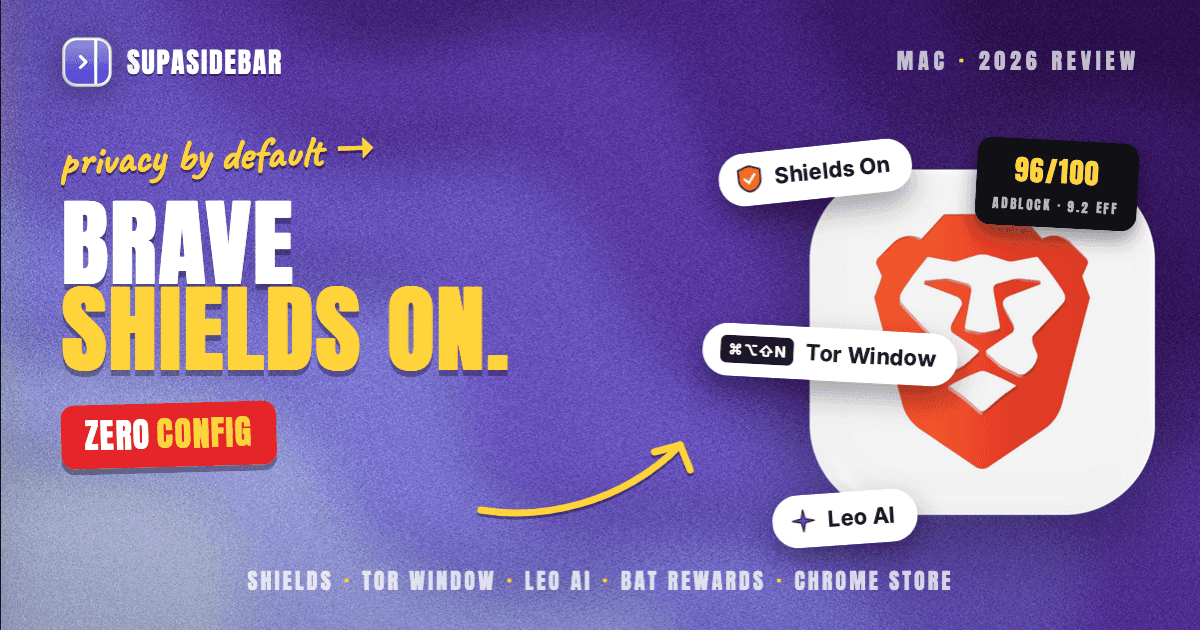
AdBlock Tester's 2026 roundup scored Brave at 96 out of 100 - one of the highest results of any mainstream browser. PrivacyTests.org's 2026 audit rated Brave at 143 of 156 tracker-and-fingerprinting items, ahead of every Chromium browser and just behind Mullvad Browser. The Electronic Frontier Foundation's 2026 audit put Brave's default privacy posture at 9.2 of 10 versus Chrome's 4.1.
Real-world: most ad-supported news sites that take 3-4 seconds to first paint in Chrome with no extension take 1-2 seconds in Brave with Shields on. The Tech Insider 2026 benchmark measured Brave roughly 3.2x faster than Chrome on the default install across the same set of pages, mostly because Chrome's default install loads every ad request.
The trade-off: aggressive blocking occasionally breaks sites that bundle critical functionality with ad-tech (some news outlets, some embed-heavy pages, some payment-form widgets). Brave's Shields button has a per-site Down Shields toggle for exactly this case. The fallback flow takes one click, then a page reload.
Tor private windows: useful, not Tor Browser
Brave includes a Private Window with Tor mode under File > New Private Window with Tor (or Cmd+Option+Shift+N). The mode routes that window's traffic through the Tor network's three encrypted nodes, hiding the user's IP from sites and the Mac's ISP from seeing which sites loaded.
This is genuinely useful for ad-hoc anonymity - looking up a price without site-side tracking, reading a regionally-restricted article, checking how a competitor's site looks from another country. Speed drops noticeably because Tor adds 200-500ms of latency per hop.
What it is NOT: a substitute for the official Tor Browser. The Tor Project's own guidance is that real anonymity requires the Tor Browser bundle because Tor Browser ships pre-hardened against fingerprinting, font enumeration, and timing attacks that Chromium-based browsers do not fully defend against. Brave's Tor window is great for casual site-level privacy and limited for journalist-protecting-a-source threat models.
Users who want both can install Tor Browser separately and switch to it for high-threat tasks while keeping Brave for daily browsing.
Leo AI: the in-browser assistant
Leo is Brave's built-in AI sidebar, accessed from the sparkle icon in the toolbar or Cmd+Option+L. It runs alongside the active tab and can summarize the current page, answer follow-up questions, translate selections, and write in the page's text fields.
As of 2026, Leo offers a model picker - Brave's own Ocelot model, Claude (free tier), Mixtral, and Llama. The free tier covers Ocelot and basic Claude usage; Leo Premium ($14.99/month per brave.com/leo) unlocks higher-tier Claude and unlimited usage. Premium is not required - the free tier is genuinely usable for daily summarization and tab questions.
Skills, launched in December 2025, are prompt-based shortcuts. A Skill can be a single saved prompt ("translate this to French") or a chain ("summarize, then list action items, then draft a reply") that runs against the current page. Skills make Leo behave more like a custom assistant and less like a chat window.
Where Leo falls short: it does not browse the web autonomously the way Perplexity or the Dia browser do. Asking Leo "what's the latest on X" returns whatever is in the current page plus the model's training cutoff knowledge - it does not crawl off-tab. Brave is working on broader AI browsing per the brave.com/blog/ai-browsing post but the feature is in early testing as of May 2026.
For users who already pay for Claude or ChatGPT separately, Leo overlaps. For users who do not want a separate AI subscription, Leo's free tier is the most credible "AI in the sidebar without a paid plan" option in any browser today.
Brave Rewards and BAT: opt-in, not default
Brave Rewards is the optional layer where users can choose to view privacy-preserving ads in exchange for Basic Attention Tokens (BAT), a cryptocurrency Brave introduced in 2017. The system is off by default and stays off unless explicitly enabled.
How it works when enabled: Brave shows occasional sponsored notifications (system-level notifications, not in-page ads) outside the current tab. The user does not see ads inside web pages. For each notification viewed, the user earns BAT, which can be tipped to creators, swapped for fiat through Brave's wallet partners, or held.
The user reaction splits two ways. Some Mac users love it - earning a few dollars a month for ads they actively chose to opt into feels like a fair trade, and the privacy posture stays intact because the matching happens client-side. Others find the BAT cryptocurrency layer unnecessary at best and a red flag at worst, citing token-economy volatility and a discomfort with running any crypto wallet inside the browser.
Both reactions are honest reads. Users who opt in get a real benefit if they would otherwise have seen ads anyway. Users who never opt in lose nothing - Brave functions identically as a privacy browser without ever touching the Rewards system.
Pricing note: Brave the browser is free. BAT is a token, not a subscription. Leo Premium ($14.99/month) is the only paid feature on Brave's roadmap as of 2026.
Performance on Apple Silicon: RAM and battery
Brave's performance picture on Apple Silicon is "Chromium fast, not Safari efficient."
RAM. A clean Brave window with 5 tabs typically consumes 800 MB to 1.2 GB on M2/M3 Macs in independent 2026 testing, comparable to Chrome with the same tab count, and noticeably more than Safari (350-500 MB) or Zen Browser (600-900 MB). At 20 tabs Brave grows to 2.5-3.5 GB, which fits comfortably on 16 GB Macs but starts to matter on 8 GB base-model M-series machines.
Battery. Apple's published M4 specs show up to 24 hours of streaming video on Safari, and no third-party Chromium browser hits that number on the same machine because the deeper hooks Safari uses (energy-aware compositing, AVFoundation integration, P-core scheduling tuned to WebKit) are not available to Chromium browsers. That said, Brave's Shields meaningfully reduce battery drain on ad-heavy sites by killing the JavaScript and tracker requests that Chrome would otherwise execute - a BrowserBench-style 2024 power test from Mihnea Radulescu measured Brave drawing 45% less average power than Safari during active browsing of ad-supported pages, an inverted result driven entirely by what Shields blocked.
The honest synthesis: Safari wins quiet-page and video-streaming battery tests. Brave wins ad-heavy real-world browsing battery tests. For a Mac user who reads news and scrolls feeds all day, Brave can actually outlast Safari by cutting the ad-tech load. For a Mac user who watches Netflix on the plane, Safari still wins by a wide margin.
CPU. Brave on Apple Silicon runs natively (no Rosetta required), and JetStream/Speedometer scores match upstream Chromium - because that IS upstream Chromium. The privacy layer adds no measurable CPU overhead in standard benchmarks.
Vertical tabs and tab management on Brave
Brave shipped vertical tabs as a stable feature ahead of Chrome and Edge. The toggle lives in Settings > Appearance > Use vertical tabs and binds to Cmd+Option+T on Mac. The vertical tab strip can be pinned, collapsed to favicon-only, or hidden entirely.
The implementation is competent but plain. Tabs stack vertically along the left edge, pinned tabs sit at the top, and a search field filters tabs by title. There are no Workspaces (the Arc Spaces equivalent), no Split View, and no Compact Mode the way Arc and Zen Browser ship them. Brave's vertical tabs are a tab-management improvement on top of Chromium, not a re-imagined browsing surface.
For users coming from Arc who liked the sidebar but not the AI features, Brave's vertical tabs are a reasonable consolation - more polished than Chrome's flagged version, less ambitious than Arc's. For users who liked Arc's Spaces and Split View specifically, Brave does not replicate those.
This is where the multi-browser problem starts. A Mac user who runs Brave for privacy plus Safari for iCloud login workflows ends up with two tab strips, one in each browser, and no way to see them at the same time. Brave's vertical tabs are scoped to Brave only.
Extensions and the Chrome Web Store
Brave installs Chrome extensions directly from the Chrome Web Store, with the same install flow Chrome uses. This is the single biggest practical advantage Brave has over Safari and Firefox-based browsers on Mac - the extension ecosystem is the largest in the world, and most productivity extensions (1Password, Notion Web Clipper, Grammarly, LastPass, Bitwarden) work in Brave the day they ship for Chrome.
The trade-off Brave makes with Manifest V3 is the same one Chrome made: extension authors have to migrate older Manifest V2 extensions (notably some ad blockers and some privacy extensions) to the V3 API. Brave has been more aggressive than Chrome about preserving Manifest V2 ad-blocking extensions where possible, and Shields covers most ad-blocking needs without an extension anyway.
What does not work: Safari Web Extensions written specifically for Safari's API. That ecosystem is small but contains a few high-quality Mac-native tools (Hand Mirror, AdGuard for Safari, certain Apple Pay integrations) that simply do not have Chrome equivalents.
Sync, security updates, and password management
Brave Sync uses end-to-end encryption with a 24-word recovery phrase. Bookmarks, browsing history, open tabs, passwords, autofill, and Brave Wallet data sync between devices when sync is enabled. The encryption model means Brave the company cannot read synced data even if they wanted to - which is the right design but also means losing the recovery phrase locks the data out permanently.
Password management. Brave has a built-in password manager that stores credentials with end-to-end encryption via Brave Sync. The catch on Mac: it does not integrate with iCloud Keychain. Users who already store passwords in iCloud Keychain or 1Password will keep using those - Brave's manager is fine for users who do not have an existing password tool, and not a reason to migrate for users who do.
Security updates. Brave tracks Chromium's upstream security patches on roughly the same cadence as Chrome - critical patches typically ship within 24-48 hours of Google's release. The auto-update mechanism is the standard Sparkle-style background update Brave inherits from the Chromium build.
What Brave does not solve
The hardest honesty in any single-browser review: choosing one Mac browser does not stop most Mac users from running others.
Statcounter macOS browser market share for 2026 shows Safari around 55% and Chrome around 30%, with Firefox, Edge, Brave, and Arc/Zen/others splitting the remaining 15%. Looking at install patterns, a typical Mac user does not pick one - they end up running two or three. Safari for the things that require iCloud Keychain (App Store reviews, Apple Pay checkout, sites that hard-block on AVFoundation). Chrome for Google Workspace and pages where work credentials live. Brave for general browsing and privacy-sensitive sessions. Maybe Firefox for one specific dev workflow.
The result is the same problem Arc could not solve and Zen Browser cannot solve: tabs scatter across multiple browser windows in different apps, bookmarks live in three different syncs, and the macOS dock fills with browser icons that all look like rectangles with circles inside them.
One pattern that works: keep the browsers and add a sidebar layer that sees all of them at once. SupaSidebar is a Mac sidebar app that pulls live tabs, recents, and saved links from 32+ browsers including Brave, Safari, Chrome, Firefox, Edge, Arc, Vivaldi, Dia, and Helium. Pinned items and saved links are stored once in the sidebar and can be opened in whichever browser fits the page - Brave for the privacy-sensitive page, Safari for the Apple Pay checkout, Chrome for the Google Doc. The Command Panel (⌘⌃K) searches across every browser's live tabs in one query.
The point is not to replace Brave. Brave stays the privacy browser; the sidebar just stops being scoped to Brave only.
How Brave compares to other Mac browsers in 2026
A quick reference table. Each row is one structural attribute, scored Mac-specific.
| Attribute | Brave | Safari | Chrome | Firefox | Zen Browser |
|---|---|---|---|---|---|
| Engine | Chromium 150 (Blink) | WebKit | Chromium 150 (Blink) | Gecko | Gecko |
| Default ad/tracker blocking | Yes (Shields) | Partial (ITP) | No | Partial (ETP) | Partial (ETP) |
| Chrome Web Store | Yes | No | Yes | No | No |
| Tor private window | Yes (Cmd+Opt+Shift+N) | No | No | No (Tor Browser is separate) | No |
| Built-in AI sidebar | Yes (Leo) | No | No | No | No |
| Vertical tabs | Yes (stable) | No | Behind flag | Yes (since 136) | Yes (Workspaces) |
| Workspaces / Spaces | No | Tab Groups (partial) | No | Containers (partial) | Yes |
| iCloud Keychain integration | No | Yes | No | No | No |
| macOS minimum | macOS 12 (Monterey) | macOS bundled | macOS 11+ | macOS 10.15+ | macOS 14 (Sonoma) |
| Apple Silicon native | Yes | Yes | Yes | Yes | Yes |
| RAM, 5 tabs | 800 MB - 1.2 GB | 350-500 MB | 800 MB - 1.2 GB | 500-800 MB | 600-900 MB |
| Open source | Yes (MPL 2.0) | No (WebKit yes, Safari no) | Mostly (Chromium yes, Chrome no) | Yes (MPL 2.0) | Yes (MPL 2.0) |
For deeper comparison: the Best Browser for Mac 2026 pillar ranks all of these side by side, the Brave vs Safari head-to-head goes deeper on the WebKit-vs-Chromium choice specifically, and the Best Browser for Mac with Battery Life 2026 covers the battery side in detail.
Who Brave is for on Mac in 2026
The honest segment recommendations from Reddit threads, Brave's own subreddit, and email feedback from multi-browser users:
Brave is the right primary browser for Mac users who want strong privacy without configuring uBlock Origin and a tracker list, who value the Chrome Web Store ecosystem, who do not live deep inside iCloud Keychain workflows, and who use the same Mac on the same network across home and travel.
Brave is a strong secondary browser for Mac users whose primary is Safari (for iCloud and battery) or Chrome (for Workspace). Open Brave for any page that loads ad-tech, any newsletter signup, any session where tracking matters - and let Safari handle Apple Pay and Chrome handle the Google Doc.
Brave is probably not the right pick for users who do most of their browsing inside Apple's ecosystem (where Safari's iCloud integration matters more than Brave's privacy gains), who run a battery-limited 8 GB base-model Mac and watch a lot of video (where Safari's efficiency matters), or who already pay for and use uBlock Origin in Chrome (where the Shields advantage is smaller).
A multi-browser user describing the pattern: "I use Safari for personal and Chrome for work. Switching manually is painful." That is the case where adding Brave makes the multi-browser problem worse, not better, unless something else (like a unified sidebar) sees all three at once.
Conclusion: picking what to use
Brave Browser is the most credible privacy-first mainstream browser on Mac in 2026 - Chromium under the hood, Shields on by default, Tor private windows, Leo AI in the sidebar, and an opt-in Rewards layer for users who want it. The privacy posture is real and measurable, with a 96 of 100 AdBlock Tester score and 9.2 of 10 from the EFF audit.
For single-browser Mac users who want privacy without configuration, Brave is the pick. For multi-browser Mac users running Brave plus Safari plus Chrome, the choice of Brave does not change the underlying tab-scatter problem - tabs still pile up in three separate windows because Brave's vertical tabs and Shields are scoped to Brave only. For users who care about Apple Silicon battery on video streaming or who live inside iCloud Keychain workflows, Safari remains the better default and Brave the better second browser.
Download Brave to test it as a primary or secondary browser. For multi-browser Mac users who already run two or three browsers, the next step is a sidebar layer that sees all of them - try SupaSidebar (free tier) to unify tabs, bookmarks, and saved links across Brave, Safari, Chrome, and 22 other browsers on Mac.
Why we recommend SupaSidebar
SupaSidebar is a macOS app that brings Arc's sidebar to every browser - one sidebar for tabs, bookmarks, files, and apps across 32+ browsers including Safari, Chrome, Firefox, Arc, Vivaldi, Brave, Helium, and Dia.
It does not replace Brave. Brave stays the privacy browser, with Shields, Tor windows, Leo, and the Chrome Web Store all intact. SupaSidebar adds a Mac-native sidebar that surfaces Brave's live tabs and saved pages next to Safari's, Chrome's, and every other browser's, with a Command Panel (⌘⌃K) that searches across all of them in one query.
For Brave users who keep Safari around for iCloud Keychain or Chrome around for Google Workspace, this is the layer that stops the multi-browser tab scatter without forcing a switch to a single browser. SupaSidebar runs on macOS 14 (Sonoma) and later, syncs saved content via iCloud (no account required), and ships a free tier with 3 Spaces.
A multi-browser user from Cobscook Institute described the workflow: "I have a lot of different areas I bounce around between throughout the day so I have been using Arc spaces to separate those. I'm trying to find an alternative now that Arc has stopped." The pattern works on Brave the same way.
Frequently asked questions
Is Brave Browser good on Mac in 2026?
Yes. Brave runs as a universal binary on macOS 12 and later, ships Shields and Tor private windows on by default, and scores 96 of 100 on AdBlock Tester's 2026 roundup. It is one of the most credible privacy-by-default mainstream browsers on Mac. Battery favors Safari on video streaming, and ad-heavy real-world browsing battery tilts to Brave because Shields cut the ad-tech load.
Does Brave Browser work on Apple Silicon?
Yes. Brave ships as a universal binary that runs natively on M1, M2, M3, and M4 Macs without Rosetta. CPU performance matches upstream Chromium because Brave IS upstream Chromium with a privacy layer applied on top. JetStream and Speedometer scores are within margin of error of Chrome on the same machine.
Is Brave better than Chrome on Mac?
For most Mac users who do not have a specific Chrome workflow, yes. Brave installs Chrome Web Store extensions directly, ships with privacy on by default, blocks roughly 3.2x more requests than Chrome on a default install per the Tech Insider 2026 benchmark, and matches Chrome's web compatibility because it runs the same Chromium. Chrome is the better pick only for users who need Chrome Sync's specific account features or who heavily use a Chrome-only extension that breaks under Shields.
Does Brave use a lot of RAM on Mac?
Brave uses comparable RAM to Chrome - 800 MB to 1.2 GB for a clean window with 5 tabs, 2.5-3.5 GB at 20 tabs on M2/M3 Macs. Safari uses noticeably less (350-500 MB with 5 tabs). On 16 GB Macs the difference is invisible in daily use. On 8 GB base-model Macs the gap matters when Brave is running alongside other browsers or memory-heavy apps.
Is Brave Rewards mandatory on Mac?
No. Brave Rewards is opt-in and stays off unless the user explicitly enables it. Users who never click into brave://rewards never see sponsored notifications, never earn BAT, and never interact with a cryptocurrency wallet. The browser functions identically as a privacy browser without ever touching Rewards.
Can Brave use Chrome extensions?
Yes. Brave installs extensions directly from the Chrome Web Store with the same install flow Chrome uses. Manifest V3 compatibility matches Chrome's, and Brave has been more aggressive than Chrome about keeping older Manifest V2 ad-blocking extensions working. Safari Web Extensions written specifically for Safari's API do not work in Brave.
Does Brave integrate with iCloud Keychain on Mac?
No. Brave does not integrate with iCloud Keychain or macOS Keychain. Brave has its own password manager with end-to-end encryption via Brave Sync, or users can install 1Password, Bitwarden, or another third-party manager. Users who store all passwords in iCloud Keychain typically keep Safari around for sites where Keychain autofill matters.
Is Brave the same as Tor Browser?
No. Brave includes a Private Window with Tor mode that routes one window through three Tor nodes, but the Tor Project recommends Tor Browser for actual anonymity because it ships pre-hardened against fingerprinting and timing attacks Chromium-based browsers do not fully defend against. Brave's Tor window is useful for ad-hoc privacy ("look up this without site tracking"), not for high-threat scenarios.
What is the minimum macOS version for Brave in 2026?
macOS 12 (Monterey) or later. Older macOS versions hit Chromium's general support cutoff and the Brave installer warns about them. This is more permissive than Zen Browser, which requires macOS 14 (Sonoma).
By Kshetez Vinayak, founder of SupaSidebar. Last updated 2026-07-09.