
By Kshetez Vinayak, founder of SupaSidebar. Last updated 2026-06-26.
Quick navigation:
- Want the full Mac browser showdown? → Best Browser for Mac in 2026
- Safari vs Chrome specifically? → Safari vs Chrome on Mac 2026
- Battery life is the priority? → Best Browser for Mac Battery Life
- Vivaldi vs Chrome vs Firefox? → Vivaldi vs Chrome vs Firefox on Mac 2026
TL;DR:
Brave is the easiest Chrome replacement in 2026 - same Chromium base, same extensions, built-in ad and tracker blocking out of the box. Firefox is the only non-Chromium engine left standing and the strongest privacy choice with full uBlock Origin support (Chrome dropped it with Manifest V3 in late 2025). Safari wins on Mac battery life but loses on extension breadth. The full rankings, engine breakdown, and "which browser for which user" framework are below. Heavy multi-browser users land somewhere different: keep Chrome for the Workspace stuff, switch to Brave or Firefox for everything else, and use SupaSidebar to keep tabs and bookmarks unified across both.
Why people are leaving Chrome in 2026
Chrome still holds the largest browser market share globally, but the reasons to look elsewhere keep stacking up.
The biggest one landed quietly in late 2025: Chrome 142 effectively ended easy support for the classic uBlock Origin extension, and by 2026 Chrome users are stuck with uBlock Origin Lite - a reduced-functionality version built for Manifest V3. Per the uBlock Origin developer's own guidance, the full extension is now available for Firefox (recommended) and Brave, but not Chrome.
Then there's Google itself. Chrome collects significant data by default, and the privacy controls live behind several menus instead of being on by default. Edge, Brave, Firefox, and Safari all default to stricter tracking protection.
Chrome 146 in March 2026 added native vertical tabs and full-page reading mode per Google's announcement, so the productivity gap has narrowed. But Chrome's vertical tab implementation is a flat list with no spaces, no workspaces, and no tab grouping inside the sidebar - the same minimal version Edge has shipped for years.
The result: in 2026, more users are switching for one of three reasons - privacy (ad blocking, data collection), engine diversity (avoiding a Chromium monoculture), or built-in features that Chrome makes you install extensions for.
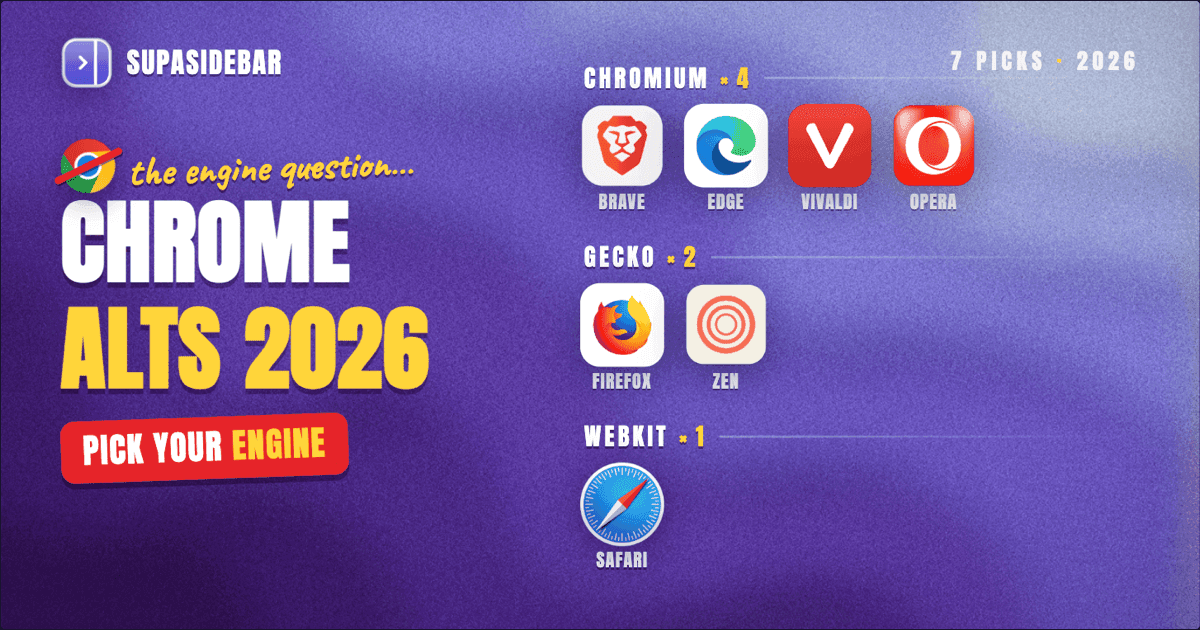
The seven Chrome alternatives worth considering in 2026
The honest list. Each browser is named for its strongest reason to switch, not as a generic "top 7."
| Browser | Engine | Best For | Manifest V3 Impact | macOS / Windows / Linux |
|---|---|---|---|---|
| Brave | Chromium | Easiest switch from Chrome with built-in privacy | Shields work independently of V3; full uBlock Origin still supported | All three |
| Firefox | Gecko | Privacy purists, ad-blocker power users | Unaffected - full uBlock Origin works | All three |
| Safari | WebKit | Mac battery life, native macOS feel | N/A (different extension model) | macOS / iOS only |
| Microsoft Edge | Chromium | Chrome refugees on Windows, Copilot AI users | Same as Chrome, but Edge has its own ad-block features | All three |
| Vivaldi | Chromium | Power users who want everything built-in | Vivaldi's built-in blocker survives V3; some extensions affected | All three |
| Zen Browser | Gecko | Arc refugees who want vertical tabs + workspaces | Unaffected (Firefox-based) | All three |
| Opera | Chromium | Built-in VPN, free messengers, AI side-panel | Same as Chrome | All three |
A separate "Arc" entry is missing from this list on purpose. Arc entered maintenance mode on May 27, 2025 per The Browser Company's announcement, and was acquired by Atlassian in October 2025. New Chrome leavers in 2026 are not picking Arc - the project is no longer being actively developed.
The engine question (the one that actually matters in 2026)
Most Chrome alternatives are still Chromium-based. That changes what "switching" actually gets you.
Chromium browsers (Brave, Edge, Vivaldi, Opera):
- Same rendering engine as Chrome, so website compatibility is nearly identical
- Access to the full Chrome Web Store extension library
- All affected by Google's Manifest V3 changes, though each browser handles the impact differently
- Switching is mostly about UI, defaults, and what's bundled in - not what loads on the page
Gecko browser (Firefox + Zen):
- The only major non-Chromium engine still in active development
- Per the Mozilla extension blog, Firefox retains full Manifest V2 support alongside V3 - uBlock Origin's full version works normally
- Slightly different rendering on some sites (rare but real)
- Picking Firefox or Zen is a vote against a Chromium monoculture
WebKit browser (Safari):
- Apple's engine, macOS-only as a competitive browser
- Smaller extension ecosystem (Safari Extensions, not Chrome Web Store)
- Strongest battery life on Apple Silicon per Apple's published specs - up to 24 hours of video streaming on M4 MacBook Pro
Per StatCounter data, Chromium-based browsers held approximately 80% of the global market in 2026. If browser engine diversity matters - and it should, because a single-engine web is bad for the open web - Firefox and Safari are the only meaningful alternatives.
Brave: the easiest five-minute switch
For users who want Chrome's extensions and Chrome's site compatibility without Chrome's tracking, Brave is the answer.
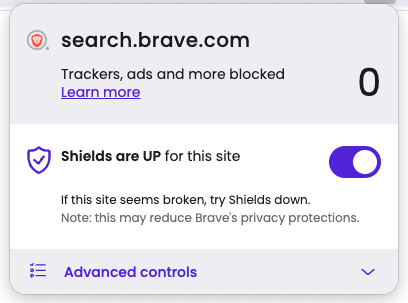
Brave is Chromium-based, so the entire Chrome Web Store works. The difference is what's on by default: Brave Shields block ads, trackers, third-party cookies, and many cross-site scripts before pages load. Per Brave's Manifest V3 announcement, Brave Shields are patched directly into the Chromium codebase, so they don't rely on the extension API at all - Google's Manifest V3 forced changes do not weaken Brave's ad blocking.
Brave also keeps full uBlock Origin support for users who want extension-based blocking on top of Shields. That's the most important V3 detail in this entire post: among Chromium browsers, Brave is the one where ad blocking still works exactly the way it used to.
What's built in:
- Brave Shields (ads, trackers, fingerprinting, third-party cookies)
- Brave Search (independent index, not Google or Bing)
- Built-in IPFS support
- Optional Brave Rewards (opt-in cryptocurrency for viewing privacy-respecting ads)
- Brave Talk (built-in video calls)
What's missing vs Chrome:
- No Google services integration (which is the point)
- Google account sync requires the Brave Sync alternative
- Slightly slower release cadence than Chrome on Mac
The honest tradeoff:
Brave Rewards and the optional crypto wallet draw criticism for being "ads under a different name." Both are off by default and can be ignored entirely. The privacy story is real even if those features are not for everyone.
Firefox: the only Manifest V3-proof choice
Firefox is the safest Chrome alternative for one reason: it's the last major browser that isn't running on Chromium.
That sounds abstract until ad blocking matters. As of 2026, the full uBlock Origin works completely on Firefox per the uBlock Origin docs. Chrome users are stuck with uBlock Origin Lite. That gap is going to keep widening, not narrowing.
What Firefox does best:
- Full Manifest V2 + V3 extension support (Firefox runs both)
- Total Cookie Protection isolates cookies per-site by default
- Enhanced Tracking Protection blocks known trackers out of the box
- Open source, with Mozilla's revenue coming from search deals rather than user data
- Native vertical tabs since version 136 (March 2025)
What Firefox lacks:
- Smaller extension ecosystem (Firefox Add-ons, not Chrome Web Store)
- Some web apps still misbehave on Gecko (less than 5 years ago, but not zero)
- No native Tab Groups (extensions cover this; Zen Browser is a fork that adds them)
Who switches to Firefox in 2026:
- Anyone who relied on uBlock Origin's full functionality
- Privacy-focused users who don't want any Chromium browser
- Power users who want about:config-level customization
- Linux users (Firefox's Linux support is the strongest of any major browser)
The 2026 Firefox is also fast. The performance gap with Chrome on Mac is small enough that it's invisible in normal use.
Safari: the Mac battery answer (with caveats)
Safari is the right Chrome alternative if the laptop never leaves Mac and battery life is the priority.
Per Apple's published specs for the M4 14" MacBook Pro, Safari delivers up to 24 hours of video streaming. No Chromium browser comes close to those numbers - Safari is tightly integrated with macOS's power management in a way third-party browsers cannot match. Independent 2024 testing complicates the picture (Birchtree found Chrome 128 used 9% less battery than Safari 17.6 over 36 hours), but for typical web browsing on M-series Macs, Safari still wins on battery.
What Safari does best:
- Battery life on Apple Silicon (the headline reason)
- Intelligent Tracking Prevention (ITP) on by default
- Tab Groups with iCloud sync to iPhone and iPad
- Native vertical tabs via Tab Groups sidebar (since Safari 17)
- Reading List that syncs across Apple devices
What Safari lacks:
- macOS-only (not a cross-platform answer)
- Smallest extension ecosystem of the seven browsers here
- No native ad blocker - relies on content blocker extensions
- Web compatibility issues with sites built Chrome-first (rare but real)
For 2-or-more-browser users, Safari is rarely the only browser - it's the always-open one for personal browsing while Chrome (or its replacement) handles work. That's the workflow where a cross-browser sidebar pays off.
Microsoft Edge: Chrome with Copilot
Edge is the Chrome alternative for people who like Chrome but want Microsoft's AI layer baked in.
It's Chromium underneath. The Chrome Web Store extensions all work. The site compatibility is identical. What Edge adds is the Copilot integration - per Microsoft's May 13, 2026 announcement, Copilot in Edge now reasons across multiple open tabs, compares pages, summarizes documentation, and handles voice/vision queries. That feature shipped to macOS 15+ and Edge mobile in the same rollout.
What Edge does well:
- Copilot AI built directly into the browser (multi-tab reasoning, Journeys, voice/vision)
- Vertical tabs (shipped years before Chrome 146)
- Sleeping tabs for memory savings
- Collections for visual bookmark organization
- PDF tools that are genuinely better than Chrome's
- Best support for Microsoft 365 / Outlook integration
What Edge inherits from Chrome:
- Same Manifest V3 limits on ad blockers (use uBlock Origin Lite or Edge's built-in tracking prevention)
- Same Chromium engine concentration concern
- Microsoft data collection (less than Google's by reputation, but real)
The honest take:
Edge is mostly Chrome with a Copilot button. If the goal is to escape Google's data collection but stay in a Chromium browser with full extension support and AI features, Edge is reasonable. If the goal is to escape Chromium entirely, Edge doesn't solve that.
Vivaldi: everything built in, nothing required
Vivaldi is the Chrome alternative for users who hate installing extensions.
Where Chrome makes users add extensions for vertical tabs, tab grouping, mouse gestures, mail, notes, and feed reading, Vivaldi ships all of it in the browser. Per Vivaldi's Manifest V3 post, Vivaldi's built-in tracker and ad blocker is independent of the extension API - so it survives V3 unchanged.
What's built into Vivaldi:
- Two-level tab stacking (tab groups inside the tab bar)
- Vertical tab sidebar (configurable)
- Web Panels - keep websites pinned in a side panel
- Vivaldi Mail, Calendar, Feed Reader
- Workspaces (separate tab contexts)
- Mouse gestures and full keyboard customization
- Built-in ad and tracker blocker
- Page tiling (multiple tabs side-by-side in one window)
- Notes panel synced with Vivaldi Sync
What Vivaldi trades off:
- The settings panel has hundreds of options - the learning curve is real
- Built-in features add baseline RAM overhead (~200-300 MB)
- The UI is dense; minimalism this is not
Vivaldi is the answer for power users who want every productivity feature on day one. New users from Chrome often feel overwhelmed before they find the features that actually matter to them.
Zen Browser: the Arc-shaped Firefox
Zen is the Chrome alternative for ex-Arc users who want vertical tabs and workspaces on a non-Chromium engine.
Per Wikipedia's Zen Browser entry, Zen is built on Firefox (Gecko) and takes the workspace-plus-vertical-tabs philosophy Arc popularized. Tab folders, split view, workspaces, pinned tabs, and Zen Glance (page previews) all ship in the browser. A February 2026 update added automatic folder population from GitHub issues, pull requests, and RSS feeds.
What Zen does that Chrome doesn't:
- Native vertical tab sidebar with workspaces
- Tab folders (nested, unlike Chrome's flat groups)
- Split view (two tabs side by side natively)
- Zen Glance - hover a link to preview the page
- Firefox's privacy defaults baked in
What Zen is still working on:
- Still in beta, polish below Safari/Chrome levels
- No Widevine DRM license, so Netflix and some streaming services do not play
- Smaller community and fewer guides than Firefox itself
- Some Firefox extensions don't quite fit Zen's UI
Zen is the most direct "Arc replacement" on this list. The team is shipping fast, the design philosophy is clear, and the Firefox foundation means privacy is solid by default. For new Chrome leavers who liked the idea of Arc but didn't switch in time, Zen is worth a serious look.
Opera: the "everything else" Chrome alternative
Opera deserves a mention but earns less recommendation than the six above. Opera is Chromium-based, includes a built-in free VPN (with caveats - it's a proxy, not a true VPN), bundles WhatsApp/Telegram/Facebook Messenger into a sidebar, and ships Aria, Opera's built-in AI assistant.
Where Opera shines:
- Built-in messengers in the sidebar (genuinely useful for chat-heavy users)
- Built-in proxy VPN for casual privacy
- Aria AI for inline chat and image generation
- Opera GX variant aimed at gamers (RAM limiter, CPU limiter, gaming-focused design)
Where Opera falls short:
- Owned by a Chinese consortium - some users have privacy concerns about data handling
- "VPN" is a proxy, not encrypted end-to-end like a true VPN
- Same Manifest V3 limitations as Chrome
- The bundled features can feel like bloat for users who just want a browser
Opera is the right pick for a narrow audience: someone who wants the built-in messengers and uses the VPN casually. For everyone else, Brave covers privacy better and Vivaldi covers customization better.
What none of these solve: the multi-browser problem
Switching from Chrome rarely means leaving Chrome behind entirely.
A typical Mac user keeps Chrome open for work because that's where the company SSO is configured, opens Safari for personal browsing because it sips battery, and tries Brave or Firefox for the privacy-first sessions. The result is three browsers running, with tabs scattered across them, bookmarks duplicated, and one Chrome window open the user forgot about for three days.
Native browser sync only works inside one browser. Chrome syncs to Chrome. Safari syncs to Safari via iCloud. Firefox syncs to Firefox. None of them sync to each other.
There's a specific gap none of these methods close: a way to see and manage everything from one place.
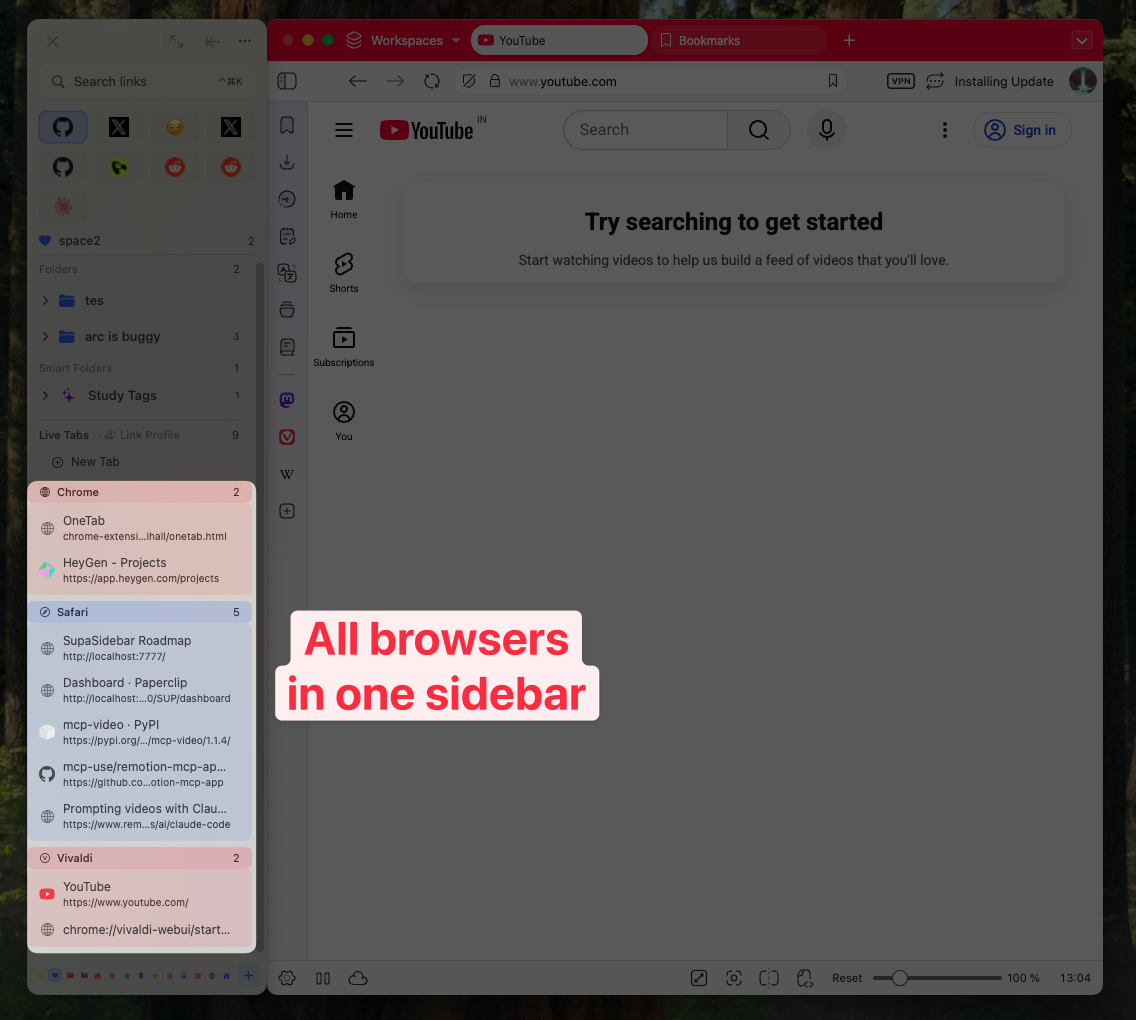
SupaSidebar takes a different approach. It's a Mac sidebar app (not a browser, not an extension) that sits next to whichever browser is active and shows tabs and saved links from all 32+ browsers in a single panel. Switching from Chrome doesn't have to mean abandoning Chrome - it can mean using Chrome where it makes sense, switching to Brave or Firefox where it makes sense, and keeping one sidebar across both.
Conclusion: Picking the right Chrome alternative
The verdict in one line: Brave is the easiest switch, Firefox is the privacy-first choice, Safari wins on Mac battery, Edge is Chrome with Copilot, Vivaldi is for power users, Zen is for ex-Arc users, and Opera is for the narrow built-in-messengers audience.
For different reader segments:
- Want Chrome's extensions and Chrome's compatibility, just without the tracking? Brave. Five-minute switch.
- Care most about ad blocking that won't get weaker over time? Firefox - it's the only browser where full uBlock Origin is guaranteed to keep working.
- Mac-only and battery life is the deal-breaker? Safari with a content blocker extension.
- Stuck in Microsoft 365 and want AI tab summaries? Edge.
- Want every power-user feature built in without installing twelve extensions? Vivaldi.
- Coming from Arc and missing vertical tabs + workspaces? Zen Browser.
- Want one browser that's not Chrome AND one sidebar that works across every browser? Use the right browser for each context (Safari for personal, Chrome or Brave for work) and bridge them with SupaSidebar.
The browser-switching question almost always ends in "which two or three browsers to use" rather than "which one replaces Chrome." That's where a cross-browser sidebar matters more than the browser pick itself. Try SupaSidebar (free tier) if a Mac-side unified sidebar fits the workflow.
Why we recommend SupaSidebar (for Chrome leavers using multiple browsers)
SupaSidebar is a macOS app that brings Arc's sidebar to every browser - one sidebar for tabs, bookmarks, files, and apps across 32+ browsers including Safari, Chrome, Firefox, Arc, Zen, Vivaldi, Brave, Helium, and Dia.
That's the gap none of the seven browsers above close. Switching from Chrome usually means running 2-3 browsers in parallel - Safari for battery, Brave or Firefox for ad-free browsing, Chrome for the work account that won't move. SupaSidebar is the single sidebar that sees all of them at once: Live Tabs shows what's open across every browser, the Command Panel (⌘⌃K) fuzzy-searches every tab and bookmark, Spaces organize links by context, and Air Traffic Control routes new saves to the right browser and profile automatically.
The free tier covers all 32+ browsers, three Spaces, and the full sidebar experience.
Frequently Asked Questions
What's the best Chrome alternative for privacy?
Brave for the easiest switch with privacy on by default (Shields block ads and trackers out of the box). Firefox for the strongest long-term privacy story - it's the only major non-Chromium browser, supports full uBlock Origin, and Mozilla's revenue doesn't depend on user data.
Why are people switching from Chrome in 2026?
Three main reasons: Chrome 142 effectively ended full uBlock Origin support in late 2025 (Chrome users are stuck with uBlock Origin Lite), Google's data collection defaults remain stricter than competitors', and Chromium engine concentration crossed 80% market share in 2026 - prompting privacy-focused users to vote for engine diversity by picking Firefox or Safari.
Is Brave actually better than Chrome for privacy?
Yes for default behavior. Brave blocks ads, trackers, fingerprinting, and third-party cookies out of the box. Chrome requires installing extensions and changing settings to reach similar protection - and as of 2026, the strongest ad blockers (full uBlock Origin) no longer work fully in Chrome. Brave keeps them working.
Will my Chrome extensions work in other browsers?
Mostly yes for Chromium-based alternatives (Brave, Edge, Vivaldi, Opera) - the Chrome Web Store works the same. For Firefox and Zen, the extension ecosystem is different (Firefox Add-ons) but most popular extensions have Firefox versions. For Safari, the extension ecosystem is the smallest and most extensions need a Safari-specific port.
What's the easiest browser to switch to from Chrome?
Brave. It uses the same Chromium engine, accepts all Chrome extensions, and the import wizard pulls in Chrome bookmarks, history, passwords, and open tabs in one step. Five minutes from install to feeling at home.
Does Firefox use less RAM than Chrome on Mac?
Generally yes. Firefox's multi-process architecture (Fission) shares more resources between tabs than Chrome's full per-tab process model. With 10 tabs open, expect Firefox to use 800 MB to 1.5 GB compared to Chrome's 1.5-2.5 GB. The gap widens with 30+ tabs.
Is Safari a good Chrome alternative on Mac?
Yes for battery life and macOS integration; less so for cross-platform consistency and extension breadth. Safari delivers the longest battery life on Apple Silicon per Apple's specs (up to 24 hours streaming on M4 14" MacBook Pro) and integrates with iCloud, Handoff, and Continuity. The downsides: Safari is macOS-only, has the smallest extension library, and lacks a native ad blocker.
Can I use multiple Chrome alternatives at the same time?
Yes - and many Chrome leavers do exactly this. A common setup is Safari for personal browsing (battery), Brave or Firefox for ad-free general browsing (privacy), and Chrome kept around only for the work account that won't move. The challenge is managing tabs and bookmarks across them, which is what SupaSidebar is built for.
By Kshetez Vinayak, founder of SupaSidebar. Last updated 2026-06-26.