

Quick navigation:
- Want the full multi-browser showdown? → Best Browser for Mac in 2026
- Battery life is the priority? → Best Browser for Mac Battery Life
- Safari vs Chrome specifically? → Safari vs Chrome on Mac 2026
- Comparing Brave and Safari? → Brave vs Safari on Mac 2026
TL;DR:
Vivaldi is the best browser on Mac for power users who want deep customization without extensions - tab stacking, web panels, built-in mail, and workspaces all ship free. Chrome is the safest default for anyone embedded in Google Workspace or relying on Chrome-only extensions. Firefox is the strongest privacy-first option with the only non-Chromium engine left standing. The real question is whether you need one browser or all three - and if it's all three, SupaSidebar unifies tabs and bookmarks across them in a single Mac sidebar.
Vivaldi vs Chrome vs Firefox: What Actually Matters on Mac
Vivaldi, Chrome, and Firefox represent three fundamentally different approaches to web browsing on macOS. Chrome prioritizes Google ecosystem integration and extension breadth. Firefox prioritizes privacy and open-source independence. Vivaldi prioritizes built-in power-user features that other browsers require extensions to match. This post does NOT cover Safari (see the pillar comparison for that) or Arc (which entered maintenance mode in May 2025).
The choice between them comes down to three questions: How much customization do you actually use? How deep are you in Google's ecosystem? How much do you care about who controls your browser engine?
The Engine Question: Chromium vs Gecko
This is the most consequential technical difference. Chrome and Vivaldi both run on Chromium (Google's open-source browser engine). Firefox runs on Gecko (Mozilla's independent engine). What this means in practice:
Chromium browsers (Chrome + Vivaldi):
- Access to the full Chrome Web Store extension library
- Near-perfect website compatibility (sites are built for Chromium first)
- Subject to Google's Manifest V3 changes (which limit ad blocker capabilities)
- Share underlying rendering behavior, memory model, and security patches
Gecko browser (Firefox):
- Independent engine means different rendering for some sites (rare but real)
- Firefox Add-ons library is smaller but curated
- Not affected by Manifest V3 - uBlock Origin works fully on Firefox
- The only major engine alternative preventing a Chromium monoculture
Per StatCounter data, Chromium-based browsers hold approximately 80% of the global market in 2026. Firefox represents the last viable non-Chromium alternative for everyday browsing.
Customization: Vivaldi's Defining Advantage
Vivaldi ships with more built-in features than Chrome and Firefox combined. Where Chrome requires extensions and Firefox requires about:config tweaks, Vivaldi has it in the settings panel:
| Feature | Vivaldi | Chrome | Firefox |
|---|---|---|---|
| Tab stacking (grouped tabs) | Built-in, two-level | Tab Groups (basic) | None native (requires extension) |
| Vertical tab sidebar | Built-in | Flag only (flat list) | Native since v136 (March 2025) |
| Web panels (sidebar websites) | Built-in | None | None |
| Built-in mail client | Yes (Vivaldi Mail) | None | None (Thunderbird is separate) |
| Built-in calendar | Yes | None | None |
| Built-in RSS reader | Yes (Vivaldi Feed Reader) | None | None |
| Workspaces | Yes | None | None native |
| Mouse gestures | Built-in | Extension needed | Extension needed |
| Page tiling (split screen) | Built-in | None | None |
| Notes panel | Built-in | None | None |
| Custom keyboard shortcuts | Full remapping | Limited | Limited (about:config) |
| Command palette | Quick Commands (F2) | None | None native |
Vivaldi's approach: cram every power-user feature into the browser so extensions become unnecessary. The tradeoff is complexity - the settings panel alone has hundreds of options. New users often feel overwhelmed before finding the features that matter to them.
Performance and RAM on Apple Silicon
All three browsers run natively on Apple Silicon (M1 and later). Real-world performance differences are smaller than most review sites suggest, but they exist:
Chrome:
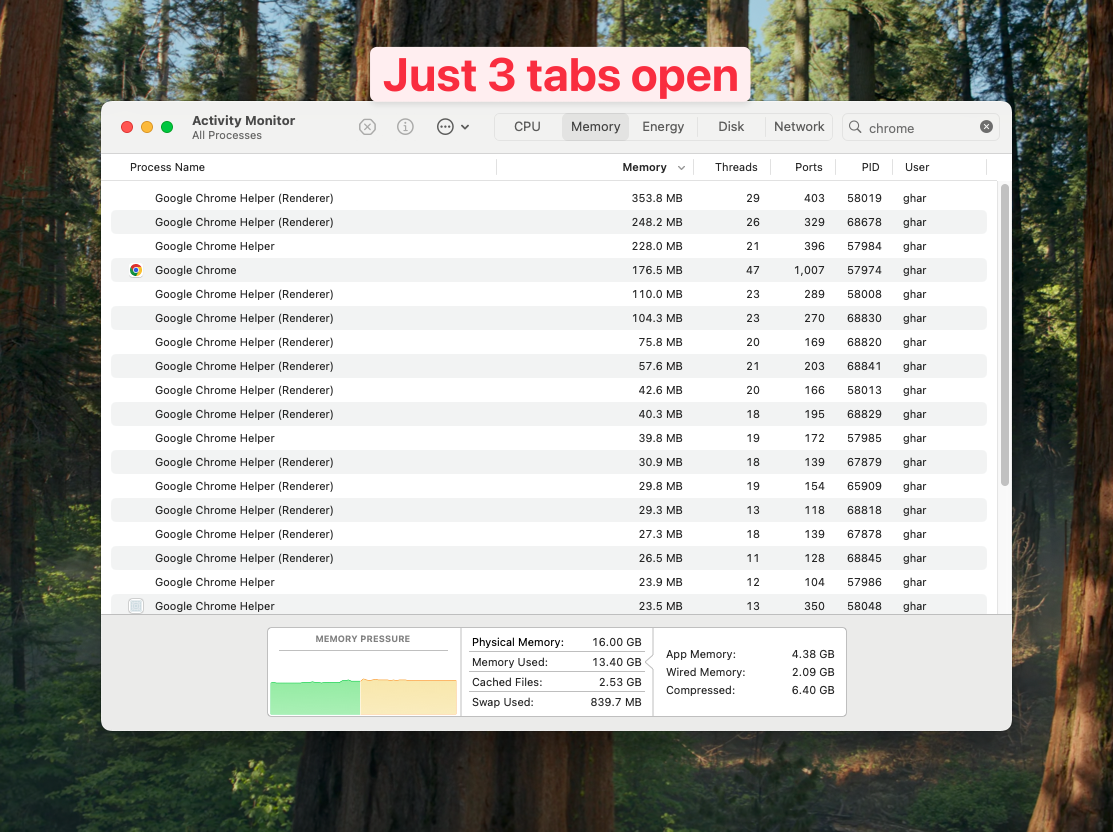
Historically the heaviest RAM consumer. Google has made significant improvements in recent versions with memory-saving tab freezing. With 10 tabs open, expect 1.5-2.5 GB of RAM usage. With 50+ tabs, Chrome still consumes more than the other two.
Firefox:
Generally the leanest on RAM, especially with many tabs open. Firefox's multi-process architecture (Fission) isolates tabs but shares more resources between them than Chrome's full per-tab process model. Typical usage with 10 tabs: 800 MB - 1.5 GB.
Vivaldi:
Sits between Chrome and Firefox on RAM despite being Chromium-based. Vivaldi's built-in features add baseline overhead (~200-300 MB for the mail client, web panels, etc.) but per-tab memory is comparable to Chrome. Tab hibernation (built-in) offloads inactive tabs automatically - something Chrome requires an extension for.
Battery life on Mac is roughly comparable across all three when doing the same tasks. The bigger factor is what's running in the background - Vivaldi's always-on mail/RSS polling uses more power than a stripped-down Chrome or Firefox session.
Privacy: Three Different Philosophies
Firefox (strongest privacy default):
- Total Cookie Protection isolates cookies per-site by default
- Enhanced Tracking Protection blocks known trackers out of the box
- No telemetry sent to advertising companies
- Mozilla's revenue comes from search deals, not user data
- Supports uBlock Origin fully (unaffected by Manifest V3)
Vivaldi (privacy-forward, Chromium constraints):
- Built-in tracker and ad blocker
- No telemetry sent to Google (Vivaldi strips Chromium's Google services)
- Vivaldi's privacy policy explicitly states: no user profiling, no data selling
- Subject to Manifest V3 limitations on content blocking extensions (though the built-in blocker is unaffected)
- Revenue from search engine partnerships (configurable - switch default search freely)
Chrome (weakest privacy, strongest ecosystem):
- Sends telemetry to Google by default (can be reduced in settings)
- Google's core business is advertising - the browser is the data pipeline
- Topics API replaces third-party cookies (still tracks interests)
- Manifest V3 limits the effectiveness of content blocking extensions
- Best integration with Google services (which requires Google account sign-in)
The honest take: if privacy is the top priority, Firefox wins. If privacy matters but Chromium compatibility is required, Vivaldi is the Chromium browser that tries hardest to respect it. Chrome's privacy features exist to satisfy regulators, not to protect users from Google itself.
Extensions: Chrome Web Store vs Firefox Add-ons
Chrome Web Store access (Chrome + Vivaldi):
- 180,000+ extensions
- Chrome extensions work in Vivaldi with no modification
- Manifest V3 migration ongoing - some extensions losing functionality
- Google can remove extensions from the store unilaterally
Firefox Add-ons:
- Smaller library (~30,000 extensions)
- uBlock Origin works at full power (Manifest V2 still supported)
- Tree Style Tab, Multi-Account Containers, and other Firefox-exclusive extensions
- Mozilla's review process is generally stricter
Vivaldi's built-in offset:
- Vivaldi needs fewer extensions because features are built-in
- Tab management, gestures, notes, RSS, mail, ad blocking - all native
- Still has full Chrome Web Store access for anything else
The practical difference: if a specific Chrome extension is required for work (like a company-mandated security tool), Chrome or Vivaldi are the only options. If the extension is for tab management or productivity, Vivaldi probably has it built-in already.
Tab Management Compared
This is where the three browsers diverge most visibly:
Vivaldi:
- Two-level tab stacks (groups within groups)
- Tab tiling (view multiple tabs side-by-side)
- Tab hibernation (suspend inactive tabs to save RAM)
- Tab cycling in recently-used order
- Vertical tabs built-in
- Workspaces (separate contexts with their own tab sets)
- Rename and color-code tab stacks
Chrome:
- Tab Groups (single level, color-coded)
- Auto Tab Groups (AI-suggested, opt-in)
- Tab search (Ctrl+Shift+A)
- Memory Saver (freezes background tabs)
- Vertical tabs as experimental flag (flat list, no stacking)
Firefox:
- Tab Groups removed in 2022, never re-added natively
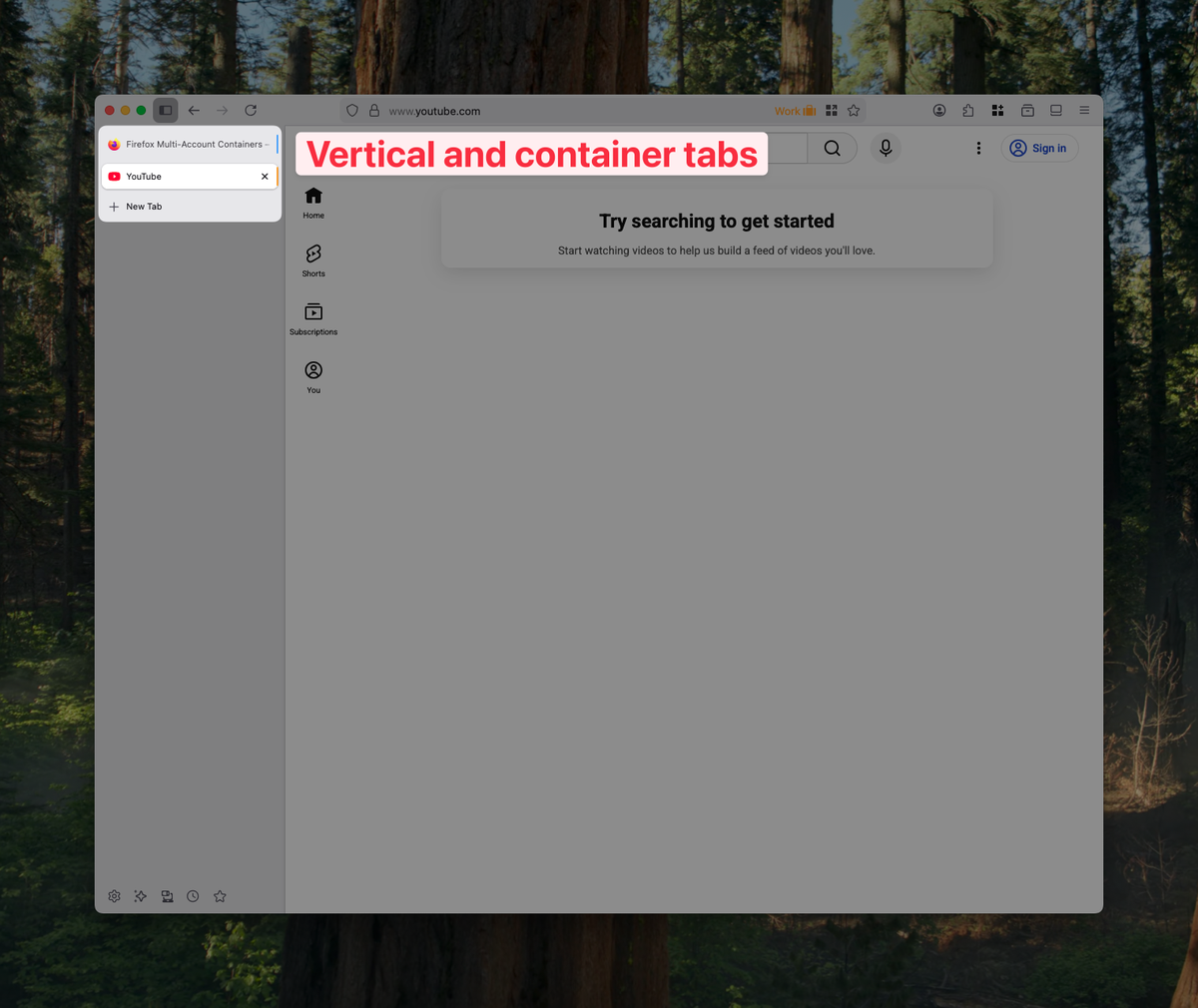
- Vertical tabs shipped March 2025 (Firefox 136)
- Container Tabs (isolate cookies/sessions per tab group)
- Tree Style Tab via extension (hierarchical tab trees)
- No native workspace or tab stacking feature
For raw tab management power, Vivaldi dominates. Chrome offers the basics. Firefox depends heavily on extensions for anything beyond the new vertical tab sidebar.
The Multi-Browser Reality
Here's what comparison posts rarely acknowledge: many Mac power users don't pick one browser. They use Chrome for Google Workspace (because SSO and Docs work best there), Firefox for personal browsing (privacy), and Vivaldi for research sessions (tab stacking + web panels).
A Reddit user on r/vivaldibrowser captured this pattern: users who left Vivaldi mentioned "the address bar autocomplete is infuriating" and "I need Chrome for work SSO anyway." The reverse also happens - users leaving Chrome for Vivaldi say "I was tired of needing 5 extensions to get what Vivaldi does natively."
"As a web dev could be really useful the amount of browsers i have"
- Reddit user MediaForgeApp, discussing SupaSidebar
"The ability to flick between browsers is so liberating."
- Titus Scurfield, freelance web developer
The problem with using multiple browsers: tabs and bookmarks fragment across three separate systems. Saved links in Chrome don't appear in Firefox's sidebar. Vivaldi's workspaces don't know about Chrome's tab groups. Each browser is an island.
The Cross-Browser Approach
For users running two or more of these browsers simultaneously, the fragmentation problem is real. Bookmarks saved in Vivaldi don't sync to Firefox. Chrome tabs are invisible to Vivaldi's workspace system. There's no native way to search across all open tabs regardless of which browser owns them.
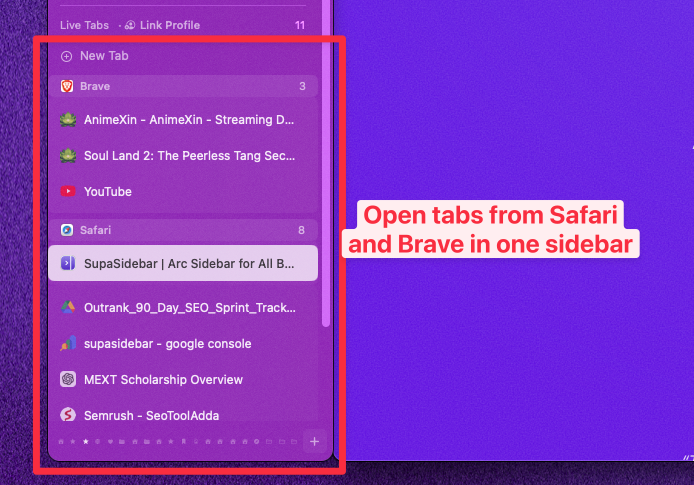
SupaSidebar is a Mac sidebar app that sits outside the browser and unifies tabs, bookmarks, and saved links from 32+ browsers (including Vivaldi, Chrome, and Firefox) in a single persistent sidebar. One keyboard shortcut (⌘⇧Space) shows everything - open tabs from any browser, saved links organized into Spaces, and a Command Panel that fuzzy-searches across all of it.
The approach works because SupaSidebar is not a browser and not an extension. It connects to browsers via macOS system APIs, which means it doesn't care which browser a tab lives in. A Vivaldi tab stack, a Chrome Google Doc, and a Firefox research session all appear in the same sidebar.
SupaSidebar has a free tier with 3 Spaces and full browser support, plus a paid Pro tier. Requires macOS 14+ (Sonoma).
Who Should Use What
Pick Vivaldi if:
- Customization is a top priority - you want to control every pixel of the browser UI
- Tab stacking and web panels would replace 3-5 extensions currently installed
- A built-in mail client, calendar, and RSS reader appeals to the "fewer apps" philosophy
- Full Chrome extension compatibility is needed alongside power-user features
- Privacy matters but Chromium website compatibility is required
Pick Chrome if:
- Google Workspace is the daily driver (Docs, Gmail, Calendar, Meet all work best here)
- Work requires Chrome-specific extensions or a managed Chrome profile
- Simplicity and zero learning curve matter more than features
- Ecosystem lock-in is acceptable or even desired
- The team standardizes on Chrome for IT/security policies
Pick Firefox if:
- Privacy is non-negotiable and worth minor compatibility trade-offs
- uBlock Origin at full power is essential (Manifest V3 doesn't apply)
- Supporting browser engine diversity matters (preventing Chromium monoculture)
- Container Tabs for isolating work/personal/banking sessions are used daily
- Extensions like Tree Style Tab provide the specific tab workflow needed
Pick all three (with SupaSidebar) if:
- Work SSO requires Chrome, personal browsing uses Firefox, research uses Vivaldi
- Different browsers serve different contexts throughout the day
- Tab/bookmark fragmentation across browsers is the actual pain point
- A unified search across all open tabs regardless of browser would save time
Conclusion: Picking What to Use
Vivaldi is the most capable browser of the three for a single user willing to invest time in configuration. Chrome is the path of least resistance for anyone already in Google's ecosystem. Firefox is the principled choice for privacy and the only thing preventing a Chromium monopoly on the web.
For single-browser users: Vivaldi if power-user features matter, Chrome if simplicity matters, Firefox if privacy matters. That maps cleanly to the three different philosophies.
For multi-browser users running two or more simultaneously: the browser choice matters less than how tabs and bookmarks are managed across them. Try SupaSidebar (free tier) to unify everything in one sidebar - it works with all three.
Frequently Asked Questions
Is Vivaldi really free with no catch?
Yes. Vivaldi is completely free with no subscription, no premium tier, and no locked features. Revenue comes from default search engine partnerships (DuckDuckGo, Bing, Google, etc. - configurable by the user). No user data is sold or profiled.
Does Vivaldi use more RAM than Chrome since it has more built-in features?
Vivaldi's built-in features add approximately 200-300 MB of baseline overhead compared to a stripped-down Chrome session. However, per-tab memory usage is comparable since both use the Chromium engine. Vivaldi's built-in tab hibernation often results in lower total RAM usage with many tabs open because it suspends inactive tabs without requiring an extension.
Can Chrome extensions run in Vivaldi?
Yes. Vivaldi has full access to the Chrome Web Store. Extensions install and run without modification. The only exceptions are extensions that specifically check for Chrome's browser signature (rare) or those that conflict with Vivaldi's built-in features.
Is Firefox slower than Chrome or Vivaldi on Mac?
Not in most real-world usage. Firefox's Gecko engine scores slightly lower on some JavaScript benchmarks (Speedometer, JetStream) but the difference is imperceptible for web browsing, streaming, and typical productivity apps. Where Firefox can feel slower is on sites specifically optimized for Chromium rendering quirks.
Will Manifest V3 kill ad blocking in Chrome and Vivaldi?
Partially. Manifest V3 limits the capabilities of content blocking extensions like uBlock Origin in Chromium browsers. Chrome is fully enforcing MV3 as of 2025. Vivaldi's built-in ad blocker is unaffected because it runs at the browser level, not as an extension. Firefox supports Manifest V2 indefinitely, so uBlock Origin continues at full power there.
Which browser is best for battery life on a MacBook?
All three are comparable on Apple Silicon Macs. The difference between them is typically 15-30 minutes over a full workday, which matters less than what tabs and extensions are running. For a deep benchmark breakdown, see Best Browser for Mac Battery Life 2026.