
By Kshetez Vinayak, founder of SupaSidebar. Last updated November 1, 2026.
TL;DR
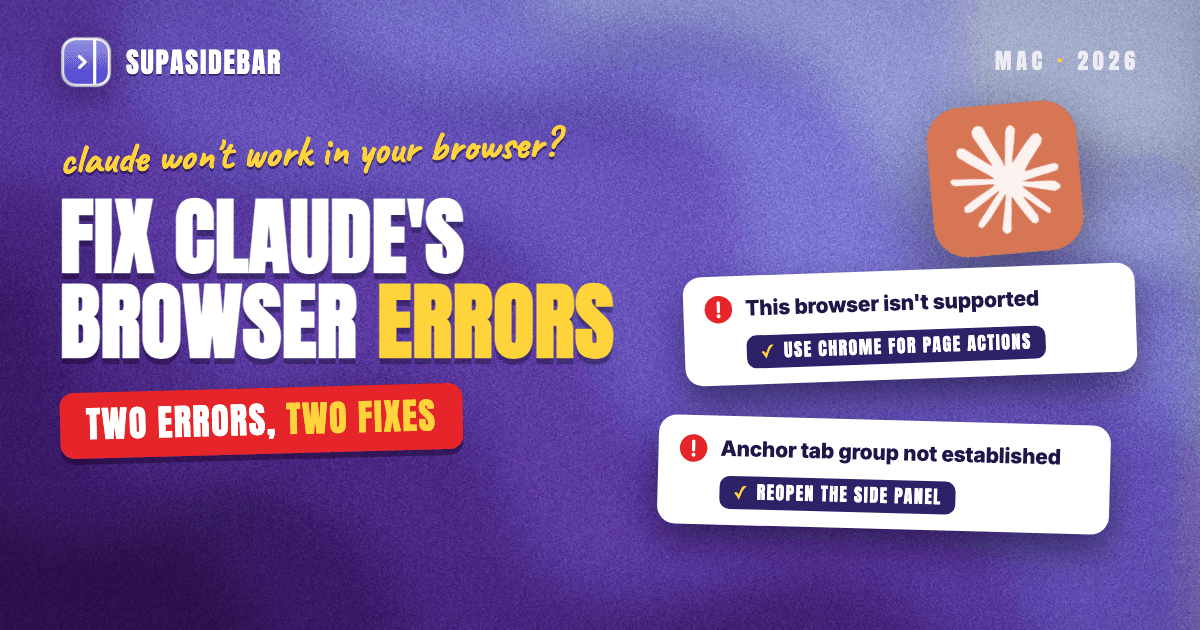
"Anchor tab group not established" means Claude in Chrome could not create the orange "Claude" tab group that anchors each side panel session, so every browser action fails until that group exists. Reopening the side panel on the same tab reruns that setup, and pausing tab-grouping extensions, updating Chrome or switching back to the classic side panel covers the stubborn cases. "This browser isn't supported" is a different problem with two sources. The claude.ai artifact viewer shows it in some browsers, including the newest Safari on macOS 15, and Anthropic supports the Claude in Chrome side panel only in Google Chrome, not in Arc, Brave, Dia or other Chromium browsers. For people who live in those browsers, the setup that holds up is Chrome for Claude's page actions plus SupaSidebar, which keeps one sidebar and an MCP server for Claude across 32+ Mac browsers.
Quick navigation
- Want Claude Desktop or Claude Code to work with links in any browser? → Claude Can't See Your Browser Tabs. Here's How to Fix That.
- Coding in Cursor or Claude Code with docs tabs open? → Giving Cursor and Claude Tab Context While You Code on Mac
- Setting up SupaSidebar's MCP server for vibe coding? → Vibe Coding with SupaSidebar and MCP
- Building a whole Mac setup for AI coding? → Best Mac Apps for AI Coders in 2026
- Stuck on one of these two Claude errors? You are in the right place. Keep reading.
Claude browser errors at a glance
| Message or symptom | Where it appears | What causes it | First fix | If that fails |
|---|---|---|---|---|
| anchor tab group not established | Claude in Chrome side panel, on every browser action | Claude could not create its one-tab "Claude" group | Close and reopen the side panel | Pause tab-grouping extensions, update Chrome, or switch to the classic panel |
| This browser isn't supported. Update it to open this artifact. | Opening an artifact on claude.ai | The artifact viewer rejects the browser | Open the link in Google Chrome | Follow the open bug report |
| Claude in Chrome won't run | Arc, Brave, Dia, Comet, Opera, Vivaldi | The side panel is supported only in Google Chrome | Install Chrome just for Claude | Claude Code with claude --chrome, or Cowork's built-in browser |
| Claude can't open your links in Safari, Firefox or Arc | Any browser that isn't Chrome | Claude in Chrome only works inside Chrome | Cowork's built-in browser for page actions | SupaSidebar's MCP server to search the sidebar and open links in any browser |
What "anchor tab group not established" means in Claude in Chrome
"Anchor tab group not established" is a Claude in Chrome error that shows up when the side panel cannot create the tab group it uses as home base for a session. Anthropic's help pages don't mention the message, so the explanation below comes from the extension's own shipped code, version 1.0.104, inspected on November 1, 2026.
When a side panel session connects, Claude in Chrome takes the tab the panel is open on, pulls it out of any tab group it was in, and creates a fresh orange Claude tab group holding just that tab. That group is the anchor. It matches how Anthropic's help center describes Claude keeping the tabs it opens in a separate group with its own color.
If creating the group fails, the extension tries three times. The side panel then retries the whole setup up to three more times, about two seconds apart, as browser actions come in. When every attempt fails, each action returns "anchor tab group not established" instead of running.
The code shows three ways the setup can fail. Chrome can refuse the group request, the tab can close before setup finishes, or the new group can end up holding more than one tab. That last one can happen when another extension moves tabs into groups at the same moment, because Claude in Chrome checks that the anchor group contains exactly one tab and stops if it doesn't.
How to fix "anchor tab group not established"
Work down this list. Steps 1 and 2 rerun the setup itself, so start there.
- Ask again after a few seconds. The side panel retries the anchor setup on its own when the next request arrives, so a brief glitch often clears on the second try.
- Close the side panel and reopen it on the same tab. A fresh panel starts a new session, and a new session runs the anchor setup from scratch.
- Pause extensions that group tabs automatically. Tab managers that sort new tabs into groups can drop a second tab into Claude's group mid-setup, which fails the one-tab check. SupaSidebar isn't one of them, since it is a native Mac app rather than a browser extension and does not modify browser behavior. Anthropic's Claude in Chrome troubleshooting page also lists disabling interfering extensions.
- Refresh the page and update Chrome. The same troubleshooting page recommends the latest Chrome version, a page refresh and a retry when actions don't work.
- Restart the extension. Turn Claude in Chrome off and back on in
chrome://extensions, the step Claude Code's Chrome docs give when browser commands stop responding. - Switch back to the classic side panel. Anthropic's troubleshooting page points to "Switch back to classic" in the three-dot menu at the panel's upper right. In version 1.0.104 the anchor setup sits in the code that connects the newer side panel, so the classic panel is a sensible fallback until an update lands.
- Reconnect from Claude Code. If Claude Code is driving the browser, run
/chromeand choose "Reconnect extension," the documented fix when the connection drops during long sessions.
"This browser isn't supported" in Claude has two different causes
The same words come from two different places in Claude, and the fix depends on which one you hit.
When an artifact says this browser isn't supported
The documented case is the claude.ai artifact viewer. A public bug report filed on October 19, 2026 shows the viewer answering with "This browser isn't supported. Update it to open this artifact." in Safari 27.0 on macOS Sequoia 15.6.1. It appeared in a private window too, and no newer Safari existed for that macOS, so the "update it" advice had nowhere to go. The report was still open on November 1, 2026.
The workaround is to open the same artifact link in a browser that updates on its own schedule instead of with macOS, such as Google Chrome. Updating macOS brings a newer Safari, but the report shows the newest Safari for a given macOS version can still be turned away.
When Claude in Chrome won't run in your browser
Anthropic supports the Claude in Chrome side panel only in Google Chrome. Its help center says the extension is "not supported on other Chromium-based web browsers or mobile devices," and the August 12, 2026 announcement that turned the side panel into a Claude Cowork session repeats the point. That rules out Arc, Brave, Dia, Comet, Opera and Vivaldi for the side panel. Safari and Firefox are not Chromium browsers, so the extension isn't an option there at all.
Claude Code changes the picture. Its Chrome docs name Google Chrome and Microsoft Edge as supported and say Claude Code also detects the extension and connects in Brave, Arc, Vivaldi and Opera. Anthropic's Claude Desktop docs for third-party deployments also describe Claude in Chrome working in Chrome or Edge, so Anthropic's own pages disagree on Edge.
| How Claude uses a browser | Google Chrome | Microsoft Edge | Brave, Arc, Vivaldi, Opera | Safari, Firefox |
|---|---|---|---|---|
| Claude in Chrome side panel | Supported | Help center says other Chromium browsers aren't supported | Not supported | Not available |
Claude Code with claude --chrome | Supported | Supported | Detected and connected, per Claude Code docs | Not available |
| Cowork's built-in browser in Claude Desktop | Not needed | Not needed | Not needed | Not needed |
The bottom row is the escape hatch. Per Anthropic's built-in browser article, the built-in browser in Claude Cowork runs inside Claude Desktop on macOS, works the same whichever browser you normally use, and lets Claude open sites, read pages, click, type and fill forms.
Every fix above moves Claude's work into a browser other than the one many people actually browse in. A typical Arc, Safari or Dia user ends up with Chrome open only for Claude, the everyday browser open for everything else, and saved links split across both. No Claude setting closes that gap, because Claude in Chrome only knows about Chrome.
SupaSidebar, one sidebar and an MCP server for Claude across every Mac browser
SupaSidebar is a native macOS app that adds one Arc-style sidebar to 32+ Mac browsers, and its built-in MCP server lets Claude Desktop, Claude Code and Cursor search that sidebar, switch Spaces, open links and manage Air Traffic Control rules. Chrome stays the browser Claude acts in, while every other browser stays one sidebar away.
A user in a Dia browser thread on r/diabrowser described exactly this setup.
"Right now what works for me is Chrome + Claude Extension + SupaSidebar. SupaSidebar is an app someone made to basically be the Arc sidebar feature, except for any browser." - u/queacher, r/diabrowser
SupaSidebar's Air Traffic Control opens URLs in a specific browser or profile, so claude.ai links opened from the sidebar or Command Panel always land in Chrome, where the side panel lives, while other links open where they normally do. Each SupaSidebar Space can also be linked to a browser or a profile. The SupaSidebar MCP docs cover connecting Claude Desktop, Claude Code and Cursor.
A two-Space setup for someone who browses in Safari and uses Claude in Chrome looks like the table below.
| Example Space | Links inside it |
|---|---|
| Claude work (linked to Chrome) | claude.ai, github.com, localhost:3000, docs.anthropic.com, console.anthropic.com |
| Everyday (linked to Safari) | gmail.com, calendar.google.com, notion.so, figma.com, youtube.com |
Switching to the Claude work Space shows only Chrome's open tabs in SupaSidebar's Live Tabs and opens that Space's links in Chrome, so the Claude side panel is always one click away. Switching back to Everyday brings Safari's tabs and links forward again.
SupaSidebar does not fix either error message, and it does not click, type, fill forms or read page content. That stays with Claude in Chrome or Cowork's built-in browser. Live Tabs also does not read Arc's open tabs, although SupaSidebar still opens links in Arc and imports Arc's Spaces, folders, pinned tabs and bookmarks. SupaSidebar needs macOS 14 or later, and a free version is available.
Which Claude fix fits your setup?
- If the side panel keeps saying anchor tab group not established, reopen the panel on the same tab, then pause tab-grouping extensions. The classic side panel is the fallback.
- If an artifact says this browser isn't supported, open the link in Google Chrome instead of waiting for a Safari update that may not exist.
- If you browse in Arc, Brave or Dia and want Claude to act on pages, keep Google Chrome for Claude in Chrome, or start Claude Code with
claude --chrome, which connects in Brave, Arc, Vivaldi and Opera. - If you browse in Safari or Firefox, use Cowork's built-in browser in Claude Desktop for page actions.
- If you want Claude to find and open your saved links in whichever browser they belong to, connect SupaSidebar's MCP server to Claude Desktop or Claude Code.
What to pick
Neither message means Claude is broken. "Anchor tab group not established" is a failed tab-group setup in Claude in Chrome's side panel, and reopening the panel reruns it. "This browser isn't supported" means either the claude.ai artifact viewer rejected the browser or the browser isn't Google Chrome.
Chrome users only need the anchor fixes, ending with the classic side panel if the error keeps coming back. Safari and Firefox users get page actions through Cowork's built-in browser in Claude Desktop. Arc, Brave and Dia users get the most reliable result from Google Chrome for Claude in Chrome, and Arc and Brave users can also use Claude Code's --chrome connection. Anyone who splits work across two or more browsers should add SupaSidebar, so Chrome can stay Claude's browser without scattering saved links and tabs across both.
For the MCP side of that setup, the Claude MCP setup guide walks through connecting Claude Desktop and Claude Code. Try SupaSidebar (free tier) if one sidebar across every browser fits the way you work.
Why we recommend SupaSidebar
SupaSidebar is a macOS app that brings Arc's sidebar to every browser - one sidebar for tabs, bookmarks, files, and apps across 32+ browsers including Safari, Chrome, Firefox, Edge, Brave, Vivaldi, Dia, Arc and Helium. For Claude users, it lets Google Chrome stay the browser Claude in Chrome works in, while Spaces, Air Traffic Control and the SupaSidebar MCP server keep links from every other browser in reach of Claude Desktop and Claude Code.
FAQ
What does "anchor tab group not established" mean in Claude?
It means Claude in Chrome could not create the one-tab orange "Claude" group that anchors a side panel session, so browser actions fail until that group exists. Closing and reopening the side panel on the same tab reruns the setup, which is the first fix to try. If it keeps failing, pause extensions that group tabs automatically, update Chrome, or switch back to the classic side panel.
Why does Claude say "This browser isn't supported"?
The documented source is the claude.ai artifact viewer, which shows "This browser isn't supported. Update it to open this artifact." when it rejects a browser, including Safari 27 on macOS 15 in a public bug report. Opening the artifact link in Google Chrome is the quickest workaround. Separately, Anthropic supports the Claude in Chrome side panel only in Google Chrome, so it won't run in Arc, Brave, Dia, Safari or Firefox.
Does Claude in Chrome work in Arc, Brave or Dia?
Not officially. Anthropic's help center says Claude in Chrome isn't supported on other Chromium-based browsers, which covers Arc, Brave and Dia. Claude Code is the exception, because its docs say it detects the extension and connects in Brave, Arc, Vivaldi and Opera when started with claude --chrome.
Does Claude in Chrome work in Microsoft Edge?
Anthropic's pages disagree. The Claude in Chrome help center says other Chromium-based browsers aren't supported, while the Claude Code docs and the Claude Desktop docs for third-party deployments name Microsoft Edge alongside Google Chrome. Edge works for Claude Code's browser connection, and Google Chrome is the safe choice for the side panel.
Why does Claude put my tabs in an orange tab group?
The Claude Chrome extension keeps the tabs it opens in its own colored tab group, named "Claude," so its work stays separate from the rest of the window. Anthropic's help center says dragging a tab into Claude's group lets Claude view and work with that tab. Ungrouping or closing that group in the middle of a task can cut Claude off from the tabs it was using.
Is there a Claude in Chrome alternative for Safari users?
Yes, two. Claude Cowork's built-in browser in Claude Desktop opens sites, reads pages, clicks, types and fills forms without using your own browser, on Pro, Max, Ultra, Team and Enterprise plans. To keep Safari as the daily browser, SupaSidebar adds an Arc-style sidebar to Safari and every other major Mac browser, and its MCP server lets Claude Desktop and Claude Code search that sidebar and open links in a chosen browser.
By Kshetez Vinayak, founder of SupaSidebar. Last updated November 1, 2026.