
By Kshetez Vinayak, founder of SupaSidebar. Last updated November 20, 2026.
TL;DR
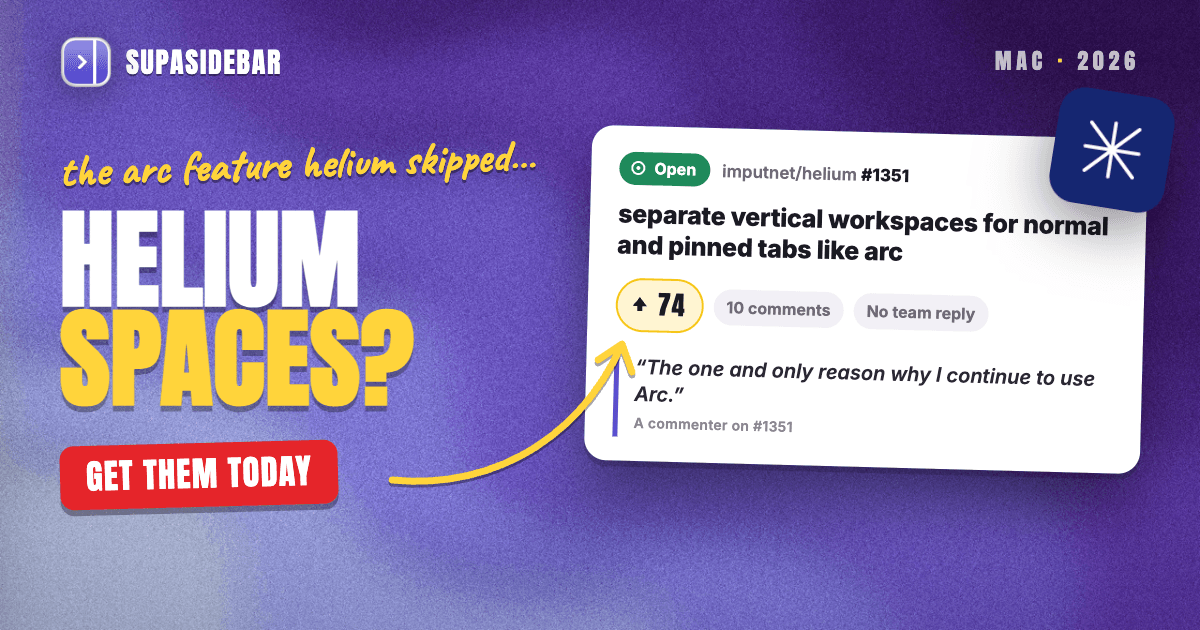
No. Helium has no Spaces or workspaces in any version up to 0.22.1.1, the current build as of November 19, 2026, so every tab and pinned tab in a Helium window shares one list. The closest native tool is one Helium profile per context, which keeps logins and pins apart but puts each context in its own window. The main GitHub request for Arc-style workspaces has 74 upvotes and no reply from the Helium team, and this page counts what its commenters actually asked for. The setup that works today is a Helium profile per context plus SupaSidebar Spaces linked to those profiles, which switch on their own when a profile's window comes to the front.
Quick navigation
- Want Helium's vertical tabs turned on first? → Helium Browser Vertical Tabs: How to Turn Them On
- Still deciding between Helium and Arc? → Helium vs Arc Browser (2026)
- Fine with a browser that has Spaces built in? → Helium vs Zen Browser for Arc Users
- Need the full Helium review, sync and Netflix included? → Helium Browser for Mac: Full Review
- Comparing Spaces across every browser, not just Helium? → Arc Spaces Alternatives With Separate Profiles
- On Helium and want Arc-style Spaces? You are in the right place. Keep reading.
Arc Spaces vs Helium at a glance
| What an Arc Space did | Helium on its own (0.22) | Helium with SupaSidebar |
|---|---|---|
| Its own list of open tabs | No, one list per window | Live Tabs filtered to the Space's Helium profile |
| Its own pinned tabs | Only per profile window | Saved links and pins per Space |
| One-click switching in one place | No, each profile is another window | Switch Space, and its Helium window comes forward |
| Name, icon and color | Profile name and avatar | Name, icon and color per Space |
| Separate logins per context | Yes, with profiles | Yes, when each Space links to its own profile |
| Links open in the right context | No, requested since September 2025 | Air Traffic Control routes sidebar links to a profile |
| Arc Spaces brought over intact | Spaces become bookmark folders | Spaces arrive as Spaces |
Does Helium browser have Spaces or workspaces?
No. Helium has no Spaces or workspaces feature in any release up to 0.22.1.1, published November 18, 2026, and the feature list on helium.computer does not include one. That page names vertical tabs, split view, tab groups, MRU tabbing and web app installs, but nothing that swaps a whole set of tabs and pins at once.
That leaves three native ways to keep contexts apart in Helium, all inherited from Chromium.
- Tab groups name and color a cluster of tabs inside one window. They are light, but every group still shares the window's single tab list and its pinned tabs.
- Profiles give each context its own window, logins, extensions, history and pinned tabs. That is the closest thing Helium has to a Space, and the profile section below shows how far it goes.
- Separate windows need no setup and work for two contexts, then get hard to tell apart.
Helium's vertical layout does not change any of this. It moves the same single list to the side of the window, which the Helium vertical tabs guide covers step by step. Real Spaces have to come from outside the browser for now, and that is the gap SupaSidebar fills further down this page.
What Helium users are asking for, counted
Demand for Spaces in Helium is public and still growing. The main request, issue #1351, "separate vertical workspaces for normal and pinned tabs like arc", was opened on April 13, 2026 and had 74 upvotes on November 19, up from 61 when the Helium vertical tabs guide checked on November 1. Two older requests from October 2025 ask for the same thing, Tab Workspaces with 30 reactions and an Edge-like sidebar and workspaces with 32. A September 2026 request for "spaces" like Zen's was closed as a duplicate of the main one.
Every comment on issue #1351 was read for this page on November 19, 2026. The 10 comments come from 9 different people, one of whom posted twice, and none is from the Helium team.
| What the commenter said | Commenters (of 9) |
|---|---|
| Missing Spaces keeps them on Arc or Zen, or blocks a full switch | 4 |
| Compared the request to Zen's workspaces | 4 |
| Called profiles a heavy or slow workaround | 2 |
| Asked whether the feature is still being considered | 1 |
This is a small sample of people motivated enough to comment, so read it as what Helium's keenest users want, not what every Helium user wants. SupaSidebar did not come up in the thread. One commenter summed up the stakes in a line, "The one and only reason why I continue to use Arc." Another pointed at the detail that matters most, "The per-space pinned tabs are the important half. Global pins are what makes the sidebar pile up."
The neighbouring requests tell the same story from the profile side. Same-window profile switching (#993) has 59 reactions, and URL profile routing (#159), which would send chosen sites to a chosen profile, has 28 and has been open since September 2025. Helium users are already treating profiles as Spaces and asking for profiles to behave more like Spaces.
How to use Helium profiles as Spaces
Helium profiles are the best native stand-in for Spaces, because each profile keeps its own tabs, pinned tabs, logins, bookmarks and extensions. The trade-off is that every profile lives in its own window, and Helium cannot yet switch profiles inside one window.
A profile-per-context setup takes a few minutes, and it is also the base the SupaSidebar setup below builds on.
- Add one profile per context. Helium keeps Chromium's profile system, so a new profile is added from the profile menu the same way as in Chrome. Name each one for its context, such as Work, Client or Personal, and give it an avatar, since Helium added custom profile avatars in April 2026.
- Sign in per profile. Log in to work accounts only in the Work profile, so cookies and sessions never cross.
- Pin per profile. Pinned tabs belong to the profile's window, so each context keeps its own pinned set.
- Move between contexts by window. ⌘` cycles Helium's open windows on a Mac, and the Dock menu lists them by name.
Three gaps show up within a day. Switching contexts means switching windows, which is exactly what issue #993 asks Helium to fix. Links clicked in Slack or Mail open in whichever profile Helium used last, which is what issue #159 asks to route. And there is no overview, because each profile's tabs are visible only inside its own window. Those three gaps are what the SupaSidebar setup further down closes.
Tab groups and plain windows are lighter than profiles but weaker as Spaces, since they share one pinned set. The vertical tabs guide covers both in a few lines, so they are not repeated here.
Profiles get the separation right and the switching wrong. Arc solved both by keeping Spaces in one sidebar, and Arc for Mac stops working on December 22, 2026, per TechCrunch. Zen has Spaces built in, but Zen is built on Firefox, and one #1351 commenter loves Zen's workspaces yet "I still miss the dev tools from chromium/chrome". For people who want to stay on Helium, the Space layer has to come from outside the browser.
Add Spaces to Helium with SupaSidebar
SupaSidebar adds Arc-style Spaces to Helium as a Mac sidebar, and each Space can be linked to its own Helium profile, so one sidebar switches between Work, Client and Personal while Helium keeps their logins apart. Helium is one of SupaSidebar's fully supported browsers, with Live Tabs and per-profile Space links, per the SupaSidebar browser support table.
Spaces linked to Helium profiles.
A SupaSidebar Space can be linked to one Helium profile, shown as "Helium · Work". Live Tabs in that Space then list only that profile's tabs, and links saved in the Space open in that profile, as the Spaces docs describe.
Spaces that follow your Helium windows.
Since SupaSidebar 1.4.0, released October 27, 2026, bringing a linked profile's window to the front switches the sidebar to that profile's Space, with a short note naming the window and a Stop switching button. Picking a Space in the sidebar works the other way, bringing that profile's Helium window forward. That covers the one-place switching that profiles alone are missing.
Pins and saved links per Space.
Each SupaSidebar Space has its own saved links, folders and up to 12 pins. A saved link lights up while its page is the current tab, the way a pinned tab did in Arc.
Links that land in the right profile.
Air Traffic Control rules send links opened from SupaSidebar to a chosen Helium profile, so every Jira or Figma link can always open in Helium · Work. That is the routing issue #159 asks Helium to build.
One search across every profile.
The Command Panel (⌘⌃K) searches saved links, Live Tabs and imported history in one query, so a page open in the Personal profile still turns up while working in the Work one.
An Arc user who emailed SupaSidebar support in October described the moment many people are in right now. "I didn't know arc was sunsetting until this week. I've installed Helium - will give that a go."
A freelance designer on Helium might set up three Spaces like these.
| Space (linked profile) | Links inside |
|---|---|
| Studio (Helium · Work) | figma.com, linear.app, slack.com, notion.so |
| Acme client (Helium · Acme) | drive.google.com, asana.com, the client's staging site |
| Home (Helium · Personal) | mail.proton.me, youtube.com, letterboxd.com |
Clicking the Acme Space brings the Acme profile's Helium window forward with only the client's tabs listed, and clicking back into the Studio window flips the sidebar to Studio on its own.
Honest scope.
SupaSidebar Spaces organize links and filter tabs, but they do not isolate browser sessions by themselves. The separation of logins comes from the Helium profiles, and each profile is still its own Helium window. SupaSidebar needs macOS 14 or later and Automation permission for Helium. Live Tabs show tabs on the local Mac only, while saved links sync through iCloud.
How to set up Helium Spaces with SupaSidebar
Linking SupaSidebar Spaces to Helium profiles takes about ten minutes and changes nothing inside Helium.
- Create the Helium profiles first. One per context, as in the profile steps above.
- Install SupaSidebar. Download it from supasidebar.com/download. It runs on macOS 14 Sonoma and later.
- Allow Helium access. When asked, allow SupaSidebar to control Helium in System Settings > Privacy & Security > Automation.
- Create a Space per profile. Click + New Space in the sidebar. One form sets the name, icon, color and browser connection, so pick the matching Helium profile there. Repeat for each profile.
- Pull in bookmarks if wanted. Fetch bookmarks during linking copies that profile's bookmarks into the Space for review. It is a one-time copy, not a sync, and Helium's bookmarks stay as they are.
- Keep automatic switching on. In Settings > Spaces > Switching spaces, Switch automatically makes the sidebar follow the Helium window in front. Linking a profile turns it on unless another behavior was chosen.
- Add a routing rule or two. In Air Traffic Control, send work domains to the Work profile so links from the sidebar never open in the wrong place.
Helium's vertical layout and SupaSidebar's Live Tabs both draw a tab column, so most people keep Helium on its Compact or Dynamic layout and let the sidebar carry the tab list.
Moving Arc Spaces into Helium before December 22
Arc for Mac stops working on December 22, 2026, and The Browser Company stops taking data requests on December 15, per 9to5Mac. Arc users heading to Helium have two import routes, and only one of them keeps Spaces as Spaces.
| Helium's Arc importer alone | SupaSidebar's Arc import, linked to Helium | |
|---|---|---|
| Spaces | Become bookmark folders | Arrive as Spaces |
| Pinned tabs | Bookmarks inside each folder | Saved links inside each Space |
| Folders | Kept as bookmark folders | Kept |
| Switching contexts later | Open a folder by hand | Switch Space, linked to a profile |
| Where | Helium's import screen | Settings > Data > Arc |
Helium added an importer for Arc's pinned sites and folders in March 2026, and its code writes them in as bookmarks and bookmark folders, since Helium has no Spaces to hold them. SupaSidebar's Arc import shows a preview, then brings Spaces, folders and pinned tabs across as Spaces. After importing, link each Space to a Helium profile from the link icon beside its name.
Running both is fine, since Helium's importer fills the browser and SupaSidebar keeps the Space structure on top. To keep a copy of the Arc sidebar first, the Arc sidebar export guide covers the backup.
Which Helium Spaces setup should you pick?
- If you have two contexts and rarely switch, two Helium profiles in two windows are enough.
- If you want light grouping inside one window, use tab groups and accept one shared set of pinned tabs.
- If you switch contexts many times a day, link a SupaSidebar Space to each Helium profile so switching is one click and the sidebar follows the window you are in.
- If you want Spaces inside the browser and do not need Chromium, Zen has them built in, and the Helium vs Zen comparison weighs that trade.
- If you are leaving Arc this month, import Arc into SupaSidebar first so the Spaces survive, then link them to Helium profiles.
Conclusion
Helium has no Spaces in version 0.22.1.1 and no announced plan for them, while the main request sits at 74 upvotes with no reply from the Helium team. Four of the 9 people commenting on that request say missing Spaces is what keeps them on Arc or Zen or stops a full switch.
For two contexts, Helium profiles do the job, and the extra window is a small cost. For anyone who moves between work, clients and personal browsing all day, profiles alone mean hunting through windows, and SupaSidebar Spaces linked to each profile turn that into one click. Readers who would rather have Spaces inside the browser, and can live without Chromium, should look at Zen instead.
Arc users have until December 22, so the import is the time-sensitive step. Helium's own importer can still run alongside it, since the two fill different places. Try SupaSidebar (free tier) to bring Arc Spaces across as Spaces and link them to Helium profiles.
Why we recommend SupaSidebar
SupaSidebar is a macOS app that brings Arc's sidebar to every browser - one sidebar for tabs, bookmarks, files, and apps across 32+ browsers including Safari, Chrome, Firefox, Helium, Brave, Edge, Zen, Dia and Vivaldi. For Helium, that means Spaces linked to Helium profiles, Live Tabs filtered per Space, and a sidebar that follows whichever profile window is in front. More than 3,000 Mac users have tried SupaSidebar.
FAQ
Does Helium browser have Spaces?
No. Helium has no Spaces or workspaces in any version up to 0.22.1.1 (November 2026). Each window keeps one list of tabs and pinned tabs, and the closest native option is a separate Helium profile per context.
Does Helium have workspaces like Zen?
No. Zen's workspaces switch a tab list and pinned tabs inside one window, and Helium has no equivalent yet. The request for Arc- and Zen-style workspaces, GitHub issue #1351, is open with 74 upvotes as of November 19, 2026.
How do I get Spaces in Helium?
Create one Helium profile per context, then link a SupaSidebar Space to each profile. Each Space shows only that profile's tabs, opens its links there, and switches automatically when that profile's window comes to the front.
Can I use Helium profiles as Spaces?
Yes, with limits. A Helium profile keeps its own tabs, pinned tabs, logins and extensions, which is the separation a Space gives. Each profile opens in its own window, though, and Helium cannot switch profiles inside one window yet, a request tracked in GitHub issue #993.
Does Helium browser have container tabs?
No. Helium is built on Chromium and has no Firefox-style container tabs. Profiles are the closest Helium option for keeping logins apart, since each profile has its own cookies.
Will Helium add Spaces or workspaces?
There is no announced plan. The three open workspace requests on Helium's GitHub have 136 reactions combined, and the Helium team had not replied in the main thread as of November 19, 2026.
Can I import my Arc Spaces into Helium?
Helium's Arc importer brings Arc data in, but Spaces become bookmark folders because Helium has nothing to hold them. Importing Arc into SupaSidebar keeps Spaces as Spaces, and each one can then be linked to a Helium profile, which is worth doing before Arc stops working on December 22, 2026.
By Kshetez Vinayak, founder of SupaSidebar. Last updated November 20, 2026.