
By Kshetez Vinayak, founder of SupaSidebar. Last updated November 22, 2026.
TL;DR
Arc to Firefox gets a built-in import for the first time in Firefox 162, which Mozilla's release calendar puts on December 8, 2026. The new importer brings Arc's Favorites, Spaces and pinned tabs into Firefox, but every Space lands as a bookmark folder, because Firefox has no Spaces. Firefox 160, the version out today, can't read Arc at all, so the route that works this week is SupaSidebar's free Arc Sidebar Exporter plus Firefox's HTML bookmarks import. Arc stops working on December 22, 2026, two weeks after Firefox 162 is due. To keep Spaces as Spaces, Zen imports them into a Firefox-based browser, and SupaSidebar keeps them in a sidebar beside Firefox itself.
Quick navigation
- Moving to Chrome, Safari or Zen instead of Firefox? → How to Migrate from Arc, Step by Step
- Torn between Firefox and Zen? → Firefox vs Zen
- Only want Firefox to look like Arc? → Firefox Arc theme guide
- Only need your Arc bookmarks out as a file? → Arc Sidebar Exporter
- Moving your Arc setup into Firefox? You are in the right place. Keep reading.
Four ways to move Arc to Firefox, compared
| Route | Works today | What lands | Arc Spaces kept? | Best for |
|---|---|---|---|---|
| Firefox 162's built-in Arc importer | From Dec 8 (due) | Favorites, Spaces as folders, pinned tabs | As folders | Anyone who can wait for Firefox 162 |
| Arc Sidebar Exporter + Firefox HTML import | Yes | Spaces as folders, pinned and unpinned tabs | As folders | Moving this week on Firefox 160 |
| Zen's Arc import | Yes, Zen 1.24b | Arc Spaces as Zen Spaces | Yes, inside Zen | Spaces inside a Firefox-based browser |
| SupaSidebar Arc import | Yes, beside Firefox | Arc's sidebar, next to Firefox | Yes, in every browser | Spaces in Firefox and a second browser |
Why Firefox can't import Arc yet
Firefox's import wizard reads data from the browsers it recognizes, and Arc isn't one of them in Firefox 160. Mozilla's help page on importing data from another browser, last updated September 29, 2026, says a browser missing from the wizard needs its bookmarks saved as an HTML file first. Arc has no such export.
Arc keeps its Spaces, pinned tabs and folders in one file, StorableSidebar.json, in its Application Support folder, not in the bookmarks store an importer usually reads. The guide to exporting Arc's sidebar file covers what is inside it. Arc's own Export Data saves a Markdown list of links, which Firefox can't import either.
That changes with Firefox 162. Mozilla's bug 1869367, "Add a migrator for the Arc browser", was filed on December 11, 2023 and closed as fixed in November 2026. The importer code landed in Firefox Nightly 162 on November 17, 2026, switched on for macOS and Windows. Mozilla's release calendar lists December 8, 2026 as the release date for Firefox 162, and Firefox 161, due November 24, does not include it. A feature can still be held back before release, so the Firefox 162 release notes are the final word.
What Firefox 162's Arc importer brings across
The release-note request on Mozilla's bug sums it up in one line, "Spaces and favorites are imported as bookmarks in Firefox." The importer code shows the details.
- Arc Favorites become bookmarks.
- Each Space becomes a bookmark folder on the bookmarks toolbar, holding that Space's pinned tabs and folders.
- Spaces without a name arrive as "Space 1", "Space 2" and so on.
- Only pinned items come across. Unpinned tabs stay behind in Arc.
- Little Arc windows are skipped, and split views are flattened into separate links.
- Because Arc is built on Chromium, the importer also offers history, saved passwords and form data, the same kinds of data Firefox already imports from Chrome.
To run it, open Firefox → Settings → Account and sync and click Import Data under Import browser data, or use File → Import from Another Browser…, per the same Mozilla help page. Once Firefox 162 is installed, Arc should appear in the Import Wizard's list of browsers. The importer reads Arc's data on the Mac, so keep Arc installed until the import is done.
How to move Arc to Firefox today, step by step
Firefox 160 users, and anyone who would rather not cut it close with Arc's deadline two weeks after Firefox 162, can move Arc's sidebar in four steps.
Step 1. Save Arc's sidebar file
Arc stops working on December 22, 2026, per 9to5Mac's report on Arc's sunset date, and the Arc Sunset FAQ says requests for account data close on December 15. Nobody has said whether the local sidebar file stays readable after that, so a copy made now settles it.
- In Finder, press ⇧⌘G and paste
~/Library/Application Support/Arc/StorableSidebar.json. - Copy the file to Documents or an external drive.
- In Arc, choose Arc → Settings → Advanced → Export Data and keep
Arc Data Export.mdas a second backup, as Arc's help article on exporting data describes.
The Markdown export earns its place because it lists Arc's Favorites, the icon row at the top of the sidebar, which the conversion in Step 2 leaves out.
Step 2. Convert the sidebar file into a bookmarks file
SupaSidebar's free Arc Sidebar Exporter turns StorableSidebar.json into a standard bookmarks HTML file that Firefox can import. The file is read inside the browser tab and never uploaded, and the tool asks for an email address before the download.
- Each Arc Space becomes a top-level folder named after the Space.
- Folders inside a Space stay nested, in Arc's order.
- Pinned tabs become bookmarks, and unpinned tabs go into an "Unpinned tabs" folder within each Space.
- Split views are flattened into separate links.
That unpinned-tabs folder is the one thing this route keeps that Firefox 162's importer drops.
Step 3. Import the file into Firefox
Firefox takes the file through its import wizard, as Mozilla's help page on importing bookmarks from an HTML file describes.
- Open Firefox → Settings → Account and sync and click Import Data under Import browser data.
- Choose Bookmarks from HTML file from the drop-down menu.
- Select the file from Step 2, click Open, then Done.
The Arc folders land in Firefox's Bookmarks Menu. Drag the ones used every day onto the bookmarks toolbar, or right-click a folder and choose Open All Bookmarks to turn a Space back into tabs.
One warning for later. Mozilla's page notes that imported bookmarks are added to the existing ones, so running this import now and Firefox 162's Arc importer in December leaves two copies of every Space. Delete the first set of folders before the second import, or pick one route.
Step 4. Swap extensions and move logins
Arc runs Chrome Web Store extensions, and Firefox doesn't. Open arc://extensions in Arc, note the list, and look up each one on Firefox Add-ons. Some Chrome-only extensions have no Firefox version, so check before Arc stops working.
Arc's documented exports cover Spaces, tabs and Easels, not saved passwords. If Arc's logins aren't already in a password manager, Firefox 162's importer is the route that offers them, so keep Arc installed until it has run.
Arc vs Firefox, feature by feature
Firefox in late 2026 covers more of Arc than it did two years ago, but each piece lives somewhere different.
| Arc feature | Closest thing in Firefox | Since | How close |
|---|---|---|---|
| Vertical sidebar | Vertical tabs | Firefox 136, March 2025 | Open tabs only, not saved links |
| Folders | Tab groups | Firefox 138, April 2025 | Close |
| Spaces | Profiles | Firefox 144, October 2025 | Separate window per profile |
| Split View | Split View | Firefox 149, March 2026 | Close |
| Pinned tabs | Pinned tabs | Long-standing | Per window, not per Space |
| Favorites | Bookmarks toolbar | Long-standing | Close |
| Boosts and Easels | Nothing | None | Lost |
Vertical tabs list what is open right now, so Arc's saved links need the bookmarks toolbar or the bookmarks sidebar instead. Tab groups are the closest match for Arc's folders, and they arrived for everyone in Firefox 138 on April 29, 2025.
Profiles are the honest stand-in for Spaces. Firefox 144 brought the new profile manager to everyone, Mac included, and each profile keeps its own bookmarks, history and tabs, which matches a Work Space and a Personal Space. The cost is a separate window per profile, with no swipe between them. Mozilla's Multi-Account Containers add-on covers the other half of Arc's Spaces, separate logins in color-coded tabs inside one window, but it has no sidebar of saved links.
Pinned tabs are where the gap shows most. A Firefox pinned tab belongs to one window and sits in the same strip as every other tab, not inside a Space. "Firefox pins are just small tabs that drift, so they stop being reliable navigation targets," one Firefox user wrote in an August 2026 Mozilla Connect post.
How many Firefox users asked for Spaces, counted
Mozilla Connect, Mozilla's official ideas and feedback forum, shows which half of Arc Firefox users pushed for. These counts were read on November 19, 2026.
| Request on Mozilla Connect | Posted | Kudos | Status |
|---|---|---|---|
| Native tab grouping | Mar 2022 | 4,606 | Delivered |
| Workspaces à la Opera | Mar 2022 | 148 | New idea |
| Firefox Workspaces (Overview) | Apr 2024 | 114 | Discussion |
| An Arc-style Firefox UI | Feb 2023 | 35 | Discussion |
| Close the gap with Arc's sidebar | Aug 2026 | 2 | Discussion |
| Containers as Arc-style spaces | Nov 2026 | 1 | New idea |
Tab grouping drew about 31 times the kudos of the main Workspaces idea, and it shipped as Firefox's tab groups. Workspaces, which asks for pinned tabs that stay with each workspace, is still marked "New idea" more than four and a half years after it was posted.
So Firefox has built Arc's folders and not its Spaces. The August 2026 post makes the case for closing the rest of the gap from inside Firefox, arguing that containers already map cleanly onto Arc's Spaces, but it had 2 kudos and no replies when counted.
When Zen is the better pick
Zen is a browser built on Firefox that has Spaces of its own, with pinned tabs that belong to each Space. Its 1.24b release on October 29, 2026 added import of Spaces and profiles from Arc and Dia, so Arc's Spaces arrive as Zen Spaces instead of bookmark folders.
For someone who picked Firefox for Mozilla's engine and Firefox add-ons but misses Spaces inside the browser, Zen is the closer match. The trade-off is maturity. Zen's releases are still tagged as beta builds, the newest being 1.24.3b on November 18, 2026, while Firefox is Mozilla's main release.
The Firefox vs Zen comparison goes deeper on that choice, Zen vs Arc shows how close Zen gets to Arc, and the Arc to Zen guide covers the move itself.
The part a Firefox import can't fix
Every route into Firefox turns Arc's Spaces into bookmark folders, and Firefox then spreads Arc's setup across the bookmarks toolbar, tab groups and separate profile windows. Arc had one sidebar that held all of it and switched Spaces with a swipe. A Firefox profile or tab group also means nothing to Safari or Chrome, so anyone who keeps a second browser ends up rebuilding the setup twice.
Keep Arc's Spaces beside Firefox with SupaSidebar
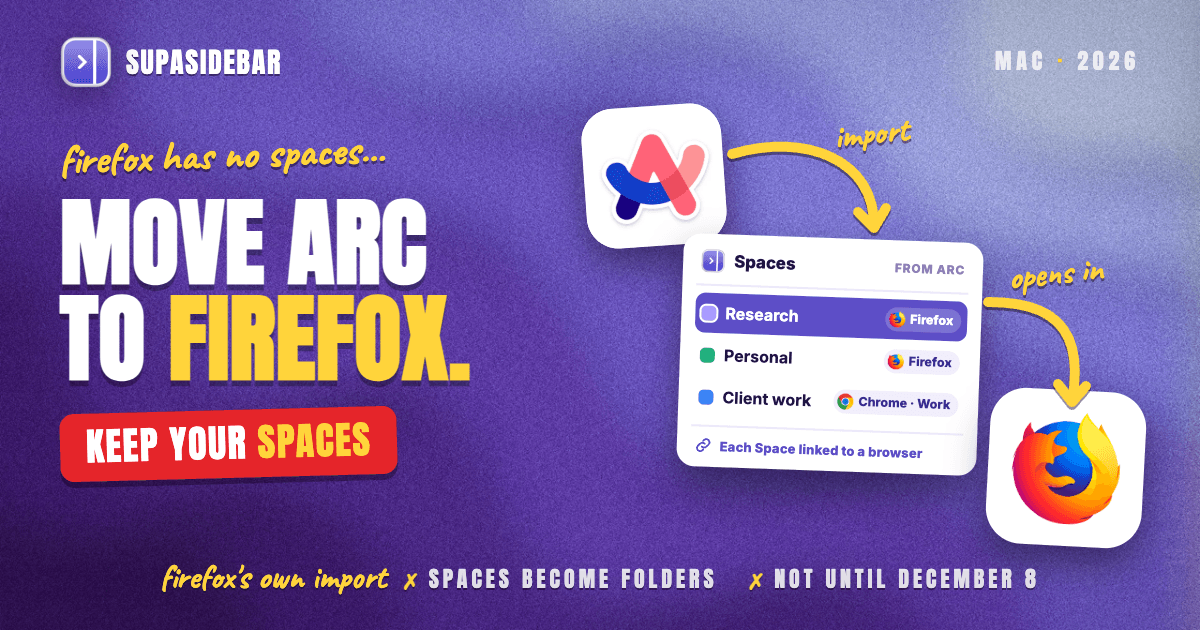
SupaSidebar imports Arc's StorableSidebar.json with its Spaces, folders and pinned tabs and keeps them as Spaces, in a native Mac sidebar that sits beside Firefox. The import runs from Preferences → Data → Import, with Arc as the source. Pick Arc's data file from the list or a saved copy through Choose File…, click Preview, and check the Spaces to bring across, per the Arc import steps in SupaSidebar's docs.
From SupaSidebar 1.6.0, each Space can be linked to Firefox, so its links open in Firefox and its Live Tabs list only Firefox's tabs, per the docs on linking Spaces to browsers. Live Tabs reads Firefox's open tabs natively, with no extension, using macOS Accessibility permission, and clicking one switches to the tab that is already open instead of loading a duplicate. With Browser keys turned on, ⌘T in Firefox opens SupaSidebar's Command Panel, which searches open tabs, saved links and history much like Arc's command bar did.
Here is a typical setup for someone moving from Arc to Firefox who keeps Chrome for one client.
| SupaSidebar Space | Linked to | Links inside |
|---|---|---|
| Research | Firefox | arxiv.org, scholar.google.com, zotero.org, en.wikipedia.org |
| Personal | Firefox | youtube.com, reddit.com, letterboxd.com, bandcamp.com |
| Client work | Chrome, Work profile | mail.google.com, docs.google.com, linear.app, figma.com |
Switching Spaces swaps the whole sidebar with one shortcut, and each link opens in the browser its Space is linked to. One long-time Firefox Multi-Account Containers user, who moved to Arc and then to SupaSidebar, described the goal in an email as "SSB as a way to achieve, with almost any browser, what I had in place with multi account containers."
There are limits to know. A Space links to Firefox as a whole browser, and single Firefox profiles can't be linked to a Space, per SupaSidebar's browser support table. With two or more Firefox profiles, the Open With picker still lists them for opening one link in a chosen profile. SupaSidebar is a sidebar app, not a browser, so it doesn't move passwords or history into Firefox, and its Spaces organize links rather than separating logins the way containers do. It runs on macOS 14 and later.
Which Arc to Firefox route should you pick?
- If December 22 feels close, convert with the Arc Sidebar Exporter and import the file into Firefox today. It takes minutes.
- If December 8 is soon enough, install Firefox 162 and run its Arc importer with Arc still installed, which brings passwords and history along too.
- If Spaces inside the browser matter most, use Zen, which imports Arc Spaces as Spaces.
- If Arc's sidebar should stay as it was, or a second browser stays in use, import Arc into SupaSidebar and link each Space to Firefox.
- If Firefox isn't settled yet, the guide to switching from Arc Browser compares the options.
Conclusion
Arc to Firefox in late November 2026 comes down to timing. Firefox 160 can't read Arc, so the Arc Sidebar Exporter plus Firefox's HTML import is the route that works today, and Firefox 162's built-in importer, due December 8, adds passwords and history with two weeks to spare. Both land Arc's Spaces as bookmark folders.
Firefox-only users with two contexts get most of Arc back with vertical tabs, tab groups and one profile per former Space. Users who want Spaces inside the browser on Firefox's engine should take Zen. Anyone who wants Arc's sidebar back as it was, or keeps Safari or Chrome next to Firefox, should import Arc into SupaSidebar and link the Spaces to Firefox.
Whatever the route, copy StorableSidebar.json and run Arc's Export Data this week. Try SupaSidebar (free tier) to bring Arc's Spaces across as Spaces and keep them beside Firefox.
Why we recommend SupaSidebar
SupaSidebar is a macOS app that brings Arc's sidebar to every browser - one sidebar for tabs, bookmarks, files, and apps across 32+ browsers including Safari, Chrome, Firefox, Zen, Brave, Edge, Vivaldi, Dia and Helium. For Arc users moving to Firefox, it imports Arc's Spaces as Spaces, links them to Firefox, and lists Firefox's open tabs without an extension. SupaSidebar has 6,000+ installs.
FAQ
Can Firefox import from Arc?
Not in Firefox 160, the current release. Mozilla added a built-in Arc importer to Firefox 162, due December 8, 2026, which brings Arc's Favorites, Spaces and pinned tabs in as bookmarks. Until then, convert Arc's sidebar file into a bookmarks HTML file and import that.
How do I import Arc bookmarks into Firefox today?
Copy ~/Library/Application Support/Arc/StorableSidebar.json and convert it with SupaSidebar's free Arc Sidebar Exporter. Then in Firefox open Settings → Account and sync → Import Data and choose Bookmarks from HTML file. The Arc folders land in the Bookmarks Menu.
Will my Arc Spaces work in Firefox?
Not as Spaces, because Firefox has none. Both Firefox 162's importer and an HTML import bring each Space in as a bookmark folder, which can be rebuilt as a Firefox profile or a tab group. Zen and SupaSidebar keep Arc Spaces as Spaces.
What is the biggest difference between Arc and Firefox?
Arc's sidebar kept saved links in Spaces, while Firefox's vertical tabs, added in Firefox 136, list only the tabs open right now. Firefox also runs on Mozilla's own engine and uses Firefox add-ons instead of Chrome Web Store extensions.
Do my Arc extensions work in Firefox?
No. Arc uses Chrome Web Store extensions, and Firefox installs its own versions from Firefox Add-ons, so each one has to be found and installed again. Some Chrome-only extensions have no Firefox version.
Should I wait for Firefox 162 or import Arc now?
Import now if the timing feels tight, since Arc stops working on December 22, 2026, only two weeks after Firefox 162 is due. Running both imports duplicates every Space, so delete the first set of folders before using Firefox 162's importer.
What happens to my Arc data after December 22, 2026?
Arc stops working on December 22, 2026, and requests for Arc account data close on December 15, per the Arc Sunset FAQ. Whether the local StorableSidebar.json stays readable afterwards is not documented, so copy it before the deadline.
By Kshetez Vinayak, founder of SupaSidebar. Last updated November 22, 2026.