
By Kshetez Vinayak, founder of SupaSidebar. Last updated November 21, 2026.
TL;DR
To move from Arc to Brave, save Arc's sidebar file, turn it into a bookmarks file with SupaSidebar's free Arc Sidebar Exporter, and import that file into Brave, where each Arc Space and its pinned tabs arrive as a bookmark folder. Brave can't import Arc directly, because Brave's importer looks for Chrome, Edge, Vivaldi, Opera, Safari, Firefox and a few others, but not Arc. Brave has no Spaces in its stable release, 1.100.58 as of November 19, 2026, so keeping Spaces as Spaces takes SupaSidebar, a Mac sidebar app whose Spaces link to Brave profiles, or a rebuild with Brave profiles and tab groups. Arc stops working on December 22, 2026, so save the sidebar file first.
Quick navigation
- Want to know what Brave's workspaces and profiles can do today? → Does Brave Have Workspaces? How to Get Them on Mac
- Still deciding whether Brave is the right browser? → Brave Browser Mac Review (2026)
- Moving to Chrome instead? → How to Move Arc to Chrome Before December 22
- Comparing every browser Arc users are moving to? → Switching From Arc Browser
- Only want a backup of the Arc sidebar for now? → How to Export Your Arc Browser Sidebar
- Moving from Arc to Brave and want your Spaces to survive? You are in the right place. Keep reading.
Arc to Brave at a glance
| Route | Arc Spaces | Arc pinned tabs | Time | Best for |
|---|---|---|---|---|
| Brave's import screen alone | Not offered, Arc isn't listed | Not offered | n/a | Nothing from Arc |
| Arc Sidebar Exporter, then Brave's bookmark import | Bookmark folders | Bookmarks | About 10 min | A Brave-only setup |
| Brave profiles and tab groups, rebuilt by hand | One profile per Space | Pinned per profile window | 30 min or more | Two or three contexts |
| SupaSidebar's Arc import, Spaces linked to Brave profiles | Kept as Spaces | Saved links per Space | About 15 min | Switching contexts all day |
Can Brave import from Arc?
No. On macOS, Brave's importer looks for Chrome and its Beta, Dev and Canary builds, Chromium, Edge, Vivaldi, Opera, Yandex and Whale, plus Safari, Firefox and a bookmarks HTML file, per Brave's importer code, and Arc is not on that list.
Arc is built on Chromium too, but that does not help. Brave only reads browsers it knows by name, and Arc keeps its Spaces, pinned tabs and folders in its own file, StorableSidebar.json, rather than in the bookmarks store an import reads. The guide to exporting Arc's sidebar file shows what is inside it.
A request to add Arc to Brave's importer, issue #27593, has been open since December 30, 2022. On November 19, 2026 it had 15 upvotes, a P5 priority label and a needs-discussion tag, so an Arc importer is unlikely to land before Arc shuts down. Every working route below goes through a file Brave already understands, or through a tool that reads Arc's sidebar file directly.
Step 1. Save Arc's sidebar file before December 22
Arc stops working on December 22, 2026, per 9to5Mac's report on Arc's sunset date, and The Browser Company stops taking data requests on December 15, per its Arc Sunset: Key Dates and What to Expect page. The sidebar file is the input for both the Brave route and the SupaSidebar route, so copy it first.
- In Finder, press ⇧⌘G and paste
~/Library/Application Support/Arc/StorableSidebar.json. - Copy the file to Documents or an external drive.
- In Arc, choose Arc → Settings → Advanced → Export Data and save
Arc Data Export.mdas a second backup, as Arc's help article on exporting data describes.
Keep Arc installed until the move is finished. The Arc shutdown explainer covers what else changes on December 22.
Step 2. Turn the sidebar file into Brave bookmarks
SupaSidebar's free Arc Sidebar Exporter converts StorableSidebar.json into a standard bookmarks HTML file, the one Arc format Brave can take. The file is read inside the browser tab and never uploaded.
- Each Arc Space becomes a top-level bookmark folder named after the Space.
- Folders inside a Space stay nested, in Arc's order.
- Pinned tabs become bookmarks inside their folders.
- Unpinned tabs go into an "Unpinned tabs" folder within each Space.
- Split views are flattened into separate links.
Step 3. Import the bookmarks file into Brave
Brave takes the file through the same import dialog it uses for other browsers, described in Brave's help article on importing data.
- Open a new tab in Brave and go to
brave://settings/importData. - In the list of sources, pick Bookmarks HTML File.
- Click Choose File, select the file from Step 2, and confirm.
If Brave has no bookmarks yet, the Arc folders land straight on the bookmarks bar. If it already has some, the import goes into a separate folder, so the existing bar stays as it was.
To see the folders in a side column, the way Arc showed them, turn on Brave Sidebar and open its bookmarks panel. They arrive as plain bookmarks, though, not as Spaces you can switch between. Keeping them as Spaces is what the SupaSidebar route further down does.
Step 4. Reinstall extensions and move passwords
Arc and Brave both run Chrome Web Store extensions, so every Arc extension has a Brave version, but none copy across. Open arc://extensions in Arc, note the list, and reinstall each one in Brave. An ad blocker may not be needed at all, since Brave Shields blocks ads and trackers without an extension.
Arc's sidebar file and Export Data cover links, not saved passwords. Arc keeps Chromium's password manager, so arc://password-manager/settings can export them as a CSV file, and Brave's own page at brave://password-manager/settings can import that file, the same steps Google's Chrome help on importing and exporting passwords gives for that password manager. Delete the CSV afterwards, because it holds every password in plain text.
What Brave keeps from Arc, and what it lacks
Brave keeps most of Arc's tab tools, with vertical tabs, split view, tab groups and profiles, and it adds built-in ad blocking and containers. What it lacks is the part Arc users built their day around, Spaces that swap a whole set of tabs and pins in one sidebar, and rules that send each link to the right profile.
| What Arc users rely on | Brave on its own (1.100) | Brave with SupaSidebar |
|---|---|---|
| Tabs down the side | Yes, vertical tabs since 2023 | Each Space lists its profile's open tabs, beside Brave |
| Spaces with their own tabs and pins | No, workspaces still off behind a flag | Spaces linked to Brave profiles |
| Switching contexts in one place | No, each profile is its own window | One click, and that window comes forward |
| Pinned tabs per context | Per profile window | Saved links and pins per Space |
| Split view | Yes, built in | Brave's own split view |
| Separate logins | Yes, profiles and containers | Spaces linked to profiles |
| Links open in the right profile | No, requested since 2021 | Air Traffic Control routes |
| Arc Spaces brought over | Bookmark folders | Kept as Spaces |
The sources behind each row, as of November 19, 2026.
- Vertical tabs arrived in Brave 1.52 in May 2023, with pinned tabs kept at the top of the column.
- Split view is built in, per Brave's split view help article.
- Saved tab groups have been on by default since mid-2024, so a closed group can be reopened later.
- Containers, which keep logins apart inside one window, reached stable in Brave 1.92 in July 2026.
- Spaces are not in stable. Brave's workspaces tracking issue #54738 says the first phase sits behind a flag that is disabled by default.
- Link routing to a chosen profile is still a request, issue #17251, open since July 30, 2021 with 52 upvotes.
Profiles are the honest stand-in for Spaces, since each one keeps its own tabs, pins, logins and extensions. The cost is that every profile is a separate Brave window, and links clicked in Slack or Mail open in whichever profile Brave used last. That window juggling is the gap SupaSidebar fills further down, with one Space per profile in a single sidebar. The Brave workspaces guide compares profiles, tab groups and windows in detail, so it is not repeated here.
Brave vs Arc in 2026: which should you use?
Brave is the better choice from December 22 onward, because Arc stops working that day and Brave keeps shipping. Arc still organizes contexts better while it runs, since Brave has no Spaces, but that gap is a reason to add Spaces to Brave, not a reason to stay on a browser that shuts down on December 22.
| Arc | Brave | |
|---|---|---|
| Still updated | No, stops working Dec 22, 2026 | Yes, 1.100.58 shipped Nov 18, 2026 |
| Engine | Chromium | Chromium 158 |
| Spaces | Yes | No, still behind a flag |
| Vertical tabs | Yes | Yes |
| Split view | Yes | Yes |
| Logins kept apart | Profiles per Space | Profiles and containers |
| Ad and tracker blocking | Through extensions | Built in, Shields |
| Links routed to a profile | Air Traffic Control | No, requested since 2021 |
| Price | Free | Free |
Arc's end date comes from Arc's sunset FAQ, which also lists Air Traffic Control, Little Arc and Easels among the Arc features that are not moving to Dia. Brave's newest release, 1.100.58 on Chromium 158, came out on November 18, 2026. One practical note before switching, Brave needs macOS 13 Ventura or later.
The verdict splits by what each reader used Arc for.
- Privacy and ad blocking first. Brave is a clear step up, with Shields and containers built in.
- Arc mostly as a tab list down the side. Brave's vertical tabs cover it on day one.
- Spaces for work, clients and home. Brave alone falls short, and the next section shows why that will not change before December 22. SupaSidebar fills the gap with Spaces linked to Brave profiles.
Will Brave have Spaces before Arc shuts down?
Almost certainly not. The second phase of Brave's workspaces project was opened as a pull request on November 5, 2026 and was still open on November 19, and no stable release note from 1.94 through 1.100 turns workspaces on.
The design matters as much as the date. An Arc Space swapped the tabs and pins inside the same window, while the Brave engineer leading the work wrote in issue #54738 that "I see a 1:1 mapping of one window to one workspace." The November pull request follows that plan and limits one workspace to one window.
All 50 comments on issue #54738 were read for this page on November 19, 2026. They come from 24 people, 2 of them on Brave's team, and the table counts what the other 22 named in their own words, leaving out text they quoted from others.
| Named in their own words | Commenters (of 22) |
|---|---|
| Vivaldi | 8 |
| Profiles | 7 |
| Zen | 5 |
| Containers | 4 |
| Firefox or Panorama Tabs | 4 |
| Tab groups | 4 |
| Arc | 3 |
| Edge | 3 |
This is a small group of motivated Brave users, so read it as what Brave's keenest workspace fans want, not what every Brave user wants. SupaSidebar did not come up in the thread. Vivaldi and Zen lead because both already switch whole sets of tabs inside one window, and at least four commenters pushed back on the one-window plan after Brave described it in August. One of them put it in a line, "Having a workspace be a window is just profiles."
So an Arc user moving to Brave this month gets profiles, tab groups and containers, with Spaces not on the way. Zen has Spaces built in but runs on Firefox, and Dia drops Air Traffic Control, per the Arc sunset FAQ. For people who want Brave's engine and privacy, the Space layer has to come from outside the browser.
Keep your Arc Spaces in Brave with SupaSidebar
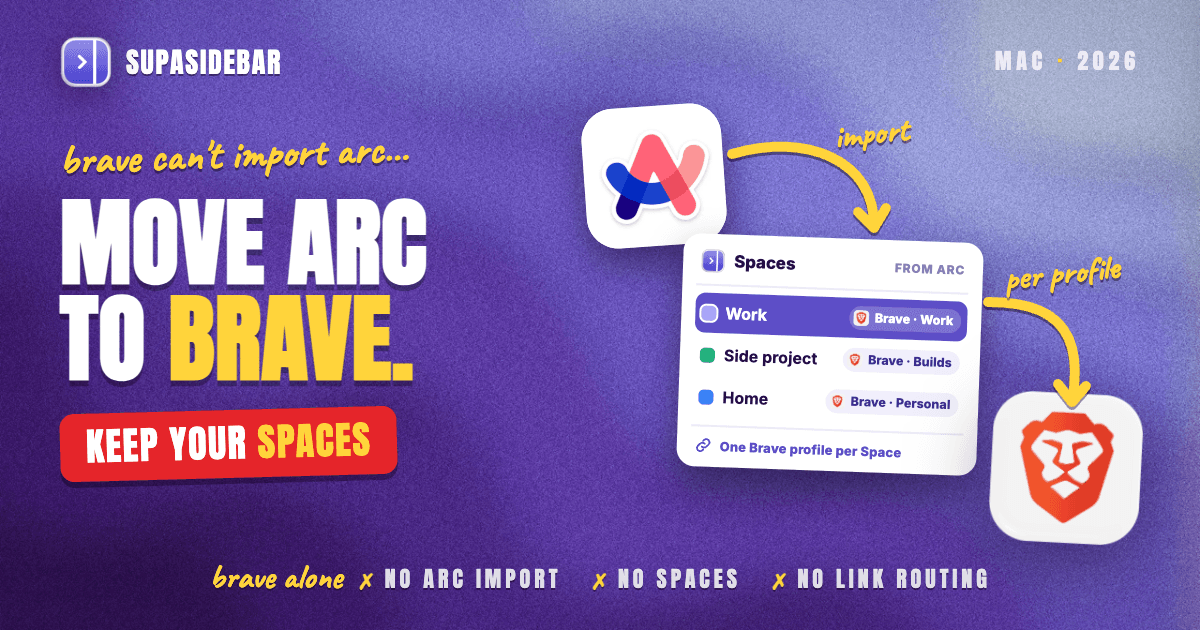
SupaSidebar keeps Arc's Spaces as Spaces in a Mac sidebar beside Brave, and each Space can be linked to one Brave profile, so switching Spaces brings that profile's Brave window forward with only its tabs listed. Brave is one of SupaSidebar's fully supported browsers, with Live Tabs and per-profile Space links, per the SupaSidebar browser support table.
Arc Spaces arrive as Spaces.
SupaSidebar's Arc import reads the same StorableSidebar.json from Step 1, shows a preview, and brings Spaces, folders, pinned tabs and bookmarks across as Spaces rather than as bookmark folders.
Each Space linked to a Brave profile.
Since SupaSidebar 1.3.0, released October 4, 2026, the link icon beside a Space's name connects it to one Brave profile, shown as "Brave · Work". Live Tabs in that Space then list only that profile's tabs, and its saved links open there, as the profile Spaces docs describe.
Spaces that follow Brave's windows.
Since SupaSidebar 1.4.0, released October 27, 2026, bringing a linked profile's Brave window to the front switches the sidebar to that profile's Space, with a short note and a Stop switching button, as the switching spaces docs describe. Two later fixes named Brave. 1.4.1 stopped Live Tabs window names in Brave and other Chromium browsers from swapping, and 1.5.0 stopped Live Tabs going blank after a link opened in a Brave or Chrome profile.
Links that land in the right profile.
Air Traffic Control rules send matching links opened from the sidebar or the Command Panel to a chosen Brave profile, so every Linear or Figma link opens in Brave · Work. Brave has no such rule of its own, and the request for one, issue #17251, has been open since 2021.
Arc's keys and Little Arc, mapped.
Since SupaSidebar 1.4.0, ⌘T in Brave can open the Command Panel instead of an empty tab, an upgrade on Arc's command bar, since one search covers saved links, open tabs and history. The Tab Switcher brings back Arc's ⌃Tab cards of recent tabs. SupaView does the job Little Arc did, opening links from Slack, Mail or Terminal in a small floating window once SupaSidebar is the default browser. Setup turns on ⌘T, ⌘N, ⌘L and the Tab Switcher and offers the default-browser step, and the Browser keys page added in 1.7.0 switches each key on or off.
Arc users who emailed SupaSidebar support describe the same pairing. One wrote that "There is no browser that really matches Arc's features for me but an alternative browser such as Brave + [SupaSidebar] comes close to what I'm looking for." Another, who splits time between two browsers, said "I use two web browsers (Comet and Brave). SupaSidebar lets me access all my bookmarks across both browsers and allows me to launch Notion and Perplexity with a single click. I've set up two spaces: ornithology and work. And I'm very happy 😄"
A product manager moving from Arc might set up three Spaces like these.
| Space (linked Brave profile) | Links inside |
|---|---|
| Work (Brave · Work) | linear.app, figma.com, slack.com, notion.so |
| Side project (Brave · Builds) | github.com, vercel.com, supabase.com |
| Home (Brave · Personal) | youtube.com, reddit.com, amazon.com |
Clicking Side project brings the Builds profile's Brave window forward with only its tabs listed, and clicking back into the Work window flips the sidebar to Work on its own.
Honest scope.
SupaSidebar Spaces organize links and filter tabs, but they do not isolate browser sessions by themselves. The separation of logins comes from the Brave profiles, and each profile is still its own Brave window. Brave Origin builds do not get Live Tabs yet, so the setup here is for regular Brave, Beta or Nightly. SupaSidebar needs macOS 14 or later and Automation permission for Brave, Live Tabs show tabs on the local Mac only, and it does not move passwords or history into Brave.
How to set up Brave with your Arc Spaces
Setting up SupaSidebar beside Brave takes about fifteen minutes and changes nothing inside Brave.
- Save the sidebar file. Copy
StorableSidebar.jsonas in Step 1, if it is not saved already. - Install SupaSidebar. Download it from supasidebar.com/download. It runs on macOS 14 Sonoma and later.
- Import Arc. Go to Preferences → Data → Import → Arc, choose the sidebar file, click Preview, and select the Spaces to keep.
- Create the Brave profiles. Add one profile per context from Brave's profile menu, the same way as in Chrome, and sign in to work accounts only in the Work profile.
- Allow Brave access. When asked, allow SupaSidebar to control Brave in System Settings > Privacy & Security > Automation, as the permissions guide shows.
- Link each Space to its profile. Click the link icon beside the Space's name and pick the matching Brave profile, as in the profile Spaces docs.
- Keep automatic switching on. In Preferences → Spaces → Switching spaces, Switch automatically makes the sidebar follow the Brave window in front. Linking a profile turns it on unless another behavior was chosen.
- Add a routing rule or two. In Preferences → Browsers → Air Traffic Control, send work domains to the Work profile.
Already using Brave with bookmarks of its own? Preferences → Data → Import → Brave lets you pick profiles, and each one becomes its own Space, per the browser import docs.
Which Arc to Brave route should you pick?
- If you only need your Arc links in Brave, run the Arc Sidebar Exporter and import the file. Spaces become folders, and that is fine for a reading list.
- If you have two contexts and rarely switch, two Brave profiles in two windows are enough.
- If you want separate logins inside one window, use Brave's containers, and accept one shared set of pinned tabs.
- If you switch between work, clients and home many times a day, import Arc into SupaSidebar and link each Space to a Brave profile.
- If you want Spaces inside the browser and do not need Chromium, Zen has them built in, and the Arc to Zen guide covers that move.
- If you are not sure Brave is the right browser, the Brave review covers speed, privacy and Rewards first.
Conclusion
Brave cannot import Arc in version 1.100.58, and the request to add it has sat open since 2022. The bookmarks route works in ten minutes, but every Arc Space lands in Brave as a folder, because Brave has no Spaces in stable and its workspaces plan ties each workspace to its own window.
For readers who mostly used Arc as a tab list, Brave is a clean upgrade, with vertical tabs, split view, Shields and containers built in and a new release as recently as November 18. For readers who moved between work, clients and personal browsing all day, Brave profiles keep the logins apart but turn switching into a hunt through windows. SupaSidebar Spaces linked to each Brave profile turn that back into one click. Readers who want Spaces inside the browser and can leave Chromium behind should look at Zen instead.
Arc stops working on December 22 and data requests close on December 15, both per Arc's key dates page, so saving the sidebar file is the time-sensitive step. The Brave import and the SupaSidebar import can both run from that one file, since they fill different places. Try SupaSidebar (free tier) to bring Arc Spaces across as Spaces and link them to Brave profiles.
Why we recommend SupaSidebar
SupaSidebar is a macOS app that brings Arc's sidebar to every browser - one sidebar for tabs, bookmarks, files, and apps across 32+ browsers including Safari, Chrome, Firefox, Helium, Brave, Edge, Zen, Dia and Vivaldi. For Brave, that means Arc Spaces imported as Spaces, each one linked to a Brave profile, Live Tabs filtered per Space, and a sidebar that follows whichever Brave window is in front. More than 3,000 Mac users have tried SupaSidebar.
FAQ
Can Brave import bookmarks from Arc?
Not directly. Brave's importer on a Mac looks for Chrome, Edge, Vivaldi, Opera, Safari, Firefox and a few others, but not Arc. Convert Arc's StorableSidebar.json into a bookmarks HTML file with SupaSidebar's free Arc Sidebar Exporter, then import that file at brave://settings/importData under Bookmarks HTML File.
How do I move from Arc to Brave?
Copy ~/Library/Application Support/Arc/StorableSidebar.json, convert it into a bookmarks HTML file, and import it into Brave as Bookmarks HTML File. Then reinstall extensions from the Chrome Web Store and move passwords with a CSV export from Arc and an import into Brave's password manager. Do it before Arc stops working on December 22, 2026.
Is Brave better than Arc?
For most people leaving Arc, yes, because Arc stops working on December 22, 2026 and Brave is still updated, with built-in ad blocking, vertical tabs, split view and containers. Arc is better at organizing contexts while it runs, since Brave has no Spaces in its stable release.
What happens to my Arc Spaces when I move to Brave?
Through Brave's bookmark import, each Arc Space becomes a bookmark folder and pinned tabs become bookmarks inside it. To keep them as Spaces, import Arc into SupaSidebar and link each Space to a Brave profile.
Does Brave have vertical tabs like Arc?
Yes. Brave has had vertical tabs since version 1.52 in May 2023, with pinned tabs at the top of the column. Unlike Arc, the tab list belongs to one window and profile, with no Spaces to switch between.
Do Arc extensions work in Brave?
Yes. Arc and Brave both use the Chrome Web Store, so each Arc extension has a Brave version. None move across on their own, so each one has to be reinstalled in Brave.
When does Arc stop working?
Arc stops working on December 22, 2026, and The Browser Company stops taking data requests on December 15, 2026, both per Arc's key dates page. Save StorableSidebar.json and run Arc's Export Data before then.
By Kshetez Vinayak, founder of SupaSidebar. Last updated November 21, 2026.