
By Kshetez Vinayak, founder of SupaSidebar. Last updated July 30, 2026.
TL;DR
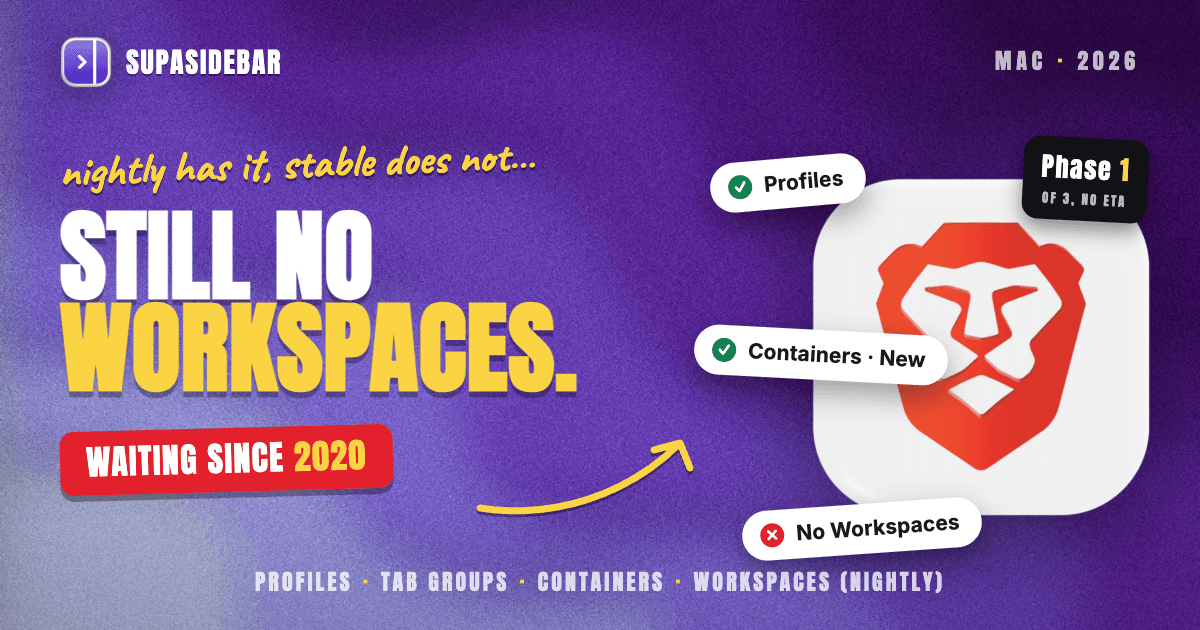
No. As of July 2026, Brave has no Workspaces feature in its stable release. A workspace, in the sense browsers use the word, is a named set of tabs and windows that gets saved, switched away from, and reopened later with its state intact, which is how Vivaldi, Opera, Edge, and Zen each implement it. Brave is building one: the company's own tracking issue lays out a three-phase rollout behind a flag, a first prototype has been reported working in Nightly builds, and there is no announced ship date. Until it lands, the closest things Brave ships today are Profiles, tab groups, and Containers (stable in Brave 1.92, July 2026), and each of the three solves a genuinely different problem than named switchable workspaces do. The breakdown of what each one actually does is below, along with the setup that gives a Mac user named Spaces in Brave right now: SupaSidebar, a Mac app that keeps its Spaces outside the browser, so the same Spaces are still there when the reader opens Safari or Chrome.
Quick navigation:
- Want the cross-browser tool landscape rather than Brave specifically? → Browser Workspace Manager
- Ready to set up per-project contexts on your Mac? → How to Set Up Browser Spaces on Mac
- Trying to decide whether profiles are the right tool at all? → Browser Profiles on Mac
- Want the full Brave review beyond just workspaces? → Brave Browser Mac Review
- Here for the Brave answer specifically? You are in the right place. Keep reading.
At a glance: the workspace options for Brave on a Mac
| Option | What it actually does | Available in stable Brave? | Survives a switch to Safari or Chrome? | Best for |
|---|---|---|---|---|
| Brave Profiles | Separate bookmarks, history, cookies, extensions, and its own window per profile | Yes | No | Hard identity separation, such as work versus personal accounts |
| Brave tab groups | Named, color-coded, collapsible groups in the tab strip; saved groups sync desktop to desktop | Yes | No | Grouping a handful of tabs inside one window |
| Brave Containers | Isolates cookies and storage per container so one site can hold several logged-in identities | Yes, since Brave 1.92 (July 2, 2026) | No | Being signed into the same site under two accounts |
| Brave Workspaces | Save windows and tabs as a named workspace, then reload it | No, Nightly only behind a flag | No | Testing an unfinished feature, not daily work |
| Chrome-store workspace extensions | Bookmark-style tab stashing inside Brave | Yes, third party | No | A stopgap if extensions are acceptable |
| SupaSidebar Spaces | Named Spaces of links, files, and live tabs in a Mac sidebar outside the browser | Yes, it is a Mac app rather than a Brave feature | Yes | Anyone running Brave plus at least one other browser |
Does Brave have Workspaces? The dated answer
Brave's stable release has no Workspaces feature as of July 30, 2026. Nothing in Brave's Help Center feature list carries the name, and the feature has been requested continuously since a Save Tabs as Workspace issue was opened in August 2020.
What changed in 2026 is that Brave started building it in public. The official Desktop Workspaces tracking issue describes the goal in Brave's own words: organize a set of windows and tabs "as granularly as they like and save them as a 'workspace'." The spec says a saved workspace stores the windows including size and position, every tab in each window including pinned tabs, tab groups with their names, colors and collapsed state, and per-tab navigation history.
The rollout is phased, which matters for anyone deciding whether to wait:
- Phase 1 is a single fixed-name workspace with save and reload, behind
brave://flags/#brave-workspace, disabled by default. - Phase 1.5 adds the interface for naming, saving, loading, and deleting multiple workspaces.
- Phase 2 is the polish pass: a default workspace, quick switching, auto-save on change.
- Phase 3 would sync workspaces through Brave Sync, and Brave's own issue says that is only worth considering after every polish step is done.
Phase 1 has reportedly been working in Nightly builds since early July 2026, and the one hands-on report of it describes a rough first version with an icon near the tab bar that saves the current windows and tabs and reopens them in a new window. That is a single-outlet report on a flagged prototype, so treat it as an early signal rather than a shipped feature.
There is no ETA. A Brave product designer answered the question directly in the community feedback thread with no date attached, and comparable Brave features have sat in development for more than a year before shipping. Planning a workflow around a Brave release date is not a reasonable bet right now.
What Brave ships instead, and what each one is actually for
Brave is not short of tab features. It is short of one specific thing: a named container of tabs you can leave and come back to.
Tab groups
are the closest native fit. Brave carries full Chromium tab groups, and Brave's own vertical tabs announcement confirms grouped tabs can be created, labeled, and color coded. Saved tab groups are enabled by default and sync between desktop devices when Brave Sync is on. The limit is scope: a group lives in the tab strip next to everything else, and a new tab opened while a group is focused does not automatically join it.
Containers
, stable since Brave 1.92 on July 2, 2026, are the newest and most misread option. Brave's Containers announcement is explicit that this is a convenience feature for presenting different identities to a site, not a privacy feature, since storage partitioning already handles that. Containers isolate cookies and storage. They do not name, save, or restore a set of tabs.
Vertical tabs
shipped in Brave 1.52 in May 2023 and turn on by right-clicking a horizontal tab. Split View puts two tabs side by side in one window and is documented in the Help Center. Both are layout features. Neither remembers a context.
Brave Sync
is worth knowing about before building any workflow on Brave features. It syncs bookmarks, passwords, autofill data, history, open tabs, extensions, themes, and saved tab groups through a sync chain with client-side encryption, per the Sync FAQ. It does not sync the profile list, and workspaces are explicitly a Phase 3 item.
Why Brave Profiles are not workspaces
The single most repeated answer to "Brave has no workspaces" is "use profiles instead," and the single most repeated objection from Brave users is that profiles are the wrong shape for the job.
The Brave community thread on workspaces has close to 19,000 views, and the complaint is consistent. One user described the cost of a fresh profile plainly: "A clean slate means reinstalling extensions, re-logging in to all accounts, etc. This is not helpful after 2 or 3 profiles." Another put the mismatch in one line: "It seems to me like the profile feature is more meant for multiple users rather than one user with multiple accounts."
A third laid out exactly what a workspace is supposed to be, in contrast: "when talking about workspaces I want to keep my bookmarks, passwords, history in a single place, and just separate tabs based on my activities."
That is the distinction worth taking away. A profile separates the identity: the cookies, the extensions, the saved passwords. A workspace separates the attention: which tabs are in front of you right now. Brave has three good tools for the first job and no finished tool for the second. Users who need to separate attention per project rather than per identity end up creating profiles they did not want, then getting lost in windows.
Users also leave over it. One comment in the same thread reads: "Literally, the only thing stopping me from using Brave as my main browser is the lack Workspaces feature." Another describes switching to Vivaldi for workspaces, spending real effort making Vivaldi look like Brave, and waiting to switch back. Vivaldi has shipped Workspaces since version 6.0 in April 2023, which is why it keeps coming up.
How to try Brave's Workspaces prototype today
For anyone who wants to see Phase 1 rather than read about it, the path on a Mac is short, and so is the list of caveats.
- Download a Brave Nightly build from Brave's download page. On macOS, Nightly installs as a separate application with its own data directory, so it will not touch the stable Brave profile.
- Open
brave://flagsin the Nightly build and search forbrave-workspace. - Enable the flag and restart the browser.
- Look for the workspace control near the tab bar.
Two warnings, both real. Nightly is a daily development build, so crashes and regressions are expected, and it is not the place to keep the only copy of anything that matters. And Phase 1 is one fixed-name workspace, so the naming and switching most people mean by "workspaces" is not in it yet. Brave's minimum requirement for any channel is macOS Monterey 12 or later, per the system requirements page.
Waiting for Phase 1.5 in stable is a defensible choice. What is not available is a way to get named, switchable workspaces inside stable Brave, because no version of that exists yet.
There is a second gap none of the Brave options close, and it shows up the moment a workflow spans more than one browser. Every option on the table above stops existing at the edge of Brave. A Mac user who keeps Brave for daily browsing and Safari for the work SSO, or Chrome for one client's tooling, gets nothing from a Brave-shaped workspace when the context they need is split across two apps. That is the problem the next section is about.
SupaSidebar: named Spaces that work in Brave and in every other browser
SupaSidebar is a macOS app that gives Brave named, switchable Spaces today by keeping them outside the browser, which also means the same Spaces are there in Safari, Chrome, Firefox, and Arc without being set up twice. It is not a Brave extension and not a browser. It is a sidebar that docks to a screen edge and appears with a global shortcut over whatever is in front.
The mechanic that answers the profiles objection is that Spaces separate attention while Brave keeps separating identity. Each Space holds its own saved links, folders, and pinned items; the Command Panel (⌘⌃K) searches across saved items, recent items, and live browser tabs at once; and Live Tabs shows the tabs currently open in Brave alongside the tabs open in every other supported browser, activating an existing tab instead of opening a duplicate. Brave is a fully supported browser for Live Tabs, including the Brave Origin, Beta, and Nightly variants, so a Nightly experiment and a stable daily driver can both show up in one list.
A Space can also be linked to a specific browser profile, and Air Traffic Control rules route a saved link to the right Space, browser, or profile based on its URL. That covers the case a Brave user in the community thread named: links opened from other apps landing in whichever Brave window happened to be most recent.
Here is what that looks like for a Mac freelancer running Brave plus one other browser:
| Space | What lives in it |
|---|---|
| Acme (client) | app.linear.app, figma.com, the Acme staging site, notion.so, the shared drive folder |
| Personal | gmail.com, youtube.com, reddit.com, the bank login |
| Brave testing | localhost:3000, brave://settings, github.com issue tracker |
Switching Spaces swaps the whole set of saved links and pinned items in the sidebar, so the Acme tabs are one shortcut away and the personal ones are not on screen while working.
The honest scope. SupaSidebar Spaces do not isolate cookies or browser sessions the way Brave Profiles and Brave Containers do, so anyone whose actual requirement is two logged-in identities on the same site should use Containers and keep using them. Spaces organize the links and tabs around the work, not the cookie jar. Air Traffic Control rules stay local to the machine and do not travel through iCloud, though Spaces, saved links, folders, and pinned items do. It requires macOS 14 or later.
Which Brave setup should you pick?
If the requirement is two accounts on one site:
use Brave Containers. It was built for exactly this, it is in stable since 1.92, and no workspace feature replaces it.
If the requirement is a hard wall between work and personal browsing:
use Brave Profiles, and accept the extension and login setup cost once per profile rather than once per project.
If the requirement is grouping five or six tabs inside one window:
use Brave tab groups with saved groups. It is native, it is free, and it syncs desktop to desktop.
If the requirement is naming and switching between project contexts, and Brave is the only browser in use:
there is no finished answer in Brave today. The choices are waiting for Phase 1.5, testing the Nightly prototype, or adding a layer on top.
If Brave is one of two or more browsers on the Mac:
the workspace layer needs to sit above the browser, because a Brave-native workspace will never see the Safari or Chrome half of the work. That is the case SupaSidebar is built for.
Conclusion
Brave has no Workspaces feature in stable as of July 2026, it has an officially tracked three-phase implementation with a Phase 1 prototype in Nightly and no ship date, and the three features people get pointed to instead solve adjacent problems: Profiles separate identity, Containers separate cookies, tab groups tidy one window.
Brave-only users who need per-project contexts have a real wait ahead, and tab groups with saved groups is the best native stopgap. Users who need account separation should stop looking at workspaces entirely and use Containers, which shipped in Brave 1.92 in July 2026. Users running Brave alongside Safari or Chrome have a structural problem no Brave release fixes, because the context lives in two browsers and a browser feature only ever sees one of them.
One Reddit user described that fork while shopping for a replacement: "I used to Arc, but it kept crashing on me. So I switched to Safari. I really miss the sidebar (from Arc) and I want to change my browser to either Edge, Chrome or Brave." The sidebar was the thing worth keeping, and it did not need to be a browser feature to keep it.
For the cross-browser version of this, try SupaSidebar (free tier). For the wider tool landscape beyond Brave, the browser workspace manager comparison covers the native features and extension managers side by side.
Why we recommend SupaSidebar
SupaSidebar is a macOS app that brings Arc's sidebar to every browser - one sidebar for tabs, bookmarks, files, and apps across 32+ browsers including Safari, Chrome, Firefox, Edge, Brave, Arc, Vivaldi, Dia, and Comet. For the Brave workspace problem specifically, that cross-browser scope is the whole point: Spaces created once are available whichever browser is in front, which is not something a Brave-native workspace can do by design.
3,000+ Mac users have tried SupaSidebar, and space-switching is one of its most-used behaviors, alongside opening a saved link and searching from the Command Panel. One user summarized the appeal in a single line: "The ability to organize multiple workspaces and flows is great! Perfect for keeping each project/motion grouped together." A free version is available, and the Mac sidebar app guide covers how the sidebar, Spaces, and Live Tabs fit together.
FAQ
Does Brave have Workspaces?
No. Brave's stable release has no Workspaces feature as of July 2026. Brave is building one and tracks it publicly in a Desktop Workspaces issue that describes a three-phase rollout, with Phase 1 behind the brave://flags/#brave-workspace flag and disabled by default. No release date has been announced.
How do I enable Brave Workspaces?
Only in a Nightly build. Install Brave Nightly, which on macOS installs as a separate app with its own data directory, open brave://flags, search for brave-workspace, enable the flag, and restart. Phase 1 is a single fixed-name workspace that saves and reloads windows and tabs, so naming and switching between multiple workspaces is not available yet.
Are Brave Profiles the same as Workspaces?
No, and this is the most common mix-up. A Brave profile separates identity: its own bookmarks, history, cookies, extensions, and window. A workspace separates attention: which set of tabs is in front of you right now. Creating a profile per project means reinstalling extensions and logging in again each time, which is why Brave users in the community thread repeatedly reject profiles as a workspace substitute.
Can Brave save and reopen a set of tabs?
Yes, through saved tab groups rather than workspaces. Brave supports full Chromium tab groups, which can be named, color coded, and collapsed, and saved tab groups are enabled by default and sync between desktop devices when Brave Sync is on. The limit is that a group sits in the tab strip alongside every other tab, and a new tab opened while the group is focused does not join it automatically.
Do Brave tab groups sync across devices?
Saved tab groups sync desktop to desktop when Brave Sync is enabled and the saved tab groups data type is turned on. Brave Sync also covers bookmarks, passwords, autofill data, history, open tabs, extensions, and themes through an encrypted sync chain. Workspaces are listed as a Phase 3 item in Brave's tracking issue, so they are not synced today.
Does Brave have Containers?
Yes. Containers went stable in Brave 1.92 on July 2, 2026, on Windows, macOS, and Linux. They isolate cookies and storage so the same site can hold more than one logged-in identity, and Brave frames them as a convenience feature rather than a privacy one because storage partitioning already handles privacy. Containers do not name, save, or restore a set of tabs.
What is the best workspace setup for Brave on a Mac?
It depends on whether Brave is the only browser in use. For Brave-only workflows, saved tab groups are the best native option until Brave's Workspaces feature reaches stable. For a Mac running Brave alongside Safari or Chrome, a sidebar app such as SupaSidebar holds the Spaces outside the browser so the same contexts work in both, which no browser-native workspace feature can do.
By Kshetez Vinayak, founder of SupaSidebar. Last updated July 30, 2026.