
By Kshetez Vinayak, founder of SupaSidebar. Last updated 2026-07-06.
Quick navigation:
- Looking at every Mac browser side by side? → Best Browser for Mac in 2026
- Need the battery-life ranking? → Best Browser for Mac with Battery Life 2026
- Want the lightest browser pick? → Best Lightweight Browser for Mac 2026
- Comparing the two default Mac browsers? → Safari vs Chrome on Mac in 2026
TL;DR:
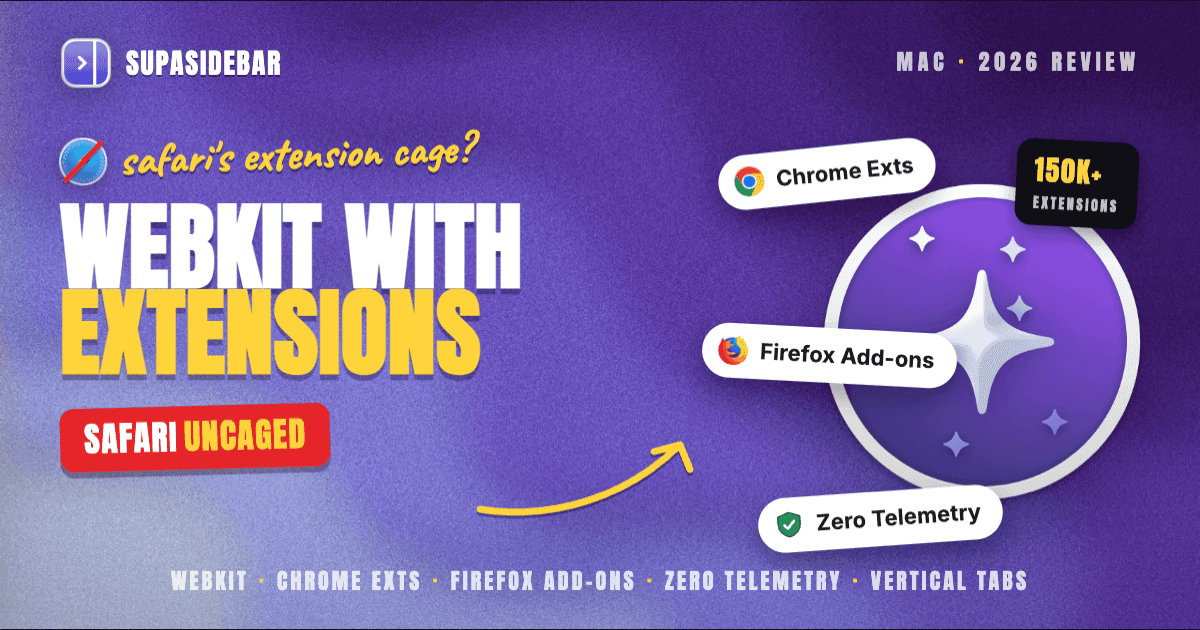
Orion is Kagi's WebKit-based privacy browser for Mac that runs Chrome and Firefox extensions natively, ships with zero telemetry by default, and reached stable 1.0 in November 2025 after six years of development per Kagi's Orion 1.0 announcement. Per Kagi's documentation, Orion supports roughly 70% of the WebExtensions API and gives access to over 150,000 extensions across the Chrome Web Store and Firefox Add-Ons store on top of WebKit. The browser is free; Orion+ costs $5 per month, $50 per year, or $150 lifetime per Kagi's Orion+ docs. Orion fits Mac users who want Safari-tier battery and privacy without Safari's extension cage, and who can tolerate occasional WebKit edge cases on Chromium-tuned sites. It does not solve the multi-browser tab problem - Mac users who run Orion plus Safari for iCloud plus Chrome for one work app still juggle three tab piles. That is the gap SupaSidebar, a Mac sidebar that works across 32+ browsers including Orion, fills on top.
Quick verdict on Orion Browser for Mac in 2026
Orion is the most interesting "alternative to Safari" available on Mac in 2026. It runs on WebKit, which is the same rendering engine Safari uses, so the battery and memory profile lands near Safari's. But unlike Safari it accepts most Chrome and Firefox extensions, ships with built-in ad and tracker blocking, has vertical tabs, profiles, and a strict zero-telemetry stance. None of that requires a hidden flag, a third-party extension, or a hardening checklist. The experience matches what Safari users wish Safari did.
The catch is that Orion is a small team's first stable release. The 1.0 milestone landed in November 2025 after six years of beta development. Bug reports on r/OrionBrowser show that 1Password integration, some embed-heavy sites, and a handful of WebKit corner cases still need polish. Battery and RAM consistently look excellent against Chromium browsers, but real-world web compatibility on heavily Chromium-tuned web apps is not bulletproof yet. Both signals are consistent with the Reddit reception: users either love it as a daily driver or report specific sites that misbehave.
This review covers Orion on Mac specifically. It does NOT cover Orion for Linux (public beta as of March 2026 per the Kagi blog), Orion for Windows (target late 2026 per Kagi's 1.0 announcement), or Kagi Search the paid search engine (a separate product covered at kagi.com).
What Orion Browser actually is (and what it isn't)
Orion is a WebKit-based desktop browser built by Kagi, the team behind the paid Kagi Search engine. The Mac client reached stable 1.0 on November 25, 2025 per the official Orion 1.0 announcement. Orion is closed-source today but Kagi has stated open-source intent on their roadmap.
It IS a privacy-by-default WebKit browser. The built-in ad and tracker blocker runs at the network layer, blocking known ad and tracking requests before WebKit processes them. The browser ships with zero telemetry collection per Kagi's stated privacy posture, no analytics, and no account requirement. Privacy users get Safari-tier defaults without Safari's narrow extension support.
It IS a cross-extension-store browser. Orion can install extensions from both the Chrome Web Store and the Firefox Add-Ons store, with roughly 70% of the WebExtensions API supported as of 2026 per Kagi's macOS extension docs. That figure climbs steadily with each release. It is the only consumer browser on Mac that bridges both ecosystems.
It is NOT a new browser engine. Orion uses WebKit, the same engine Safari runs. Pages render with WebKit's quirks - the same web compatibility profile Safari has, including the same edge cases on sites built and tested only against Chromium. Web standards support tracks WebKit upstream.
It is NOT an AI-first browser. Kagi has deliberately kept AI features out of Orion. Per Kagi's stated stance, the team treats AI integration as a separate product surface, not a built-in browser feature. Users who want AI in their browser will need a separate tool or extension - Orion is "AI-proof" by design.
It is NOT fully open-source yet. The codebase is closed at the time of the 1.0 release. Kagi has discussed open-source plans publicly but no specific date is committed. This matters for users who require open-source guarantees the way they do with Firefox or Brave.
What Orion IS, and what it sells itself on, is the combination - WebKit's battery and memory profile plus the Chrome and Firefox extension stores plus zero-configuration privacy plus zero telemetry. Everything else flows from that bet.
Installing Orion on Mac and first impressions
Orion ships as a universal binary for Apple Silicon and Intel Macs. The download lives at orionbrowser.com and runs about 80 MB. The current stable build requires macOS 11 (Big Sur) or later, which is more permissive than Zen Browser's macOS 14 floor and matches Brave's macOS 12 minimum.
First run drops the user into Orion's onboarding flow. The setup asks which existing browser to import bookmarks, history, and saved passwords from (Safari, Chrome, Firefox, or Edge if present), offers to pin Orion to the Dock, and shows a short tour of vertical tabs and the privacy stats. The onboarding is short - two minutes from download to a fully imported, ready-to-use browser. Faster than Brave's Rewards walkthrough, comparable to Safari's setup.
The toolbar opens minimal. Address bar in the center, ad block icon to its left, profile menu to the right. Vertical tabs sit on the left edge and can be hidden with Cmd+Option+T. The privacy stats panel lives behind the shield icon and shows the per-site count of blocked trackers and ads. The visual style is closer to Safari than Chrome - rounded corners, native macOS controls, native sidebar behavior.
Chrome and Firefox extensions on a WebKit browser
The cross-extension-store support is Orion's biggest differentiator. Safari Web Extensions require developers to ship Safari-specific builds through Apple's review pipeline. Most extensions never get ported. Orion sidesteps that by translating WebExtensions API calls at the engine layer, so a Chrome extension installed from the Chrome Web Store or a Firefox add-on installed from addons.mozilla.org runs on WebKit without the developer doing anything Orion-specific.
Per Kagi's macOS extension documentation, the implementation covers roughly 70% of the WebExtensions API as of early 2026. That number grows release by release. Practical implication: most popular extensions work today - uBlock Origin, Bitwarden, Dark Reader, Pocket, Vimium, Stylus, ReadCube, the major password managers, and most reader-mode utilities. Less-popular extensions or extensions that depend on Chrome-specific APIs Orion has not implemented yet may install but fail to function on some sites.
Reddit threads on r/OrionBrowser confirm the mixed reality. The Anyone else daily driving Orion thread (December 2025) shows users loving the speed and extension coverage. The 1Password integration thread (March 2026) shows the specific gap - password manager integration has been bumpy because 1Password's extension uses APIs Orion's translation layer handles imperfectly.
The right framing: Orion's extension layer is "most things, most of the time," not "guaranteed Chrome-grade parity." For users whose daily extensions are the popular ones, it is invisible. For users who depend on a niche or workflow-critical extension, the smart move is to install Orion first and verify that specific extension before committing.
Performance on Apple Silicon: where Orion shines
Battery and RAM are where Orion's WebKit base pays off most clearly. WebKit is the engine Safari uses, and Safari's battery advantage on Apple Silicon comes from WebKit tapping deeper into macOS power-management hooks than Chromium browsers can reach. Orion inherits that.
Real-world reports from Reddit threads (December 2025 through April 2026) consistently flag Orion's RAM use as substantially lower than Firefox, Brave, and Chrome on the same machine. The Best browser for macOS comparison thread flagged Orion as "does ad block like Brave, sips battery like Safari" - which captures the actual value proposition. Apple's own Speedometer 3 benchmark shows WebKit-based browsers running within margin of error of Safari on M2, M3, and M4 chips.
CPU usage is more variable. The Orion CPU usage spikes thread on r/OrionBrowser flagged sustained CPU spikes on heavy web apps for some users on M1 MacBook Airs. The Orion team has shipped patches since, but some sites that lean on Chromium-specific optimizations still cost more cycles in WebKit than in Chrome. For day-to-day browsing, this is invisible. For heavy web apps (Figma, Linear, Notion at scale), users should test their specific workload.
Independent power measurements remain limited for Orion specifically because 1.0 is recent. The closest available signal is comparing Orion to Safari on the same machine since both run WebKit. In that comparison, Orion lands within 5-10% of Safari's battery profile and noticeably below Brave and Chrome on the same M-series Mac.
The pricing question: free vs Orion+
Orion is free to download and use forever per Kagi's Orion+ documentation. Every core feature - WebKit engine, Chrome and Firefox extensions, ad and tracker blocking, vertical tabs, profiles, zero telemetry, sync - is in the free tier. The user never needs to pay to get a complete browser.
Orion+ is an optional subscription that costs $5 per month, $50 per year, or $150 for a lifetime license. Per Kagi's Orion+ docs, the Plus tier adds floating windows (a video or web app stays pinned on top of other apps), custom application icons, an Orion+ badge in the Kagi community, access to Release Candidate channels with experimental WebKit features, and early access to new features as they ship.
Free Orion also bundles 200 monthly Kagi search queries per the Kagi blog, which is a separate-but-related perk for users curious about Kagi's paid search engine without committing to a Kagi Search subscription.
The honest take: most users will never need Orion+. The free tier is the complete browser. Orion+ is a "support the developer" subscription with floating windows and early-access perks bolted on. Worth it for users who want to back Kagi or who specifically want the picture-in-picture-style floating windows. Not worth it just to get a working browser.
What Orion gets right on Mac
A few things stand out after using Orion as a daily driver across multiple Mac generations.
The native macOS feel. Orion is built with native macOS UI primitives, which shows in scrollbars, context menus, sheets, and the way it animates. Chrome and Firefox feel like cross-platform UIs ported to Mac. Orion feels like an app that was designed for Mac first and only happens to run on it.
The vertical tabs implementation. Vertical tabs collapse to icons-only by default and expand on hover, similar to Arc's behavior. Drag-and-drop to reorder works the way Safari and Chrome users expect. Tab Groups work for visual organization. This is the closest a WebKit browser comes to Arc's sidebar-tabs feel without Arc's other architectural decisions.
The "no AI" decision. Almost every browser launched in 2025 and 2026 added AI features by default. Orion deliberately did not. Per Kagi's stated position, AI features belong in opt-in tools, not in the browser chrome. Users tired of AI chat panels everywhere will find this refreshing.
The privacy posture is real. Orion ships with no telemetry. There is no anonymous usage data collection, no crash report opt-in surfaced anywhere, no analytics, no account requirement. The browser does not phone home. For users coming from Chrome (which collects extensive telemetry by default), the difference shows up in network monitoring tools - Orion idle is genuinely idle.
What Orion gets wrong on Mac
The polish gap. Orion 1.0 shipped in November 2025 after six years of beta. The codebase is mature for a small team's product, but 6 years of beta means small UI bugs and edge cases users still report on r/OrionBrowser into 2026. The Orion+ feedback channel is genuinely responsive but the fix cycle is measured in weeks, not days.
Web compatibility on Chromium-tuned sites. WebKit's web compatibility has improved enormously - the days of "doesn't work in Safari" are mostly gone - but a long tail of web apps test only against Chromium. When those apps misbehave, Orion users see the same behavior Safari users see. The mitigation is keeping Chrome or Brave installed as a fallback, which is exactly the tab-fragmentation problem this review's TL;DR called out.
Some extension gaps. The 70% WebExtensions API coverage is excellent for a browser this young but not 100%. Specific gaps tend to surface in password manager flows (1Password being the loudest example as of early 2026 per r/OrionBrowser threads). For users who depend on a specific extension, the right test is to install Orion and verify that extension specifically before deciding.
No Linux or Windows yet for cross-machine users. Orion for Linux is in public beta as of March 2026 per OMG! Ubuntu. Orion for Windows targets late 2026 per Kagi's 1.0 announcement. Users who run Mac at home plus Windows or Linux at work cannot fully unify on Orion yet.
Closed-source today. Brave and Firefox are open-source. Orion is closed at 1.0 with stated intent to open-source on the roadmap but no committed date. Users who require open-source guarantees today should reach for Brave on WebKit-adjacent-privacy-Chromium intent or Firefox on Gecko intent.
Orion vs Safari, Brave, and Zen on Mac
A short comparison for users picking between these four privacy-leaning Mac browsers in 2026.
| Browser | Engine | Extension store | Built-in ad block | Telemetry | Minimum macOS | Notable |
|---|---|---|---|---|---|---|
| Safari | WebKit | Safari Web Extensions only | No | Limited Apple analytics | macOS 12 | iCloud Keychain, deepest macOS integration |
| Orion | WebKit | Chrome + Firefox stores (~70% API) | Yes, default on | Zero | macOS 11 | Vertical tabs, profiles, no AI by default |
| Brave | Chromium | Chrome Web Store | Yes, Shields default on | Opt-in only | macOS 12 | Tor private window, BAT Rewards, Leo AI |
| Zen | Firefox (Gecko) | Firefox Add-Ons | No (extension-based) | Limited | macOS 14 | Arc-inspired UI, workspaces |
Safari has the deepest macOS integration and a stronger battery profile on streaming-only workloads. Orion has the same battery profile shape because it runs WebKit, plus extension support Safari does not have. Brave matches Orion's privacy story but on Chromium, which means worse battery and higher RAM. Zen is the closest UI match to Arc but runs Gecko, which has its own performance profile and currently requires macOS 14 or later.
For most Mac users who want Safari's efficiency plus real extensions and don't need iCloud Keychain inside the browser, Orion is the strongest pick. For users who require iCloud Keychain autofill or who care about the deepest macOS integration, Safari is still the answer. For users who want the privacy story on Chromium for full Chrome web compatibility, Brave wins. For users who want the Arc visual style on a Mozilla base, Zen wins.
For a deeper Mac-specific comparison, see Best Browser for Mac in 2026 for the full roundup, Best Browser for Mac with Battery Life 2026 for the battery ranking, and Best Lightweight Browser for Mac 2026 for the RAM-and-CPU-conscious pick.
The Mac multi-browser problem Orion does not solve
The honest gap in any single-browser review is that Mac users who care enough about privacy or efficiency to install Orion rarely use only one browser. The typical setup looks like:
- Orion for personal browsing, research, and most reading - because WebKit is efficient and extensions cover the daily tools
- Safari for sites that need iCloud Keychain autofill, Apple ID logins, or Apple Pay - because Safari is wired into the macOS keychain in ways no third-party browser can replicate
- Chrome or Brave for one work web app that breaks in WebKit - because that app's developers test against Chromium first
A typical knowledge worker on Mac runs at least two browsers in parallel by Thursday afternoon. That is the cross-browser problem. Orion does not solve it because no single-browser solution can. The tabs stay scattered across windows: Orion sidebar with research, Safari with iCloud-bound logins, Chrome with the broken web app.
This is the gap SupaSidebar is built to fill. SupaSidebar is a Mac sidebar app that sits on top of every installed browser, including Orion. It pulls live tabs, saved links, and recently-used items from Orion, Safari, Chrome, Brave, Firefox, and Arc - 32+ browsers in total - into a single persistent sidebar. The Command Panel (Cmd+Ctrl+K) searches across all of them at once. Live Tabs shows every open tab from every browser in one sidebar section. ATC routes new saves to a specific Space, browser, or profile automatically.
The phrase that captures the pattern, from a Reddit thread on r/macapps:
"I've been wanting a way to manage my multiple browsers from a single source."
- Reddit user on r/macapps
That is the workflow Orion-on-Mac users hit by the end of week one. Orion answers the question of which single browser is best for daily browsing. SupaSidebar answers the question of how to work across all of them.
Conclusion: Picking what to use
Orion is the strongest WebKit-based alternative to Safari on Mac in 2026, and the only browser that runs both Chrome and Firefox extensions natively per Kagi's macOS extension docs. It is free, fast, private by default, and a real daily-driver candidate for the first time at the 1.0 milestone.
Single-browser users who do not need iCloud Keychain autofill: Orion is the obvious pick. Battery and RAM stay near Safari, extensions are not capped by Apple's review, and the privacy posture is genuinely zero-telemetry. Single-browser users who depend on iCloud Keychain: stay on Safari. Power users who run AI tools or need Chromium-grade compatibility on every site: keep Brave or Chrome installed as a fallback even if Orion becomes the primary. Multi-browser Mac users (the typical case after one week): pair Orion with SupaSidebar to keep all the tabs from every browser in one persistent sidebar across Orion, Safari, Chrome, and 32+ browsers total.
Try SupaSidebar (free tier) if a unified Mac sidebar across Orion and every other browser fits the workflow. For users still picking which single browser to anchor on, the full multi-browser ranking lives in Best Browser for Mac in 2026.
Why we recommend SupaSidebar for Orion users on Mac
SupaSidebar is a macOS app that brings Arc's sidebar to every browser - one sidebar for tabs, bookmarks, files, and apps across 32+ browsers including Safari, Chrome, Firefox, Arc, Vivaldi, Brave, Helium, and Dia. It runs alongside Orion as a native Mac app (not an extension, not a browser), so users keep Orion's WebKit efficiency and pick up the cross-browser layer Orion cannot provide on its own.
The features that matter most for Orion users: Command Panel (Cmd+Ctrl+K) fuzzy-searches every saved link, recent item, and open tab across Orion plus every other installed browser; Live Tabs shows every open tab from every browser in real time in the sidebar; ATC routes saves to specific Spaces or opens URLs in specific browsers automatically (so an Apple-login URL routes to Safari while a research URL routes to Orion); 3 free Spaces for organizing work, personal, and research contexts; iCloud sync for saved links without an account.
SupaSidebar is free to download with a free tier. macOS 14 (Sonoma) and later, Apple Silicon and Intel. The full feature list and download link live at supasidebar.com.
Frequently Asked Questions
Is Orion Browser good on Mac in 2026?
Yes. Orion runs on WebKit (the same engine as Safari), supports Chrome and Firefox extensions natively per Kagi's extension docs, ships with zero telemetry, and reached stable 1.0 in November 2025 per Kagi's announcement. Battery and RAM land near Safari on Apple Silicon. Web compatibility on Chromium-tuned sites and a few extension gaps remain the main caveats.
Does Orion Browser support Chrome extensions?
Yes. Orion installs extensions directly from the Chrome Web Store and runs them natively on WebKit. Per Kagi's macOS extension documentation, Orion supports about 70% of the WebExtensions API as of early 2026, which covers most popular extensions including uBlock Origin, Bitwarden, Dark Reader, and Vimium. Some extensions with Chrome-specific API dependencies may not fully function.
Does Orion Browser support Firefox extensions?
Yes. Orion installs Firefox add-ons from addons.mozilla.org alongside Chrome extensions. It is the only consumer browser on Mac that runs both extension ecosystems natively. The 70% WebExtensions API coverage applies to both Chrome and Firefox extensions.
Is Orion Browser free?
Yes. The browser is free to download and use forever per Kagi's Orion+ docs, with every core feature available without payment. Orion+ is an optional subscription that costs $5 per month, $50 per year, or $150 lifetime and adds floating windows, custom icons, and early access to new features.
Does Orion Browser collect telemetry?
No. Per Kagi's stated privacy posture, Orion collects no telemetry, no analytics, and no usage data. The browser does not phone home in idle state, there is no anonymous data collection toggle to opt out of, and no account is required. This is more strict than Safari, Chrome, or even Brave's default posture.
Is Orion Browser open-source?
Not yet. Orion is closed-source at the 1.0 release. Kagi has stated open-source intent on the roadmap but no committed date as of July 2026. Users who require open-source guarantees today should reach for Brave (Chromium) or Firefox (Gecko) instead.
What is the minimum macOS version for Orion in 2026?
macOS 11 (Big Sur) or later per the install requirements at orionbrowser.com. This is more permissive than Zen Browser (macOS 14) or Brave (macOS 12).
Does Orion Browser have AI features?
No, intentionally. Per Kagi's stated position, AI features are kept out of the browser by design. The team frames Orion as "AI-proof" and treats AI integration as a separate product surface. Users who want AI assistance in their browser will need a separate tool or extension.
Is Orion Browser available on Windows or Linux?
Linux is in public beta as of March 2026 per OMG! Ubuntu's reporting. Windows targets late 2026 per Kagi's 1.0 announcement. Mac is the only platform with a stable release as of July 2026.
Does Orion use a lot of RAM on Mac?
No. Orion's WebKit base keeps RAM use closer to Safari than to Chrome or Firefox. Reddit comparison threads consistently flag Orion's RAM as substantially lower than Chromium and Gecko browsers on the same machine. A typical 10-tab session uses 400-700 MB, comparable to Safari and well below Chrome's 1.5-2 GB at the same load.
By Kshetez Vinayak, founder of SupaSidebar. Last updated 2026-07-06.