
By Kshetez Vinayak, founder of SupaSidebar. Last updated 2026-06-26.
TL;DR:
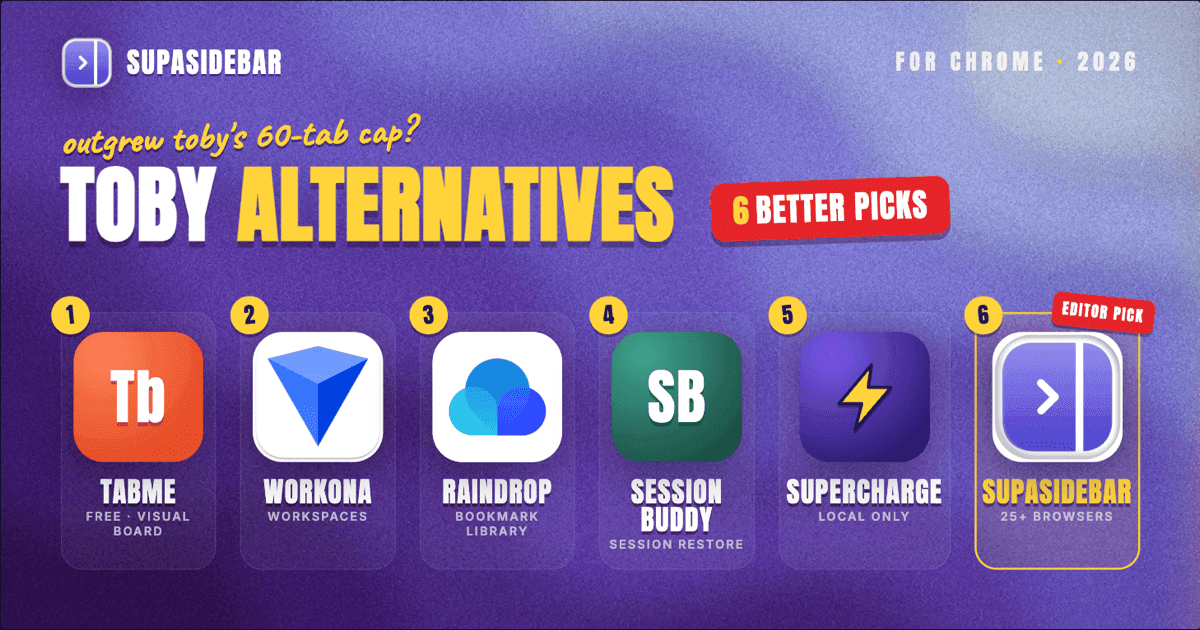
Toby is still actively maintained in 2026 (version 1.13.1, updated June 3, 2026 on the Chrome Web Store), but the free tier now caps at 60 saved tabs and the extension is Chrome-only. For a free Toby replacement that drops the cap, Tabme is the closest one-to-one swap because it keeps the visual board and adds no paywall. For users who outgrew the new-tab-page board pattern, Workona (workspace-first), Raindrop.io (link-and-bookmark library), and Session Buddy (session manager) each cover different parts of what Toby tried to do. None of those handle more than one browser cleanly. On a Mac running Chrome plus Safari, Firefox, Arc, or anything else, SupaSidebar sits at the macOS level and pulls tabs from 32+ browsers into one sidebar without an extension per browser. Full comparison table, the 60-tab ceiling story, and a decision framework below.
Looking for a focused head-to-head on Toby vs SupaSidebar specifically? That comparison lives at SupaSidebar vs Toby. This post covers the broader landscape of Chrome-extension alternatives to Toby in 2026.
Why people search for Toby alternatives in 2026
Toby launched in 2017 as a visual tab organizer that took over the Chrome new tab page. The pitch was simple: save groups of tabs by project, open them with one click, replace the bookmark bar. For most of the next several years the recommendation was just "install Toby" and move on. Two things changed.
First, the pricing structure tightened. Toby's free tier in 2026 is what the company calls the Starter plan: an account is required, basic features are included, and the saved-tab ceiling is 60 items. Past 60, the workflow either stops working or moves to the Productivity or Team plans. That is a structural shift from the early years when the free plan was effectively the whole product.
Second, the browser landscape moved. In 2017, Chrome with one extension was a complete workflow for many people. In 2026, a typical power user has Chrome open for work SSO, Safari for personal browsing, and Arc or a Chromium alternative for projects. Toby was built as a Chrome extension and never expanded past Chromium. A user on r/productivity captured the cross-browser frustration plainly: "I am mostly working on multiple things at once and have to come back to refer to them later... I have tried countless browser extensions but none is perfect" (r/productivity thread). The reply for that user was "Toby, with one major caveat: there's no merge/add to feature." Three browsers later, that caveat compounds: Toby in Chrome does not see Safari tabs at all.
The other structural reasons people leave Toby in 2026, even when the free tier works:
- Chrome-only. Toby runs in Chrome, Edge, Brave, Vivaldi, and other Chromium browsers. There is no Safari version. The Firefox version exists but lags the Chrome build in features. Multi-browser users are running multiple Toby installs with separate accounts, not one shared workspace.
- Account required. The free tier needs a Toby account to function. Sessions, collections, and groups live in Toby's cloud, not the local browser profile. If the account password is lost or the service is paused, the tab library goes with it.
- New-tab-page dependency. Toby overrides the new tab page. Users who want Chrome's native new tab (or a different new-tab extension) end up with a fight over that surface.
- Add-to-group friction. The thread above named the specific Toby pain: once a group of 20 tabs is saved, dropping another 15 tabs into that same group is a one-at-a-time operation. There is no "save these 15 tabs into group X" button.
- Free tier ceiling. 60 saved tabs sounds like a lot until a single research project crosses 80 links. Then either the project gets split, or the upgrade button is the only way forward.
A Reddit user on r/chrome_extensions framed the upgrade pressure neatly when asking for a free Toby alternative: "checked every alternative (toby, onetab, workona): they cost money monthly OR they track your data OR they're painfully slow" (r/chrome_extensions thread). The complaint is consistent: paid tab managers feel like rent for something that used to be free.
The Toby alternatives comparison table (2026)
Five tools plus Toby for reference. Dollar figures are deliberately left out because pricing tiers on tab managers move more than once a year and a partial column misleads more than it helps. The pricing model (free / free + subscription / free + lifetime) is the column that matters.
| Tool | Workflow | Runs in | Item cap (free) | Cross-browser? | Cloud sync | Pricing model |
|---|---|---|---|---|---|---|
| SupaSidebar | Live sidebar (macOS app) | 32+ browsers on macOS | No cap | Yes, native | iCloud (no account required) | Free + subscription + lifetime |
| Tabme | Visual tab and bookmark board | Chrome | No cap | No | No | Free |
| Workona | Workspace organizer | Chrome, Firefox, Edge | 5 workspaces (unlimited tabs) | Partial (per-install with cloud sync) | Proprietary cloud | Free tier + subscription |
| Raindrop.io | Bookmark library | Chrome, Firefox, Safari, Edge, mobile | No cap (free plan) | Partial (per-install with account sync) | Proprietary cloud | Free + subscription |
| Session Buddy | Manual session manager | Chrome (Chromium) | No cap | No | No | Free |
| SuperchargeNavigation | Local-only tab and bookmark tool | Chrome | No cap | No | None (local only) | Free |
| Toby (for reference) | Visual tab board | Chrome, Firefox (lagging), Chromium | 60 saved tabs | No | Proprietary cloud | Free tier + subscription |
The "Item cap (free)" column is the one that decides most Toby-departure stories. Toby's 60-tab ceiling is the visible push. The "Cross-browser?" column is the quieter push: every Chromium-only alternative has the same multi-browser ceiling Toby has, just framed differently. SupaSidebar is the only row that is "yes, native" because it works at the macOS level instead of inside any single browser.
For deeper comparisons on specific picks, the Workona alternative breakdown covers the workspace-organizer pattern in detail, and the OneTab alternative guide covers the list-collapser pattern that some Toby users actually want instead of a visual board.
Tabme: the closest free swap
Tabme is the most direct one-to-one Toby alternative on Chrome in 2026. It keeps the visual board pattern, adds tag-based search, and removes the paywall. The whole positioning page on the Tabme site is literally titled "Toby Alternative for Chrome" - that is the audience the tool is built for.
What Tabme keeps from Toby:
- Card-grid view of saved tab collections
- Tag and search for finding old links
- Drag-and-drop to reorganize groups
- One-click open of a saved collection
What Tabme drops:
- The 60-tab ceiling. The free plan has no item cap.
- The account requirement. Tabme runs locally.
- The new-tab-page hijack. Tabme opens in its own surface.
What Tabme is missing vs Toby:
- Team-sharing features (Toby's Team plan has shared collections; Tabme is single-user)
- Cross-device sync (Tabme is local-only)
- Firefox version (Tabme is Chrome-only as of 2026)
For users who liked Toby's visual board but hit the 60-tab wall, Tabme is the lowest-friction switch. It does not solve the cross-browser problem - both tools still live inside Chrome.
Workona: when the answer is workspaces, not a board
Workona takes a different shape from Toby. Instead of saving tab groups onto a new tab page, Workona creates named workspaces. Each workspace holds its tabs, notes, and linked documents. Switching workspaces opens that workspace's tabs and hides the others.
This is the right swap for Toby users whose "groups" were really "projects." Toby's groups do not auto-restore - the user clicks a group to open its tabs. Workona's workspaces always have their tab state ready: open the workspace, the tabs are there. Close the workspace, they get archived. That pattern fits research-heavy or multi-client workflows better than Toby's board.
The Workona free plan in 2026 caps at 5 workspaces but has no per-workspace tab limit. The paid Pro plan (around $6 to $9/month according to Workona's pricing page) unlocks unlimited workspaces, integrations with Google Drive and Slack, and team collaboration. Workona runs in Chrome, Firefox, and Edge, but each install is a separate user-side state; the cross-browser story is "you can install it in two browsers, but the workspaces are not shared in real time across those installs."
For a longer head-to-head between Workona and SupaSidebar's workspace model, see the Workona alternative guide.
Raindrop.io: when the answer is bookmarks, not tabs
Raindrop.io flips the framing entirely. Instead of treating tabs as the unit, Raindrop treats links as bookmarks from the start. Save a link, drop it into a collection, tag it, search it. The browser tab is just the temporary view; the saved link is the permanent record.
This is the right Toby swap for users who realized their Toby groups were really "things to read later" or "research libraries." Raindrop's free plan has no item cap, full-text search of saved pages, and works in Chrome, Firefox, Safari, Edge, and mobile. The paid plan (Raindrop Pro) adds nested collections, file uploads, and permanent web copies.
Where Raindrop falls short of Toby is the "open these 20 tabs right now" workflow. Raindrop is a library, not a session restorer. Opening a collection in Raindrop opens each link as a new tab one at a time, not as a coordinated tab group. For workflow continuity (close the project on Friday, reopen the exact tabs on Monday), Raindrop is the wrong shape.
Session Buddy: when the answer is session restore
Session Buddy is the legacy session-manager pick. It is Chrome-only, manual-save, and free. Where Toby is a visual board for organized collections, Session Buddy is closer to a snapshot-and-restore tool for the current Chrome window state.
Session Buddy hit a credibility wall in 2024 when its v3-to-v4 migration lost saved sessions for many users (covered in detail in the Session Buddy alternatives post). The extension has stabilized since: v4.1.1 shipped February 13, 2026, now fully Manifest V3 compliant. For Toby users whose actual need was "save what is open now, restore it next week," Session Buddy is the simpler tool. It does not try to organize tabs into a visual board - it just snapshots and restores.
Trade-off: Session Buddy is Chrome-only and manual-save. No Firefox version, no Safari version, no auto-save. Users who close a window without saving lose that session.
SuperchargeNavigation: when the answer is local-only
SuperchargeNavigation is the privacy-leaning Toby alternative. It is local-only, has no item cap, requires no account, and is free. The trade-off is that everything stays on the device - no cloud sync, no cross-device library, no team sharing.
For Toby users who left because of the account requirement or who do not want a third-party cloud holding their browsing history, this is the cleanest answer. The interface is closer to a fast launcher than a visual board, so it is not a one-to-one Toby swap on the workflow side. But the "free, local, no account" combination is exactly what the r/chrome_extensions thread above asked for.
The cross-browser approach
Every option above shares the same ceiling: the tool lives inside one browser. Switching from Toby to Tabme is changing the tool inside Chrome. Switching to Workona expands to Chrome plus Firefox plus Edge, but each install is its own state. None of them see Safari. None of them see Arc.
For a typical Mac user, that's the gap. Chrome is open for work SSO. Safari is open for personal sites. Arc, Zen, or a Chromium alternative is open for projects. Any Chrome-only tab organizer - Toby, Tabme, Session Buddy, Workona on Chrome - sees one slice of the actual tab universe.
SupaSidebar is a Mac app, not a browser extension. It runs at the macOS level and shows Live Tabs from Safari, Chrome, Firefox, Arc, Brave, Vivaldi, Edge, Zen, Dia, Helium, and Wavebox (32+ browsers in total). A Reddit user on r/macapps put the structural difference clearly: "love that this sits at the OS level instead of just being another extension." That comment was about SupaSidebar specifically, but it points at why a Chrome-only tab manager hits a ceiling on a multi-browser Mac.
Two SupaSidebar features map directly to what Toby was trying to do:
- Pinned Items + Folders + Smart Folders. The sidebar-side equivalent of Toby's collections, but available across every browser at once. A folder of design references shows the same items whether the user is in Safari or Chrome.
- Spaces. Different workspaces (work, side project, research) each with their own pinned items and folders. Closer to Workona's workspace model than Toby's board, and live across all 32+ supported browsers, not one. A user described this pattern on Reddit: "The ability to organize multiple workspaces and flows is great! Perfect for keeping each project/motion grouped together." (Reddit, r/macapps).
Another Reddit user described the project-folder workflow that overlaps with Toby's group model: "Not just bookmarks - I can drop a project folder right into my workspace." (Reddit, r/macapps). That covers the "drop a saved Toby group into the current workspace" friction the r/productivity thread complained about.
What SupaSidebar does not try to be: it is not a session manager in the Session Buddy sense (snapshot and restore on demand). It is a live sidebar - tabs and folders are always visible, not saved-and-restored. For users whose Toby usage was really "save a session, restore it later," SupaSidebar is the wrong shape and Session Buddy or Tab Session Manager is closer.
If the choice has narrowed to Toby, OneTab, and SupaSidebar specifically, the head-to-head walkthrough is in Toby vs OneTab vs SupaSidebar. That post compares the three on the same workflows (save, restore, organize, search) instead of the broader extension landscape covered here.
Migration paths from Toby
Three common Toby use cases, mapped to the right alternative:
Case A: small library, hit the account-requirement wall.
Users with ~30 groups, nowhere near 60 tabs, but unwilling to keep an account just to organize Chrome. The right swap is Tabme (no account, no cap, same visual board pattern) or SuperchargeNavigation (local-only, faster). Both keep the Chrome-only context Toby was already in.
Case B: Toby groups were really projects with documents and tasks attached.
The right swap is Workona (workspace pattern, integrates with Drive and Slack) or SupaSidebar (Spaces with files, folders, and cross-browser Live Tabs). The pick depends on whether the workflow is single-browser-with-integrations (Workona) or multi-browser-with-OS-level-control (SupaSidebar).
Case C: Toby as a read-later list.
Users who saved tabs to come back to but rarely reopened them as a group. The right swap is Raindrop.io. Toby's visual board was over-built for that use case; a bookmark library handles it more naturally.
Case D: Chrome plus Safari plus Arc, with no tool seeing them together.
SupaSidebar is the only tool here that does this natively. Every other option in the comparison is single-browser by design.
Conclusion: Picking the right Toby alternative in 2026
The right Toby alternative depends on which Toby ceiling the user hit first. For the 60-tab paywall, Tabme is the closest free swap. For the cross-browser ceiling on Mac, SupaSidebar is the only structural answer because it works at the macOS level instead of inside Chrome. For workspace-shaped workflows, Workona stays inside the extension model with cleaner project boundaries. For "this was really a bookmark library," Raindrop.io is the honest reframe.
Single-browser users on Chrome with a small library: Tabme, free, no cap, fastest migration. Single-browser users who hit Toby's group-merge friction: Workona, workspaces handle the project-overlap pattern Toby never did. Read-later collectors: Raindrop.io. Privacy-leaning users who want zero cloud: SuperchargeNavigation. Multi-browser Mac users: SupaSidebar is the only option that does not collapse to one browser. Users who actually want session snapshots, not a board: Session Buddy or Tab Session Manager.
The deeper question Toby's pricing forces is "what was the tab manager actually for." Toby tried to be a board, a session manager, a bookmark tool, and a workspace at once. Splitting that into the right shape for the workflow is usually a faster fix than searching for the perfect Toby clone.
Try SupaSidebar (free tier) if a unified Mac sidebar across browsers fits the workflow. For Chrome-only deep-dives, see the best tab manager extensions for Chrome guide.
Why we recommend SupaSidebar
SupaSidebar is a macOS app that brings Arc's sidebar to every browser - one sidebar for tabs, bookmarks, files, and apps across 32+ browsers including Safari, Chrome, Firefox, Arc, Zen, Vivaldi, Brave, Helium, and Dia. It is not a browser extension - it is a native Mac app, so it does not depend on any single browser staying healthy or any single extension store staying open.
For a Toby user on Mac who also runs Safari, Arc, or any browser besides Chrome, the value is structural: Pinned Items, Folders, and Spaces work the same way whether the active browser is Chrome or Safari. There is nothing to install per browser, no separate accounts to keep in sync, and no item cap on the free tier.
Frequently Asked Questions
Is Toby still maintained in 2026?
Yes. Toby's Chrome extension is on version 1.13.1, updated June 3, 2026 on the Chrome Web Store. The product is active. The main 2026 changes are pricing-side - the free Starter plan now caps at 60 saved tabs and requires an account.
What is the free tier limit on Toby in 2026?
60 saved tabs on the free Starter plan, per Toby's pricing page. Past 60 items the workflow either stops accepting new tabs or requires upgrading to the Productivity ($4.50/month billed yearly, $6 monthly) or Team ($8/month billed yearly, $10 monthly) plans.
Is there a free Toby alternative with no item cap?
Yes. Tabme, Session Buddy, Raindrop.io's free plan, SuperchargeNavigation, and Workona's free plan (5 workspaces, unlimited tabs per workspace) all have no per-tab item cap in 2026. SupaSidebar's free tier also has no tab cap; the gating is on Spaces (3 free, unlimited Pro).
Does Toby work on Safari?
No. Toby is Chrome-only (with a lagging Firefox version). There is no Safari extension. For a Mac user running both Chrome and Safari, Toby sees only the Chrome tabs. SupaSidebar is a macOS app that sees tabs in Safari, Chrome, Firefox, Arc, and 32+ browsers at once.
Does Toby sync across devices?
The paid tiers sync collections to Toby's cloud across devices that are signed into the same Toby account. The free tier requires an account but the per-device feature set is limited compared to paid. Local-only alternatives like Tabme and SuperchargeNavigation do not sync.
What is the best Toby alternative for team sharing?
Workona has the most mature team-collaboration features in this category (shared workspaces, comments, integrations with Drive and Slack). Toby's Team plan ($8/month billed yearly, $10 monthly) also covers this but with the same Chrome-only ceiling. For Mac teams already on multiple browsers, SupaSidebar's iCloud sync covers cross-device but is single-user.
Why did Toby's free tier change?
Toby introduced subscription plans and moved the previously-unlimited free plan to a capped Starter tier as part of the company's monetization strategy. The current 60-tab ceiling on Starter is what most users hit when they search for "Toby alternative" in 2026.
Are there open-source Toby alternatives?
Tab Session Manager (covered in the Session Buddy alternatives guide) is open source and works in Chrome and Firefox. SuperchargeNavigation is closed-source but local-only. Most visual-board Toby clones (Tabme, Toast) are closed-source freemium tools.
By Kshetez Vinayak, founder of SupaSidebar.