
By Kshetez Vinayak, founder of SupaSidebar. Last updated October 28, 2026.
TL;DR
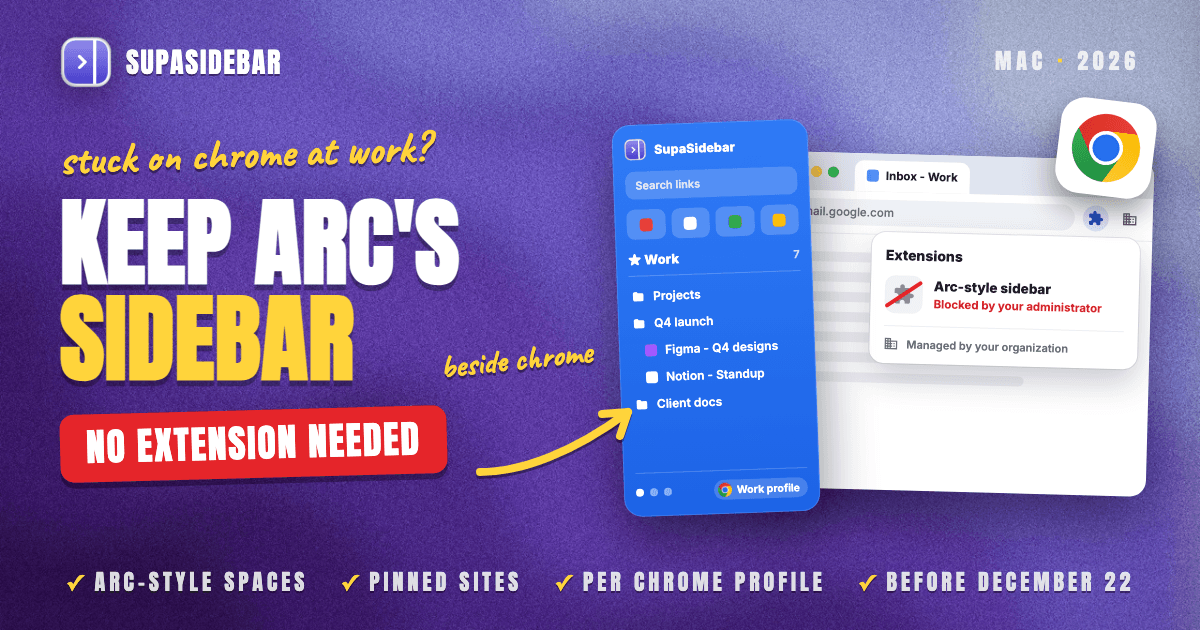
To keep the Arc sidebar in Chrome at work when you can't install a Chrome extension, put a standalone Mac app next to Chrome. SupaSidebar is a Mac app that adds Arc's sidebar and Spaces beside Chrome with no browser extension, so the Chrome your company manages stays untouched and its extension blocklist never applies. Chrome's own vertical tabs, tab groups and profiles cover part of Arc's sidebar with nothing to install. Arc-style Chrome extensions cover more, but many work Macs block them. Arc stops working on December 22, 2026, so move your Arc sidebar before then. One condition applies. Your managed Mac has to allow installing standalone apps.
Quick navigation
- Need the full Arc shutdown timeline? → Is Arc Browser Dead?
- Moving your Arc bookmarks and Spaces into Chrome itself? → How to Move Arc to Chrome Before December 22
- Wondering if Chrome's vertical tabs already replace Arc's sidebar? → Chrome Vertical Tabs vs Arc Sidebar (2026)
- Able to install any browser you like? → The complete Arc alternatives guide
- Stuck on Chrome because work says so? You are in the right place. Keep reading.
Four ways to get Arc's sidebar in Chrome at work
| Option | Installs inside Chrome | IT can block it | Arc-style Spaces | Saved links persist | Best for |
|---|---|---|---|---|---|
| Chrome vertical tabs | Nothing | Can be hidden by policy | No | No, open tabs only | A tall tab list, zero setup |
| Tab groups, pinned tabs, profiles | Nothing | Profiles can be locked | Partly | Synced groups save | Chrome with all installs blocked |
| Arc-style Chrome extension | An extension | Yes, one policy blocks all | Yes, inside Chrome | Yes | IT allows Web Store extensions |
| SupaSidebar (Mac app) | Nothing | Only if the Mac blocks apps | Yes, per Chrome profile | Yes, plus Chrome's open tabs | Managed Chrome on a Mac |
Arc shuts down December 22, and work keeps you on Chrome
Arc stops working on macOS and Windows on December 22, 2026. The Browser Company's farewell notice on arc.net says sign-in ends and accounts are deactivated that day, and personal data tied to a deactivated account is deleted within 30 days. New Arc accounts stopped on October 22, 2026. The full timeline lives in Is Arc Browser Dead?, but the practical meaning is simple. Arc's sidebar needs a new home within weeks.
For most people that new home would be another browser. On a work Mac it usually can't be. The company signs you in through Chrome, the security team manages Chrome through device management, and an unapproved browser such as Dia or Zen is often blocked outright or missing the certificates and single sign-on that internal tools need. One Reddit user put that split plainly. "I use Safari for personal and Chrome for work. Switching manually is painful."
So the real question is narrower than "which Arc alternative." It is how to get an Arc-like sidebar without switching browsers, on the Chrome you were issued. On October 28, 2026, that exact question went to ChatGPT, Perplexity and Gemini. All three answered with Chrome extensions, and all three added the same warning that IT may block extensions. That warning is the whole problem, and it is why the options below are sorted by what a managed Chrome allows.
What Chrome gives you at work with nothing to install
Chrome's built-in tools recreate part of Arc's sidebar without installing anything IT has to approve. You get a vertical tab list, named tab groups, pinned tabs and a separate profile per context. They are the right starting point on a fully locked machine, and they stop short of Arc's saved, persistent sidebar.
Vertical tabs.
Google announced vertical tabs for Chrome on April 7, 2026. In Chrome 146 or later, right-click any tab and choose "Show tabs vertically" to move the tab strip to the left. It is a layout for the tabs open right now. Close a tab and it leaves the list, and there are no Spaces. If the option is missing on a work machine, open chrome://management to see whether your organization manages the browser. The full side-by-side is in Chrome Vertical Tabs vs Arc Sidebar, and setup steps are in Vertical Tabs in Chrome on Mac.
Tab groups and pinned tabs.
Tab groups take a name and a color, and Google's tab management help page says synced groups save automatically, with a closed group staying on the bookmarks bar. Pinned tabs shrink to the site's icon at the start of the strip. Together they approximate Arc's Favorites and folders, but they live in the tab strip, not in a sidebar that holds links you have closed.
A profile per context.
A separate Chrome profile for each client or project is the closest native match to an Arc Space, since each profile keeps its own bookmarks, history and passwords. On a managed Chrome this can be switched off. Google's BrowserAddPersonEnabled policy, when set to false, stops users from adding a new person to Chrome. The complete Chrome rebuild of an Arc setup is covered in How to Move Arc to Chrome.
What none of these give you is the part people miss most, a persistent rail of saved links per Space that stays put whether or not a tab is open. That gap is where SupaSidebar comes in later in this post.
Why Arc-style Chrome extensions often stop at IT
Arc-style Chrome extensions such as Side Bar for Arc Users rebuild a sidebar with Spaces inside Chrome, and some can read Arc's sidebar file. On a personal Chrome they are a reasonable choice. On a managed Chrome, a single policy can block every one of them.
That policy is ExtensionInstallBlocklist. Google's Chrome Enterprise policy documentation states "a blocklist value of '*' means all extensions are blocked by default". Only extensions on the company's allowlist can then be installed, and an extension that is already installed gets disabled with no way for the user to turn it back on. The reasoning is easy to follow. An extension that can read your tabs can also read the internal tools open in them.
You can check where you stand in a minute. Open chrome://policy, and if ExtensionInstallBlocklist appears with a value of *, the extension route is closed unless IT approves a specific extension. Asking IT is a fair move. It is also a ticket, a review and a wait, with Arc's shutdown date getting closer.
SupaSidebar avoids that policy entirely because it is not an extension. Nothing gets installed in Chrome, so there is nothing for the blocklist to block.
SupaSidebar keeps Arc's sidebar next to Chrome, with no extension
The constraint on a work Mac is now clear. Keep the Chrome IT manages, install nothing inside it, and still get Arc's sidebar back before December 22.
SupaSidebar is the most direct way to keep Arc's sidebar in Chrome at work when extensions are off the table. It is a standalone Mac app that sits beside Chrome and holds your Spaces, pinned sites and saved links, and it shows Chrome's open tabs, all without installing anything in the browser your company manages.
SupaSidebar reads Chrome's tabs through macOS Automation (AppleScript) instead of a browser plugin, and it does not inject code into Chrome or change how Chrome behaves. Press ⌘⇧Space and the sidebar slides in from the edge of the screen. Press ⌘⌃K and the Command Panel searches your saved links, recent history and open Chrome tabs in one box. Pinned items hold up to 12 sites you can open with keyboard shortcuts, and each Space can carry its own set.
Spaces are where SupaSidebar matches Arc most closely. SupaSidebar's browser support docs list Chrome with Live Tabs and profile support, and since version 1.3.0 a Space can be linked to one Chrome profile. Live Tabs in that Space then shows only that profile's tabs, and links saved there open in that profile, the one already signed in to your company's tools. Your Arc sidebar comes across in three clicks, Preferences > Import and Export > Arc > Import, with a preview that lets you pick which Spaces to bring. Do that import before December 22. Chrome bookmarks import too, and each Chrome profile you pick becomes its own Space.
Here is a typical setup for someone whose company runs Chrome and who keeps personal browsing in Safari.
| Space | Linked to | Links inside it |
|---|---|---|
| Work | Chrome, work profile | mail.google.com, calendar.google.com, app.slack.com, linear.app, notion.so |
| Personal | Safari | icloud.com, youtube.com, reddit.com, amazon.com |
| Side project | Chrome, personal profile | github.com, vercel.com, figma.com |
Switching from Work to Personal swaps the whole saved rail, the pinned sites and the tab list in one shortcut (⌘⌃← or ⌘⌃→, once Space shortcuts are turned on in Preferences), so personal links never sit beside company tools during a screen share. That is the Arc Spaces habit, running next to the Chrome your company approved. The full Arc-feature mapping, including what has no equivalent, is in How to Replicate Arc Features in Any Browser on Mac.
SupaSidebar has real scope limits on a work Mac. It does not isolate browser sessions or cookies the way Arc's Spaces did, because it sits beside Chrome rather than being a browser. It runs only on macOS 14 or later, so a Windows work laptop is out. It also does not move Chrome's own tab strip, so pair it with Chrome's vertical tabs if you want both.
The biggest condition is the Mac itself. SupaSidebar installs as a regular Mac app, from a DMG at supasidebar.com or with Homebrew, so your company has to allow installing standalone apps. It also needs the Automation permission in System Settings > Privacy & Security. Apple's device management documentation shows that a managed Mac can allow or deny that permission per app, so check before counting on it.
What to use on a work Mac
Arc's sidebar does not have to end on December 22, even if work keeps you on Chrome. The answer depends on what your company allows, and SupaSidebar is the best fit for the most common case, a managed Chrome on a Mac that still allows apps.
If your Mac allows standalone apps, use SupaSidebar. It gives you Arc-style Spaces, pinned sites and saved links linked to your Chrome work profile, with nothing installed in Chrome for the extension policy to catch.
If your company blocks all installs, use what Chrome already has. Turn on vertical tabs, keep a tab group per project, and use one Chrome profile per context if policy permits.
If IT allows Chrome Web Store extensions and you never leave Chrome, an Arc-style extension is reasonable. Check chrome://policy first.
If you can install any browser you want, this constraint does not apply to you. The Arc alternatives guide compares every option.
Whatever you pick, export or import your Arc sidebar before December 22. Try SupaSidebar, free version available.
Why we recommend SupaSidebar
SupaSidebar is a macOS app that brings Arc's sidebar to every browser - one sidebar for tabs, bookmarks, files, and apps across 32+ browsers including Safari, Chrome, Edge, Firefox, Brave, Vivaldi, Dia, Comet, and Helium. Because it is a standalone menu bar app rather than a browser or an extension, it adds Arc-style Spaces and a Command Panel beside the Chrome your company requires, and Chrome's extension policy never touches it. 3,000+ Mac users have tried SupaSidebar, a free version is available, and it requires macOS 14 or later.
FAQ
Can I get Arc's sidebar in Chrome without installing an extension?
Yes. A standalone Mac app such as SupaSidebar adds an Arc-style sidebar with Spaces, pinned sites and saved links beside Chrome, and it shows Chrome's open tabs. It reads tabs through macOS Automation instead of a browser plugin, so nothing is installed in Chrome and a company extension blocklist does not apply to it.
Will my company's IT block an Arc-style sidebar extension in Chrome?
Often, yes. Chrome's ExtensionInstallBlocklist policy set to * blocks every extension that is not on the company allowlist, and it disables blocked extensions that are already installed. Open chrome://policy to see whether that policy is set on your work Chrome.
Are Chrome's vertical tabs the same as Arc's sidebar?
No. Chrome's vertical tabs, announced by Google on April 7, 2026 for Chrome 146 and later, move the open tabs into a list on the left. Arc's sidebar also kept saved links and pinned sites that persist after a tab closes and split them into Spaces, which vertical tabs do not do.
Does SupaSidebar work on a company-managed Mac?
It can, with two conditions. The Mac has to allow installing standalone apps, and the user has to be able to grant SupaSidebar the macOS Automation permission, which device management can allow or deny. SupaSidebar needs macOS 14 or later and does not run on Windows.
What happens to my Arc sidebar after December 22, 2026?
Arc stops working on macOS and Windows on December 22, 2026, accounts are deactivated, and The Browser Company deletes data tied to deactivated accounts within 30 days. Move the sidebar before that date. SupaSidebar imports Arc's Spaces, folders and pinned tabs through Preferences > Import and Export > Arc > Import.
Does SupaSidebar replace Arc's Spaces exactly?
Mostly, apart from session isolation. SupaSidebar Spaces separate saved links, pinned sites and open tabs by context, and since version 1.3.0 a Space can be linked to one Chrome profile. Because SupaSidebar sits beside Chrome rather than being a browser, it does not isolate cookies or sessions per Space the way Arc did.
Written by Kshetez Vinayak, founder of SupaSidebar.