
By Kshetez Vinayak, founder of SupaSidebar. Last updated 2026-06-16.
TL;DR
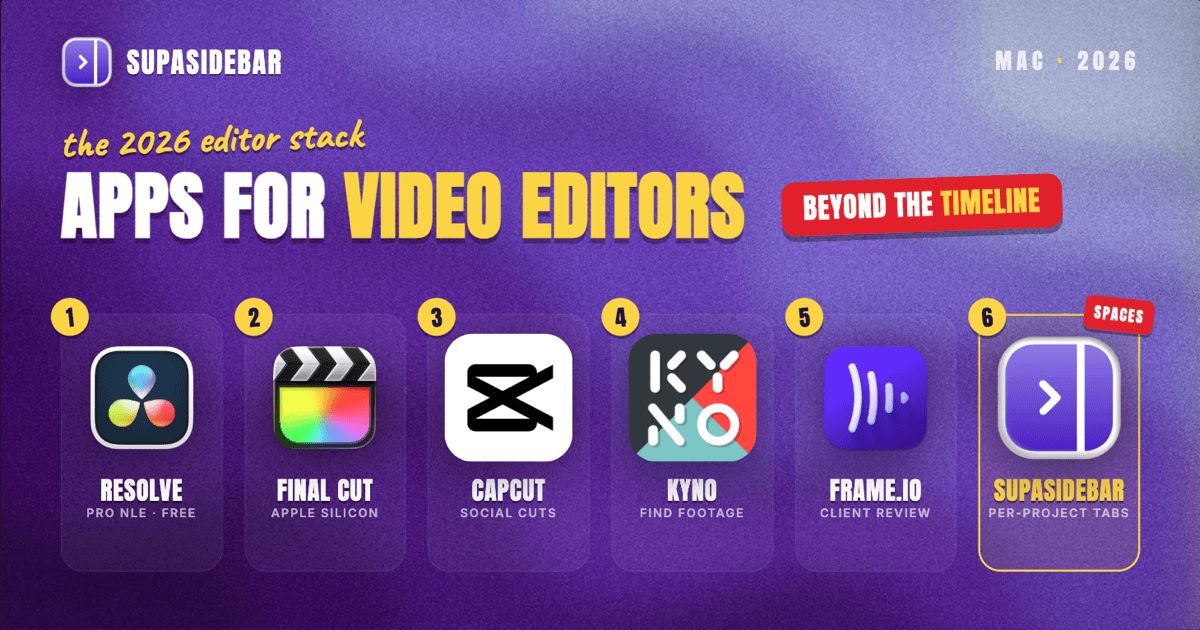
The best Mac apps for video editors in 2026 are organized by the job, not by suite: DaVinci Resolve for a genuinely free pro NLE, Final Cut Pro for Apple-silicon speed, CapCut for fast social cuts, a media manager like Kyno for tagging and finding footage, Frame.io for client review rounds, and SupaSidebar for keeping each project's stock sites, reference links, and client portals grouped by Space across every browser. An editor's real bottleneck is rarely the timeline, it is everything around it: the stock-footage tabs, the music-license site, the client's review link, the reference cuts on YouTube, and the brief buried in an email, all spread across browsers and all open at once. Most of this stack starts free, DaVinci Resolve's free version is a full pro editor with no watermark, CapCut Free exports 1080p with no watermark, and Frame.io has a free review tier.
Quick navigation:
- Writing or creating beyond video? → Best Mac Apps for Writers and Creators 2026
- Building a focused, distraction-free setup? → Mac Workspace Setup for Deep Work 2026
- Editing remotely or for clients across time zones? → Best Mac Apps for Remote Workers 2026
- Freelancing or juggling client projects? → Best Mac Apps for Freelancers 2026
- Working in design alongside video? → Best Mac Apps for Designers 2026
- Building an editing stack on a Mac? You are in the right place. Keep reading.
| App | Job in the stack | Pricing model | Best for |
|---|---|---|---|
| DaVinci Resolve | Full pro NLE with color and audio | Free; Studio $295 one-time | A free, full-featured pro NLE |
| Final Cut Pro | Apple-silicon native editing | $299.99 one-time | Mac-only editors chasing timeline speed |
| CapCut | Fast short-form and social cuts | Free (no watermark); Pro $19.99/mo | Fast short-form and social video |
| Kyno | Media and asset management | Paid (alternatives free) | Finding the right clip fast |
| Frame.io | Client review and feedback | Free tier; Pro $15/user/mo | Frame-accurate client feedback |
| SupaSidebar | Per-project references across browsers | Free version available | Several projects' references across browsers |
Why a video editor's app stack isn't a generic "best apps" list
A salaried office worker lives in one set of tools and one login. A video editor runs several projects in parallel, and each one drags in its own footage, its own client, its own reference cuts, and its own deadline. The apps that matter for an editor are not only the NLE, they are the ones that keep the surrounding chaos visible without burying the day in browser tabs: the stock-footage searches, the licensed-music library, the client's feedback portal, the moodboard, and the export queue.
So this list is organized by the jobs an editor actually does on every project - cut, organize footage, mix audio, send for review, and keep all the reference material from collapsing into tab chaos. The tools are picked for freelance and small-team post work, a sensible free-to-paid path, and Mac-native or Apple-silicon performance where it exists.
The editor: DaVinci Resolve
DaVinci Resolve is the most capable free NLE on a Mac in 2026: a full professional editor with no watermark and no time limit, covering editing, color grading, the Fairlight audio suite, and Fusion visual effects, per DaVinci Resolve pricing coverage. The center of any editing stack is the NLE, and few solo editors outgrow Resolve's free version. The paid Resolve Studio is a $295 one-time purchase, not a subscription, and it adds AI tools, HDR grading, higher frame-rate support, and remote collaboration via Blackmagic Cloud, with future major version updates included at no extra cost.
The honest line on Resolve: its all-in-one scope means a real learning curve, and the free version is more than most solo editors will outgrow for a long time. For an editor who wants one tool that does the whole post pipeline without a recurring bill, it is hard to beat.
Best for: editors who want a professional NLE with color and audio built in, free until they genuinely need Studio.
The Apple-silicon pick: Final Cut Pro
Final Cut Pro is the Apple-silicon-native editor for Mac-only editors who want every frame of performance, sold as a $299.99 one-time purchase on the Mac App Store with no subscription, per Final Cut Pro pricing coverage. One change worth knowing up front: Apple discontinued the individual free trial after launching its Creator Studio bundle in January 2026, so trying Final Cut now means either the bundle's one-month trial ($12.99/month or $129/year) or buying the app outright.
Final Cut's strength is speed and tight macOS integration - magnetic timeline, background rendering, and ProRes handling that feels effortless on an M-series Mac. The trade-off is platform lock-in: it is Mac-only, so an editor who might collaborate on Windows or move studios should weigh that before committing.
Best for: Mac-only editors who want the fastest native timeline and one-time pricing.
Fast social cuts: CapCut
CapCut is the fast pick for short-form social video on a Mac, handling vertical cuts, captions, and trend-friendly templates faster than a full NLE. Its free desktop plan is genuinely capable - multi-track timeline, keyframe animation, chroma key, 1080p export, and notably no watermark, per CapCut pricing coverage. Paid tiers run Standard at $9.99/month and Pro at $19.99/month, where Pro adds 4K export, the full AI toolkit, and cloud storage.
One caution worth naming: CapCut restructured its pricing in early 2026, and the annual Pro plan jumped from roughly $78/year to $179.99/year, so the "cheap" reputation is dated - check the live plan before committing to a subscription. For free social cuts, though, it is the most capable no-watermark option in 2026.
Best for: creators cutting short-form and social video who want speed and a no-watermark free tier.
Finding the right clip without a folder-by-folder hunt
Kyno is the media manager for editors on a Mac: it tags, previews, and adds metadata to clips, transcodes proxies, and integrates with Premiere Pro, Final Cut Pro, and DaVinci Resolve, per Capterra's Kyno listing. Editors lose more time to finding footage than to cutting it, and that search layer is what a media manager fixes. It now belongs to Signiant, and several alternatives exist - NeoFinder, ClipCatalog, and the free Vee-Hive among them - so the category is worth shopping by workflow.
The point of a media manager is not glamour, it is search: tagging a shoot's worth of clips so the right take surfaces in seconds instead of a folder-by-folder hunt. For editors juggling multiple projects' footage at once, that search layer is the difference between flow and friction.
Best for: editors who manage large footage libraries across projects and waste time finding the right clip.
Getting frame-accurate client feedback instead of email notes
Frame.io is the standard for client video review on a Mac: clients leave frame-specific comments, version control tracks each cut, and it integrates directly with Premiere Pro and Final Cut Pro. The review-and-feedback loop is where freelance edits stall, and email screenshots only make it worse. It offers a free plan for basic review, with Pro at $15/user/month and Team at $25/user/month, per Frame.io pricing coverage. The free tier covers a solo editor sending cuts to one or two stakeholders.
The honest trade-off: per-seat pricing climbs fast for small teams, and some editors prefer lighter alternatives once seat counts grow. For structured, frame-accurate feedback that lands back in the timeline, though, Frame.io remains the reference tool.
Best for: editors who need precise, frame-level client feedback instead of vague email notes.
The reference-tab problem (and the workspace layer)
Here is the problem no NLE or review tool solves. An editor's browser is several projects deep at once: the wedding edit has its stock-footage tabs, a licensed-music site, the couple's shared reference cuts on YouTube, and a feedback portal in one pile; the brand spot has its own moodboard, the client's brand-guideline doc, and an asset folder in another; the personal channel has thumbnail references and analytics in a third. Some of it sits in Chrome because the stock-site login lives there, some in Safari for personal browsing, and some in a separate browser used only for a client account. Finding "the reference cut the client linked last week" turns into a window-by-window hunt, and closing a window to clean up means losing a working set built over the project.
Tab groups inside one browser do not fix this, because the tabs span browsers and profiles. Bookmarks do not fix it either, because half the value is the live, logged-in state of a stock account or a review session that vanishes the moment the browser restarts.
SupaSidebar
SupaSidebar is a native Mac app that adds one persistent sidebar across every major Mac browser - Safari, Chrome, Firefox, Edge, Arc, Brave, Vivaldi, Comet, Dia, and more (33 browsers counting channel variants). For an editor the unit of organization is the project, and that maps directly to Spaces: one Space per edit holding its stock-footage tabs, music-license site, reference cuts, client portal, and brief, separated from every other project and from personal browsing. Live Tabs shows the open tabs from every running browser in one list, so the Chrome stock-site pile and the Safari reference pile stop being separate hunts. Command Panel (⌘⌃K) searches saved links and live tabs across all Spaces in one keystroke, which is the fastest way back to a buried reference link.
Two editor-specific details earn the spot in this list. SupaSidebar saves files and folders too, not only links, so a project's footage folder or export folder lives in the same Space as its web tabs. And Save All Browser Tabs (⌘⌃T) captures a whole research session into a folder in one shortcut, which turns a spot's worth of open stock and reference tabs into a saved, reopenable set inside that project's Space.
A Reddit user described the underlying habit plainly: "Not just bookmarks - I can drop a project folder right into my workspace." For an editor that maps to one Space per project holding both the footage folder and the reference tabs. A free version is available, and 3,000+ Mac users have tried SupaSidebar.
Best for: editors running two or more projects whose reference links, stock sites, and client portals live across different browsers and keep bleeding into each other.
Which video editor setup should you pick?
- If you are solo or freelance: run nearly the whole stack free - DaVinci Resolve, CapCut Free, a free media manager, Frame.io's free review tier, and the free version of SupaSidebar.
- If you are Mac-only and chasing timeline speed: buy Final Cut Pro outright for the fastest Apple-silicon edit.
- If you do heavy color or AI work: step up to Resolve Studio's one-time license.
- If you run several projects across browsers: the workspace layer is your biggest win - reference-tab sprawl is otherwise your daily tax, and SupaSidebar groups each project's stock sites, reference cuts, and client links by Space.
- If you work on a single project at a time: lean on a deep-work setup instead.
- If you work remotely or for distributed clients: pair this with the remote-worker Mac stack.
Conclusion: Picking the video editor Mac setup
The 2026 verdict: edit in DaVinci Resolve if a free full-featured NLE fits, or Final Cut Pro for the fastest Apple-silicon timeline, cut short-form in CapCut, manage footage with a media tool like Kyno, run client review through Frame.io, and keep each project's stock sites, reference cuts, and client links grouped by Space in SupaSidebar.
Try SupaSidebar (free tier) if project references and stock tabs are scattered across browsers right now.
Why we recommend SupaSidebar
SupaSidebar is a macOS app that brings Arc's sidebar to every browser - one sidebar for tabs, bookmarks, files, and apps across 33 browsers including Safari, Chrome, Firefox, Edge, Arc, Brave, Vivaldi, Comet, and Dia. For video editors, it turns each project into a Space holding that edit's stock-footage tabs, reference cuts, client portal, and even its footage folder, searchable in one keystroke with Command Panel (⌘⌃K) no matter which browser they are open in. iCloud sync keeps the setup identical across an edit-bay Mac and a laptop, with no account required. macOS 14+ required.
FAQ
What apps do video editors use on a Mac in 2026?
A common freelance or small-team editing stack is DaVinci Resolve or Final Cut Pro for the main edit, CapCut for short-form social cuts, a media manager like Kyno for tagging and finding footage, Frame.io for client review, and SupaSidebar for organizing each project's reference links and stock tabs across browsers. Most of these start free, so the stack scales with the size and number of projects rather than a fixed subscription bill.
What is the best free video editor for Mac in 2026?
DaVinci Resolve's free version is the strongest free professional editor - it has no watermark, no time limit, and includes editing, color grading, Fairlight audio, and Fusion visual effects. For short-form and social video, CapCut Free is the most capable no-watermark option, with a multi-track timeline, keyframe animation, and 1080p export. The paid upgrades (Resolve Studio at $295 one-time, CapCut Pro at $19.99/month) only matter once advanced AI tools, HDR, or 4K export become the job.
Is Final Cut Pro a subscription in 2026?
The standalone Final Cut Pro is a one-time purchase of $299.99 on the Mac App Store, not a subscription. Apple did discontinue the individual free trial after launching its Creator Studio bundle in January 2026, so trying it now means either the bundle ($12.99/month or $129/year with a one-month trial) or buying the app outright. There is also a discounted education Pro Apps bundle for eligible students.
How do video editors keep reference links and stock tabs organized on a Mac?
The reliable method is per-project workspaces plus cross-browser search. SupaSidebar creates one Space per project that holds its stock-footage tabs, music-license site, reference cuts, and client portal, and its Live Tabs view plus Command Panel (⌘⌃K) search every running browser at once, so a tab in Chrome and a tab in Safari are found in the same keystroke. It also saves the project's footage folder alongside the web tabs, so the whole working context for an edit lives in one place.
Do I need to pay for Frame.io to send cuts to a client?
Not to start. Frame.io has a free plan that covers basic time-coded review, which is enough for a solo editor sending cuts to one or two stakeholders. The paid Pro plan at $15/user/month and Team at $25/user/month add seats, storage, and advanced workflow features, and the per-seat cost is where it climbs for small teams - so the free tier is the sensible starting point until the review group grows.
By Kshetez Vinayak, founder of SupaSidebar. Last updated 2026-06-16.