
By Kshetez Vinayak, founder of SupaSidebar. Last updated June 11, 2026.
This is a living roundup. It gets refreshed as Safari, Brave, and Vivaldi ship major releases, so the dates below always reflect the most recent update cycle.
Quick navigation:
- Picking a browser, not tracking updates? → Best Browser for Mac in 2026
- Deciding between Safari and Chrome? → Safari vs Chrome on Mac in 2026
- Want the full Brave review? → Brave Browser on Mac Review 2026
- Just want what changed this year? → You're in the right place. Keep reading.
TL;DR
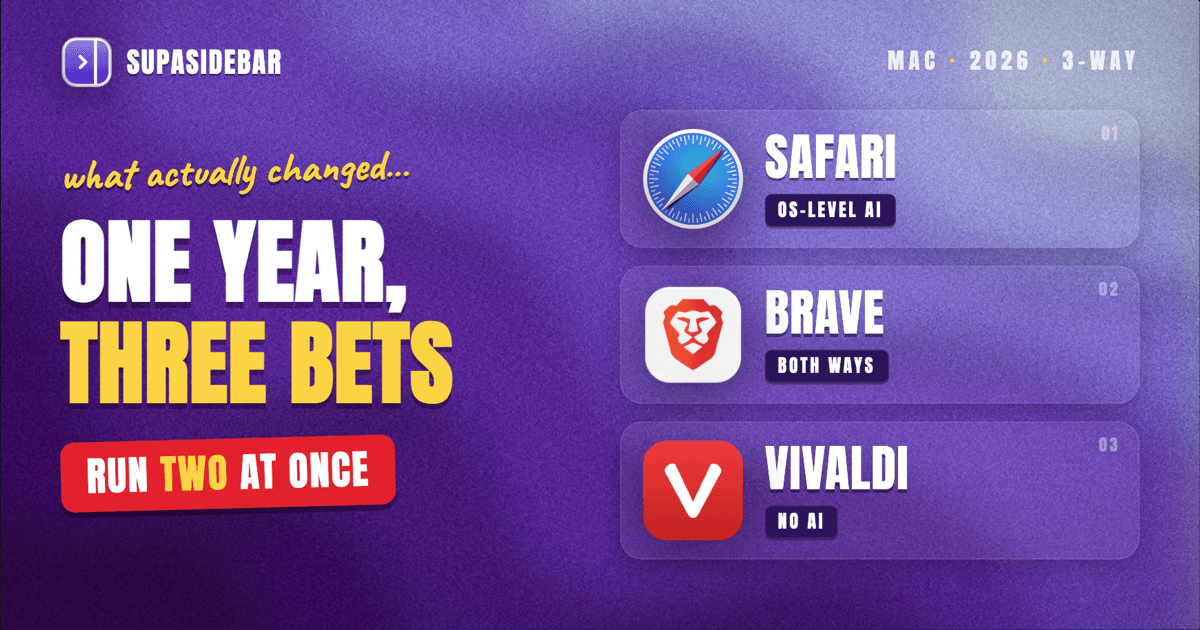
The three most interesting Mac browser updates of 2026 so far: Vivaldi shipped 8.0 in May, the biggest redesign in its history, with a unified interface, six preset layouts, and deliberately zero AI features. Brave launched Brave Origin in June, a paid one-time variant that strips out Leo AI, Rewards, and the built-in VPN for people who only want the ad blocking. And Apple used WWDC in June to announce Apple Intelligence features coming to Safari, including automatic tab organization by topic and page-change alerts, after the March update brought the compact tab bar back. The pattern is clear: Apple is betting on OS-level AI, Brave is hedging with an AI-free paid tier, and Vivaldi is refusing AI entirely. None of these updates requires switching browsers, and a cross-browser sidebar like SupaSidebar lets a Mac user run two of them side by side without losing track of tabs.
The 2026 Mac browser updates at a glance
| Browser | Biggest 2026 change | Shipped | AI direction |
|---|---|---|---|
| Safari | Apple Intelligence features announced at WWDC (tab topics, page-change alerts, AI-built extensions); compact tab bar returned in 26.4 | March 2026 (26.4); WWDC announcements ship with the next macOS | All-in, at the OS level |
| Brave | Brave Origin, a one-time-purchase variant with only the privacy core; adblock engine rewrite | June 4, 2026 (Origin) | Optional: Leo AI keeps growing, Origin removes it entirely |
| Vivaldi | Vivaldi 8.0 "Unified" redesign, six preset layouts, tab engine rewrite | May 21, 2026 | Deliberately none |
Each of these is covered in detail below, with what shipped, when, and whether it matters for a working Mac setup.
Safari browser updates in 2026
Safari's 2026 story has three chapters: the Tahoe redesign it entered the year with, a March quality-of-life release, and a June announcement that previews where Apple is taking the browser next.
The Tahoe baseline: Liquid Glass and floating tabs
Safari 26 arrived with macOS Tahoe 26 and its Liquid Glass design language. Tabs became rounded elements that float in the toolbar, and the sidebar got a visual refresh to match the rest of the system, per Apple's macOS Tahoe announcement. Through early 2026, point releases focused on stability and fixes rather than headline features. The redesign was divisive in the usual ways a Safari redesign is divisive: some users liked the lighter look, others wanted their old toolbar density back.
Safari 26.4: the compact tab bar returns (March 2026)
The most requested fix arrived on March 24, 2026, when macOS Tahoe 26.4 shipped with the compact tab bar option restored in Safari. Compact mode merges the tab into the address bar row, giving back a strip of vertical space and letting searches run directly from the active tab. Apple had removed the option in the initial Tahoe release, and its return is a small but telling concession: Mac users notice when a browser takes away layout control.
For anyone deciding whether Safari's 2026 form is right for their daily driver, the deeper trade-offs against Chromium browsers have not changed this year. The Safari vs Chrome on Mac comparison covers battery, extensions, and ecosystem in full.
WWDC 2026: Apple Intelligence comes to Safari
The bigger news is what Apple announced on June 8 at WWDC 2026. According to Engadget's WWDC 2026 recap, the next round of Safari browser features leans fully into Apple Intelligence:
- Automatic tab organization. Safari will group open tabs into topics on its own, an AI-driven take on the tab-group workflow.
- Page-change notifications. Safari can watch a page and alert you when it changes, the example use cases being a product price drop or a restock, with no manual refreshing.
- Generate-your-own extensions. Users will be able to describe an extension in plain language and have Safari build it, which would route around the long-standing thinness of Safari's extension catalog.
These features were announced, not shipped: they arrive with the next macOS release later in 2026. They are worth tracking because they target real daily friction (tab sprawl, refresh-checking, missing extensions) rather than chat-window novelty. Whether the automatic tab grouping is something users can shape or override will decide how useful it is in practice. Anyone who has fought an algorithmic inbox knows automatic organization is only as good as its escape hatch.
Brave browser features in 2026
Brave's 2026 has run in two directions at once: more AI in the main browser, and a brand-new variant with no AI at all.
Brave Origin: the privacy core, nothing else (June 2026)
On June 4, 2026, Brave launched Brave Origin, a one-time-purchase edition that strips out Leo AI, Brave Rewards, and the built-in VPN, keeping only the core: Chromium plus Brave Shields ad and tracker blocking. It costs $59.99 one-time on desktop and is free on Linux, while standard Brave stays free, per PPC Land's launch coverage. Origin is aimed at the exact user Brave's feature growth had been alienating: people who chose Brave for blocking, not for a crypto wallet or an AI assistant, and who would rather pay once than toggle off features after every update.
Origin is a notable strategic admission. The standard browser keeps adding integrated features, and Brave is now selling the absence of them as a product.
Under the hood: the adblock engine rewrite
The standard browser's most useful 2026 change is invisible. Brave overhauled its Rust-based adblock engine, and Brave's release notes report roughly 75% lower memory use for the blocking engine, which compounds with Brave's existing RAM advantage from never loading ads in the first place. On a MacBook with 8 or 16 GB of unified memory, the blocker getting cheaper is a real battery and multitasking win, not a changelog footnote.
Leo AI keeps expanding
Meanwhile Leo, Brave's built-in assistant, gained file uploads with PDF text extraction, inline search results inside chat responses, and bring-your-own-model support for users who want to point Leo at their own AI endpoint. The full picture of how Brave's pieces fit together on a Mac, Shields, Leo, Rewards, and the rest, is in the Brave Browser on Mac review.
Vivaldi browser features in 2026
Vivaldi made the loudest single move of the year.
Vivaldi 8.0: the Unified redesign (May 2026)
Vivaldi 8.0 shipped on May 21, 2026 with what the company calls the most significant design overhaul in the browser's history. The new "Unified" interface treats tabs, toolbars, panels, and page content as one continuous surface instead of stacked layers, per Vivaldi's what's-new page and OMG Ubuntu's release coverage. Under the surface, 8.0 includes a rewrite of the tab-management backend and refactored permission handling.
The redesign answers Vivaldi's oldest criticism, that its power came wrapped in visual clutter. Whether long-time users accept a calmer default is the question the next two quarters will answer.
Six layouts instead of a hundred toggles
The headline feature for new users is preset layouts: Simple, Classic, Vertical Left, Vertical Right, Auto-Hide, and Bottom. Each is a starting point that stays fully customizable, and the existing theme system continues alongside, with a built-in collection plus over 7,000 community themes. Vertical Left and Vertical Right presets make Vivaldi the easiest mainstream way to get vertical tabs on a Mac without extensions, a workflow Arc users will recognize.
The deliberate no-AI stance
Vivaldi 8.0 shipped without a single AI feature, and that was a statement, not an oversight. The company has positioned itself explicitly against the AI-browser wave. In a year when Safari is announcing AI tab grouping and nearly every Chromium fork is bolting on an assistant, Vivaldi is betting a meaningful slice of users wants a powerful browser that simply does not do that. Zen has carved a similar identity on the minimal side, covered in the Zen browser features guide.
The pattern: three different bets on what a browser should become
Put the year's updates side by side and 2026's latest web browser updates describe three distinct strategies:
- Apple is betting on OS-level AI. Safari's coming features lean on Apple Intelligence and the surrounding system, things a cross-platform browser cannot easily copy.
- Brave is betting on both. Leo grows for users who want AI in the browser, and Origin exists for users who will pay to remove it.
- Vivaldi is betting on craft. No AI, more layout control, faster tab engine. The browser as a precision tool.
For a Mac user, this divergence is good news. It means the browsers are differentiating instead of converging, and the right answer increasingly depends on what a specific workflow needs. That decision framework, which browser wins for which kind of user, lives in the Best Browser for Mac in 2026 guide.
Adopting a new feature without abandoning your browser
The quiet problem with a year like this: the interesting features land in different browsers. Vivaldi has the layout flexibility, Safari has the battery life and the coming AI organization, Brave has the strongest out-of-the-box blocking. Picking one means giving up the others, and switching a whole workflow over one feature is rarely worth it.
Running two browsers is the practical answer, and it is more common than browser marketing admits. The cost is fragmentation: tabs in two places, bookmarks in two places, and no single view of what is open. SupaSidebar is a macOS app that brings Arc's sidebar to every browser - one sidebar for tabs, bookmarks, files, and apps across 32+ browsers including Safari, Chrome, Firefox, Arc, Zen, Vivaldi, Brave, Helium, and Dia. Live Tabs shows what is open in every running browser in one list, and Spaces keep a project's tabs and links together regardless of which browser they open in. That makes "try Vivaldi 8.0 for a month while keeping Safari for battery" a low-cost experiment instead of a migration. There is a free version available, and the vertical-tabs comparison with Vivaldi covers how the sidebar approach differs from Vivaldi's built-in panels.
Conclusion: what to update, what to try
The verdict for mid-2026: Vivaldi 8.0 is the update most worth trying today, Brave's engine rewrite is the update most users will benefit from without noticing, and Safari's Apple Intelligence features are the announcement most worth waiting for, since they ship with the next macOS rather than now.
By user type: Safari loyalists should install 26.4 if they have not, turn the compact tab bar back on if they missed it, and judge the AI features when they actually ship. Brave users on the free browser get the adblock memory improvements automatically, and only privacy purists who actively dislike Leo and Rewards need to weigh Origin's $59.99 price. Tinkerers and ex-Arc users should give Vivaldi 8.0 a weekend with the Vertical Left layout, since it is currently the most Arc-like setup a mainstream browser ships natively. Multi-browser users can adopt any of these without consolidating, and SupaSidebar's free version keeps the tabs from both browsers in one sidebar while deciding.
This page gets refreshed as the next round of releases lands, including Safari's AI features when they ship.
FAQ
What's new in Safari in 2026?
Two things so far: macOS Tahoe 26.4 (March 24, 2026) restored the compact tab bar option, and at WWDC 2026 Apple announced Apple Intelligence features for Safari, including automatic tab organization into topics, notifications when a watched page changes (like a price drop), and the ability to generate custom Safari extensions by describing them. The announced features ship with the next macOS release later in 2026.
What is Brave Origin?
Brave Origin is a paid, one-time-purchase variant of Brave launched June 4, 2026. It removes Leo AI, Brave Rewards, and the built-in VPN, keeping only the Chromium base and Brave Shields ad and tracker blocking. It costs $59.99 one-time on desktop and is free on Linux. The standard Brave browser remains free and unchanged.
What's new in Vivaldi 8.0?
Vivaldi 8.0, released May 21, 2026, is the biggest redesign in the browser's history. It introduces a unified edge-to-edge interface, six preset layouts (Simple, Classic, Vertical Left, Vertical Right, Auto-Hide, Bottom), a rewritten tab-management backend, refactored permission handling, and a built-in theme collection alongside 7,000+ community themes. It contains no AI features by deliberate choice.
Which Mac browser changed the most in 2026?
Vivaldi, by a clear margin. The 8.0 release rebuilt the entire interface model and the tab engine. Safari's changes were smaller in what shipped (the compact tab bar return) but larger in what was announced (Apple Intelligence features). Brave's biggest shipped change was structural rather than visual: a new paid AI-free variant and a much lighter adblock engine.
Do you need to switch browsers to get the best 2026 features?
No. Each browser's updates apply automatically to its existing users, and running two browsers side by side is a practical way to get, say, Vivaldi's layouts and Safari's battery life at once. A cross-browser tool like SupaSidebar keeps tabs and bookmarks unified across both, which removes most of the friction of a two-browser setup.
Will Safari's new AI features work in other browsers?
Unlikely. The announced features are built on Apple Intelligence at the operating-system level and were presented as Safari features. Chromium browsers on Mac ship their own assistants instead, like Brave's Leo, and Vivaldi has committed to shipping no AI features at all.
By Kshetez Vinayak, founder of SupaSidebar.