
By Kshetez Vinayak, founder of SupaSidebar. Last updated November 26, 2026.
TL;DR
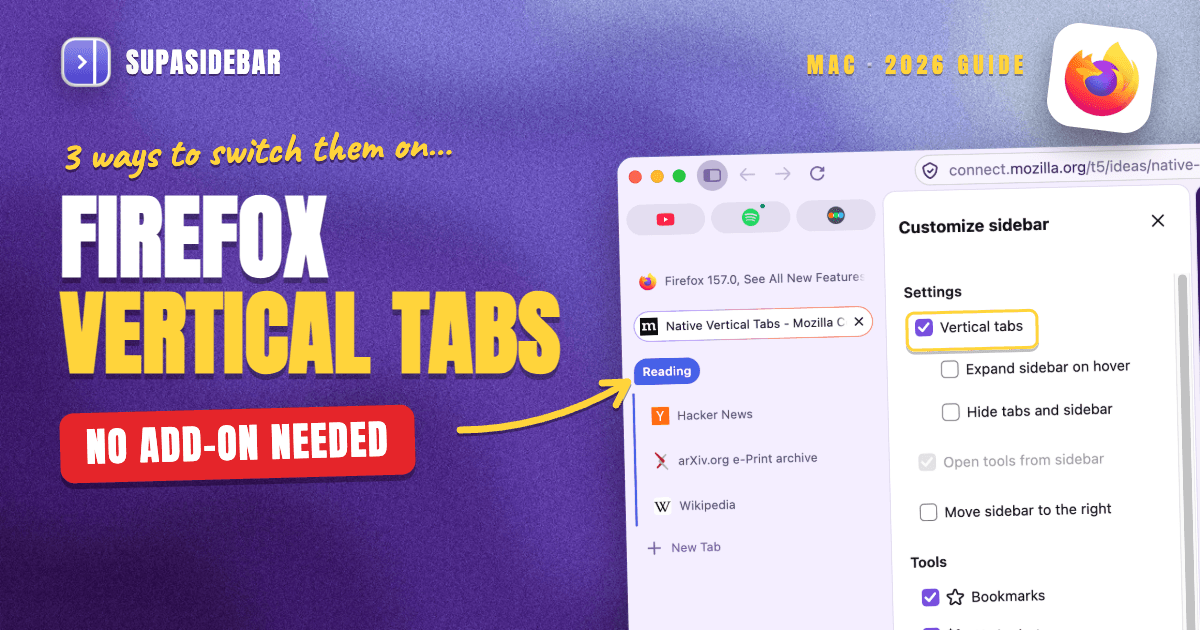
To turn on vertical tabs in Firefox on a Mac, right-click (or Control-click) the toolbar or the tab strip and choose Turn on Vertical Tabs. Vertical tabs are Firefox's built-in layout that moves your open and pinned tabs into a sidebar on the left, so a long list of tabs is quick to scan. The same switch sits behind the gear at the bottom of the sidebar, in Customize sidebar, and in Settings under General, Browser layout. Vertical tabs arrived in Firefox 136 and tab groups work inside the vertical list, per Mozilla's help page, its feature page, its tab groups page and the Firefox 136 notes. Since Firefox 157, the updated sidebar is on for everyone.
Firefox's own vertical tabs are the right pick for anyone who uses Firefox alone. They have no tree view (Mozilla's feature page leaves that to extensions), no workspaces (the Connect idea for them is still a "New idea"), and they show only Firefox's tabs (Mozilla help). For a Mac where Firefox shares the day with Safari or Chrome, SupaSidebar adds one sidebar whose Live Tabs list Firefox tabs next to theirs.
Quick navigation
- Using Safari instead? → Safari Vertical Tabs on Mac
- On Chrome? → How to Get Vertical Tabs in Chrome on Mac
- Comparing every Mac browser? → Vertical Tabs on Mac: Every Option Compared
- Want Firefox to look like Arc too? → The Best Firefox Arc Themes
- Weighing Firefox against Zen? → Zen Browser vs Firefox for Arc Users
- Want to keep a set of Firefox tabs for later? → How to Save All Open Tabs in Firefox
- Looking at Mac sidebar apps that work with any browser? → Mac Sidebar App for Browser Tabs
- On Firefox and want vertical tabs working well on a Mac? You are in the right place. Keep reading.
Firefox vertical tabs options at a glance
| Option | What you get | The catch | Best for |
|---|---|---|---|
| Firefox vertical tabs (136+) | Tabs, pins, groups and tools in one sidebar | No tree view (feature page), no workspaces (idea 66) | Firefox-only users |
| A tree-style tab extension (Mozilla) | Tabs in a tree view | One more add-on to keep working | Very long tab lists |
| Firefox profiles | Separate bookmarks, tabs and history (Firefox 144) | Each profile opens in its own window (Mozilla help) | Work and personal split |
| SupaSidebar beside Firefox (Live Tabs) | Firefox, Safari and Chrome tabs in one list, plus Spaces (workspaces for saved links) | Links a Space to all of Firefox, not to one Firefox profile (browser support) | People using 2+ browsers |
How to turn on vertical tabs in Firefox on a Mac
Right-click the toolbar or the tab strip and choose Turn on Vertical Tabs (Mozilla help). Three routes lead to the same switch.
- From the toolbar. Right-click (or Control-click) the toolbar or the tab strip, then pick Turn on Vertical Tabs, per Mozilla's help page.
- From the sidebar. Click the gear at the bottom of the sidebar to open Customize sidebar, then tick Vertical tabs, as the same help page shows.
- From Settings. Open Settings from the Firefox menu, go to General, then Browser layout, and switch to vertical tabs, per Mozilla's vertical tabs page.
To turn them off, use the same right-click menu or untick Vertical tabs in Customize sidebar, which also moves the sidebar to the right and has a Hide tabs and sidebar box (help page). The sidebar button in the toolbar (or Ctrl + Z) switches between a collapsed strip of icons and an expanded list with titles, per Mozilla's help page.
If vertical tabs vanished.
Since Firefox 157, setting sidebar.revamp to false restores the old sidebar and turns vertical tabs off with it. The Firefox 154 and Firefox 155 notes also list a known issue where vertical tabs may not return after a restart, fixed in Firefox 155.0.1. On an older version, the sidebar toolbar button brings them back (Firefox 155 notes).
None of these settings reach past Firefox, so a tab open in Safari or Chrome never shows in this column (Mozilla help), the gap SupaSidebar's Live Tabs fill further down.
What the Firefox sidebar holds in November 2026
The sidebar holds your open and pinned tabs, any tab groups, and a row of tools. Mozilla's help page lists the tools as an AI chatbot, bookmarks, history, tabs from your synced devices, and passwords.
- Shortcuts. ⌘B opens bookmarks and ⌘⇧H opens history in the sidebar (help page).
- Passwords. In the sidebar by default since Firefox 159.
- Resizing. The pinned section has a drag divider since Firefox 140, and the tools area since Firefox 141.
How the sidebar got here, newest first.
| Firefox version | Released | What changed for vertical tabs |
|---|---|---|
| 160 | November 10, 2026 | Drag History entries from the sidebar to the tab strip |
| 159 | October 27, 2026 | Passwords in the sidebar by default |
| 157 | September 29, 2026 | Updated sidebar for everyone, visual refresh, compact mode |
| 149 | March 24, 2026 | Split View |
| 145 | November 11, 2025 | Group preview on hover |
| 144 | October 14, 2025 | Drag into collapsed groups, profiles roll out worldwide |
| 138 | April 29, 2025 | Tab groups for all users, profiles start rolling out |
| 136 | March 4, 2025 | Vertical tabs and the updated sidebar arrive |
All of these tools hold Firefox's own data only (Mozilla help). SupaSidebar can import Firefox bookmarks and recent Firefox history into one sidebar shared with other browsers (browser import guide, browser support).
Tab groups in the vertical sidebar
Tab groups work in the vertical list the same way they do along the top. Drag one tab onto another, pause and drop to make a group (Firefox 138 notes), and the group shows edged with a color line (tab groups help).
- Collapsed groups keep the active tab visible (Firefox 142).
- Tabs drag into a collapsed group without opening it (Firefox 144).
- Hovering a group's name previews its tabs (Firefox 145).
- Drag-to-group can be switched off (Firefox 150).
Groups are local only and don't sync with Firefox Sync, and groups made in a private window are deleted, per Mozilla's tab groups help. SupaSidebar's Spaces and saved links do sync between Macs through iCloud (sync docs).
What Firefox users asked for, and what shipped
Of four sidebar requests on Mozilla Connect, Firefox has shipped the two with the most kudos. In a count on November 21, 2026, native vertical tabs and native tab grouping were marked Delivered, while workspaces and a tree view were still "New idea".
| Mozilla Connect idea | Posted | Status | Kudos | Comments |
|---|---|---|---|---|
| Native Vertical Tabs | March 1, 2022 | Delivered | 1,756 | 318 |
| Native Tab Grouping | March 2, 2022 | Delivered | 4,606 | 980 |
| Workspaces à la Opera | March 1, 2022 | New idea | 148 | 67 |
| Automatic tree structure for vertical tabs | March 5, 2025 | New idea | 62 | 12 |
The tree request came the day after Firefox 136 shipped, because with a flat list "the available display space runs out pretty quickly" (idea 88950). A Connect thread from August 21, 2026 adds the pins problem, "Firefox pins are just small tabs that drift."
Workspaces and fixed pins are the two asks a Mac app can add from outside Firefox, which is where SupaSidebar's Spaces and pins come in below.
Where Firefox vertical tabs fall short on a Mac
Firefox's sidebar is built for Firefox's own tabs, which leaves four gaps.
- No tree. Tabs sit in one flat list, and Mozilla's feature page sends tree layouts to extensions.
- No workspaces. Profiles keep bookmarks, passwords and history apart, but each profile opens in its own window (Mozilla help).
- Pins that drift. A pinned tab is still a tab, so it changes page as you browse (Connect thread).
- Firefox tabs only. The sidebar lists Firefox tabs plus tabs synced from your other devices (help page), so a work Gmail tab in Chrome stays out of view.
The last gap is the one no Firefox setting can close, and the one SupaSidebar's Live Tabs were built for.
SupaSidebar: Firefox tabs next to Safari and Chrome in one sidebar
SupaSidebar is a Mac app that puts one sidebar beside every browser, and its Live Tabs list shows the tabs open in Firefox next to tabs from Safari, Chrome and other browsers (Live Tabs docs). It is the pick for a Mac that runs Firefox plus at least one other browser.
Firefox tabs in a cross-browser list.
Firefox, Firefox Developer Edition, Firefox Nightly and LibreWolf all show in Live Tabs, where any tab can be searched, switched to, closed or saved (Live Tabs docs).
Spaces linked to Firefox.
Since SupaSidebar 1.6.0, a Space can be linked to Firefox as a whole browser (browser support), and that Space then lists only Firefox tabs (Link a browser or profile).
Pins that stay put.
SupaSidebar pins are saved links with a fixed address, so clicking one returns to that page, switching to its tab when it is already open (Pinned Items docs).
Firefox bookmarks and history.
Firefox bookmarks import directly, one Space per chosen profile (browser import guide), and the last 30 days of Firefox history import too (browser support). The Command Panel (⌘⌃K) then searches saved links, open tabs and history in one box (Command Panel docs).
One long-time user of Firefox's Multi-Account Containers described SupaSidebar in a support email as "a way to achieve, with almost any browser, what I had in place with multi account containers." On r/macapps, amerpie wrote that it is built for "people who use multiple browsers and need a way to consolidate browser context."
A worked example: three Spaces for Firefox and Chrome
Take a Mac with Chrome for a company Google account and Firefox for everything personal.
| Space | Linked to | Saved links |
|---|---|---|
| Work | Chrome | mail.google.com, meet.google.com, linear.app |
| Personal | Firefox | youtube.com, letterboxd.com, open.spotify.com |
| Reading | Not linked, every browser | news.ycombinator.com, arxiv.org, substack.com |
Switching Spaces with ⌘⌃← and ⌘⌃→ (Spaces docs) swaps the saved links, and the pins too once Per-Space Pinned Tabs is on in Settings > Sidebar > Display Options (Pinned Items docs). Live Tabs in Personal show only Firefox tabs, and Reading, which is not linked, shows tabs from every browser (Live Tabs docs).
Set it up with Firefox
- Install SupaSidebar, grant Automation and Accessibility, and turn on Live Tabs for Firefox. Firefox tab lists need Accessibility (permissions guide).
- Click the link icon beside a Space's name and pick Firefox (Link a browser or profile).
- Click the Firefox label beside the Space name and choose Check for new bookmarks in Firefox to bring Firefox bookmarks into that Space (browser import guide).
Honest scope.
SupaSidebar is a sidebar app, not a browser or a Firefox extension, so Firefox's own vertical tabs keep working beside it. A Space links to Firefox as a whole browser, not to one Firefox profile (browser support). It needs macOS 14 or later.
Which vertical tabs sidebar is best for Firefox on Mac?
Firefox's own vertical tabs are best for Firefox alone. SupaSidebar is best for a Mac that also runs Safari or Chrome, since it is the only option here that lists tabs from more than one browser (Live Tabs).
| Who you are | Best pick | Why |
|---|---|---|
| Firefox only | Firefox vertical tabs | Built in since 136 |
| Firefox only, very long tab lists | Firefox plus a tree-tab extension | Tree view comes from extensions (Mozilla) |
| Work and personal in Firefox | Firefox profiles | Separate bookmarks and history (Mozilla help) |
| Firefox plus Safari or Chrome | SupaSidebar | Every browser's tabs in one list (Live Tabs) |
Conclusion
Firefox's vertical tabs are now good enough that most Firefox users should simply turn them on. Right-click the toolbar, choose Turn on Vertical Tabs, and tabs, pins, groups and tools share one column (Mozilla help). Since Firefox 157 that sidebar is on for everyone, and the old one stays available only until the end of 2027, so this is the layout to learn.
The picks are simple.
- Firefox only. Use the built-in vertical tabs, plus tab groups for projects.
- Firefox only, very long tab lists. Add a tree-tab extension, since tree view isn't built in (feature page).
- Work and personal kept apart. Use Firefox profiles, one window each.
- Firefox plus Safari or Chrome. Keep Firefox's vertical tabs and add SupaSidebar, whose Live Tabs put every browser's tabs in one list.
The next step takes a minute. Turn on vertical tabs in Firefox today. If a second browser is part of the day, SupaSidebar has a free version available, so download SupaSidebar and link a Space to Firefox.
Why we recommend SupaSidebar
SupaSidebar is a macOS app that brings Arc's sidebar to every browser - one sidebar for tabs, bookmarks, files, and apps across 32+ browsers including Safari, Chrome, Firefox, Edge, Arc, Brave, Vivaldi, Dia, and Comet. More than 6,000 people use SupaSidebar, its Spaces and saved links sync through iCloud, and it runs on macOS 14 and later.
FAQ
How do I get vertical tabs in Firefox on Mac?
Right-click (or Control-click) the toolbar or tab strip and choose Turn on Vertical Tabs. You can also tick Vertical tabs in Customize sidebar, behind the gear at the bottom of the sidebar (Mozilla help), or go to Settings, General, Browser layout (feature page).
Which version of Firefox added vertical tabs?
Firefox 136, released March 4, 2025, added vertical tabs and the updated sidebar as options anyone could turn on (Firefox 136 notes). Firefox 157, released September 29, 2026, turned the updated sidebar on for everyone (Firefox 157 notes).
Why did my Firefox vertical tabs disappear?
One cause since Firefox 157 is the sidebar.revamp preference set to false, which restores the old sidebar and turns vertical tabs off (Firefox 157 notes). A restart bug in Firefox 154 and Firefox 155 could also leave them hidden, and Firefox 155.0.1 fixed it, so update Firefox first.
Can Firefox vertical tabs show tabs in a tree?
No. Firefox's vertical tabs are one flat list, and Mozilla's feature page leaves tree layouts to extensions. The Connect request for an automatic tree structure is still marked "New idea".
Does Firefox have workspaces or Spaces like Arc?
No. The Connect idea for workspaces is still marked "New idea", and the closest built-in tool is a profile per context, each in its own window (Mozilla help). SupaSidebar adds Spaces that can be linked to Firefox (Link a browser or profile).
What is the best vertical tabs sidebar for Firefox on Mac?
For Firefox alone, Firefox's own vertical tabs, built in since Firefox 136. For a Mac that also runs Safari or Chrome, SupaSidebar, because its Live Tabs list Firefox tabs next to tabs from the other browsers in one sidebar.
By Kshetez Vinayak, founder of SupaSidebar. Last updated November 26, 2026.