
By Kshetez Vinayak, founder of SupaSidebar. Last updated 2026-06-03.
Quick navigation:
- Want the broader Mac sidebar category overview? → Mac Sidebar App: The Complete Guide
- Specifically evaluating Workona? → SupaSidebar vs Workona and Workona Alternative: Tab Workspace Manager
- Just need to save the current tab pile across browsers? → How to Save All Open Tabs
- Need cross-browser tab management overall? → Best Browsers for Tab Management 2026
- Looking for the project-switcher answer? → Keep reading.
TL;DR
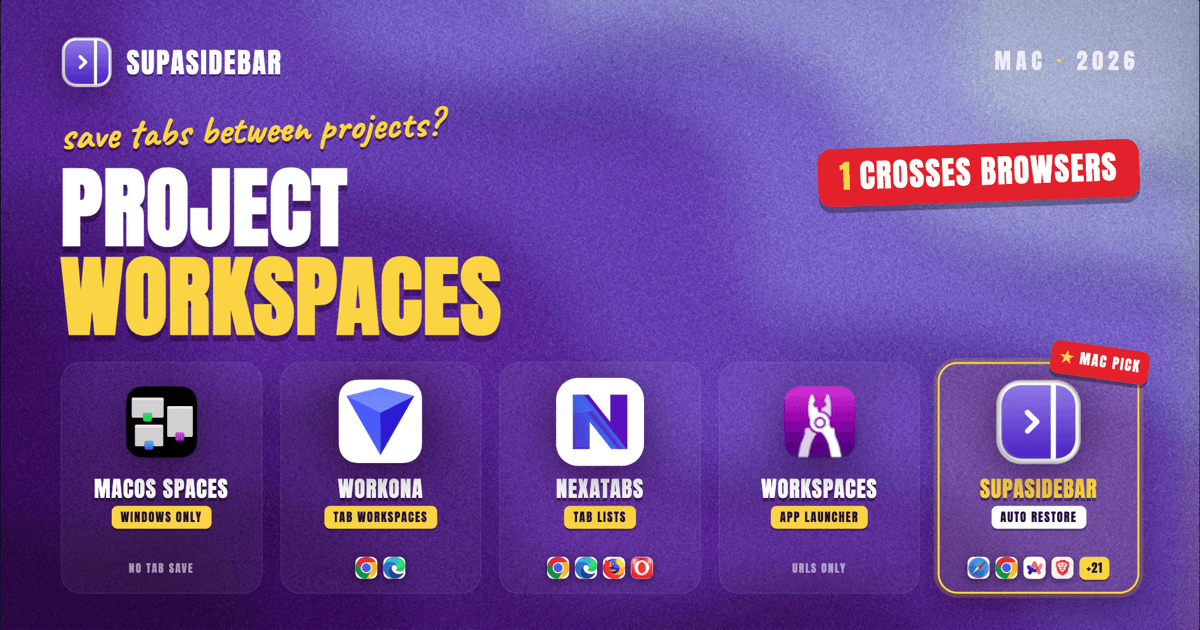
The Mac apps that save browser tabs and app state between projects in 2026 fall into three tiers. The simplest: macOS built-ins (Spaces, Stage Manager) handle window groups but lose browser-tab state the moment a browser quits. The middle tier: browser-bound tools like Workona (Chrome and Edge only, free for 5 workspaces) and SessionBox save tab sets inside one browser. The cross-browser tier: SupaSidebar's Link Open Tabs to Space feature gives each Space its own per-tab memory - leaving a Space closes its tabs, returning to it reopens them in the original browser and profile (Brave-Work tab returns to Brave-Work). Spaces work across Safari, Chrome, Firefox, Arc, Zen, Vivaldi, Brave, Helium, and Dia (25+ browsers in total) and sync via iCloud. For Mac users who run more than one browser per project, the cross-browser tier is the only one that actually fits the question.
The problem these queries describe
The search queries "mac app that saves browser tabs and app state between groups" and "mac app save open apps browser tabs project switching" describe a real workflow pain that users do not have a category name for.
The pattern usually looks like this: a Mac user is mid-task on Project A. Chrome has 12 open tabs (the client's CMS, two Google Docs, three Stack Overflow threads, a Notion page, a Linear ticket). Safari has another 4 tabs (research, articles, an email thread, ChatGPT). Slack, Figma, and Cursor are open in the background, scoped to Project A.
Then Project B calls. The Mac user has to:
- Find a way to remember every tab and app currently scoped to Project A.
- Close or hide them all without losing the state.
- Bring up the corresponding pile for Project B.
- Reverse it 90 minutes later when Project A resumes.
A Reddit thread in r/productivity in 2026 (How do you handle switching between different projects without losing your train of thought?) captures the cost: "I'm juggling 3-4 active projects at any given time, and every time I switch from one to another I spend 10-15 minutes just getting back into the right headspace." Another r/productivity post (I lose half my day to context switching between tabs, 73 upvotes) puts the number at three hours per day lost to context switching.
The actual category name for this workflow is "project-based workspace switching" or "context switcher." Different tools solve different slices of it. None of the search results use that exact phrase, which is why the queries above end up so descriptive.
What "saves browser tabs and app state" actually means
Before comparing tools, the question deserves a definition. "Saves browser tabs and app state between projects" usually means at least one of these capabilities:
- Tab grouping with named context - a labelled set of browser tabs (Chrome tabs, Safari tabs, or both) that can be opened or closed together.
- Cross-browser tab persistence - the same group remembers tabs from more than one browser, not just one.
- App-window persistence - the non-browser app windows (Slack, Figma, Cursor, Linear) come back to where they were.
- Per-project asset bundling - saved links, notes, files, and reference URLs scoped to the project, not the whole machine.
- State survival across quit and restart - the project pile comes back even if the browser was force-quit, the Mac restarted, or the project sat untouched for a week.
Most tools cover one or two of these. Very few cover four or all five.
The five solution categories
Category 1: Native macOS - Spaces and Stage Manager
What it does:
macOS Spaces (Mission Control) lets you assign apps to virtual desktops and swipe between them. Stage Manager (introduced in macOS 13, improved in macOS 14+) groups windows into named scenes per app.
What it saves:
The window positions and which apps are visible. Spaces and Stage Manager remember the layout across logouts in macOS 14+.
What it does NOT save:
Browser tab state. If Chrome is in Spaces 2 with 12 tabs open and you switch to Spaces 1, those tabs are still loaded in memory. If Chrome quits, restarts, or crashes, the tab pile does not come back unless the browser's own restore-session feature kicks in - and that restore is global to Chrome, not scoped to your Space.
Verdict:
Useful for window organization, useless for tab-state persistence. The native Mac tools were never designed to save browser tabs by project; they save window layouts.
Category 2: Browser-native tab groups and session restore
What it does:
Chrome, Safari, Firefox, Arc, Edge, and Brave all have some form of tab groups or named tab collections. Chrome's Tab Groups (introduced 2020), Safari's Tab Groups (introduced macOS 13), Firefox's Containers and Tab Manager extensions, and Edge's Workspaces all let you name a collection of tabs and reopen them.
What it saves:
Tabs within that one browser. Each tab group stays inside its parent browser.
What it does NOT save:
Cross-browser context. A Chrome Tab Group does not know about your Safari tabs. App windows are also out of scope - tab groups are browser features, not OS features.
Verdict:
Works if every browser session for a project lives in one browser. Falls apart the moment the project spans Safari and Chrome (the common Mac case, since SSO and personal accounts often split across browsers).
Category 3: Browser extensions - Workona, NexaTabs, SessionBox, Session Buddy
What it does:
These extensions sit on top of one or two browsers and add a project/workspace layer. Workona is the most established: it replaces Chrome's new tab page with a workspace manager and autosaves every tab in every workspace. NexaTabs and Session Buddy take similar approaches in different shapes.
What it saves:
Tab sets per workspace, with autosave. Workona also persists across devices via its own cloud sync, and integrates with Google Docs, Notion, and Slack as workspace-level pinned resources.
What it does NOT save:
- Cross-browser tabs. Workona supports Chrome and Microsoft Edge only. Safari, Firefox, Brave, Zen, and Arc users get nothing. NexaTabs supports Chrome, Edge, Opera, and Firefox - still no Safari, still no Arc.
- Non-browser app state. Workona is a tab-tool. It does not move your Slack window, your Figma file, or your Cursor project.
- Free-tier scope at scale. Workona's free plan caps workspaces at 5 (reduced from 10 in 2025). Pro is $8/month for unlimited.
Verdict:
Best-in-class if you live in Chrome or Edge and your project is "this set of tabs." Hits a hard wall at the browser boundary.
Category 4: System-level workspace apps - Workspaces, Ikuna, Tabby
What it does:
Mac apps that operate above the browser layer. Workspaces (Apptorium) saves named project bundles that can include apps, files, folders, URLs, scripts, and SSH sessions. Ikuna takes a similar system-level approach. Tabby focuses on browser-tab grouping with project naming.
What it saves:
App-launcher state. Open Slack, open the Figma file at this URL, launch the Terminal in this directory, open these three browser tabs - all triggered by clicking the project name.
What it does NOT save:
Live browser-tab state. Workspaces opens a fixed set of URLs you defined when creating the project; it does not capture whatever tabs you have open right now and restore them later. The tab list is configured, not learned. Tabby is better at the tab-capture side but still operates per-browser-window rather than cross-browser.
Verdict:
Excellent for "launch the project setup" workflows, useful when starting a project session from cold. Weaker when the goal is "capture the current pile and restore it later."
Category 5: Cross-browser sidebar apps - SupaSidebar Spaces with Link Open Tabs to Space
What it does:
SupaSidebar is a Mac sidebar app (not a browser, not an extension) that lives in the menu bar and shows a persistent sidebar on any browser. Its Spaces feature creates named project workspaces, each holding its own pinned tabs, saved links, folders, and Air Traffic Control rules. The mechanic that solves the project-switching question specifically is an opt-in advanced feature called Link Open Tabs to Space.
With Link Open Tabs to Space turned on (Preferences → Tabs & History → Advanced), every Space gets per-tab memory. A switch with the feature on runs five steps:
- Snapshot - if Auto-link is on (the default sub-toggle), the outgoing Space's currently open tabs are saved as linked to that Space.
- Close - the outgoing Space's tabs are closed in the browser, one tab at a time, skipping any tabs you locked.
- Switch - the sidebar flips to the new Space.
- Launch - for profile-linked Spaces, the linked browser is raised or cold-launched if it is not running.
- Restore - every URL the new Space remembers as linked, but is not already open, is reopened in the original (browser, profile) pair.
So a Space named "Project A" that you left with 12 tabs open in Chrome Work profile and 4 tabs open in Safari closes all 16 tabs on leave and restores all 16 - the Chrome ones in Chrome Work, the Safari ones in Safari - the next time you switch back. The Brave-Work tab returns to Brave-Work, not Brave-Personal, because Link Open Tabs to Space tracks the source profile.
Locks
any tab you want to keep open everywhere (music player, chat app, dashboard, long-running form) can be locked. Locked tabs skip the close step and stay open across every Space switch. Locks are per-machine.
What it also saves per Space
(independent of Link Open Tabs to Space):
- Pinned tabs per Space (0.17.0+), the shortcut tabs that should always be one click away.
- Saved links, folders, and Smart Folders per Space.
- Air Traffic Control rules per Space.
- All Saved content syncs via iCloud (no account required).
Why the feature is off by default:
the close-and-reopen step uses AppleScript, which is timing-fragile, and the behavior changes how tabs work across Spaces in a way a casual Mac user does not expect. SupaSidebar gates the master toggle behind the Advanced section so it is a deliberate opt-in. A small phase banner ("Closing 4 tabs...", "Opening 6 linked tabs...") appears in the sidebar during each switch with a one-click off button. Space switches with the feature on include a 250 ms pause and rapid switching is coalesced to the final target Space.
What it does NOT save:
Non-browser app windows (Slack, Figma, Cursor, Linear) - those stay in the OS layer. SSB does not move app windows; that is Stage Manager or Workspaces territory.
Verdict:
The only option in this list that closes a project's tabs on leave and reopens them on return in the original browser and profile, across all 25+ supported browsers. The right answer for Mac users whose project pile spans more than one browser. Pairs with macOS Stage Manager or Workspaces by Apptorium for the app-window layer.
"The ability to organize multiple workspaces and flows is great! Perfect for keeping each project/motion grouped together"
- SupaSidebar user via Reddit
"I keep work and personal life completely separate using Spaces"
- SupaSidebar user via Reddit
Side-by-side comparison
| Tool | Tab save | Cross-browser | App window state | Free tier | Mac platform |
|---|---|---|---|---|---|
| macOS Spaces / Stage Manager | No tab persistence | No | Yes (window layout) | Built in | macOS 14+ |
| Browser-native tab groups | Per browser only | No | No | Built in | All major browsers |
| Workona | Yes, autosave | Chrome + Edge only | No | 5 workspaces | Chrome / Edge extension |
| NexaTabs | Yes | Chrome, Edge, Opera, Firefox | No | Limited free tier | Browser extension |
| Workspaces (Apptorium) | Configured URLs, not live tabs | Cross-browser via URLs | App launch only | 7-day trial | macOS app |
| Tabby | Per browser window | No | No | Free tier | Mac App Store |
| SupaSidebar Spaces + Link Open Tabs to Space | Per-Space tab memory: close on leave, reopen on return in original (browser, profile) | Yes (25+ browsers) | No (use Stage Manager) | 3 Spaces free | macOS 14+ native app |
Why cross-browser support matters for project switching
Looking at the Mac user base in 2026, the single-browser assumption that browser-extension workspaces (Workona, NexaTabs) make does not hold for most professional workflows.
A typical Mac project setup splits across browsers for reasons that have nothing to do with preference:
- SSO scope: company Google Workspace is configured in Chrome with the work profile, personal Gmail in Safari, side-project Google account in Firefox with a separate profile.
- Privacy split: Safari handles browsing that touches Apple Pay or Keychain, Chrome handles dev tools, Brave handles content with heavy trackers.
- Tool isolation: Arc users hold onto Arc for its sidebar workflow, but ship the SSO-protected client tooling in Chrome because the IT admin only approved Chrome.
- AI assistants: ChatGPT in one browser tab, Claude in another, Perplexity in a third - often deliberately separated so the chat history does not bleed across contexts.
Project A and Project B inherit this split. "Save the tabs for Project A" is not a single-browser request when Project A's tabs are 12 in Chrome, 4 in Safari, and 2 in Arc.
This is the gap Workona and NexaTabs cannot close without a Safari, Firefox, or Arc version - and Apple's Safari Web Extensions API constrains how much an extension can do even when one ships. A Mac-native app sitting above the browser layer is the structural answer. SupaSidebar takes that approach.
Picking what to use
Single-browser user, all-in on Chrome or Edge:
Workona is the most polished tool in this category. The free tier (5 workspaces) covers most freelancers. Pro at $8/month is reasonable for full-time use.
Single-browser user, on Safari only:
Safari Tab Groups native plus Safari's session restore. Switch to a different tool only if Tab Groups feel limiting.
Multi-browser user (Mac):
SupaSidebar Spaces with Link Open Tabs to Space turned on is the only tool in this guide that closes a project's tabs on leave and reopens them on return in the original browser and profile. Free tier includes 3 Spaces, which covers "Work / Personal / Side Project" exactly.
Need full app-window state, not just browser tabs:
Pair macOS Stage Manager (or Workspaces by Apptorium) for the app-window layer with one of the tab tools above for the tab layer. No single tool covers both well in 2026.
Workflow starter (launch project from cold):
Workspaces by Apptorium is the strongest for "click project name, every app opens to the right state." Less useful for capturing the current pile and restoring it later.
Why we recommend SupaSidebar
SupaSidebar is a macOS app that brings Arc's sidebar to every browser, one sidebar for tabs, bookmarks, files, and apps across 25+ browsers including Safari, Chrome, Firefox, Arc, Zen, Vivaldi, Brave, Helium, and Dia. Two features combine to answer the project-switching question. Spaces give each project its own pinned tabs, saved links, folders, and Air Traffic Control rules. Link Open Tabs to Space (Preferences → Tabs & History → Advanced, opt-in) adds per-Space tab memory: leaving a Space closes its open tabs, returning to it reopens them in the original browser and profile. iCloud sync handles persistence across Macs, no account required, and the free tier includes 3 Spaces - enough for the most common Work / Personal / Side Project split.
Conclusion: Picking what to use
The Mac app that saves browser tabs and app state between projects in 2026 depends on how many browsers the workflow touches. Single-browser Chrome or Edge users get the most polished tab-workspace experience from Workona on the free 5-workspace tier or $8/month Pro. Multi-browser Mac users, which is the more common case in 2026 because of SSO and profile splits, need a Mac-native sidebar app that operates above the browser layer - SupaSidebar's Spaces with Link Open Tabs to Space turned on is the only tool in this list that closes a project's tabs across Safari, Chrome, Firefox, Arc, and Zen on leave and reopens them in the original browser and profile on return. For full app-window state on top of tabs, pair either tool with macOS Stage Manager or Workspaces by Apptorium.
The category name for this workflow is "project-based workspace switching." None of the descriptive search queries above use it because no one tool has owned the naming yet - which is why the same question gets phrased five different ways and returns five different tool categories.
Try SupaSidebar (free tier with 3 Spaces) if the workflow spans more than one browser.
Frequently Asked Questions
What is the best Mac app that saves browser tabs and app state between projects?
For single-browser Chrome or Edge workflows, Workona is the most polished tab workspace tool with a free 5-workspace tier. For multi-browser Mac users (Safari + Chrome + Arc or similar), SupaSidebar Spaces is the only Mac app that saves tab and link context across 25+ browsers as named project workspaces, with a free tier that includes 3 Spaces. For full app-window state, pair either tool with macOS Stage Manager or Workspaces by Apptorium.
How do you save app state when switching between projects on Mac?
There is no single tool that saves both browser-tab state and non-browser app window state. The working pattern in 2026 is to layer two tools: a tab-workspace tool for browser tabs (Workona for Chrome-only, SupaSidebar Spaces for cross-browser) plus macOS Stage Manager or Workspaces by Apptorium for the app-window layer. macOS Spaces alone saves window layouts but not browser tabs - quitting a browser loses its tabs regardless of which Space it lives in.
Can macOS Spaces save browser tabs?
No. macOS Spaces saves window positions and assigns apps to virtual desktops, but it does not save browser tab state. If Chrome is in Space 2 with 12 tabs and Chrome quits or the Mac restarts, those tabs only come back via Chrome's own restore-session feature, which is global to Chrome rather than scoped to your Space. For per-project tab persistence on Mac, use a browser extension like Workona (Chrome/Edge) or a Mac sidebar app like SupaSidebar (cross-browser).
What is the difference between Workona and SupaSidebar Spaces?
Workona is a Chrome and Edge browser extension that replaces the new tab page with a project workspace manager and autosaves tabs per workspace. It does not work on Safari, Firefox, Arc, or Zen. SupaSidebar Spaces is a Mac-native sidebar feature, and with its opt-in Link Open Tabs to Space mode turned on (Preferences → Tabs & History → Advanced) each Space gets per-tab memory across all 25+ supported browsers: leaving a Space closes its tabs, returning to it reopens them in the original browser and profile (a Brave-Work tab returns to Brave-Work, not Brave-Personal). Workona is the better single-browser tool; SupaSidebar is the only cross-browser tool of the two. Setup steps: docs.supasidebar.com/features/linkOpenTabs.
Is there a free Mac app that saves browser tabs between projects?
Yes. SupaSidebar's free tier includes 3 Spaces (project workspaces) with the Link Open Tabs to Space feature available, and works across 25+ browsers, syncing via iCloud with no account required. Workona's free tier offers 5 workspaces but only on Chrome and Edge. Browser-native Tab Groups (Chrome, Safari, Edge, Firefox) are also free but stay inside one browser. macOS Stage Manager handles window grouping at no cost but does not save browser tab state.
How do project switcher Mac apps differ from session managers?
Session managers (Session Buddy, Tab Session Manager) save and restore one snapshot of every open tab in a browser, usually as a flat list. Project switchers (Workona, SupaSidebar Spaces, Workspaces by Apptorium) organize the tab and link context into named projects with structure - pinned tabs, saved links, folders, sometimes app-launch sequences - that are designed for switching between active projects multiple times a day, not just restoring a crashed session.
What does SupaSidebar's Spaces feature do that Tab Groups in Safari or Chrome cannot?
Safari and Chrome Tab Groups stay inside one browser, so a tab group in Safari has no awareness of related tabs in Chrome. SupaSidebar Spaces persist across the 25+ supported browsers including Safari, Chrome, Firefox, Arc, Zen, and Dia. With Link Open Tabs to Space turned on, switching Spaces closes the current Space's tabs and restores the next Space's tabs in their original browser and profile - so a Chrome-Work tab and a Safari-Personal tab can belong to the same Space and both come back correctly. Tab Groups also have no Air Traffic Control rule layer for auto-routing saved URLs to specific browsers, which Spaces do.
By Kshetez Vinayak, founder of SupaSidebar. SupaSidebar is a Mac sidebar app that brings Arc's sidebar to 25+ browsers including Safari, Chrome, Firefox, Arc, Zen, Vivaldi, Brave, Helium, and Dia.