
By Kshetez Vinayak, founder of SupaSidebar. Last updated 2026-07-21.
Quick navigation:
- Want the broader Mac sidebar app landscape? → Mac Sidebar Apps in 2026
- Looking for the broader Chrome tab manager extension list? → Best Tab Manager Extensions for Chrome in 2026
- Want Tree Style Tab alternatives across browsers? → Tree Style Tab Alternatives for Chrome in 2026
- Wondering about Chrome's own vertical tabs? → Chrome Vertical Tabs vs Arc's Sidebar
TL;DR:
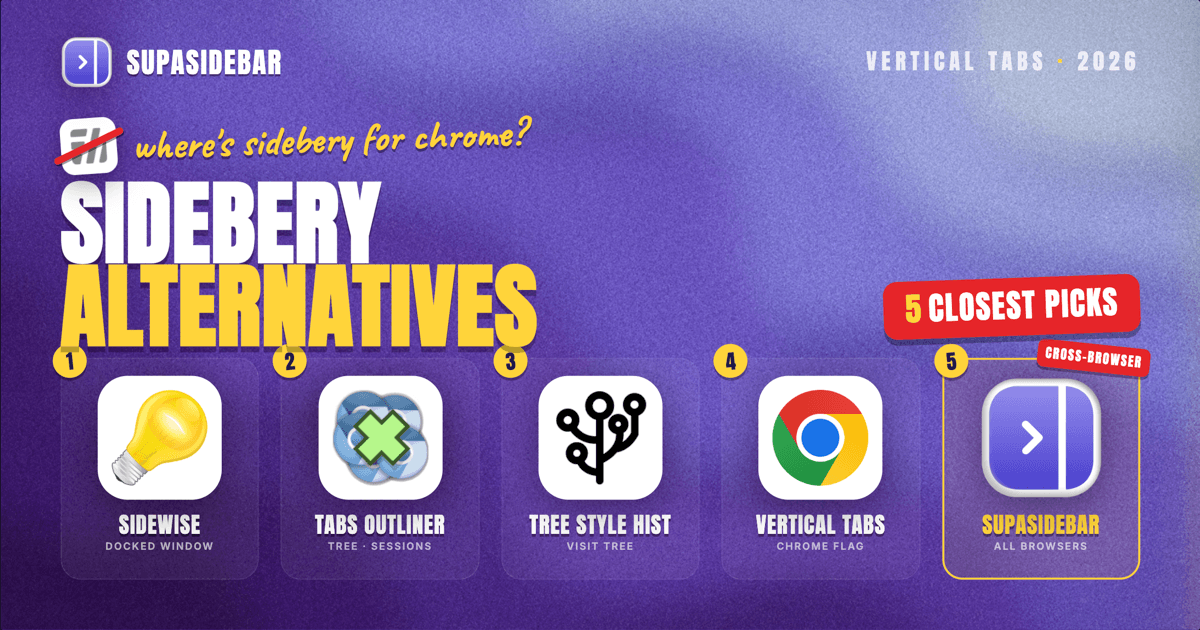
Sidebery does not exist for Chrome and never will, because Chrome's extension APIs do not allow a tab-management extension to render a persistent left-side panel the way Firefox does. The closest Chrome alternatives in 2026 are Sidewise, Tabs Outliner, and Tree Style History, plus Chrome's own native vertical tabs (which solve the layout but not the tree). If the real goal is one sidebar that spans every browser on a Mac, the extension model is the wrong layer, SupaSidebar is a native macOS app that sits outside the browser and gives you a single sidebar across Safari, Chrome, Firefox, Arc, Brave, Edge, and 26 other browsers.
Why there is no Sidebery for Chrome
Sidebery is a Firefox extension. The current version is 5.5.2, released April 2026, and it runs on Firefox 140 and up. It does tree-style tabs in a real left-side panel, container-tab integration, per-domain colorization, automatic tab unloading, and the kind of deep userChrome.css customization that has spawned a small cottage industry of Firefox themes built around it.
It does not run on Chrome. It cannot run on Chrome. This is not a porting question, it is an API question.
Firefox exposes a sidebar_action permission in its WebExtensions manifest. Any Firefox extension that declares it gets a real, browser-managed sidebar panel that the user can pin open. That sidebar can render the extension's own HTML, JavaScript, and CSS, and it can call the tabs API to read and reorder tabs in real time. Sidebery uses exactly this primitive. It is the foundation of every Firefox sidebar extension that has ever existed.
Chrome's extension manifest has no equivalent. Chrome did add a Side Panel API in 2023, but it is scoped to single-page extension UIs (think note-taking, AI chat, reading lists) and it cannot be used to render a persistent tab tree that updates as you browse. Chrome's chrome.tabs API can read and reorder tabs from a popup or a new tab page, but it cannot project them into a sidebar panel that stays open across navigations. That is the entire gap.
So the question "where is Sidebery for Chrome" has a definitive answer. The thing Sidebery does, on the surface Sidebery does it on, is something Chrome's extension model does not allow. Every blog post that promises a "Sidebery for Chrome" is either confused or selling something else.
The closest Chrome alternatives in 2026
There are three Chrome extensions that come closest to Sidebery's pattern, plus Chrome's own native vertical tabs. None of them are a one-to-one replacement, and that is the honest framing readers need before installing anything.
Sidewise
Sidewise is the most-cited "Chrome Sidebery alternative" in 2026 and the one that gets closest in shape. It opens a separate window pinned to one side of the screen, shows the current Chrome tabs as a tree, and updates as you open or close tabs. The tree is real (parent-child relationships from link opens are preserved), and the window can be configured to dock to the left of the active Chrome window.
What it gives up: it is a separate Chrome window, not a panel inside the browser frame. The visual difference is small (the sidebar sits flush against the browser), but the behavioral difference matters. The Sidewise window is a normal OS window, so it can be sent to a different monitor, lose focus, or be obscured by another app. Sidebery's panel cannot, because it is part of Firefox itself.
Tabs Outliner
Tabs Outliner takes the same separate-window approach but trades visual polish for raw functionality. It is a tab session manager dressed as a tree, with strong save and restore, full text search across closed tabs, and a hierarchy that does not collapse when Chrome restarts. Long-time users tend to defend it the way long-time Sidebery users defend Sidebery.
What it gives up: the UI is dated, the interactions are not Mac-native, and the docking behavior is less reliable than Sidewise's. If the priority is "do not lose any tab, ever" it is the strongest Chrome tool. If the priority is "feels good while browsing" it loses to Sidewise.
Tree Style History
Tree Style History is closer to a browsing-history tree than a live-tab tree. It shows where each tab came from (link source, search result, redirect chain) and lets you navigate back through that history as a tree. Users who picked Sidebery specifically for the tree shape sometimes prefer it. Users who picked Sidebery for live tab management usually do not.
It is the right tool for one specific use case: research workflows where the question "how did I get to this tab" matters more than "how do I find this tab again". For everything else, Sidewise is the better default.
Chrome's native vertical tabs
Chrome shipped vertical tabs to stable in April 2026 as a built-in feature, no flag required. Right-click any tab and choose "Show Tabs Vertically", or go to Settings > Appearance > Tab position > Side. Once enabled, the tab strip moves to the left, collapses to icons by default, and expands on hover. It is clean, it is fast, and it is built into Chrome itself.
It is not a tree. Tabs are listed flat, with no parent-child nesting. Groups exist (Chrome's native Tab Groups), but they are flat groups, not a tree. If the only thing that drew you to Sidebery was the layout (tabs on the left, not the top), Chrome's native vertical tabs are the simplest answer in 2026 and they cost zero extensions. If the tree was the point, this is not the answer. For a deeper comparison of how Chrome's vertical tabs stack up against dedicated sidebar tools, see Chrome vertical tabs vs browser sidebar apps.
Sidebery vs Tree Style Tab: which Firefox extension to pick
If you are reading this because you wanted Sidebery and stayed on Firefox, the practical follow-up question is whether to pick Sidebery or Tree Style Tab. Tree Style Tab is the older extension and the simpler one. It is built around a strict parent-child tab tree and does that one thing well. Sidebery does tree-style tabs too, but adds container-tab integration, per-domain colorization, snapshot saves, and the userChrome.css surface that lets you customize the entire sidebar look.
For a Firefox power user who lives in tabs all day, Sidebery is the pick. For a Firefox user who wants tree tabs and nothing else, Tree Style Tab is lighter and easier to set up. Both are free and open source. Both are Firefox-only, so neither solves the problem if a second browser ever enters the picture.
| Feature | Sidebery (Firefox) | Tree Style Tab (Firefox) | Sidewise (Chrome) | Chrome native vertical tabs |
|---|---|---|---|---|
| Real in-browser sidebar panel | Yes | Yes | No (separate window) | Yes (icon strip) |
| Tree-style nesting | Yes | Yes | Yes | No (flat) |
| Container tabs | Yes | Partial (via TST helper) | No | No |
| Custom themes / userChrome | Yes (deep) | Limited | No | No |
| Cross-browser | No (Firefox only) | No (Firefox only) | No (Chrome only) | No (Chrome only) |
| Price | Free | Free | Free | Free |
The cross-browser problem the extension model cannot solve
There is a pattern in the comments under every "Sidebery for Chrome" thread, including in the r/firefox and r/chrome posts that surfaced in 2026 around Chrome's native vertical tabs launch. The pattern is some variation of "I love Sidebery, but I had to switch to Chrome at work" or "I use Firefox personal and Chrome work and I cannot stand having different sidebars in each". A user on r/SupaSidebar phrased it as "I was using Zen before but I abandoned it due to high RAM usage. But I miss its vertical tabs very much."
This is the part the extension model cannot fix, no matter which extension you pick. Sidebery, Tree Style Tab, Sidewise, Tabs Outliner: every one of them lives inside a single browser. The moment you open a second browser, you have two tab universes that do not see each other. Your work tabs are in Chrome under one extension. Your personal tabs are in Firefox under a different extension. The sidebar pattern you wanted was "one place that shows me everything", and the extension model gives you "one place per browser that shows me only that browser".
The fix is not another extension. It is moving the sidebar out of the browser entirely.
SupaSidebar is a native macOS app that puts a persistent sidebar on the side of your screen, outside any browser. It shows live tabs from every browser open on the Mac, lets you search across all of them with one keyboard shortcut (Command Panel, ⌘⌃K), saves tabs to per-project Spaces, and routes saved items back to the right browser when you click them (Air Traffic Control). It supports 32+ browsers including Safari, Chrome, Firefox, Arc, Brave, Edge, Orion, Vivaldi, Opera, and Helium, and works on macOS 14 (Sonoma) and later.
It is not an extension and does not replace any browser. It sits next to whichever browser you are using and gives you the one piece the extension model cannot, a single sidebar across all of them.
Who should pick what
Firefox power user, single browser:
Sidebery. Nothing else comes close on Firefox. Tree Style Tab is the lighter alternative if container tabs and customization do not matter.
Chrome user, single browser, wants the tree shape:
Sidewise is the closest Sidebery clone for Chrome. Tabs Outliner if reliability and search across closed tabs matter more than UI polish.
Chrome user, single browser, wants the layout but not the tree:
Turn on Chrome's native vertical tabs (right-click a tab → "Show Tabs Vertically", no flag needed). Free, built-in, no extension to maintain. The cleanest 2026 answer for this segment.
Two-or-more-browser user on macOS:
No extension solves this. SupaSidebar is the only tool that gives you one sidebar across every browser. Free tier includes 3 Spaces and supports all 32+ browsers, and a one-time Pro upgrade unlocks unlimited Spaces (no subscription).
Windows or Linux user with the cross-browser problem:
SupaSidebar is macOS-only. The honest answer is that the cross-browser sidebar tooling on Windows and Linux is thinner. Workona is the closest, but it lives inside a single browser as a tab workspace, not a true cross-browser sidebar.
Conclusion: pick the layer, not the extension
The reason "Sidebery for Chrome" keeps getting searched is that the question is framed at the wrong layer. Sidebery is a Firefox extension. The thing it does (a persistent left-side tab sidebar) cannot exist as a Chrome extension because Chrome's extension model does not expose the API. The closest Chrome equivalents (Sidewise, Tabs Outliner, Tree Style History) approximate the look but live inside Chrome only.
If you only use one browser, pick the right tool for that browser and stop searching. If you use more than one, every extension you install in one browser is an extension you do not have in the other, and the unified sidebar pattern stays out of reach. The fix on macOS is to move the sidebar outside the browser. SupaSidebar is the app built for that case. Try SupaSidebar (free tier) if the cross-browser problem is the part that actually matters.
Why we recommend SupaSidebar
SupaSidebar is a macOS app that brings Arc's sidebar to every browser, one sidebar for tabs, bookmarks, files, and apps across 32+ browsers including Safari, Chrome, Firefox, Arc, Vivaldi, Brave, Helium, and Dia. It runs on macOS 14 (Sonoma) and later, the free tier includes 3 Spaces with all 32+ browsers supported, and a one-time Pro upgrade unlocks unlimited Spaces. For users searching "Sidebery for Chrome" because they bounce between browsers and want one sidebar to span all of them, this is the layer the extension model cannot reach.
FAQ
Does Sidebery work on Chrome?
No. Sidebery is a Firefox-only extension and has never been ported to Chrome. The reason is Chrome's extension API does not expose a sidebar_action permission, so no Chrome extension can render the persistent left-side panel that Sidebery relies on. The closest Chrome alternatives are Sidewise, Tabs Outliner, and Chrome's own native vertical tabs.
Will Sidebery ever come to Chrome?
Almost certainly not, unless Google adds a new extension API that allows persistent custom sidebar panels with full tab-API access. Chrome's existing Side Panel API (added 2023) is for single-page extension UIs and cannot host a live tab tree. As of 2026 there is no public roadmap indicating this will change.
What is the closest Sidebery alternative for Chrome?
Sidewise is the closest in shape. It shows a tab tree in a docked window next to Chrome, updates live, and preserves parent-child relationships. It is not a true in-browser panel (it is a separate window), but the visual and behavioral result is the closest match to Sidebery on Chrome in 2026.
Are Chrome's native vertical tabs as good as Sidebery?
No, and they are not trying to be. Chrome's native vertical tabs (built in, no flag needed - right-click a tab → "Show Tabs Vertically") give you the left-side layout but not the tree. Tabs are listed flat, with no parent-child nesting. If the layout was the only thing you wanted from Sidebery, native vertical tabs are the simplest 2026 answer. If the tree was the point, native vertical tabs do not deliver it.
Sidebery vs Tree Style Tab, which one should I pick?
Sidebery if you want the full power-user package: container tabs, per-domain colorization, deep userChrome.css customization, snapshot saves. Tree Style Tab if you want tree tabs and nothing else, with a lighter footprint and simpler setup. Both are Firefox-only, both are free and open source, and both stop working the moment a second browser enters the picture.
Is there a sidebar app that works across Chrome, Firefox, and Safari at the same time?
On macOS, yes. SupaSidebar is a native Mac app (not an extension) that sits outside the browser and shows live tabs from every browser open on the system, across 32+ supported browsers including Chrome, Firefox, Safari, Arc, Brave, and Edge. It works with all of them simultaneously, with one keyboard shortcut to search across every tab in every browser. On Windows and Linux, no equivalent cross-browser sidebar app exists in 2026.