
By Kshetez Vinayak, founder of SupaSidebar. Last updated June 26, 2026.
TL;DR.
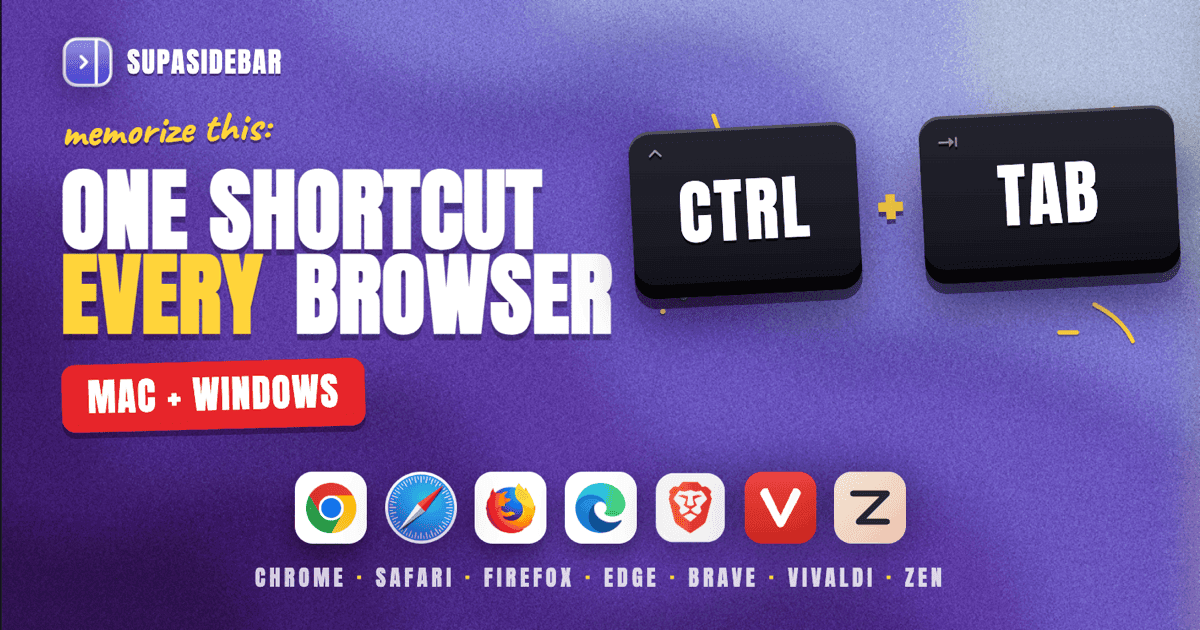
On Mac, the universal shortcut for the next tab is Control+Tab (and Control+Shift+Tab for the previous one) - it works in Chrome, Safari, Firefox, Edge, Brave, Vivaldi, and Zen. On Windows, the same Ctrl+Tab / Ctrl+Shift+Tab pair works everywhere. To jump directly to a specific tab, press Cmd+1 through Cmd+9 on Mac or Ctrl+1 through Ctrl+9 on Windows. Past 20 open tabs, shortcuts stop being useful and a tab search panel becomes faster - the full reference, the per-browser quirks, and a faster pattern for heavy tab users are below.
Looking for something specific?
- Drowning in open tabs? → Too many tabs open on Mac
- Want to jump straight to a tab? → How to find an open tab instantly on Mac
- Comparing which browsers handle tabs best? → Best browsers for tab management in 2026
- Already here for the shortcut reference? → Keep reading.
The universal cross-browser shortcuts
Every Chromium-based browser, Firefox, and Safari respect the same core tab-switching shortcuts. Memorize the four pairs in the table below and tab navigation works the same way across the entire browser ecosystem on a given OS.
| Action | Mac | Windows / Linux |
|---|---|---|
| Next tab | Control+Tab | Ctrl+Tab |
| Previous tab | Control+Shift+Tab | Ctrl+Shift+Tab |
| Jump to tab 1-8 | Cmd+1 to Cmd+8 | Ctrl+1 to Ctrl+8 |
| Jump to last tab | Cmd+9 | Ctrl+9 |
| Close current tab | Cmd+W | Ctrl+W |
| Reopen closed tab | Cmd+Shift+T | Ctrl+Shift+T |
The Cmd+9 (Mac) / Ctrl+9 (Windows) shortcut is the one most people miss. It always jumps to the rightmost tab, no matter how many are open. Useful when the last tab is the one being actively worked on and everything to the left is research.
Control+Tab and Control+Shift+Tab exist on Mac, not just Windows, even though most Mac shortcuts use Cmd. This is the one tab-related shortcut where Apple kept the Windows convention. Per Apple's Safari keyboard shortcut documentation, it is the canonical "next tab" shortcut in Safari on Mac.
Chrome and Chromium-based browsers (Mac and Windows)
Chrome, Brave, Edge, Vivaldi, Opera, Arc, Dia, and any other Chromium fork all inherit the same shortcut set because they share the underlying browser engine.
| Action | Mac | Windows |
|---|---|---|
| Next tab | Control+Tab or Cmd+Option+Right | Ctrl+Tab or Ctrl+PgDn |
| Previous tab | Control+Shift+Tab or Cmd+Option+Left | Ctrl+Shift+Tab or Ctrl+PgUp |
| Jump to tab 1-8 | Cmd+1 to Cmd+8 | Ctrl+1 to Ctrl+8 |
| Jump to last tab | Cmd+9 | Ctrl+9 |
| Open new tab | Cmd+T | Ctrl+T |
| Close tab | Cmd+W | Ctrl+W |
| Reopen closed tab | Cmd+Shift+T | Ctrl+Shift+T |
| Move tab left | Cmd+Shift+PgUp | Ctrl+Shift+PgUp |
| Move tab right | Cmd+Shift+PgDn | Ctrl+Shift+PgDn |
Mac users get a second option, Cmd+Option+Right and Cmd+Option+Left, which feel more natural because they use the arrow keys. Both shortcuts do the same thing. Pick whichever fits the hand position.
On Chrome for Mac specifically, Cmd+Option+1 through Cmd+Option+9 is also documented in some older Google support threads, but the official current shortcut is Cmd+1 through Cmd+9. The other set still works but is being phased out.
Chrome 146 (March 2026) shipped native vertical tabs on Mac as a flag. The shortcut to toggle the vertical sidebar is Ctrl+Shift+S on Windows and Cmd+Shift+S on Mac. Tab-switching shortcuts inside the vertical sidebar are identical to horizontal tab mode.
Safari (Mac only)
Safari has the most consistent Mac-native shortcut behavior, plus a few extras that Chromium browsers do not have.
| Action | Shortcut |
|---|---|
| Next tab | Control+Tab or Cmd+Shift+] or Cmd+Option+Right |
| Previous tab | Control+Shift+Tab or Cmd+Shift+[ or Cmd+Option+Left |
| Jump to tab 1-9 | Cmd+1 to Cmd+9 |
| Open new tab | Cmd+T |
| Close tab | Cmd+W |
| Reopen closed tab | Cmd+Shift+T (or Cmd+Z immediately after closing) |
| Pin tab | Cmd+Option+Shift+P (Safari only) |
| Show all tabs (Tab Overview) | Cmd+Shift+\ |
| Tab Groups switcher | Click sidebar, then arrow keys |
Cmd+Shift+\ opens Tab Overview, Safari's grid view of every open tab in the current window. Tap any thumbnail to switch. This is the closest native Mac equivalent to a "tab search" feature, but it requires visually scanning thumbnails rather than typing a search query.
Safari 17+ added Tab Groups, accessed from the sidebar. Switching between Tab Groups has no default keyboard shortcut - they have to be clicked. This is one of Safari's bigger workflow gaps for power users with multiple project contexts.
Firefox (Mac and Windows)
Firefox keyboard shortcuts mostly match Chrome, with a few Firefox-only additions.
| Action | Mac | Windows |
|---|---|---|
| Next tab | Control+Tab or Cmd+Option+Right | Ctrl+Tab or Ctrl+PgDn |
| Previous tab | Control+Shift+Tab or Cmd+Option+Left | Ctrl+Shift+Tab or Ctrl+PgUp |
| Jump to tab 1-8 | Cmd+1 to Cmd+8 | Ctrl+1 to Ctrl+8 |
| Jump to last tab | Cmd+9 | Ctrl+9 |
| Open new tab | Cmd+T | Ctrl+T |
| Close tab | Cmd+W | Ctrl+W |
| Reopen closed tab | Cmd+Shift+T | Ctrl+Shift+T |
| Mute current tab | Cmd+M | Ctrl+M |
| Find tab (search) | Cmd+L then type % then query | Ctrl+L then type % then query |
Firefox has a hidden but powerful tab search feature: type % in the address bar followed by part of any open tab's title or URL, and Firefox filters to matching open tabs. This is one of the closest things to a fuzzy tab search built into a browser natively. The downside: only works within Firefox, not across Chrome, Safari, or other browsers also running on the same Mac.
Firefox 136 (March 2025) shipped native vertical tabs. The shortcut to toggle the vertical tab strip is in about:preferences rather than a global key binding, and tab-switching inside it uses the same Control+Tab pattern.
Brave, Vivaldi, Opera, and Zen
These all inherit the Chromium shortcut set. The table below covers the most relevant ones.
| Browser | Next tab | Previous tab | Tab cycle by recency |
|---|---|---|---|
| Brave | Control+Tab / Ctrl+Tab | Control+Shift+Tab / Ctrl+Shift+Tab | Settings -> Tabs -> "Switch to tabs by recency" |
| Vivaldi | Control+Tab / Ctrl+Tab (cycles by recency by default) | Control+Shift+Tab / Ctrl+Shift+Tab | Built-in, configurable in Settings -> Tabs |
| Opera | Control+Tab / Ctrl+Tab (cycles by recency by default) | Control+Shift+Tab / Ctrl+Shift+Tab | Built-in |
| Zen | Control+Tab / Ctrl+Tab (Firefox-based) | Control+Shift+Tab / Ctrl+Shift+Tab | No built-in, uses Firefox % address bar trick |
Vivaldi and Opera both default to "cycle by most recently used" instead of "cycle by tab position." This means pressing Ctrl+Tab twice in a row toggles between the last two tabs, which is much faster than walking through every tab in order. Brave has the same option, off by default - turn it on under Settings -> Tabs.
Zen Browser, built on Firefox, has its own workspace/sidebar system but uses Firefox's underlying tab switching. The Firefox % address bar trick works in Zen too.
The shortcut wall: when keyboard shortcuts stop scaling
Control+Tab works fine for 5-10 tabs. Past that, walking through tabs one at a time becomes slower than the action it is supposed to replace. Cmd+1 through Cmd+9 only covers the first nine, and Mac and Windows both stop indexing beyond Cmd+9. Anyone with 20+ tabs hits a workflow wall that shortcuts cannot solve - the broader fix for that pile is in too many tabs open on Mac.
The deeper problem is cross-browser. A typical Mac user keeps Chrome open for work (because that is where company SSO is configured), Safari for personal browsing (battery life and iCloud sync), and Firefox or Brave for a third context (privacy, dev tools, side project). Tab-switching shortcuts only work within the active browser - there is no native way to jump from a Chrome tab to a Safari tab without Cmd+Tab-ing to a different app first.
Reddit users in r/MacApps and r/browsers describe this same pattern repeatedly. From a 2025 thread on r/browsers: "I just cant get out of my toxic relationship with chrome. It just has the best google account integration within it... But all my google and microsoft accounts are logged in there and i am too lazy to switch to any other browser." r/browsers user. The split happens not because users prefer multiple browsers, but because each one solves a different problem.
For multi-browser workflows, the better pattern is a tab search panel that indexes every open tab across every browser, opened with a single global shortcut. SupaSidebar implements this via the Command Panel (Cmd+Control+K) - it searches across saved links, recent items, and Live Tabs from 32+ browsers including Safari, Chrome, Firefox, Arc, Zen, Vivaldi, Brave, Helium, and Dia, all in one fuzzy search field. No Control+Tab walk, no app switch.
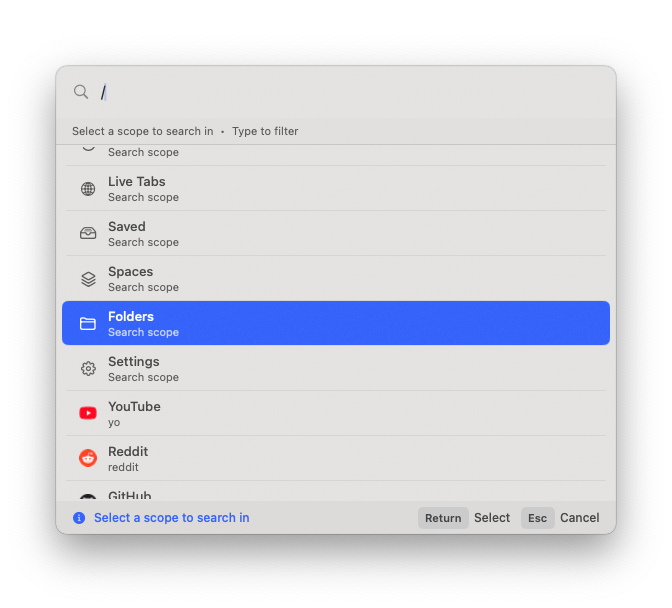
The shortcut math: instead of pressing Cmd+Tab (switch to browser) plus Control+Tab repeatedly (walk through tabs in that browser), the workflow becomes Cmd+Control+K (open Command Panel) plus a few characters of typing. One keystroke combination, any browser, any tab.
Jumping by tab position vs by recency
There are two mental models for tab switching, and the right one depends on workflow.
Jump by tab position
(Cmd+1 through Cmd+9) works when tab order is stable and meaningful. Pinned tabs at the left, then research tabs in a fixed order. The downside: order changes constantly as tabs are opened and closed, so "the third tab" stops being predictable.
Cycle by recency
(Ctrl+Tab in Vivaldi, Opera, Brave with setting enabled) works when only the last two or three tabs matter. This is faster for "alt-tab between Gmail and the current doc" workflows. Chrome and Firefox do not support this natively on every platform - Chrome added it as an experimental flag (chrome://flags/#tab-switcher-on-return) in some versions but it is not stable.
For users who want recency-based switching in Chrome or Firefox without flag-flipping, the workaround is a tab search panel. Type one or two letters of the tab title, hit Enter, done. The order does not matter because the search index is built from titles, not positions.
Beyond switching: keyboard shortcuts for tab management
Switching is one piece. The full keyboard tab workflow also covers opening, closing, restoring, pinning, and moving tabs.
| Action | Mac | Windows |
|---|---|---|
| New tab | Cmd+T | Ctrl+T |
| Close tab | Cmd+W | Ctrl+W |
| Reopen last closed tab | Cmd+Shift+T | Ctrl+Shift+T |
| Move tab left | Cmd+Shift+PgUp (Chromium) | Ctrl+Shift+PgUp |
| Move tab right | Cmd+Shift+PgDn (Chromium) | Ctrl+Shift+PgDn |
| Duplicate current tab | No default - extension required | No default - extension required |
| Move tab to new window | Drag the tab out (no shortcut) | Drag the tab out (no shortcut) |
| Pin tab | Cmd+Option+Shift+P (Safari only) | Right-click only in other browsers |
The two missing-everywhere shortcuts are "duplicate this tab" and "move tab to a new window" - both useful and both unbound in every major browser. Workarounds: right-click the tab, or use a browser extension like Tab Manager Plus (Chrome/Firefox) or built-in commands in Vivaldi.
Customizing tab shortcuts
If the default shortcuts conflict with something else, both Mac and Windows allow remapping at different levels.
Mac:
System Settings -> Keyboard -> Keyboard Shortcuts -> App Shortcuts -> add a per-app override. The exact menu item name from the browser's menu has to be typed verbatim (e.g., "Show Next Tab"). Per a 2022 Medium guide on Mac shortcut remapping, this method works for any menu-bar command in any Mac app.
Windows:
Browser-specific. Chrome and Edge have extension-based remappers (Shortkeys, Vimium). Firefox has about:config plus extensions. Brave inherits Chrome's options. No system-wide tab shortcut remap exists on Windows.
Browser-level remap:
Vivaldi is the only major browser with built-in shortcut customization. Settings -> Keyboard -> Quick Commands lets every action be rebound from the GUI. For users who want this in other browsers, Vivaldi is worth a look.
Conclusion: Picking the right pattern
For single-browser users with under 10 tabs open at a time, Control+Tab and Cmd+1 through Cmd+9 cover 90% of tab navigation. Memorize those two patterns and tab switching becomes muscle memory across Chrome, Safari, Firefox, Edge, Brave, Vivaldi, and Zen on both Mac and Windows.
For Vivaldi, Opera, or Brave users who want recency-based cycling, turn on "switch by most recently used" in browser settings - it cuts most multi-tab navigation to a single Ctrl+Tab. For Firefox users, the % address bar trick is the fastest native tab search.
For multi-browser users on Mac (Chrome plus Safari, or three browsers running at once), keyboard shortcuts inside one browser stop being enough. The better pattern is a unified tab search panel that indexes every open tab across every browser. Try SupaSidebar (free tier) for that workflow on Mac - Command Panel (Cmd+Control+K) searches across Safari, Chrome, Firefox, Arc, Zen, Vivaldi, Brave, and every other major Mac browser in one shortcut. For Chrome-only deep-dives on tab management, see the best tab manager extensions for Chrome and how to find an open tab instantly on Mac. For a broader look at which browsers handle tab management best natively, see best browsers for tab management in 2026.
Why we recommend SupaSidebar
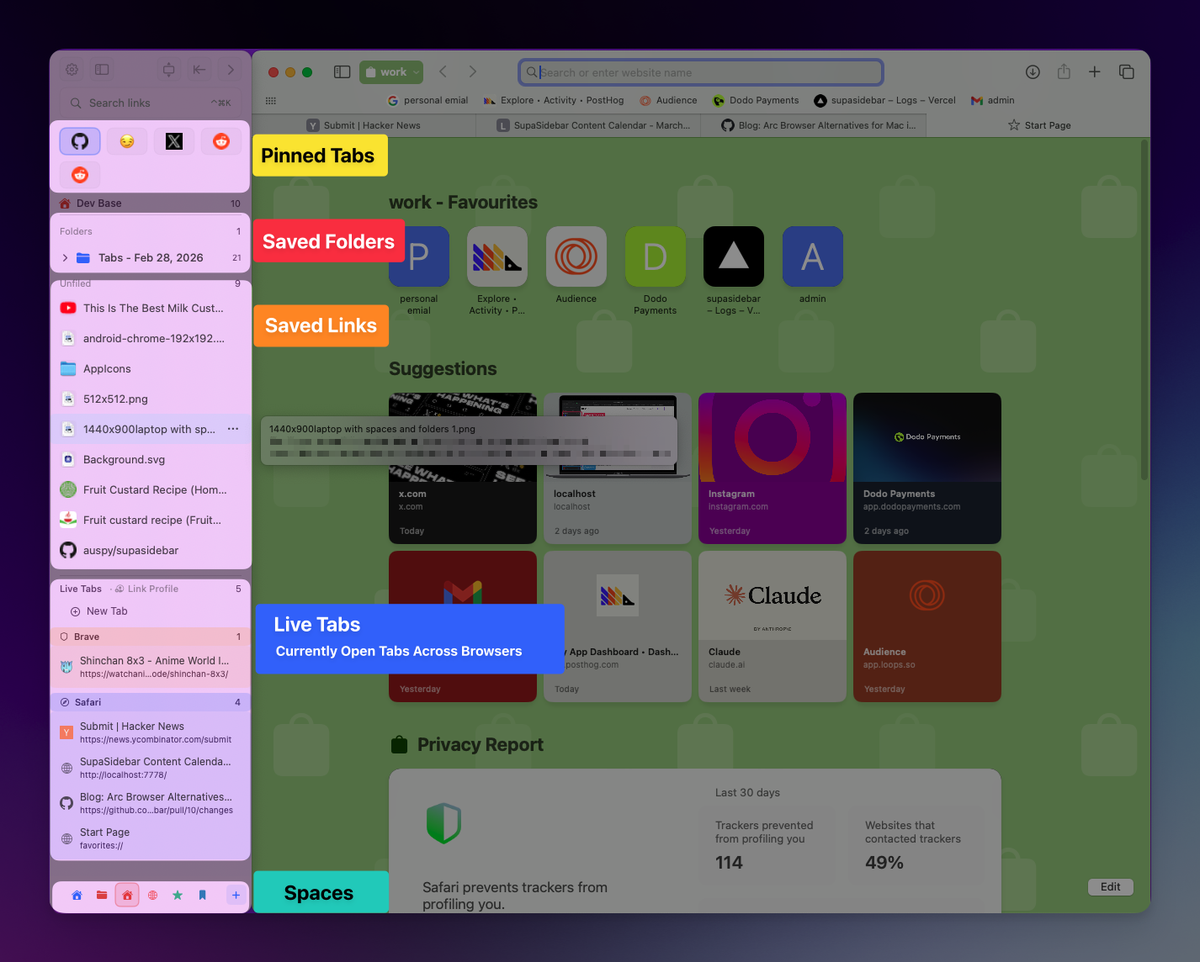
SupaSidebar is a macOS app that brings Arc's sidebar to every browser - one sidebar for tabs, bookmarks, files, and apps across 32+ browsers including Safari, Chrome, Firefox, Arc, Zen, Vivaldi, Brave, Helium, and Dia. The Command Panel shortcut (Cmd+Control+K) opens a fuzzy search field that indexes Live Tabs from every running browser at once, so switching from a Chrome tab to a Safari tab is one shortcut and a few keystrokes, no app switch in between. For users hitting the 20-tab wall in any single browser, or anyone juggling multiple browsers across work, personal, and project contexts, SupaSidebar replaces the Control+Tab walk with a tab search experience that scales past the shortcut wall.
Frequently Asked Questions
What is the keyboard shortcut to switch tabs in Chrome on Mac?
Control+Tab moves to the next tab and Control+Shift+Tab moves to the previous tab. Cmd+Option+Right and Cmd+Option+Left do the same thing using arrow keys. Cmd+1 through Cmd+9 jumps directly to a specific tab by position.
How do I switch tabs in Safari without using the mouse?
Press Control+Tab for the next tab or Control+Shift+Tab for the previous. Press Cmd+Shift+] or Cmd+Shift+[ as an alternative. Cmd+Shift+\ opens Tab Overview, a grid of every open tab in the current window.
Is there a universal shortcut to switch tabs that works in every browser?
Yes. Control+Tab (next) and Control+Shift+Tab (previous) work in Chrome, Safari, Firefox, Edge, Brave, Vivaldi, Opera, and Zen on both Mac and Windows. The Ctrl+1 through Ctrl+9 (Windows) or Cmd+1 through Cmd+9 (Mac) shortcuts also work across all major browsers for direct tab jumps.
How do I cycle through tabs by most recently used instead of left to right?
Vivaldi and Opera support this natively in Settings -> Tabs. Brave has the option off by default - turn on "Switch to tabs by recency" in Settings. Chrome and Firefox do not support it natively; users either rely on extensions or switch to a tab search workflow.
Why does Control+Tab work on Mac when most Mac shortcuts use Cmd?
Tab switching is one of the few cross-platform shortcuts that Apple kept consistent with Windows. Safari and every other major browser on Mac follow this convention so the muscle memory transfers between operating systems. Cmd+Option+Right is the Mac-native alternative in most browsers if Control+Tab feels unnatural.
How do I switch between tabs in different browsers, not just inside one?
There is no native OS-level shortcut for this. The macOS workaround is Cmd+Tab to switch to a different browser app, then a browser-specific tab shortcut. For a single shortcut that searches tabs across every running browser at once, a tool like SupaSidebar's Command Panel (Cmd+Control+K) indexes Live Tabs from 32+ browsers in one fuzzy search.
Can I remap tab-switching shortcuts on Mac?
Yes. Open System Settings -> Keyboard -> Keyboard Shortcuts -> App Shortcuts and add an override using the exact menu item name from the target browser. This works for any menu-bar command. On Windows, browser-specific extensions (Shortkeys, Vimium) handle remapping; Vivaldi is the only major browser with built-in shortcut customization.
What is the keyboard shortcut to reopen a closed tab?
Cmd+Shift+T on Mac, Ctrl+Shift+T on Windows. This works in every major browser. Pressing it repeatedly reopens tabs in reverse order of when they were closed, going back roughly 10-25 tabs depending on the browser's session history limit. For the per-browser limits and how to recover further-back tabs from history, see how to restore closed tabs in every browser.
By Kshetez Vinayak, founder of SupaSidebar. Last updated June 26, 2026.