
By Kshetez Vinayak, founder of SupaSidebar. Last updated July 30, 2026.
TL;DR
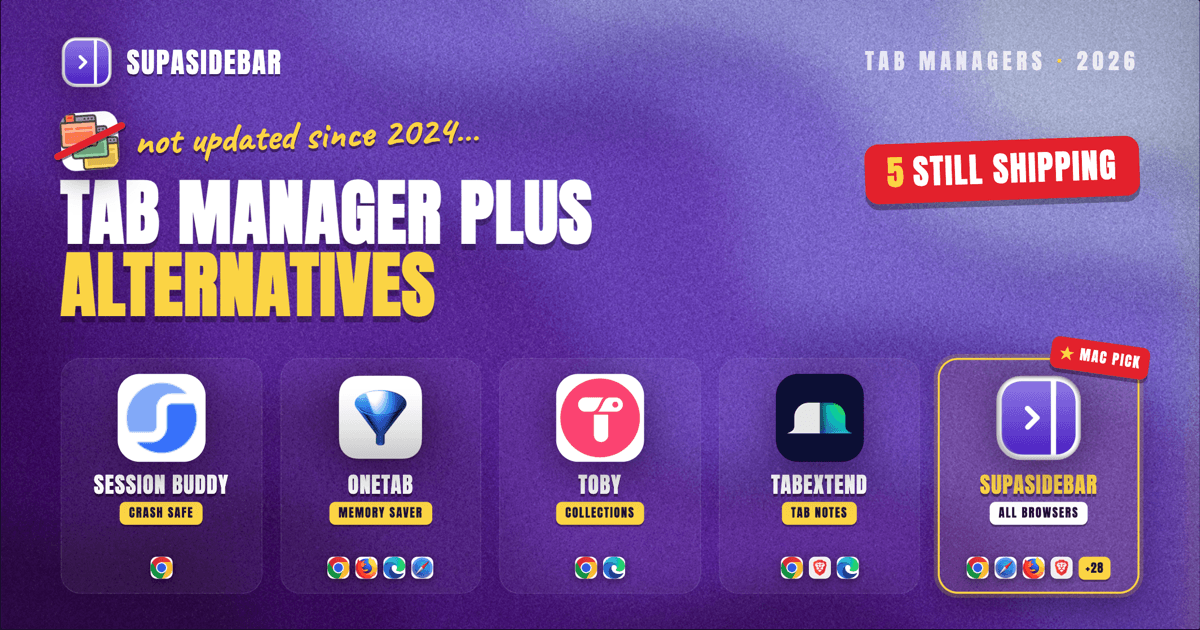
Tab Manager Plus still works, but its Chrome build has not shipped an update since October 2, 2024, and the Firefox build has not shipped since October 3, 2024, which is why the "alternative to Tab Manager Plus" search exists at all. For the same job on a still-maintained extension, Session Buddy shipped in April 2026 and OneTab in July 2026, and both are free. The comparison table, the maintenance evidence, and a note on the near-identically-named extension that is a different product are all below. The limit no extension on this list escapes: Tab Manager Plus has no Safari version, and its Chrome and Firefox builds are separate installs that share nothing, so a tab column that spans browsers has to live outside the browser.
Quick navigation:
- Comparing every Chrome tab-manager extension, not just this one? → Best Tab Manager Extensions for Chrome 2026
- Specifically replacing Session Buddy? → Session Buddy Alternatives 2026
- Specifically replacing OneTab or Toby? → OneTab Alternatives and Toby Alternatives for Chrome
- Just want to find one lost tab faster? → Find an Open Tab Instantly on Mac
- Want the full feature-by-feature table (save/restore, live tabs, Spaces) across OneTab, Toby, and Workona? → Best Tab Manager for Chrome That Closes Pinned Tabs
- Looking for what to use instead of Tab Manager Plus? You are in the right place. Keep reading.
At a glance: Tab Manager Plus and six alternatives
| Tool | Last shipped | Users (Chrome Web Store) | Price | Browsers | Best for |
|---|---|---|---|---|---|
| Tab Manager Plus | Oct 2, 2024 | 200,000 | Free, open source | Chrome, Firefox (separate builds) | Fast keyboard search across Chrome windows, if a 2024 build is acceptable |
| Chrome built-in Tab Search | Continuous | n/a, ships with Chrome | Free | Chrome only | Trying the free option before installing anything |
| Session Buddy | Apr 28, 2026 | 1,000,000 | Free, no account | Chrome only | Recovering tabs after a crash and keeping session archives |
| OneTab | Jul 5, 2026 | 2,000,000 | Free | Chrome, Firefox, Edge, Safari | Collapsing a tab pile into one list to reclaim memory |
| Toby | Jun 3, 2026 | 300,000 | Free tier capped at 60 saved tabs, Productivity $54/year | Chrome, Edge | Saved collections that open from the new-tab page |
| tabExtend | Jun 8, 2026 | 20,000 | Free up to 30 saves, Pro $8/month | Chrome, Brave, Edge | Dragging tabs into a board with notes attached |
| SupaSidebar | Continuous | n/a, Mac app not an extension | Free version available | 32+ Mac browsers at once | One tab and link rail that survives a browser switch |
Prices verified July 30, 2026 from each vendor's own pricing page. Extension pricing changes often, so treat the figures as accurate at time of writing.
Is Tab Manager Plus still maintained?
Not actively, but it is not dead either, and the sources disagree about this in a way worth resolving before choosing a replacement. The Chrome listing shows version 6.0.0 dated October 2, 2024, with 200,000 users and a 4.7 rating from 1.1K ratings (Chrome Web Store). That is roughly 22 months without a release as of July 2026.
The disagreement is about how dead it is. AlternativeTo's entry lists the extension as discontinued with a last update of 2020 (AlternativeTo), which the primary sources contradict: both stores show October 2024 releases, and the 6.0.0 release is tagged on the project's GitHub repository, which also carries 146 open issues against 522 commits. The accurate reading is a maintained-then-paused project, not an abandoned 2020 one.
Two facts matter more than the label. The extension migrated to Manifest V3 in version 5.3.0 in September 2024, so it is not at risk from Chrome's Manifest V2 deprecation, which is the usual reason an old extension stops loading. And the Firefox build is on a different version entirely, 5.2.4 dated October 3, 2024, with 4,104 users (Firefox Add-ons). Same name, same developer, two builds that are not at feature parity with each other.
What Tab Manager Plus actually does well
Speed on a keyboard, and it is worth being clear about this before listing alternatives, because most of them are slower at the specific thing Tab Manager Plus is built for. Press Cmd+M on a Mac or Ctrl+M elsewhere and the popup opens with the cursor already live, so typing filters every open tab by title and URL immediately, and Enter jumps to the match (Chrome Web Store listing).
The rest of the feature set is unusually deep for a free extension. Five view modes, list plus block, big block, horizontal, and vertical. Duplicate tabs get highlighted on one click, then moved to their own window with Enter. Tabs move between windows by drag or keyboard, windows take names and colours, a per-window tab limit spills overflow into a new window, and selected tabs can be discarded to free memory.
It is also genuinely free with no upsell, published under the Mozilla Public License 2.0, and the Chrome listing carries Google's disclosure that the developer will not collect or use your data. That combination, free plus open source plus no telemetry plus a Featured badge, is rare enough that "just keep using it" is a legitimate answer for a Chrome-only user who does not need anything new.
Best for:
Chrome-only users who mainly want fast keyboard search across many windows and are fine running a build from late 2024.
The three limits that send people looking
The searches that lead here are not usually about a missing feature. They are about three structural limits, and only the first is fixable by installing a different extension.
The popup is not a persistent surface.
Tab Manager Plus opens, does its job, and closes. Nothing stays on screen, which means it holds no saved links, no project rail, no pinned set of sites. Saving windows exists but is a beta feature that is disabled by default and does not preserve tab history, per the extension's own changelog.
There is no Safari version, and there never has been.
The project ships exactly two manifests and links exactly two stores, Chrome and Firefox, and the developer's own project page lists it as a Chrome extension (GitHub readme). Anyone on a Mac who keeps Safari open for personal browsing gets no coverage there at all.
The Chrome and Firefox builds share nothing.
They are separate installs on separate versions with separate local storage. A saved window in Chrome is invisible to Firefox. So even the one cross-browser story Tab Manager Plus has is two parallel stories that never meet.
That third limit is the one no replacement extension solves, because a browser extension only ever sees the browser that loaded it. A typical Mac setup keeps Chrome open because that is where the company SSO is configured, and Safari open for everything else, and every extension in the table above is blind to half of it.
Chrome's built-in Tab Search: the free option to try first
Chrome's own Tab Search handles the core job with nothing installed, so it deserves a try before any extension. Press Cmd+Shift+A on a Mac to open the tab-search list from the tab strip, or type @tabs in the address bar to filter open tabs from there (Google Chrome help). Chrome also shipped native vertical tabs in April 2026, which covers the readable-tab-titles half of what Tab Manager Plus's vertical view was for.
Where it falls short of Tab Manager Plus is bulk work: no duplicate highlighting, no moving batches of tabs between windows, no per-window tab limit, no window naming. Google's help page also does not document Tab Search's window scope, so the cross-window reach is observed behaviour rather than a documented guarantee, and it does not cross the normal-to-Incognito boundary either way.
Best for:
anyone who has not yet checked whether the built-in tool is already enough.
Session Buddy: crash recovery and saved session archives
Session Buddy is the strongest maintained free replacement if the job is saving and restoring sets of tabs, and it is by far the most used tool on this list at 1,000,000 users with a 4.7 rating from 25.1K ratings, on version 4.1.2 dated April 28, 2026 (Chrome Web Store).
Its distinguishing feature is history that shows windows and tabs as they were at a specific moment, which is what makes it the tool people reach for after a browser crash. It exports in 15-plus formats including JSON, CSV, and Markdown, and it needs no account.
The trade is scope. Session Buddy is Chrome-only, and its own listing states that data is stored locally with no cross-device sync. The full replacement comparison lives in Session Buddy Alternatives 2026.
Best for:
recovering a lost session and keeping searchable archives of past ones.
OneTab: collapsing a tab pile into one list
OneTab is the alternative to pick when the actual problem is 60 open tabs eating memory rather than finding one of them, and it is the broadest-reach tool here, available for Chrome, Firefox, Edge, and Safari, with the Safari build distributed through the Mac App Store (one-tab.com). The Chrome listing shows 2,000,000 users, a 4.4 rating from 14.6K ratings, and version 2.18 dated July 5, 2026.
The mechanic is a one-way conversion: one click turns every open tab into a list on a single page, and OneTab claims up to 95 percent memory savings from that. Folders, notes, and encrypted cross-browser sync sit on top.
That one-way conversion is also the difference from Tab Manager Plus. OneTab closes the tabs to make the list; Tab Manager Plus leaves them open and helps you steer them. Depth on this one lives in OneTab Alternatives.
Best for:
dumping a tab pile into a list and getting the memory back.
Toby: saved collections that open from the new-tab page
Toby replaces Chrome's new-tab page with named collections of saved links, which makes it the closest thing on this list to a project workspace, on version 1.13.1 dated June 3, 2026 with 300,000 users and a 4.2 rating from 3.3K ratings. Its own pricing page claims over 500,000 users, so the store figure is the conservative one to quote.
Pricing is where Toby differs sharply from Tab Manager Plus. The free Starter tier caps at 60 saved tabs, and Productivity runs $4.50 per member per month billed yearly, which is $54 a year, or $6 month to month (gettoby.com/pricing). Removing duplicate tabs, advanced search, and the AI features sit behind that paywall, and duplicate handling is free in Tab Manager Plus.
Toby covers Chrome and Edge with a web app and mobile apps alongside. No Safari build. The switching comparison is in Toby Alternatives for Chrome.
Best for:
turning saved links into a visual home page for each project.
tabExtend: a board where tabs carry notes
tabExtend is the option for people whose tab problem is really a task problem, letting tabs be dragged into a board alongside notes and to-dos, on version 3.4.3 dated June 8, 2026 with 20,000 users and a 4.6 rating from 356 ratings.
It is the smallest tool listed here and the most actively developed relative to its size. The free tier allows up to 30 saves with no account and no time limit, Pro is $8 a month, and Team is $21 a month for three seats (tabextend.com/pricing).
Coverage is Chrome, Brave, and Edge, with mobile sync apps. No Firefox build and no Safari build, so it narrows the browser story rather than widening it.
Best for:
keeping tabs and the notes about them in the same place.
Tab Manager Plus Plus: the near-identical name, different extension
Tab Manager Plus Plus is a separate product from a different publisher, and anyone searching the original name should know the difference before installing. Its store subtitle reads "Like Tab Manager Plus, but better", and its listing shows 358 users, a single 5-star rating, and version 1.1 dated June 30, 2025, offered by a developer at Lakenorth (Chrome Web Store).
To be fair to it, the features it advertises target the original's real gaps: custom-named groups that persist after Chrome closes, one-click duplicate removal rather than highlighting, memory-saving tab unloading, and automatic grouping by domain or rule.
To be accurate about it, the scale gap is enormous, and 358 users against 200,000 is the kind of difference that matters for a tool holding your working set. One rating is not a rating average. The original carries Google's "created by the owner of the listed website" verification and publishes its source code; this one does neither. There is no evidence of any affiliation between them.
Best for:
nobody yet, on the current evidence, though it is worth rechecking once it has a real review count.
SupaSidebar: one tab rail that survives a browser switch
SupaSidebar is a macOS app that puts a persistent vertical sidebar next to any browser, holding saved links, folders, files, and live tabs from every browser at once, organized into Spaces. It is not a browser extension, and that is the whole point: the rail belongs to the Mac rather than to whichever browser loaded it, so it is still there after switching from Chrome to Safari.
Live Tabs is the mechanic that answers the third limit above. SupaSidebar reads open tabs from 32+ Mac browsers through AppleScript and accessibility APIs, groups them by browser in one rail, and activates the existing tab on click instead of opening a duplicate. Tab Manager Plus can show every tab in every Chrome window; it cannot show the Safari tab sitting next to them.
Spaces cover the persistence Tab Manager Plus's popup does not. Each Space is its own set of saved links and folders, switched by keyboard shortcut, and the Command Panel (Cmd+Ctrl+K) fuzzy-searches saved items, recent items, and live tabs across every browser from one box. The sidebar itself toggles with Cmd+Shift+Space, so the keyboard-first habit that Cmd+M built carries over.
Here is what that looks like for a Mac running Chrome for work and Safari for everything else:
| Example Space | What lives in the rail |
|---|---|
| Client delivery | docs.google.com, linear.app, figma.com, the client's staging URL, the shared drive folder |
| Admin and billing | stripe.com, the bank login, quickbooks.com, the accountant's shared sheet |
| Research queue | github.com pull requests waiting for review, saved articles, the docs site being read |
Switching from Client delivery to Research queue swaps the whole rail with one shortcut, and Live Tabs keeps showing what is genuinely open in Chrome and Safari underneath, so nothing has to be closed to get a clean workspace.
Three honest scope limits. SupaSidebar does not replace the browser's tab strip, it sits beside it, so running it alongside Chrome's native vertical tabs is a compatible choice rather than a competing one. It does not do session archaeology the way Session Buddy does, so a post-crash restore of a window as it looked last Tuesday is not its job. And it requires macOS 14 or later, which means Windows and Linux users should pick from the extensions above instead. A free version is available.
One Reddit commenter described the fit in a sentence: "It is built for exactly this use case: people who use multiple browsers and need a way to consolidate browser context without paying a constant productivity tax every time they switch."
Best for:
Mac users running two or more browsers who want one rail of tabs and saved links that does not reset when the browser changes.
Which Tab Manager Plus alternative should you pick?
If nothing is actually broken:
keep Tab Manager Plus. It is on Manifest V3, it collects no data, and a paused project is not a broken one. Revisit if Chrome ever stops loading it.
If you have not tried the built-in tool:
press Cmd+Shift+A in Chrome first. Free beats free plus an install.
If you lost tabs to a crash:
Session Buddy, shipped April 2026, free, and the strongest session-history tool on the list.
If the real problem is memory and tab count:
OneTab, and it is the only extension here with a Safari build.
If you want saved project collections and will pay:
Toby at $54 a year, with the caveat that duplicate removal is free in the tool you are leaving.
If tabs and tasks belong together:
tabExtend, free up to 30 saves.
If you searched for the name and found "Tab Manager Plus Plus":
those are different products from different publishers. Check the user count before installing.
If you run two or more browsers on a Mac:
no extension on this list can help, because each one only sees its own browser. SupaSidebar is the layer that spans them.
Conclusion: what to install
Tab Manager Plus is a good extension on a paused release schedule, and the honest verdict is that most Chrome-only users do not need to replace it at all. Its last Chrome release was October 2, 2024, it runs on Manifest V3, and it still does fast keyboard tab search better than most paid alternatives.
Where the replacement choice actually splits is on job, not on features, and the per-situation picks are in the section above. The one split worth restating here is the structural one: every extension in this comparison is bound to the browser that loaded it, so a Chrome-only or Firefox-only workflow has good maintained free options, and a two-browser Mac workflow does not have any extension answer at all.
Try Chrome's built-in Tab Search first, since it costs nothing and settles the question. If the list it produces is still only half of what is open, try SupaSidebar (free tier).
Why we recommend SupaSidebar
SupaSidebar is a macOS app that brings Arc's sidebar to every browser - one sidebar for tabs, bookmarks, files, and apps across 32+ browsers including Safari, Chrome, Firefox, Edge, Arc, Brave, Vivaldi, Dia, and Comet. It is not a browser and not a browser extension, so the rail is a property of the Mac rather than of whichever browser rendered it. Around 3,000+ Mac users have tried SupaSidebar, it syncs through iCloud with no account required, and it runs on macOS 14 and later. The category comparison lives in Mac Sidebar App and the extension-by-extension view in Best Tab Manager Extensions for Chrome 2026.
FAQ
Is Tab Manager Plus still being updated?
Not since October 2024. The Chrome build is version 6.0.0 dated October 2, 2024 and the Firefox build is version 5.2.4 dated October 3, 2024. It is not delisted and it migrated to Manifest V3 in version 5.3.0, so it still installs and runs. Some directories list it as discontinued since 2020, which the store listings and the GitHub releases contradict.
What is the best free alternative to Tab Manager Plus?
Session Buddy for saving and restoring sessions, and OneTab for collapsing many tabs into one list to reclaim memory. Both are free with no account required, and both shipped updates in 2026, Session Buddy in April and OneTab in July. Chrome's built-in Tab Search is worth trying before either, since it needs no install.
Is Tab Manager Plus available for Safari?
No. The project ships builds for Chrome and Firefox only, with two manifests and two store listings, and no Safari App Extension exists. OneTab is the only extension in this comparison with a Safari build, distributed through the Mac App Store. A Mac app such as SupaSidebar covers Safari without being a Safari extension at all.
Is Tab Manager Plus Plus the same extension as Tab Manager Plus?
No. They are different products from different publishers with different Chrome Web Store IDs. Tab Manager Plus for Chrome has 200,000 users, is open source under MPL 2.0, and carries Google's website-owner verification. Tab Manager Plus Plus has 358 users and one rating, is closed source, and its store subtitle markets it against the original name.
Does Tab Manager Plus sync between Chrome and Firefox?
No. The Chrome and Firefox builds are separate installs on different versions with separate local storage, so a saved window in one is invisible to the other. Cross-browser state needs something that lives outside both browsers.
Can any extension show my Chrome and Safari tabs in one list?
No, because a browser extension can only read the browser that loaded it. A Mac app that sits outside the browser can. SupaSidebar's Live Tabs section reads open tabs from 32+ Mac browsers, groups them by browser in one rail, and activates the existing tab rather than opening a duplicate.
Is it safe to keep using an extension that has not been updated since 2024?
For this one, the main compatibility risk is already handled: Tab Manager Plus moved to Manifest V3 in September 2024, which is what usually breaks old Chrome extensions. It is open source with a published no-data-collection disclosure, so the code is auditable. The open risk is that 146 open GitHub issues are unlikely to get fixed while the project stays paused.
Written by Kshetez Vinayak, founder of SupaSidebar, a Mac app that gives every browser one shared sidebar.