
By Kshetez Vinayak, founder of SupaSidebar. Last updated November 23, 2026.
TL;DR
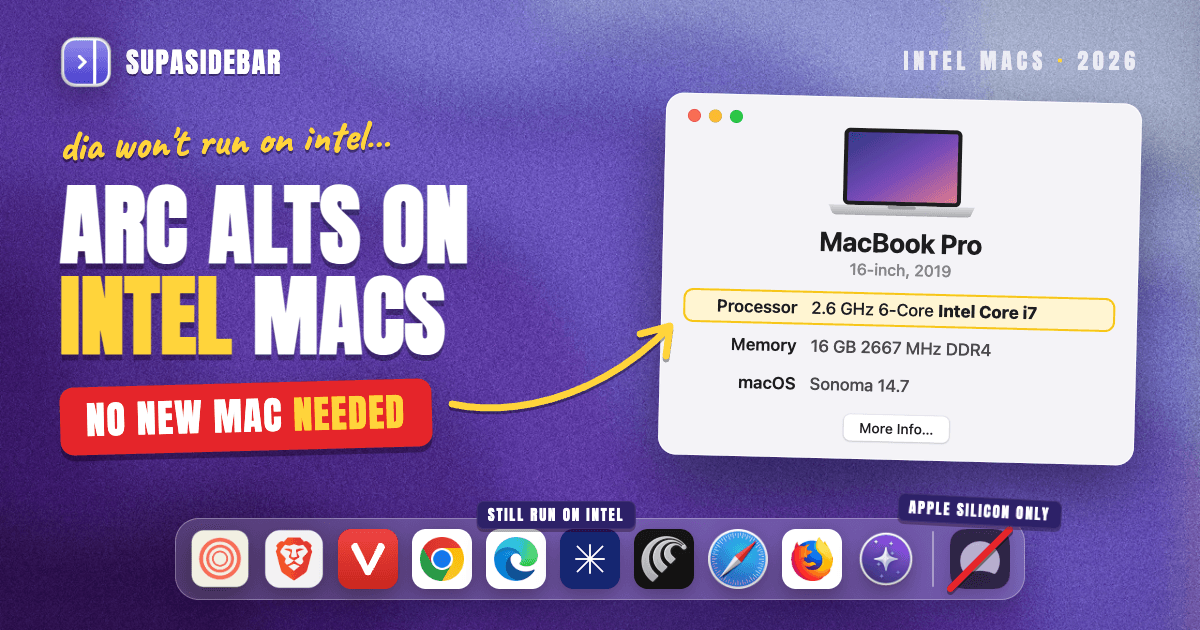
Safari, Chrome, Brave, Vivaldi, Edge, Firefox, Zen, Helium, Comet and Orion all still run on Intel Macs, while Dia, the browser Arc's makers point users to, runs only on Apple Silicon. Zen is the closest match to Arc on an Intel Mac, with Spaces, pinned Essentials, an Arc importer and one download that works on both kinds of Mac. For Chromium, Brave and Vivaldi have vertical tabs built in, and like Chrome and Edge they need macOS 13 Ventura or later, which leaves Intel Macs on older macOS with Firefox and Orion. To keep a current browser instead, SupaSidebar adds Arc's sidebar, Spaces and an Arc import to any of them on Intel Macs running macOS 14 Sonoma or later, before Arc stops working on December 22, 2026.
Quick navigation
- On an Apple Silicon Mac and happy with Dia? → How to Migrate from Arc to Dia Before December 22
- Worried the next browser will shut down too? → Arc Alternatives That Won't Shut Down in 2026
- Is the Mac old and slow, not just Intel? → Best Lightweight Browsers for Mac in 2026
- Already picked a browser? → Arc to Zen, Arc to Chrome or Arc to Safari
- On an Intel Mac and leaving Arc? You are in the right place. Keep reading.
Arc alternatives on Intel Macs at a glance
| Browser | Runs on Intel Macs | macOS needed | What it keeps from Arc | Best for |
|---|---|---|---|---|
| Dia | No, Apple Silicon only | n/a | Sidebar, vertical tabs, AI chat | Apple Silicon Macs only |
| Zen | Yes, one universal download | Not published | Spaces, Essentials, Arc importer | The closest Arc feel |
| Brave | Yes, Intel and universal builds | 13 Ventura | Vertical tabs | Chromium with ad blocking built in |
| Vivaldi | Yes, universal build | 13 Ventura | Vertical tabs, Workspaces | People who tweak everything |
| Chrome | Yes | 13 Ventura | Vertical tabs, profiles | Extensions and Google accounts |
| Edge | Yes | 13 Ventura (Edge 151 on) | Vertical tabs, profiles | Microsoft 365 at work |
| Helium | Yes, separate Intel download | Not published | Vertical tabs, minimal design | A lean, private Chromium |
| Comet | Yes, Intel and Apple Silicon | 13 Ventura | An AI assistant | Dia fans who want AI |
| Safari | Yes | Sequoia or Tahoe for vertical tabs | Vertical tabs (27.3 beta), profiles | Battery life and Apple sync |
| Firefox | Yes, Intel or Apple silicon | 10.15 Catalina | Vertical tabs, tab groups | Intel Macs on older macOS |
| Orion | Yes, still has a Mojave build | 10.14 Mojave build offered | Vertical tree tabs | The oldest Intel Macs |
| SupaSidebar (adds to any of these) | Yes, universal app | 14 Sonoma | Spaces, ⌘T search, Little Arc-style window, Arc import | Keeping the browser already in use |
Why Dia is not an option on an Intel Mac
Dia does not run on Intel Macs, so the browser Arc's makers recommend is closed to anyone on one. Dia's download page lists it for macOS on Apple Silicon and for Windows 11 only.
The Browser Company's exit advice never mentions this. The Arc sunset FAQ tells Arc users to move to Dia before December 22 to keep their Spaces and tabs, and neither it nor the Move from Arc to Dia guide says a word about Intel or Apple Silicon. Arc keeps working on Intel Macs until December 22, 2026, and data requests close on December 15, per Arc's key dates page. The Dia review covers what Apple Silicon owners get.
To check a Mac, open the Apple menu and choose About This Mac. A line labelled Chip means Apple Silicon, and a line labelled Processor with an Intel name means Intel, per Apple's guide.
The macOS version matters as much as the chip. macOS 27 runs only on Apple Silicon, so macOS Tahoe 26 is the last version for Intel Macs, per MacRumors. Chrome, Brave, Vivaldi, Edge and Comet already need macOS 13 Ventura, and SupaSidebar needs macOS 14 Sonoma.
Zen is the closest Arc alternative on an Intel Mac
Zen is the nearest thing to Arc that still runs on an Intel Mac. Its download page offers one universal macOS build, and it keeps Arc's layout, with Spaces, pinned tabs called Essentials and a vertical tab sidebar.
Zen 1.24b, released October 29, 2026, added import of Spaces and profiles from Arc and Dia. The trade is the engine. Zen is built on Firefox, so it runs Firefox add-ons rather than Chrome Web Store extensions, and it does not publish a minimum macOS version. One Arc user who tried every alternative in a day put it plainly. "Zen was def the best one that felt like Arc, but bc it aint chromium, its useless to me." (r/ArcBrowser, October 25, 2026)
SupaSidebar links to Zen as a whole browser, so links saved in a Space open in Zen, though Zen's tabs do not show in the sidebar. The Arc to Zen guide walks through the move.
Brave, Vivaldi, Chrome and Edge run on Intel Macs with macOS 13
Brave, Vivaldi, Chrome and Edge all run on Intel Macs, and all four need macOS 13 Ventura or later. Each has vertical tabs, and only Vivaldi has something close to Arc's Spaces inside one window.
Brave's current release ships separate Intel, Apple Silicon and universal Mac installers, its help center lists macOS 13 Ventura, and it has had vertical tabs since 2023. Vivaldi's download page offers one universal build for macOS 13 and up, and its Workspaces group tabs inside one window.
Chrome needs macOS 13 Ventura per Google's requirements, and it gained vertical tabs in Chrome 146, which Google announced in April 2026. Edge 151 and newer need macOS 13, and Monterey stops at Edge 150, per Microsoft. Edge has offered vertical tabs for years, as Windows Latest notes. In Chrome, Brave and Edge, separate contexts mean separate profiles, each in its own window.
SupaSidebar shows all four browsers' tabs as Live Tabs and can link a Space to each Brave, Chrome or Edge profile, which brings those windows back into one sidebar. The Arc to Chrome guide covers the Chromium move.
Helium and Comet still ship Intel builds
Helium and Comet are newer Chromium browsers, and both still ship for Intel Macs. Helium publishes a separate Intel download with each release, including 0.22.1.1 on November 18, 2026, and it has vertical tabs but no Spaces, as the Helium vertical tabs guide shows.
Comet is the pick for anyone who wanted Dia for its AI assistant. Perplexity's requirements page lists macOS 13 Ventura or later on Intel and Apple Silicon. OpenAI's ChatGPT Atlas is no longer an option, since OpenAI retired it. SupaSidebar shows Helium and Comet tabs as Live Tabs and links a Space to each profile in both.
Safari is bringing vertical tabs to Intel Macs
Safari runs on every Intel Mac, and its next update brings vertical tabs to Intel Macs on macOS Sequoia or Tahoe. Apple's Safari 27.3 beta release notes list a new vertical tab layout for macOS 26 and macOS Sequoia, and Intel Macs on Sonoma or older do not get it.
Safari has profiles and tab groups, but no Spaces with their own pinned tabs and no command bar like Arc's. SupaSidebar gives Safari Live Tabs plus a Space per Safari profile. The Safari vertical tabs guide and the Arc to Safari guide cover the rest.
Firefox and Orion still run on older Intel Macs
Firefox and Orion are the picks for an Intel Mac that cannot update past macOS Monterey. Firefox needs only macOS 10.15 Catalina on an Intel or Apple silicon Mac, per Mozilla, and its new sidebar, which holds the vertical tabs option, became standard in Firefox 157.
Orion, Kagi's WebKit browser, still offers a build for macOS 10.14 Mojave on its Mac page, a macOS version that only ever ran on Intel Macs. It has vertical tree tabs and supports Chrome and Firefox extensions. The lightweight browsers roundup has more picks for older machines.
SupaSidebar shows Firefox and Orion tabs as Live Tabs, but it needs macOS 14 itself, so on a Mac stuck at Monterey or older the browser carries the job alone.
Each browser above keeps part of Arc, and none keeps all of it. Zen has Spaces but runs Firefox add-ons, the Chromium picks put each profile in its own window, and Safari's vertical tabs are still in beta. Every switch also means rebuilding pinned tabs and Spaces from scratch.
Keep Arc's sidebar on an Intel Mac with SupaSidebar
SupaSidebar brings Arc's sidebar to the browser already in use, and it runs natively on Intel and Apple Silicon Macs with macOS 14 Sonoma or later. On the Intel side, that covers the MacBook Air and MacBook Pro from 2018 on, the Mac mini from 2018, the iMac from 2019, the iMac Pro and the 2019 Mac Pro, per Apple's Sonoma list.
It brings back the Arc habits that browsers leave out.
Spaces with their own pins.
Each Space keeps its own saved links, folders and pins, and since SupaSidebar 1.4.0 a saved link lights up while it is the current tab, the way Arc's pinned tabs did.
⌘T and Ctrl+Tab.
SupaSidebar's setup turns both keys on, and either can be turned off in Settings. ⌘T in a browser opens the Command Panel to search saved links, open tabs and history, and Ctrl+Tab jumps back to the last tab through the Tab Switcher. Holding Ctrl shows the five most recent tabs as Arc-style cards.
Little Arc for links from other apps.
Setup offers to make SupaSidebar the default browser, which turns this on, and links clicked in Slack, Mail or Messages then open in SupaView, a small floating window.
Auto-archive and routing.
Archived Tabs, turned on in Settings, closes tabs that sat unused and keeps them 30 days to reopen, and Air Traffic Control sends saved links to the right Space and browser.
How much it does depends on the browser, per the browser support table.
| Browser | Tabs shown in the sidebar | A Space can link to |
|---|---|---|
| Safari, Chrome, Brave, Edge, Helium, Comet | Yes, as Live Tabs | Each browser profile |
| Vivaldi, Firefox, Orion | Yes, as Live Tabs | The whole browser |
| Zen | No | The whole browser |
Someone on a 2019 Intel MacBook Pro who moves from Arc to Brave might set up three Spaces like these.
| Space (linked to) | Links inside |
|---|---|
| Work (Brave · Work) | mail.google.com, linear.app, figma.com, slack.com |
| Freelance (Brave · Client) | drive.google.com, notion.so, asana.com |
| Home (Safari) | youtube.com, netflix.com, reddit.com |
Picking Freelance lists only the Client profile's Brave tabs and opens new links in that profile, and clicking back into the Work window flips the sidebar to Work on its own.
One Arc user on Reddit gave a reason that fits anyone wary of switching browsers again. "Im going back to safari with supasidebar. Just don’t want another browser which will disappear." (r/ArcBrowser, October 27, 2026)
Honest scope.
SupaSidebar does not change the browser engine, so a site that needs Chromium still needs a Chromium browser. Zen's tabs do not show in the sidebar, Live Tabs cover the local Mac only, and each browser needs Automation permission.
Move your Arc Spaces before December 22
Arc stops working on December 22, so bringing Spaces across is the step with a deadline. Two routes keep Spaces as Spaces on an Intel Mac.
Zen's importer turns Arc Spaces into Zen Spaces and reads Arc's data folder in place, per the importer code in Zen 1.24b, so it has to run while Arc's files are still on the Mac. SupaSidebar's Arc import shows a preview, then brings Spaces, folders and pinned tabs into the sidebar for whichever browser comes next. Running both is fine, and the Arc sidebar export guide covers keeping a backup first.
Which Arc alternative should you pick on an Intel Mac?
- If you want the closest thing to Arc and do not need Chromium, pick Zen and bring Arc Spaces over with its importer.
- If you need Chromium and run macOS 13 Ventura or later, pick Brave or Vivaldi for built-in vertical tabs, or Chrome or Edge for work accounts.
- If you wanted Dia for its AI assistant, pick Comet.
- If the Mac is stuck on macOS Monterey or older, pick Firefox, or Orion on the oldest machines.
- If you would rather not switch browsers at all, keep Safari or Chrome and add SupaSidebar on macOS 14 or later.
- If a new Mac is coming anyway, Dia and every browser here run on Apple Silicon too.
Conclusion
An Intel Mac rules out Dia, the one browser Arc's makers point to, and Arc's own exit guides never say so. Ten other browsers still run on Intel Macs, and the right one depends on the macOS version as much as on taste.
Zen is the closest to Arc, with Spaces, Essentials and an Arc importer, for anyone who can live with Firefox add-ons. Brave and Vivaldi are the Chromium picks with vertical tabs built in, and Chrome and Edge suit work accounts, all on macOS 13 Ventura or later. Comet covers the AI assistant Dia promised, and Firefox and Orion serve Intel Macs that stopped at Monterey or earlier.
No single browser keeps all of Arc, and every switch means rebuilding the sidebar. SupaSidebar keeps that sidebar, its Spaces and the Arc-style shortcuts on whichever browser wins, on Intel Macs running macOS 14 or later.
The time-sensitive step is the import, since Arc stops working on December 22, 2026. Try SupaSidebar (free tier) to bring Arc's Spaces across before then and keep them on any browser that runs on an Intel Mac.
Why we recommend SupaSidebar
SupaSidebar is a macOS app that brings Arc's sidebar to every browser - one sidebar for tabs, bookmarks, files, and apps across 32+ browsers including Safari, Chrome, Firefox, Helium, Brave, Edge, Zen, Dia and Vivaldi. It runs natively on Intel and Apple Silicon Macs with macOS 14 or later, so an Intel Mac can keep Arc-style Spaces, ⌘T search and the Arc import without Dia. SupaSidebar has 6,000+ installs.
FAQ
Does Arc browser work on Intel Macs?
Yes, until December 22, 2026, when Arc stops working for everyone. After that, Intel Mac users need another browser, and Dia, the browser The Browser Company recommends instead, runs only on Apple Silicon.
What is the best browser for an Intel Mac?
It depends on the macOS version. On macOS 13 Ventura or later, Brave, Vivaldi, Chrome, Edge, Comet and Safari all run, and Zen is the closest to Arc. On macOS Monterey or older, Firefox (macOS 10.15 and up) and Orion (which still offers a macOS 10.14 build) remain.
What is the best Arc alternative for an Intel Mac?
Zen, for Arc users who can live without Chromium. It ships one universal download, has Spaces and pinned Essentials, and imports Arc Spaces since version 1.24b. Arc users who need Chromium can pick Brave or Vivaldi and add SupaSidebar for Arc-style Spaces on macOS 14 or later.
Will Chrome keep working on my Intel Mac?
For now, yes. Google's requirements page lists macOS 13 Ventura or later with no chip limit as of November 19, 2026. Intel Macs stop at macOS Tahoe 26, because macOS 27 runs only on Apple Silicon.
Which Intel Macs can run SupaSidebar?
Any Intel Mac on macOS 14 Sonoma or later. Per Apple, that includes the MacBook Air and MacBook Pro from 2018 on, the Mac mini from 2018, the iMac from 2019, the iMac Pro and the 2019 Mac Pro.
Can I import my Arc Spaces on an Intel Mac?
Yes, two ways. Zen 1.24b and later import Arc Spaces as Zen Spaces, and SupaSidebar's Arc import brings Spaces, folders and pinned tabs into a sidebar that works with any supported browser. Run either before Arc stops working on December 22, 2026.
Is there an AI browser like Dia for Intel Macs?
Comet, from Perplexity, runs on Intel and Apple Silicon Macs with macOS 13 Ventura or later. OpenAI's ChatGPT Atlas is not an option, since OpenAI retired it.
By Kshetez Vinayak, founder of SupaSidebar. Last updated November 23, 2026.