
By Kshetez Vinayak, founder of SupaSidebar. Last updated 2026-07-14.
Quick navigation:
- Want the direct Zen vs Arc head-to-head? → Zen Browser vs Arc
- Comparing Zen to Safari specifically? → Zen Browser vs Safari on Mac
- Comparing Zen to Brave? → Zen Browser vs Brave
- Want the deep feature walkthrough? → Zen Browser Features Guide
- Looking at Safari vs Zen vs Arc all together? → Safari vs Zen vs Arc
TL;DR:
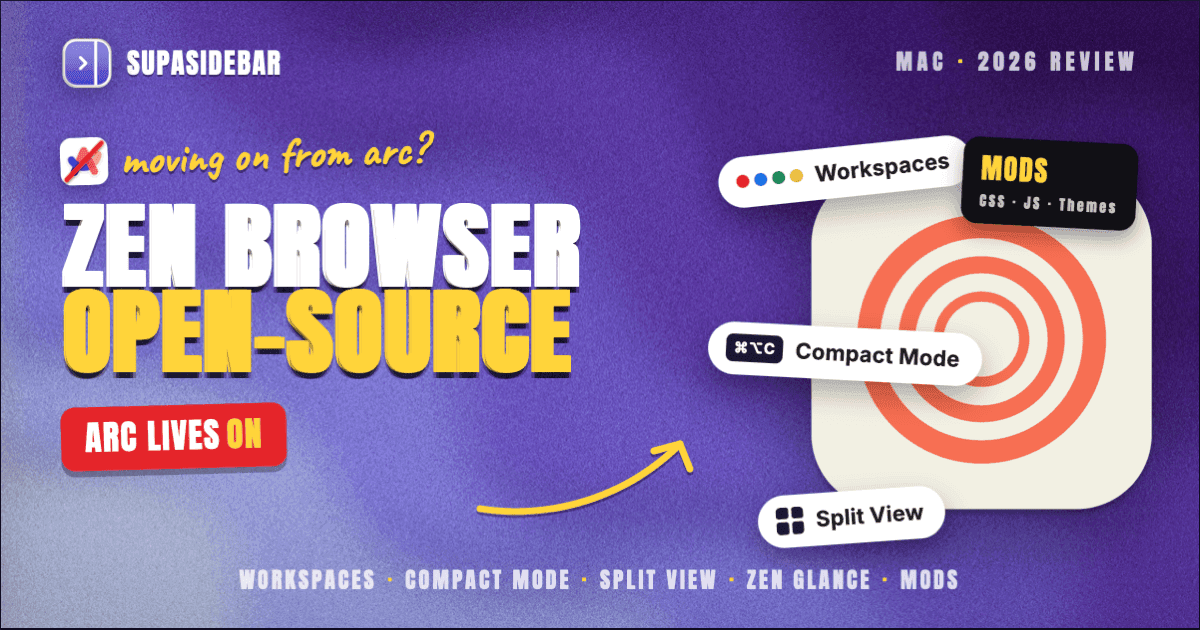
Zen Browser is an open-source, Firefox-based browser that copies most of Arc's sidebar UX. It ships Workspaces, Compact Mode, Split View (up to 4 tabs in a grid), Zen Glance (alt+click link preview), and Mods, and runs on macOS 14 and later. Latest stable as of July 2026 is 1.21.6b on Firefox 152.0.5, with newer Twilight pre-releases continuing to add features (release notes). On a Speedometer 3.0 benchmark by Jitbit on an M3 Pro MacBook, Zen scored 31.6 vs Safari 37.6 and Chrome 37.7, so it is real-world slower than both. Zen is the closest spiritual successor to Arc on Mac for single-browser users who want open source. Multi-browser users still face the same tab-pile problem Zen does not solve, and that is the gap SupaSidebar (a Mac sidebar app that works across 32+ browsers, including browsers like Arc or Zen) fills on top.
Quick verdict on Zen Browser for Mac in 2026
Zen Browser is a Firefox-based, open-source browser built around an Arc-like vertical sidebar with Workspaces, Compact Mode, Split View, Zen Glance, and Mods. It runs on macOS 14 (Sonoma) and later, ships as a free MPL-licensed app, and is under active development as of May 2026. The latest stable release is 1.21.6b on Firefox 152.0.5 (as of July 2026), up from 1.19.13b on Firefox 150.0.3 in May 2026, with newer Twilight pre-releases continuing to add features. For a single-browser user who wants Arc's UX on something that is not Chromium and not abandoned, Zen is the most credible option on Mac today.
The catch is that Zen sits on top of Gecko, not Chromium and not WebKit, so Apple Silicon battery and RAM behavior do not match Safari, and extension compatibility is the Firefox addons ecosystem rather than the Chrome Web Store. Zen also cannot answer the multi-browser problem the way Arc could not - if Safari handles iCloud login workflows and Chrome handles Google Workspace and Zen handles general browsing, tabs end up in three separate piles inside three different windows.
This review covers Zen on Mac specifically. It does NOT cover Linux or Windows behavior (where Zen also runs), Chromium-derived browsers like Brave (covered in the Brave vs Safari post), or the deep migration path from Arc (covered in the Arc Alternative Guide).
What Zen Browser actually is (and what it isn't)
Zen Browser is a community-built fork of Firefox that bundles a custom UI on top of the standard Gecko engine and Firefox addon ecosystem. The project is hosted at zen-browser.app and the source lives at github.com/zen-browser/desktop. It is licensed under MPL 2.0, the same license Firefox itself uses.
It is NOT a new browser engine. Zen does not ship its own rendering engine. Sites render exactly as Firefox renders them, with the same web compatibility quirks and the same security update cadence. The Zen team rebases on top of the Firefox ESR or Beta channel and applies their UI layer on top.
It is NOT an AI-first browser in the way Dia is. Zen's positioning is "Firefox with Arc's UX." There is no built-in chat assistant, no Skills, no Memory feature. Users who want AI in the sidebar typically install a Firefox addon (Sider, Monica, or a local LLM frontend) rather than relying on something native.
It is NOT a privacy moonshot the way Brave or LibreWolf are. Zen ships standard Firefox Enhanced Tracking Protection, the standard Firefox telemetry switches (off by default in Zen's settings), and standard Mozilla geolocation defaults. The privacy posture is "Firefox configured slightly tighter," not a rewrite of the privacy model.
What Zen IS, and what it sells itself on, is the UX layer. The sidebar, the Workspaces, the Compact Mode, the Split View, the Mods system - these are the reasons users install Zen. Everything else is Firefox underneath.
Installing Zen on Mac and first impressions
Zen ships as a universal binary for Intel and Apple Silicon Macs. The download page at zen-browser.app serves a DMG. macOS 14 Sonoma is the minimum supported version as of stable 1.21.6b - older macOS versions are not supported and the installer rejects them.
First-run setup is closer to Firefox than Arc. The browser asks about importing bookmarks and history from another installed browser (Safari, Chrome, Firefox if present), then drops the user into the default Workspace with an empty sidebar. There is no onboarding flow that walks through Workspaces or Compact Mode the way Arc had - Zen assumes the user has either used Arc before or is willing to read zen-browser.app/whatsnew.
The sidebar opens on the left by default and looks immediately familiar to anyone who used Arc. Pinned tabs sit at the top of the sidebar, the current Workspace's regular tabs sit below, and a small Workspace switcher lives at the bottom-left. Compact Mode collapses the URL bar and sidebar into a thin strip and is bound to Cmd+Alt+C by default.
Workspaces: Zen's answer to Arc Spaces
Workspaces are the headline feature. Each Workspace is an isolated set of tabs and pinned tabs, with its own visual identifier (a colored circle or emoji), its own background gradient, and optional Container Tabs binding for identity isolation. The mechanic is almost a one-to-one mapping of Arc Spaces.
Where Workspaces differ from Arc Spaces: Workspaces tie into Firefox's Multi-Account Containers (the legacy Firefox addon Mozilla shipped to keep work and personal Gmail signed in simultaneously). A Workspace can be bound to a Container, which means every tab opened inside that Workspace inherits that Container's cookie jar. This is genuinely more flexible than Arc Spaces' implicit profile assignment - work and personal Google accounts can live in the same browser without leaking session cookies into each other.
The keyboard shortcuts are sensible defaults: Cmd+1 through Cmd+8 switch Workspaces, and a long-press on the Workspace switcher brings up a reorder UI. Workspace creation is Cmd+Shift+E. None of this is configurable through a GUI yet - rebinding requires editing about:config or installing a Zen Mod (more on those below).
Where Workspaces fall short of Arc Spaces: there is no per-Workspace search engine yet (Arc had this), and the sidebar does not auto-collapse when the cursor leaves the way Arc's did. The Compact Mode is a separate trigger.
Compact Mode and Split View
Compact Mode is the second headline feature and is genuinely useful for users who run a small laptop screen. When triggered (Cmd+Alt+C), the sidebar collapses to a thin strip with favicons only, and the URL bar collapses into the top edge of the window. The result is a near-fullscreen reading view that still keeps the tab strip visible as icons.
Compact Mode is more polished than Firefox's native Compact Density setting because Zen also handles the URL bar collapse, which Firefox does not. Toggling back is the same shortcut.
Split View tiles up to 4 tabs in a grid inside one Zen window, with drag-and-drop tab targeting and configurable grid layouts (horizontal split, vertical split, 2x2). This matches Arc Split View's 4-pane ceiling - which had been the Arc feature Zen users most often asked for during the early releases. For research-while-writing workflows (PDF on the left, draft on the right, Slack on the bottom), Zen Split View covers the same ground as Arc.
Both features stay on for the active window only - they do not persist across browser restarts unless the Workspace was saved with them active.
Zen Glance is the third UX feature worth calling out. Holding alt while clicking any link on macOS opens that link in a small floating preview window on top of the current page, without losing position in the current tab. It is the Mac-equivalent of Arc's "peek" interaction and meaningfully reduces tab churn for users who frequently follow citation links inside a long article. Mozilla Connect has an open ideas thread requesting the equivalent in vanilla Firefox.
Performance on Apple Silicon: Speedometer, RAM, and battery
This is where Zen gets honest. Firefox on Mac has historically lagged Safari on battery and Chromium on raw JavaScript performance, and Zen inherits both of those.
Jitbit's January 2025 benchmark ran Speedometer 3.0 on an M3 Pro MacBook in private mode with minimal extensions. The scores:
| Browser | Speedometer 3.0 score (higher is better) |
|---|---|
| Chrome 132 | 37.7 |
| Brave 1.74 | 37.6 |
| Safari 18.2 | 37.6 |
| Firefox 134 | 34.8 |
| Zen 1.7.3b | 31.6 |
Zen scored ~16% lower than Chrome, ~16% lower than Safari, and ~9% lower than vanilla Firefox on the same Speedometer 3.0 test. The slowness vs Firefox is the customization layer's overhead - the Mods system and the Zen UI shell add a measurable cost. The slowness vs Safari and Chromium is the engine difference. None of these gaps make Zen unusable, but they are visible in JavaScript-heavy webapps (Google Docs, Figma, Notion) on long browsing sessions.
RAM is harder to compare honestly because Firefox/Zen and Chromium browsers report processes differently. The Jitbit author publicly corrected an initial RAM measurement that only counted the main Zen process and missed the "Isolated WebContent," "Utility process," and "WebExtensions" processes Zen spawns - which roughly doubled the real footprint. After the correction, Zen sat between Brave and Chrome on RAM after 3 hours of normal browsing (8-9 tabs across YouTube, Slack, Gmail), with Safari noticeably lower. Cloudzy's separate 2025 memory comparison ranks Safari as the most efficient on macOS and Zen/Firefox in the middle of the pack once all processes are counted.
Battery is the toughest comparison. Apple's own published spec for Safari on the M4 14-inch MacBook Pro is up to 24 hours of video streaming (Apple's M4 MacBook Pro tech specs), tied to deep WebKit + hardware decode integration. Zen does not match that on Apple Silicon for streaming workloads. For mixed browsing (no heavy video), the practical battery gap is smaller but not zero.
For users who care about battery on a small Mac, this is a real tradeoff. For users on a plugged-in 16-inch MacBook Pro or a Mac Mini, the delta is mostly invisible.
The team has been actively tracking memory issues on GitHub, and recent releases have shipped tab unloading improvements that bring memory pressure on idle tabs closer to Chromium's behavior. Trajectory looks correct, but Zen has not closed the Speedometer or battery gap yet.
Mods, Themes, and customization
Mods are Zen's most distinctive feature versus Firefox proper. The Mods system at zen-browser.app/mods is a curated catalog of CSS and JS customizations that change the UI's look and behavior. Examples include "Smaller URL bar," "Float tabs to bottom of sidebar," "Workspace-aware new tab page," and "Vertical tab groups."
Mods install via a simple toggle in the Zen settings, no userChrome.css editing required. This is significantly easier than the Firefox-userChrome.css workflow longtime Firefox tinkerers used to get sidebar layouts before Zen existed. Mods also auto-update when their authors push changes, with a simple revert switch if a Mod breaks after a Firefox base update.
Themes are separate from Mods and target the color/gradient layer specifically. The default theme set is small (about 8 themes as of 1.19), but anyone can author a theme via the Zen Themes documentation.
The catch: because Mods are CSS/JS injection on top of Firefox UI, they break occasionally when the Firefox base version bumps. Authors typically ship a fix within days, but for the first day or two after a major Firefox update, expect some Mods to look slightly off.
Container Tabs and identity isolation
Container Tabs are inherited from Firefox's Multi-Account Containers and are exposed in Zen's UI more prominently than in vanilla Firefox. The system creates isolated cookie jars per Container - a "Work" Container keeps Google sign-in separate from a "Personal" Container's Google sign-in, in the same browser, same Workspace if desired, without logging out of one to use the other.
For users who used Arc's profile separation (with Spaces bound to profiles) or who use Chrome's Profile switcher, Container Tabs are the closest Firefox-world equivalent. They are more granular than Arc's profile system because a single Workspace can have multiple Container-bound tabs simultaneously.
Container Tabs are also one of the few features where Zen is meaningfully ahead of Arc's UX, because Arc's profile switching required a full window swap whereas Zen's Container switching is per-tab.
AI features status (or lack thereof)
As of May 2026, Zen does not ship a built-in AI assistant. There is no native chat sidebar, no Skills system, no Memory feature comparable to what Dia or Comet ship. The Zen team has discussed AI features in the GitHub roadmap, but nothing has shipped.
Users who want AI inside Zen typically install one of:
- Sider for a ChatGPT-style sidebar
- Monica for a multi-model assistant
- A local LLM frontend like Page Assist for Ollama integration
None of these are integrated the way Dia's chat is. For users for whom AI-in-the-browser is a hard requirement, Zen is not the right choice today.
What Zen does not have vs Arc
For Arc refugees specifically, the honest list of what Zen is missing as of stable 1.21.6b:
- Boosts equivalent on stable. Arc Boosts let users inject CSS per-site to recolor or rearrange any website. Stable Zen has no per-site CSS injection. The 1.20 Twilight pre-release added a Boosts feature for tinting colors, customizing fonts, zapping elements, and forcing dark mode on any site - this will land in stable Zen on the next major release. Until then, Firefox addons like Stylus fill the gap but require manual setup.
- Easels. Arc's visual whiteboarding feature has no Zen equivalent and no Firefox addon does it well.
- Max. Arc's AI-assisted features (5-second previews, ask-a-page) do not exist in Zen.
- Tab archive at the timeline. Arc auto-archived tabs that had been untouched for a configurable window. Zen does not - tabs persist until manually closed or until Firefox's session unload fires.
- Per-Space search engines. Arc let each Space have its own default search engine. Zen Workspaces share the global search engine.
- Sidebar auto-collapse on cursor exit. Arc collapsed the sidebar automatically when the cursor moved into the content area. Zen requires explicit Compact Mode toggle.
What Zen does that Arc never did:
- Open source. Source available, anyone can fork, anyone can audit.
- Container Tabs. Firefox's identity isolation, exposed cleanly.
- Firefox addon ecosystem. Bitwarden, uBlock Origin Lite, Multi-Account Containers, Sider all install cleanly.
- Mods. A curated, click-to-install customization system.
- MPL 2.0 license. No corporate owner can put Zen into "maintenance mode" the way The Browser Company did with Arc.
Cross-browser: the problem Zen does not solve
Zen is a single browser. Like Arc was. Like Safari is. Like Chrome is. The structural limitation is that no browser, on any platform, manages tabs from other browsers.
A typical Mac power user keeps Chrome open for Google Workspace (where the company SSO is configured), Safari for iCloud-backed tabs and Apple ecosystem links, and a third browser for general browsing or development. After installing Zen, the structural problem stays the same: tabs accumulate inside Zen separately from the tabs in Chrome and Safari, and finding a specific tab requires remembering which browser it was opened in.
This is the gap SupaSidebar fills. SupaSidebar is a macOS app that brings Arc's sidebar to every browser - one sidebar for tabs, bookmarks, files, and apps across 32+ browsers, including Safari, Chrome, Firefox, Arc, Vivaldi, Brave, Helium, and Dia. Live tabs from Safari and Chrome show up in the SupaSidebar, and saved links from browsers like Arc or Zen sit right alongside them, with a single Command Panel (Cmd+Ctrl+K) that searches across all of them.
SupaSidebar does not replace Zen. It sits on top. A user picks Zen for its in-browser UX, then runs SupaSidebar to unify Zen's tabs with whatever else is open. The two layers do different jobs.
The honest framing: if everything happens inside Zen and there is no Safari or Chrome in the workflow, SupaSidebar is unnecessary. If Zen is one of two or more browsers in daily use, SupaSidebar closes the gap Zen alone does not address.
Who Zen is for, and who should skip it
Zen is the right pick when:
- The user wants Arc's UX but is not on Chromium and is not on Safari.
- Open source matters - the user wants source-available code and no corporate owner who can shutter the project.
- Firefox addons are a hard requirement. Zen inherits the full Firefox addon ecosystem, which is broader than Safari Web Extensions but narrower than Chrome.
- Container Tabs are useful - multiple work/personal accounts simultaneously.
- The user is on a 16 GB or 32 GB Mac where the RAM delta to Safari does not matter.
Zen is the wrong pick when:
- Battery life on a small Mac is the top priority. Safari still wins by a real margin on M-series video streaming.
- The user needs Chrome extensions specifically (not all Chrome extensions have Firefox equivalents).
- AI features inside the browser are required. Zen has no built-in AI assistant as of May 2026.
- The workflow requires three or four panes side-by-side. Zen's Split View handles two; Arc Split View handled four.
- Boosts (per-site CSS) were a load-bearing Arc feature. Zen does not have an equivalent without manual addon setup.
Is Zen Browser actively developed in 2026?
Yes. As of May 2026, Zen ships releases roughly every 2 to 4 weeks. The Zen GitHub repository shows active commits, the release notes at zen-browser.app/release-notes document a consistent cadence, and the Zen team is responsive to GitHub issues. Funding comes from community donations and the project maintainers' personal time - there is no corporate owner, no venture funding, and no acquisition risk in the model.
This is in direct contrast to Arc, which The Browser Company moved into maintenance mode on May 27, 2025, and which Atlassian then acquired for $610M in September 2025 (TechCrunch coverage). Arc still gets Chromium security patches; it does not get new features. Zen is in the opposite phase - shipping features.
The risk: Zen is a small team. A core maintainer burnout, a Firefox base change that breaks the customization system, or a license dispute over a vendored library could slow the project. None of those are happening today, but they are the realistic risks for any community-maintained browser project.
For users picking a browser they intend to use for the next two to three years, Zen's trajectory looks healthier than Arc's, and comparable to Firefox itself.
Zen Browser feature comparison vs the alternatives
| Feature | Zen Browser 1.21.6b (stable) | Arc Browser 1.x | Safari 26 | Brave 1.x |
|---|---|---|---|---|
| Engine | Gecko (Firefox 152) | Chromium (Blink) | WebKit | Chromium (Blink) |
| Vertical sidebar | Yes (Arc-style) | Yes (the original) | No (Tab Groups in toolbar) | Yes (configurable side panel) |
| Workspaces / Spaces | Yes (Workspaces) | Yes (Spaces) | Tab Groups (basic) | Profiles (heavier) |
| Compact Mode | Yes | Yes | No | Partial (full screen) |
| Split View | Yes (up to 4 tabs in grid) | Yes (up to 4 tabs) | Tab Groups workaround | No (native) |
| Link preview | Zen Glance (alt+click) | Peek / Little Arc | No native | No native |
| Container Tabs | Yes (Firefox Containers) | No | No | No (Profiles instead) |
| Customization | Mods + Themes (CSS/JS), Boosts in 1.20t pre-release | Boosts (per-site CSS) | Very limited | Brave Themes (limited) |
| Speedometer 3.0 (M3 Pro) | 31.6 | n/a | 37.6 | 37.6 |
| Apple Silicon battery (video) | Worse than Safari | Worse than Safari | Best (~24 hr M4) | Better than Zen, worse than Safari |
| Open source | Yes (MPL 2.0) | No | No | Partial |
| Active development | Yes (community, weekly releases) | No (maintenance mode) | Yes (Apple) | Yes (Brave Inc.) |
| Built-in AI | No | Max (limited) | No | Leo |
| Extensions | Firefox addons | Chrome extensions | Safari Web Extensions | Chrome extensions |
| Sync | Firefox Sync (end-to-end encrypted) | Arc account | iCloud | Brave Sync (encrypted) |
| Price | Free | Free | Free | Free + BAT |
| License | MPL 2.0 | Proprietary | Proprietary | Mixed |
Three patterns stand out: Zen is the only credible Arc-UX replacement that is also open source. Safari still wins battery and RAM by a real margin on Apple Silicon. Brave is the closest pick for users who want Chromium AND Arc-style UI, but its sidebar is less Arc-like than Zen's.
Conclusion: Picking the Right Browser for Arc-Style UX in 2026
Zen Browser is the most credible open-source Arc alternative on Mac in 2026. The verdict: Zen wins on UX, customization, Container Tabs, and the open-source license, and loses on Apple Silicon battery efficiency and Chrome extension compatibility. The development trajectory is healthy and the project is unlikely to enter Arc's maintenance-mode fate.
Different reader segments get different answers. Solo Mac users who lived inside Arc and want a single replacement browser: Zen is the closest spiritual successor. Install it, import bookmarks from Firefox or Chrome, and the muscle memory transfers within a day. Users who need Chrome extensions or AI inside the browser: skip Zen, look at Brave (for Chromium + Leo AI) or wait on Dia. Users on 8 GB Macs who care about battery above all: Safari remains the right pick - Zen's RAM and video battery gap is a real cost. Multi-browser users running Safari plus Chrome plus a third browser: Zen alone does not solve the cross-browser tab pile problem. Zen plus a Mac sidebar app does.
The next action depends on the workflow. For a single-browser Zen workflow, download Zen at zen-browser.app and spend a week. For multi-browser workflows where tabs end up in three separate piles, Try SupaSidebar (free tier) - it sits on top of Zen and every other browser to unify the tab pile into one sidebar.
Why we recommend SupaSidebar for multi-browser workflows
SupaSidebar is a macOS app that brings Arc's sidebar to every browser - one sidebar for tabs, bookmarks, files, and apps across 32+ browsers, including Safari, Chrome, Firefox, Arc, Vivaldi, Brave, Helium, and Dia. It requires macOS 14 or later (Sonoma and later), Intel and Apple Silicon both supported.
The honest framing: SupaSidebar does not replace Zen Browser. Zen handles the in-browser UX - the vertical sidebar inside Zen, the Workspaces, the Compact Mode, the Container Tabs. SupaSidebar handles the cross-browser layer - the persistent Mac-level sidebar that shows tabs from Safari and Chrome together (with saved Zen links alongside them), the Command Panel that searches across all open tabs in every browser, the pinned items that live outside any single browser's profile.
For Arc refugees who picked Zen as their main browser but still need Safari for iCloud workflows and Chrome for Google SSO, SupaSidebar closes the tab-pile gap Zen cannot close because Zen is itself a single browser. For users running only Zen, SupaSidebar is not needed.
Try SupaSidebar (free tier) - 3 Spaces and full cross-browser unification, no credit card required.
Frequently Asked Questions
Is Zen Browser based on Firefox?
Yes. Zen Browser is a fork of Firefox using the Gecko rendering engine. It ships custom UI (vertical sidebar, Workspaces, Compact Mode, Split View, Mods) on top of standard Firefox, and inherits the Firefox addon ecosystem and security update cadence.
Is Zen Browser actively developed in 2026?
Yes. As of May 2026, Zen ships releases every 2 to 4 weeks with active commits visible at github.com/zen-browser/desktop. The project is community-maintained, MPL 2.0 licensed, and has no corporate owner who could move it to maintenance mode the way Arc was.
Does Zen Browser work on Apple Silicon Macs?
Yes. Zen ships a universal binary that runs natively on M1, M2, M3, and M4 Macs as well as Intel Macs. It requires macOS 14 Sonoma or later. Battery life and RAM usage on Apple Silicon are worse than Safari but in line with other Gecko and Chromium browsers.
What is the Zen Browser engine?
Zen uses the Gecko engine, the same rendering engine Firefox uses. It does not ship a custom engine. This means site compatibility, JavaScript performance, and security patches match Firefox directly. Zen's differentiation is the UI layer, not the engine.
Does Zen Browser support Chrome extensions?
No. Zen supports Firefox addons via addons.mozilla.org, not Chrome extensions. Many popular extensions (Bitwarden, uBlock Origin, 1Password) have Firefox versions that work in Zen. Some Chrome-exclusive extensions do not have Firefox equivalents.
How does Zen Browser compare to Arc?
Zen copies most of Arc's UX (vertical sidebar, Workspaces, Compact Mode, Split View up to 4 tabs, Zen Glance link preview, Mods) but uses Gecko instead of Chromium, has no Easels or Max AI equivalent, and is open source. Stable Zen has no per-site CSS like Arc Boosts, but the 1.20 Twilight pre-release added a Boosts-style customization feature. For most former Arc users on Mac, Zen is the closest spiritual successor available in 2026. See the Safari vs Zen vs Arc comparison for the side-by-side.
Is Zen Browser private?
Zen ships standard Firefox Enhanced Tracking Protection enabled by default and turns off most Firefox telemetry switches. It is not a privacy moonshot like Brave or LibreWolf, but the baseline privacy posture is stronger than Chrome and roughly equivalent to Firefox itself. Container Tabs add identity isolation that Chrome does not have natively.
Can Zen Browser sync across devices?
Yes, via Firefox Sync. Workspaces, pinned tabs, history, bookmarks, and addon data sync across Zen installations using a free Mozilla account. Sync is end-to-end encrypted.
Does Zen Browser work across multiple browsers like Safari and Chrome?
No. Zen is a single browser. Like Safari and Chrome, it manages only its own tabs. For users running Zen alongside Safari and Chrome, tabs end up in three separate piles inside three different applications. A Mac sidebar app like SupaSidebar bridges this gap by unifying tabs from 32+ browsers into one persistent macOS sidebar, with saved links from browsers like Zen sitting alongside them.
Should I switch from Arc to Zen?
For most Arc users on Mac who valued the vertical sidebar, Workspaces, and Compact Mode, yes - Zen is the closest replacement available and is actively developed. The exceptions are users who relied on Boosts (per-site CSS), Easels (whiteboards), or Max AI features - none of those exist in Zen. See the Arc Alternative Guide for the deeper migration walk-through.
By Kshetez Vinayak, founder of SupaSidebar. Last updated 2026-07-14.