
By Kshetez Vinayak, founder of SupaSidebar. Last updated November 4, 2026.
TL;DR
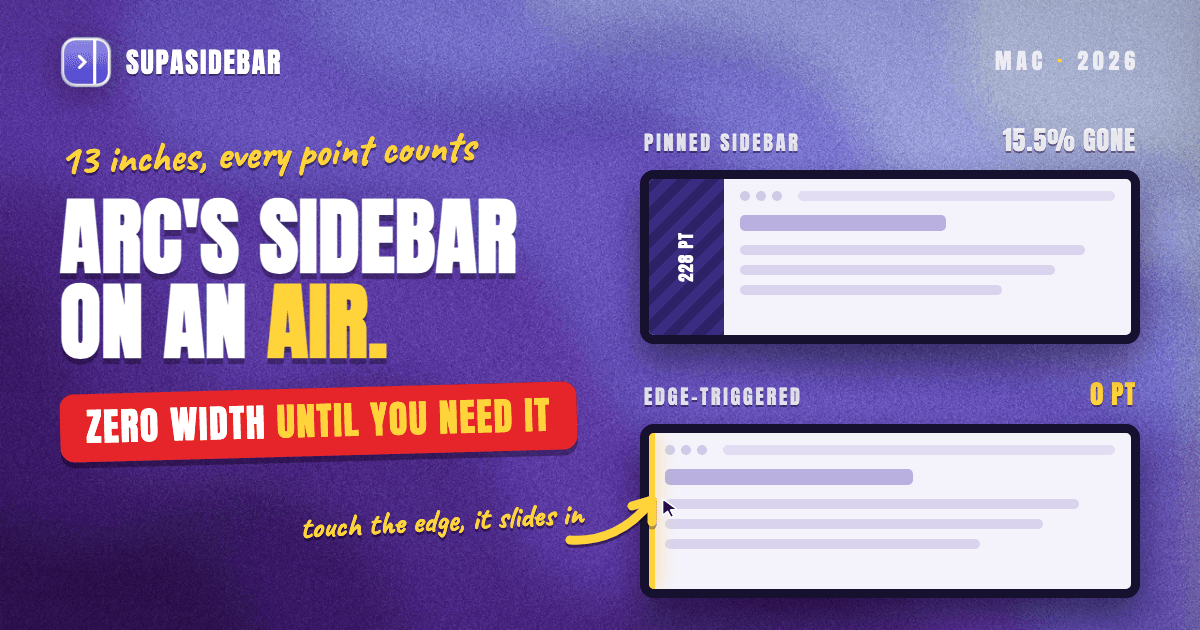
The way to keep Arc's sidebar on a 13-inch MacBook Air without losing screen width is to hide it and call it from the screen edge. SupaSidebar is a Mac app that adds that kind of edge-triggered sidebar to 32+ browsers, Safari and Chrome included. It takes 0 points of width until the pointer touches the edge of the screen, then slides in over the page. A pinned sidebar is the costly choice on an Air, because Arc's sidebar (228 points in a measured install) and Chrome's vertical tabs (240 points by default) each use 15-16% of the default 1,470-point display. The measured widths are in the table below.
Quick navigation
- New to Arc's sidebar? → What Is Arc Browser's Sidebar?
- Picking a browser for battery life on an Air? → Best Browser for MacBook Air in 2026
- Weighing Chrome's built-in vertical tabs? → Chrome Vertical Tabs vs Arc Sidebar
- Moving from Arc to Chrome? → How to Move Arc to Chrome Before December 22
- Moving from Arc to Safari? → Move Arc to Safari Before December 22 and Keep the Sidebar
- Short on screen width on an Air? You are in the right place. Keep reading.
Sidebar width on a 13-inch MacBook Air at a glance
| Setup | Width while open | Width while hidden | Share of a 1,470-pt screen | How it comes back | Best for |
|---|---|---|---|---|---|
| Arc sidebar | 228 pt (measured, resizable) | 0 pt after ⌘S | 15.5% | Hover the window's edge | Arc users until December 22, 2026 |
| Chrome vertical tabs | 240 pt default (126-400) | 56 pt collapsed, never hidden | 16.3% (3.8% collapsed) | Always on screen | Chrome-only users |
| Safari | No vertical tab list | Tabs stay in the top bar | 0% at the side | Sidebar button shows Tab Groups | People happy with horizontal tabs |
| Zen, sidebar hidden in Compact Mode | 238 pt (measured, capped at 500) | 0 pt | 16.2% while open | Hover the window's edge | Zen users |
| SupaSidebar with Mouse Triggers | 240 pt default (240-500), 60 pt in Compact Mode | 0 pt | 0% until called | Pointer touches the screen edge | Safari and multi-browser users |
The 1,470-point default is what 13-inch M4 MacBook Air owners report for a panel that is 2,560 pixels wide natively. Chrome's figures are constants in Chromium's vertical tab code. Arc and Zen publish no default, so their widths come from each browser's saved window state on a test Mac, where Arc ranged from 164 to 255 points over eight months.
How much width does a sidebar cost on a MacBook Air?
A pinned sidebar costs a 13-inch MacBook Air about 230 to 240 points, or 15-16% of its default 1,470-point width. That leaves roughly 1,230 points for the page.
A web page treats 1 point as 1 CSS pixel, so the page drops below 1,280 pixels, where Tailwind CSS's default xl breakpoint starts. Many sites switch to a narrower layout at that width.
YouTuber Rubens Nook named the hesitation in a September 2026 video comparing Helium and Dia. On the MacBook Air screen, he said, "I really don't know how much horizontal space I can give up." The fix is a sidebar that gives the width back whenever it is not in use.
Why Arc's hidden sidebar is hard to hit on a MacBook Air
Arc hides its sidebar with ⌘S, per Arc's own site, and Zen hides it in Compact Mode, so both reach 0 points. The catch is that both bring it back when the pointer hovers the edge of the browser window, as Zen's documentation describes.
That works when the window is maximized. When it is not, the target is a thin strip in the middle of the screen, and one r/ArcBrowser user called it "a pain to hover your mouse in just the right spot." A screen edge is easier, because the pointer stops there and a quick flick always lands.
Arc also has a deadline, since Arc for macOS stops working on December 22, 2026. Chrome's vertical tabs collapse to 56 points but never fully hide. Safari has no vertical tab list, because its sidebar holds Tab Groups and bookmarks while tabs stay on top (more in Safari Vertical Tabs). Safari and Chrome users on an Air have no edge-triggered sidebar of their own.
How to auto-hide a sidebar in Safari or Chrome on a Mac
SupaSidebar adds an Arc-style sidebar to Safari, Chrome and 32+ Mac browsers that stays off screen until the pointer reaches the screen edge. With Mouse Triggers on, SupaSidebar costs 0 points while hidden, opens at 240 points by default and hides when the pointer moves away. It fires at the edge of the display, so the browser window does not need to be maximized.
The setup follows the Mouse Triggers docs.
- Open Preferences → Sidebar and scroll to Mouse Triggers.
- Turn on Enable Mouse Triggers and pick Left Edge or Right Edge under Active Zones.
- Keep Edge Sensitivity at 5 pixels. Raise Hover Delay above 0.2 seconds if the sidebar opens by accident.
- Grant Accessibility permission when macOS asks.
To keep the page at full width while the sidebar is open, set When Sidebar Opens to Off and turn off Prevent Browser Overlap, and SupaSidebar floats over the page. Dock Mode does the opposite, pushing the page aside like Arc's pinned sidebar and handing the width back when it hides. For something always visible, ⌘\ switches to Compact Mode, a 60-point strip that uses 4% of the screen.
A typical Air setup splits browsing into two Spaces.
| Space | Links inside |
|---|---|
| Work | mail.google.com, calendar.google.com, linear.app, figma.com |
| Personal | youtube.com, reddit.com, amazon.com, notion.so |
Switching Spaces swaps the whole list in one click, and Live Tabs shows the open Safari or Chrome tabs in the same sidebar. New installs offer to bring over Arc Spaces and pinned tabs during setup.
"it is very comfortable for me to have all my bookmarks ready when I need them but not having them permanently on my tiny screen" - Daniel P., SupaSidebar user, by email
SupaSidebar is a Mac sidebar app, not a browser, so Safari and Chrome keep their own tab bar at the top. In floating mode it covers 240 points of the page while open.
Conclusion: the zero-width sidebar setup for a MacBook Air
On a 13-inch MacBook Air, a sidebar should cost 0 points until it is called. A pinned Arc sidebar or Chrome's vertical tabs take 15-16% of the default 1,470-point width, which is too much on a screen this small.
Arc users can hide the sidebar with ⌘S until December 22, 2026, then need a new home for their Spaces. Chrome-only users can collapse vertical tabs to 56 points, the smallest built-in option. Zen users already have a 0-point hidden sidebar that returns from the window edge. Safari users, and anyone who switches browsers, get the closest thing to Arc's sidebar from SupaSidebar with Mouse Triggers on, because it is the only option in the table that opens from the screen edge in every browser.
Try SupaSidebar (free tier) and turn on Mouse Triggers in Preferences → Sidebar. For the battery side of the choice, see Best Browser for MacBook Air in 2026.
Why we recommend SupaSidebar
SupaSidebar is a macOS app that brings Arc's sidebar to every browser - one sidebar for tabs, bookmarks, files, and apps across 32+ browsers including Safari, Chrome, Firefox, Edge, Brave, Arc, Vivaldi, Zen, Dia and Helium. On a MacBook Air, Mouse Triggers keep it at 0 points until the pointer reaches the screen edge, so the page keeps all 1,470 points. 3,000+ Mac users have tried SupaSidebar.
FAQ
How wide is Arc's sidebar?
Arc publishes no default sidebar width, and the sidebar can be dragged wider or narrower. Arc's saved window state on a test Mac recorded 164 to 255 points over eight months, and 228 points in the latest snapshot. On a 13-inch MacBook Air, 228 points is about 15.5% of the default 1,470-point width.
Does a sidebar take too much space on a MacBook Air?
A pinned sidebar does. Chrome's vertical tabs default to 240 points, 16.3% of a 13-inch MacBook Air's default 1,470-point width, and Arc's sidebar is similar. A sidebar that hides until the pointer reaches the screen edge, such as SupaSidebar with Mouse Triggers on, costs 0 points while hidden.
How do I auto-hide the sidebar in Safari or Chrome on a Mac?
Safari has no vertical tab sidebar, and Chrome's vertical tabs only collapse to 56 points. SupaSidebar's Mouse Triggers add a sidebar to both that appears when the pointer touches the screen edge and hides when it moves away. Turn it on in Preferences → Sidebar → Mouse Triggers, then pick the edge under Active Zones.
Can Chrome's vertical tabs be hidden completely?
Not as of Chrome 156. Chromium's code defines a resizable strip that defaults to 240 points (126 to 400) and a 56-point collapsed strip that stays on screen. Reaching 0 points in Chrome means using the horizontal tab bar or a separate edge-triggered sidebar.
What is the default screen resolution of a 13-inch MacBook Air?
The 13-inch MacBook Air with M4 has a 2,560 by 1,664 pixel panel, and owners report a default setting that looks like 1,470 by 956. Apps and web pages lay out in that 1,470-point width, so a 240-point sidebar uses about 16% of it.
By Kshetez Vinayak, founder of SupaSidebar. Last updated November 4, 2026.