
By Kshetez Vinayak, founder of SupaSidebar. Last updated June 6, 2026.
Quick navigation:
- Want to see how Vivaldi stacks up against other Mac browsers? → Vivaldi vs Chrome vs Firefox on Mac
- Comparing Vivaldi and Opera specifically? → Opera vs Vivaldi 2026
- Looking for a full Vivaldi review? → You're in the right place. Keep reading.
TL;DR
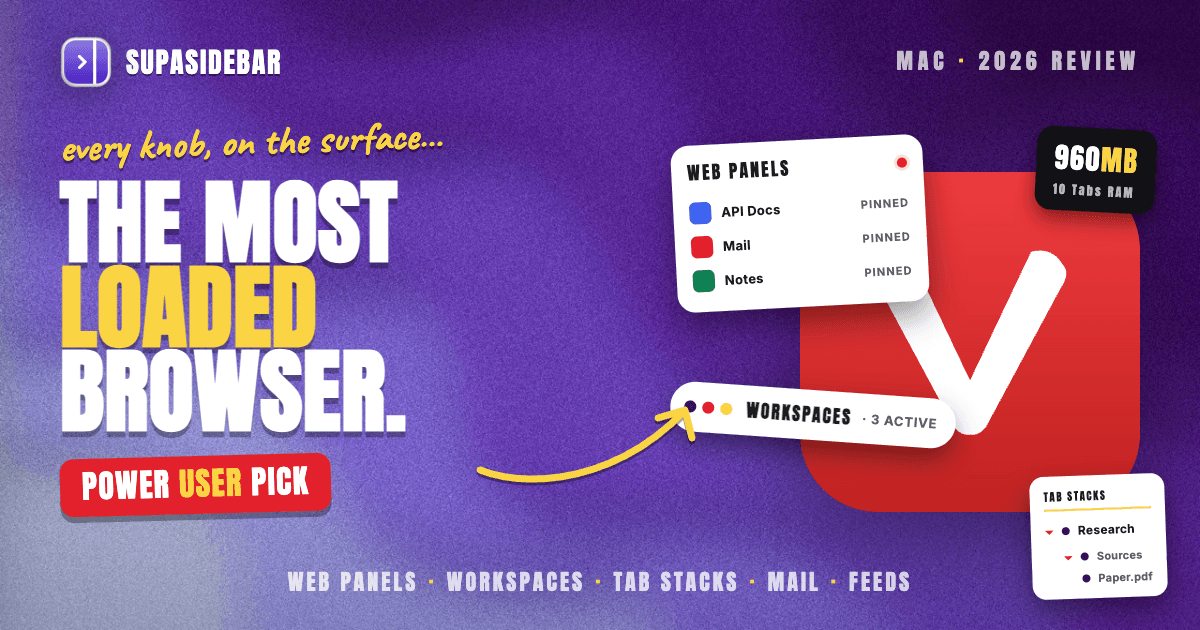
Vivaldi is the most feature-dense, most customizable browser available on Mac in 2026, and it is genuinely worth using if you are a power user who wants tab stacking, Workspaces, and a built-in mail, calendar, and feed reader without installing a single extension. It is Chromium under the hood, runs natively on Apple Silicon, and uses less RAM than Brave or Firefox in light workloads (around 960MB for 10 tabs). The trade-off is a steep learning curve and a busy interface that overwhelms people who just want a clean browser. Vivaldi is excellent for one workflow inside Vivaldi; it does nothing for the tabs you keep in Safari or Chrome for work. For that cross-browser gap, SupaSidebar extends Vivaldi's sidebar pattern to every browser on the Mac.
What this review covers (and what it does not)
This is a single-browser review of Vivaldi on macOS: what it is, how the sidebar and Workspaces actually work, how customizable it really is, how it performs on Apple Silicon, and who should pick it. It does NOT re-run the head-to-head matchups. For Vivaldi against Chrome and Firefox, read the three-way Mac comparison; for the Vivaldi-versus-Opera question, read the Opera vs Vivaldi breakdown.
What Vivaldi actually is
Vivaldi is a Chromium-based desktop browser built by a team that includes several former Opera engineers, including Opera co-founder Jon von Tetzchner. It exists for one reason: to give power users control. Where most browsers strip features out to look minimal, Vivaldi puts almost every control on the surface and lets you decide what to keep. It runs on macOS, Windows, and Linux, and the Mac build is a native universal binary that runs on Apple Silicon as well as Intel Macs (vivaldi.com/desktop).
Because it is Chromium, Vivaldi renders pages with the same Blink engine as Chrome and runs Chrome Web Store extensions. So site compatibility is a non-issue. What sets Vivaldi apart is everything built on top of that engine: the tab management, the side panel, the customization layer, and a small suite of productivity tools that no other mainstream browser bundles in.
The sidebar (Web Panels) is Vivaldi's quietly best feature
Vivaldi's side panel does two jobs. First, it holds the standard browser surfaces: bookmarks, downloads, history, and notes, each as a togglable icon down the left edge. Second, and more interesting, it hosts Web Panels: any website pinned into a narrow column beside your main page. Pin a chat app, a music player, a documentation site, or a to-do list, and it lives in the sidebar at a phone-width layout you can show or hide with one click (Vivaldi sidebar help).
This is the closest thing in a mainstream browser to having a reference panel always docked next to your work. A developer can keep API docs in a Web Panel while coding in the main view. A writer can keep a research source pinned. Vivaldi lets you view each panel in mobile or desktop mode, so a site that has a good mobile layout collapses neatly into the column.
The limit is the same limit every browser sidebar has: it only knows about Vivaldi. A Web Panel cannot show a tab you have open in Safari, and the sidebar disappears the moment you switch to another browser. SupaSidebar exists specifically to remove that boundary. It is a native Mac app, not a browser, so its sidebar sits beside any browser and shows live tabs, bookmarks, files, and pinned web apps across 25+ browsers at once.
Workspaces: Vivaldi's answer to Arc Spaces
Workspaces are Vivaldi's project-separation feature, and in 2026 they are mature. A Workspace groups tabs and Tab Stacks by topic inside a single window, with its own set of tabs you switch between with a click. Each Workspace keeps its own tabs and start page, which makes them closer to what Arc called Spaces than to what Chrome calls Profiles (Vivaldi Workspaces help).
The practical upshot is that you can keep a Work Workspace, a Personal Workspace, and a Research Workspace in the same window, each with its own dozen tabs, and flip between them without 36 tabs fighting for space in one tab bar. For anyone who switches between projects all day, this is the headline reason to consider Vivaldi.
Where Workspaces stop is at the Vivaldi boundary again. They organize Vivaldi tabs beautifully, but the work tab you opened in Chrome because that is where the company SSO lives stays invisible to Vivaldi. That cross-browser project view is the one thing Workspaces structurally cannot do.
Tab Stacks: the feature no other browser matches
Vivaldi is the only mainstream browser with true two-level tab stacking. A Tab Stack nests related tabs inside a single collapsible group, and the two-level version lets you nest stacks inside stacks. Vivaldi 7.8 made creating a stack as simple as dragging one tab onto another, which removed the main friction that kept people from using the feature. Combined with Workspaces, the hierarchy goes Workspace → Tab Stack → tab, which is far more structure than any other browser gives you.
For someone managing 40 or 50 tabs across a few projects, this is the single most powerful native tab-organization system on the Mac. It is also a fair amount to learn, which is the recurring theme of this review.
Customization: the deepest on the Mac, for better and worse
Vivaldi's customization is in a category of its own. You can move the tab bar to any edge, theme the entire UI with custom colors that can shift by time of day, build mouse gestures, chain commands together, and remap nearly every action to a keyboard shortcut. There is a built-in command chain system that lets you trigger several actions from one input, which is genuinely useful once you invest the time.
The honest downside: out of the box Vivaldi shows you most of this at once, and it is overwhelming. The default interface is dense in a way that turns off people who came from Safari or Chrome expecting calm. Vivaldi rewards the user who sits down for an hour to configure it and punishes the user who wants it to be good immediately. If you are not the kind of person who enjoys tuning your tools, this is the friction that will make you bounce.
Built-in productivity tools: Mail, Calendar, Feeds
Vivaldi is the rare browser that bundles a full email client, a calendar, and an RSS feed reader directly into the side panel. The Mail client supports IMAP and POP accounts, the Calendar reads CalDAV, and Feeds is a real RSS reader. For someone who wants fewer separate apps, this kitchen-sink approach is a real draw and a feature no other major browser offers.
In practice these tools are competent rather than best-in-class. Vivaldi Mail handles multiple accounts well but will not replace a dedicated client for heavy email users. The value is consolidation, not feature parity with standalone apps. If you live in one or two inboxes and like the idea of email beside your tabs, it is a meaningful perk.
Performance on Apple Silicon
Vivaldi runs as a native Apple Silicon build and performs in line with other Chromium browsers, which is to say comfortably for everyday browsing on any M-series Mac. On raw speed benchmarks it tends to land slightly behind Chrome and Brave, a cost of the extra UI layer and background services Vivaldi loads. On memory it does better: independent 2026 testing put Vivaldi around 960MB for 10 tabs, lighter than Brave (roughly 2.3GB in the same test) and lighter than Firefox at comparable loads (Kahana RAM benchmark 2026).
Vivaldi also ships background tab hibernation, which suspends tabs you are not using to claw back CPU and memory, and Tab Stacks naturally reduce clutter. Like every Chromium browser, it still scales poorly when tab counts climb into the high dozens, so heavy tab hoarders will feel pressure regardless of which Chromium browser they pick. On battery, Vivaldi, Chrome, and Firefox land within roughly 15 to 30 minutes of each other over a full workday on Apple Silicon; Safari remains the battery champion on Mac because of its deep system integration.
| Aspect | Vivaldi on Mac in 2026 |
|---|---|
| Engine | Chromium (Blink), runs Chrome extensions |
| Apple Silicon | Native universal binary |
| RAM (10 tabs) | ~960MB, lighter than Brave and Firefox |
| Tab management | Two-level Tab Stacks + Workspaces (deepest native system) |
| Sidebar | Web Panels (pin any site) + bookmarks, notes, history |
| Built-in tools | Mail (IMAP/POP), Calendar (CalDAV), Feeds (RSS) |
| Customization | Deepest on Mac: themes, gestures, command chains, full remapping |
| Learning curve | Steep; dense default UI |
| Cross-browser | None; everything stays inside Vivaldi |
Privacy posture
Vivaldi blocks trackers and ads at the browser level with built-in controls, does not build an advertising profile of you, and does not require an account to use the browser. Sync, when you turn it on, is end-to-end encrypted. It is a privacy-respecting browser by default without being a privacy-absolutist one; it is Chromium, so it inherits Chromium's underlying behavior, and it is not trying to be Tor. For most people the built-in blocking plus no-profiling stance is a clear step up from stock Chrome.
Who Vivaldi is for
Vivaldi is for the power user who wants maximum control and is willing to invest setup time to get it. If you manage many tabs across several projects, want native tab stacking and Workspaces, and like the idea of email and feeds inside the browser, nothing else on the Mac matches its depth. It is also a strong landing spot for former Arc users who want heavy structure, though those evaluating it specifically against Arc should read the dedicated comparison material rather than this review.
Who should skip it
If you want a browser that is good the moment you open it, Vivaldi is the wrong pick. The dense default UI and the volume of options are a real cost, and people who came for simplicity will not enjoy paying it. Safari users who value battery life and system integration above customization are better off staying put. And if your real problem is that your tabs are scattered across two or three browsers rather than crammed into one, no single browser, Vivaldi included, solves that, because each browser only manages its own tabs.
How Vivaldi compares to its peers
Vivaldi sits in the same evaluation set as a handful of other non-default Mac browsers. For the full picture, the per-browser reviews are worth reading alongside this one: the Zen browser Mac review covers the minimalist Firefox-based Arc alternative, the Brave browser Mac review covers the privacy-first Chromium option, the Orion browser Mac review covers the WebKit browser with extension support, and the Dia browser Mac review covers The Browser Company's AI-first successor to Arc. For the closest direct head-to-head, the Zen browser vs Vivaldi comparison pits Vivaldi's maximalist depth against Zen's minimalist Arc-fidelity. Against that field, Vivaldi is the maximalist: the one you pick when you want the most features and controls, not the fewest.
Conclusion: is Vivaldi worth it in 2026?
Vivaldi is worth it for power users and not worth the friction for everyone else. The verdict by segment: tab-and-project power users who want the deepest native organization on Mac should pick Vivaldi, where two-level Tab Stacks plus Workspaces plus Web Panels beat every other browser's tab system. People who want a browser that is calm and good immediately should pick Safari or a lighter option and skip Vivaldi's setup tax. Former Arc users who liked heavy structure will feel at home, but should read the Arc-specific comparisons first. And multi-browser users whose tabs live across Safari, Chrome, and Vivaldi at once should know that no browser solves the across-browser problem, because each one only sees its own tabs.
If you want to try Vivaldi, it is a free download from vivaldi.com. If the part that resonates is the sidebar and you want that sidebar to span every browser you use, that is a different tool. Try SupaSidebar (free tier).
Why we recommend SupaSidebar
SupaSidebar is a macOS app that brings Arc's sidebar to every browser - one sidebar for tabs, bookmarks, files, and apps across 25+ browsers including Safari, Chrome, Firefox, Arc, Zen, Vivaldi, Brave, Helium, and Dia. For a side-by-side breakdown of where Vivaldi's built-in sidebar wins and where it hits its single-browser ceiling, see the Vivaldi vs SupaSidebar comparison. Vivaldi's Web Panels and Workspaces are excellent inside Vivaldi, but they end at Vivaldi's edge. A Mac user who keeps Vivaldi for personal projects and Chrome for work, or Safari for battery and Vivaldi for tab-heavy research, gets two separate sidebars that never see each other. SupaSidebar is the layer that unifies them: one persistent sidebar beside whichever browser is in front, showing live tabs from all of them, with Spaces for project separation and a Command Panel to jump to any tab in any browser. It does not replace Vivaldi; it removes the single-browser ceiling that Vivaldi, like every browser, runs into.
Frequently Asked Questions
Is Vivaldi browser good on Mac in 2026?
Yes, for power users. Vivaldi runs as a native Apple Silicon build, renders with Chromium so site compatibility is a non-issue, and offers the deepest native tab management and customization of any Mac browser. The catch is a steep learning curve and a dense interface that does not suit people who want a simple browser.
Is Vivaldi worth it?
Vivaldi is worth it if you manage many tabs across projects and want tab stacking, Workspaces, and built-in mail and feeds without extensions. It is not worth the setup friction if you want a browser that is clean and good the moment you open it, in which case Safari or a lighter browser is a better fit.
Does Vivaldi use a lot of RAM?
Less than most Chromium browsers in light use. Independent 2026 testing put Vivaldi around 960MB for 10 tabs, lighter than Brave (roughly 2.3GB) and Firefox at the same load. Built-in tab hibernation suspends unused tabs to save memory, though like all Chromium browsers it still scales poorly at very high tab counts.
What makes Vivaldi's sidebar different?
Vivaldi's side panel holds bookmarks, notes, and history, plus Web Panels, which let you pin any website into a narrow column beside your main page. It is one of the most useful native sidebars in any browser. It only sees Vivaldi's own content, though, so it cannot show tabs open in Safari or Chrome.
What are Vivaldi Workspaces?
Workspaces group tabs and Tab Stacks by topic inside one window, each with its own tabs and start page, so you can switch between Work, Personal, and Research views with a click. They are closer to Arc's Spaces than to Chrome Profiles and are one of Vivaldi's strongest reasons to switch.
Can Vivaldi manage tabs from other browsers?
No. Vivaldi's Tab Stacks, Workspaces, and Web Panels only manage tabs open inside Vivaldi. For a single view of tabs spread across Safari, Chrome, Vivaldi, and other browsers at once, a Mac sidebar app like SupaSidebar sits outside the browser and shows live tabs from all of them in one place.
Written by Kshetez Vinayak, founder of SupaSidebar, a macOS app that brings Arc's sidebar to every browser. Last updated June 6, 2026.